Don't you hate it when...

RobertP

TPer Emeritus
Suspended / Banned
Messages
11,726
Name
Robert
Edit My Images
Yes
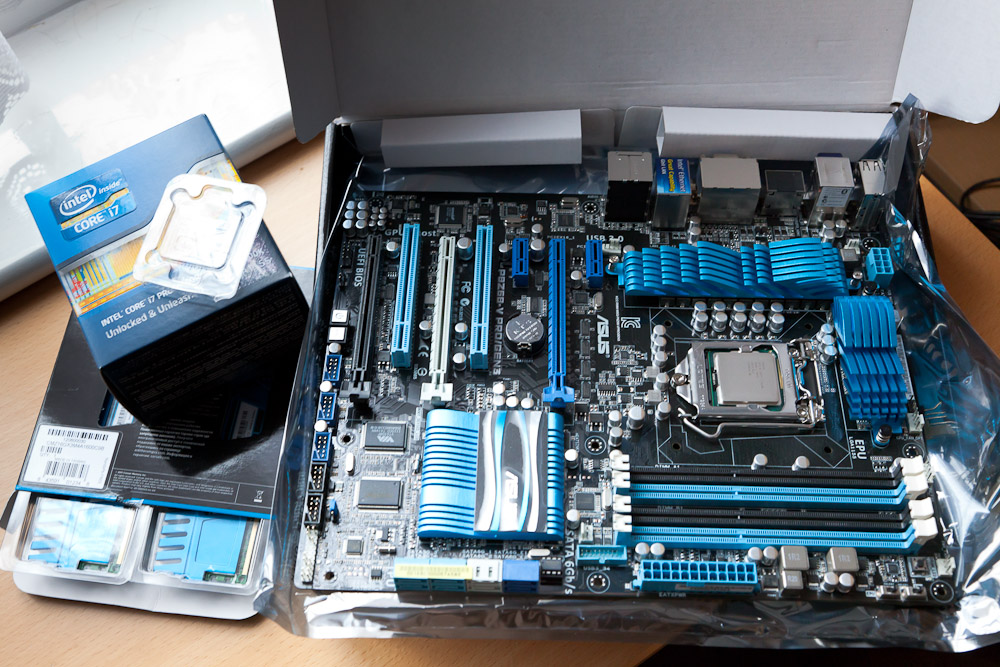
you've had upgrade components for best part of a week and the cooler hasn't turned up :(

IMG_3157.jpg


Contemplated using the old cooler or even the stock one that came with the CPU but don't fancy messing about refitting.

All parts ordered at the same time from Amazon. the i7 turned up next day first class post and was left on the doorstep - only found it later in the day. mobo and memory came Monday morning. Cooler still no sign of. Seller via amazon says they will send another one but no clue when. grrr...
 
Like a zipping accident on your wedding night:thumbsdown:
 
The stock cooler was designed to work with the processor, I'd use it and get them to refund the missing one unless there's a specific reason for wanting a different cooler.
 
It's a very easy to overclock board and a chip that is often overclocked so I probably will do it.
Comparing temperatures on a site with cooler testing figures the stock one runs pretty hot. That particular review was for a different cooler.

The one I'm waiting for is an Arctic cooling Freezer 13 Pro which is the big brother of the one I'm using now and does reasonably well on that test page.
 
Build it with the stock cooler then you can get it all up and running OK before your Arctic cooler arrives.
 
Last edited:
What mobo it is?
It all looks like my PC parts ;)
 
Steep said:
The stock cooler was designed to work with the processor, I'd use it and get them to refund the missing one unless there's a specific reason for wanting a different cooler.

Stock coolers are noisy, poor performing at high usage and poor fitting.

Avoid where possible.
 
I agree with Neil, if possible I never fit standard fans. I have a very large 6 tube heatsink on my Phenom quadcore that has a 120mm fan thats truly silent. Even pushed it keeps my CPU to 39deg and at the same time cools my memory.
 
While I'm waiting (still) I've been looking at ways to move windows to the new mobo rather than re install from scratch and came across this -

http://www.sevenforums.com/tutorials/135077-windows-7-installation-transfer-new-computer.html

A tutorial on how to use sysprep to strip all the drivers and go through a fresh out of the box type install on startup but have your user profile and programs all there and ready to go.

I've backed up as if I'm going to format the SSD and fresh install but my windows is running fine so I'm going to give sysprep a go and see what happens....when I get a cooler :(
 
Noise is my primary reason for wanting after market coolers. I replaced an Arctic Cooler Freezer 7 with a Scythe Ninja 3 the other day and that reduced fan noise even further...
 
I got fed up waiting and installed today with the stock cooler. My case doesn't have a cut out for rear access to the mainboard so i might have to take it out again when I eventually get the cooler i want.

On advice from my bro in law who uses sysprep regularly in his work i didn't go that way and did a fresh install and of course still am installing things.

All is running OK but I have a problem. Sound interference from somewhere. If I grab the scroll bar and quickly scroll the page up and down i get a sound like a wet finger rubbing up and down a window. if I grab the title bar on a window and drag it round the screen I get a sound like a servo motor operating on a robot! There are feint noises at times from the speakers (all of them) at other times with nothing moving on screen. Previewing this post there is a very small fly buzzing about insidethe speakers!

Graphics and sound drivers are latest as is the bios now all chipset etc drivers installed. Google searches find others with the same mobo and same problem but no answers - apart from disable on board sound and get a soundcard.

These are all quiet noises so playing music is no problem but this is going to bug me....
 
Sounds ( :rolleyes: ) like electrical noise from the circuit board being transferred into noise by the analogue stages of the audio subsystem. It's an electrical problem, so the best option would be a cheap soundcard if it bothers you.
 
Interestingly if I mute the sound it makes no difference at all to the interference.

Play some music, move a window about and can't hear a thing other than music. Mute using the volume control and music goes but moving a window squeaking still happens.

Must be RFI getting into the audio leads to the active speakers? Hmm unplugged the leads but left them close to the back and no interference so its coming down the wires...
 
I have to say if that were me that mobo would on its way back for a refund
 
I have an old creative audigy 2 ZS card in the loft and just found there are win 7 drivers available so may give that a go tomorrow. It was good in its day :)

Don't think I could live with it squeaking either and as it is from Amazon the return wouldn't be a problem. Want to be certain it is just this board and not a general 'feature' before thinking about exchange.
 
It's likely to be on all versions of that board IMHO. I've not had it (but I haven't listened for it TBH) on my Asus P8P67 board here.
 
I dont have that problem on my recently bought Asus P7P55D-E
 
I don't have this on z68 pro gen3
 
Sounds like a duff board.

I take all your speaker plugs are securely fitted?
 
I don't have this on z68 pro gen3

I do :(

The 8 way extra atx power cable was tight across the graphics card while I wait for a short extension to arrive. Thought it might be that so used the longer 4 way power which can route away from the card. Not that :(

On board sound looks out of the question as it is.
 
Are the stock coolers really that bad?

I'm using the Intel one that came with my i5-2500k.
It fitted fine, it's keep the CPU below 40 degs. Although I'm not overclocking..........
 
Just found the freezer pro 13 on the doorstep :)

It's a monster.
 
I do :(

The 8 way extra atx power cable was tight across the graphics card while I wait for a short extension to arrive. Thought it might be that so used the longer 4 way power which can route away from the card. Not that :(

On board sound looks out of the question as it is.

try and see.
Im using X-fi as my audio.
 
I've been searching for others with the same problem but its hard to know what search terms to use. Seems fitting a sound card doesn't always solve it. Same noises from the speakers.

Headphones via the front panel give the same noises. Could be time to test Amazons legendary customer service.
 
Just found the freezer pro 13 on the doorstep :)

It's a monster.

They are not small that's for sure

When I saw mine I was worried it wouldn't fit in the case, it does though
 
Last edited:
Are the stock coolers really that bad?

I'm using the Intel one that came with my i5-2500k.
It fitted fine, it's keep the CPU below 40 degs. Although I'm not overclocking..........

The current ones are certainly better than ones I have used in the past.
The stock cooler on i7-2600k was pretty quiet. The problem was it stayed pretty quiet when under considerable load causing the temperatures to get really high - 80C+.
If you are not running load intensive stuff it would probably suffice.
Download Realtemp and keep an eye on the temperatures while using it. If they stay reasonable then the stock cooler will do you just fine.
 
Mobo being collected tomorrow. Replacement delivery estimate 9th so restore with old mobo set or just wait and use a laptop...hmm

Times like this I wish I was using a new system drive and had the old one to plug back in.

Oh and the stock cooler here sounds like a little lawnmower running inside the case. I'd use a decent cooler just for the noise reduction even if it didn't do a lot better at cooling (but it does).
 
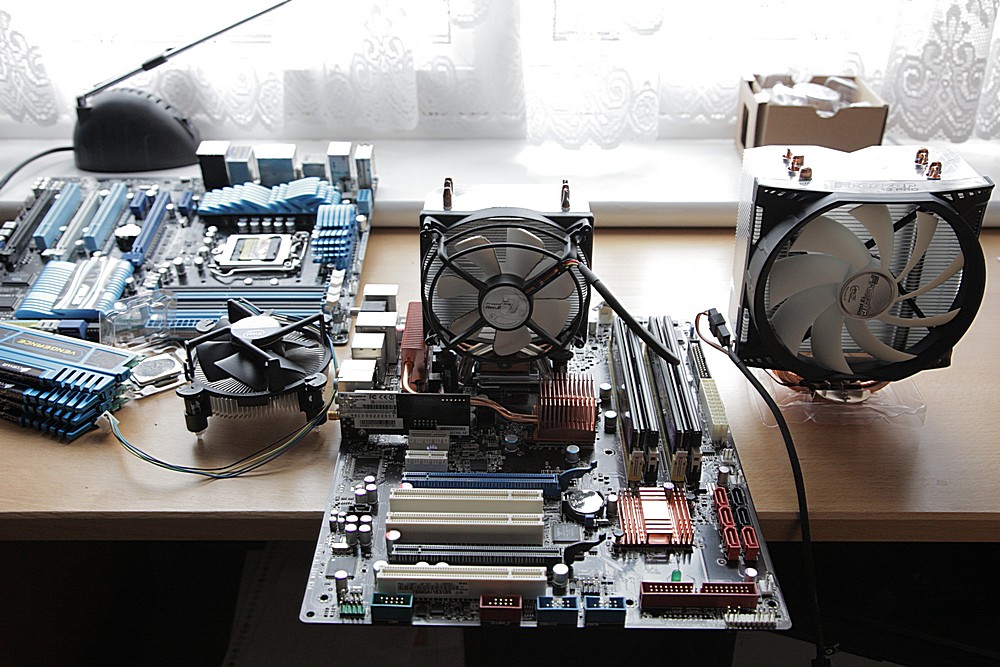
edited from RAW on a netbook with faststone so quality suspect but a picture of the 3 coolers now the PC is back in pieces again...

coolers.jpg


Stock in front of new p8z68-v pro gen3 now boxed for return, freezer7 on the old mobo and freezer13 pro waiting...
 
Well... searching more on the problem on the netbook found an Australian forum post that blamed the USB 3 driver for the problem. I'm not unboxing it now to check that out now. I used the latest driver from the website not the included CD so not confident on the solution. wait and see if the replacement gives me the same troubles.
 
New mobo same noises :(

Grrr
 
Yeah OK :)

I know these things are made to tight standards and should all be the same.

The few forum threads I have found though say a sound card still has the noises.

Its the same win 7 install plugged in to the new board so maybe its a driver conflict thing.

Just rebooted with the TV card removed and its not that.

Have disabled USB 3 in bios and that made no difference.

Will take out my Radeon HD 6870 and try the on board video next..
 
No noises with on board video.

hmmm.

Try an older catalyst version maybe?
 
Don't mind me... just making some notes :)

Now with my old 8800 GTX in. If I wasn't listening for them I'd hear nothing now but there are low level noises with the volume up.

Could be time to dig out my old Audigy 2 ZS and see what happens.
 
No noises with on board video.

hmmm.

Try an older catalyst version maybe?
Try a different video card.... The noise is pollution of the power supplies causing noise through the DACs - that's a hardware thing, not a software thing.
 
See the post above yours :)

The HD 6870 was fine in the previous build.

Time to try a soundcard. bit annoying if I have to go backwards with the video card for now, sell the HD 6870 and buy something else....
 
Back
Top