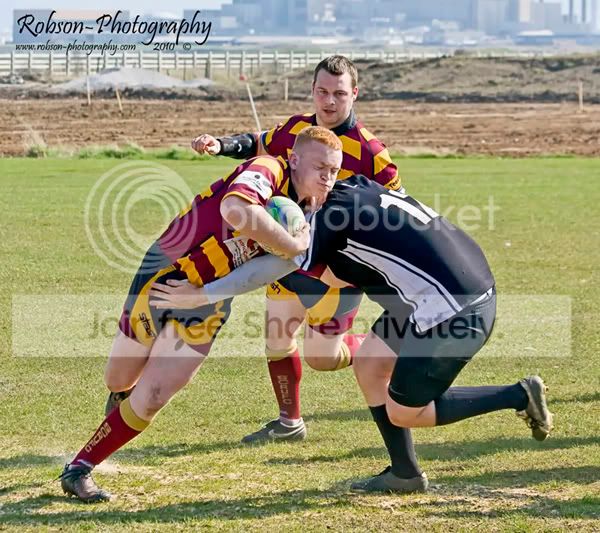
Does my Faux Bokeh work? pics included.

Robbo

Suspended / Banned
Messages
3,962
Edit My Images
Yes
well I started tinkering with some BG blur as my funds wont stretch to a 2.8 for the real deal lol

curious now, if anyone thinks it improves the look at all? makes it worse? or my technique needs polishing? or to just keep it as original.

thanks.

EDIT ignore my stamp on the rugby one as I missed a step out on the name on one of the layers lol
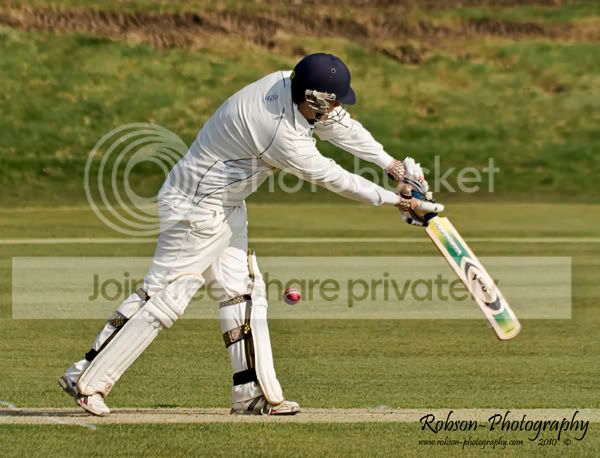
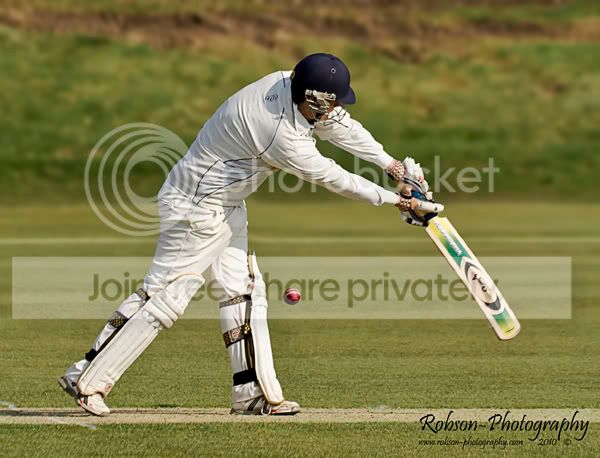
AlneCricket-Copy.jpg


AlneCricket-bokehtest-Copy.jpg


SeatonRugby3-2-Copy.jpg


This could have been blended better
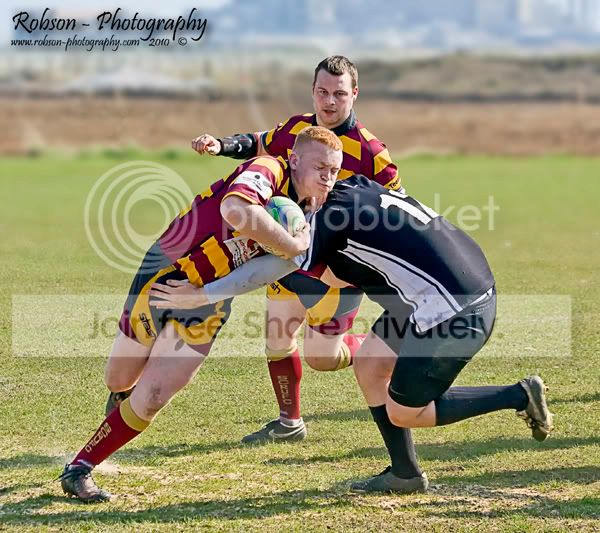
SeatonRugby3-Copy.jpg
 
If you hadnt told me I would have assumed they were taken with fast glass and were 'natural'.
 
It looks pretty good, the only thing is that there is an obvious line where the bokeh starts, particularly on the last one.

If you want to make this more realistic use a plugin called Bokeh from alien skin, it allows you to adjust where the lens was and creates the proper graduated bokeh effect
 
Looks fine to me - quite subtle but that's good.

What f & length lens were you using as a starting point as I would have thought a fair amount of bokeh was possible with backgrounds that far behind the subject ?
 
Yea I only seen I messed up the rugby one after I posted lol

I probably rushed them a little bit as was testing.

I was using 70-300mm 4-5.6 ....BUT at 300mm I like to use F8 as wide open is a lil soft, hence less bokeh.....the rest of the range I shoot 5.6 as its the sweet spot.
 
I was using 70-300mm 4-5.6 ....BUT at 300mm I like to use F8 as wide open is a lil soft, hence less bokeh.....the rest of the range I shoot 5.6 as its the sweet spot.

Ah I see.

We never get enough sun up here for f8 ;)
 
They look really great.
Exactly how are you doing it?

I tried two different ways, the first way which these picture are NOT done in: -

duplicate layer, quick mask mode, mask out the guy/s etc, exit mask mode, gaussian blur, layer mask, use gradient tool.

This left it a bit hmmmm looking.

Second one in which the pictures were done in : -

duplicate layer and add mask, duplicate bg again inbetween the BG are foreground layer, colour the middle one a bright colour, go back to the foreground and used magic wand thing to get most of the bg selected, masked it out, (bright colour used to see better etc) then zoomed in to 'fine select' any missing bits. delete coloured layer and make a new BG layer, gaussian blur and smudge in all the edges of the players to get rid of halo effect (this is best done with the foreground masked layer eye un selected. create mask on the blur BG and gradient it.

all done from memory but thats roughly the way it went lol
 
I tried two different ways, the first way which these picture are NOT done in: -

duplicate layer, quick mask mode, mask out the guy/s etc, exit mask mode, gaussian blur, layer mask, use gradient tool.

This left it a bit hmmmm looking.

Second one in which the pictures were done in : -

duplicate layer and add mask, duplicate bg again inbetween the BG are foreground layer, colour the middle one a bright colour, go back to the foreground and used magic wand thing to get most of the bg selected, masked it out, (bright colour used to see better etc) then zoomed in to 'fine select' any missing bits. delete coloured layer and make a new BG layer, gaussian blur and smudge in all the edges of the players to get rid of halo effect (this is best done with the foreground masked layer eye un selected. create mask on the blur BG and gradient it.

all done from memory but thats roughly the way it went lol

:thumbs:

It's gonna take me a while to suss that out.
Even with it written down lol.

Looks great mate. Nice stuff
 
:thumbs:

It's gonna take me a while to suss that out.
Even with it written down lol.

Looks great mate. Nice stuff

Cheers mate..like I say these were more 'testing' the technique out, will hopefully polish the 'real' ones up.
 
I think they are both spot on, but the cricket one looks much more natural.
 
well I like it. Really gives them some 'pop'.
 
On the rugby one I think it's a mix of too much blur and I done the graduation mask wrong..... But I blame the dog bugging me lo
 
I can't remember how exactly but there's a way of doing it so that it's smoothly graduated forward and backward, so the sharp part looks more natural from front to back of the total image, it's in a book by Mark Galer but i forget what it's called.

Best fake bokeh i've seen anyway.

the alien skin plugin i mentioned above does this
 
Look pretty good to me Robbo!

Remember if you have any foreground in, the blur will apply to that just as much as the background - go back and take a look at the 400 2.8 bike shot I showed you when you were asking about bokeh the other day.
 
Looks OK and will work for a few shots. However, have you really the pp time to do this for lots of shots? The last rugby tournament I shot lasted all day and I had over 1200 shots to go through. I'd hate to PP all those.
 
Back
Top