Do you save RAW and JPeg? or just RAW?

I only capture Raw files and do archive them but during the processing I will usually have produced a TIFF or PSD version to edit in PS, Topaz and for printing. I also Archive the finally edited TIFF files. I produce JPEG files from those TIFF files only as needed for web of projection but do not store the JPEG files.

Dave
 
Raw to both cards for me.

I really enjoy the processing flexibility it gives me and find a lot of joy in working on the images I've captured. It's almost as big a joy as the photography experience for me but everyone is different.

Plus from the factor of future proofing, keeping all that captured data seems like the best way for me to curate my photography journey, especially with storage being so reasonable these days.
 
For no particular good reason other than I have the capacity, I save raw and JPG to card. If there's a photo that I want to custom-process instead of using the in-camera processing, I can do it with the raw image data. I could process all my images from raw and save as jpg (or tiff or png) but more often than not, the in-camera jpg has been processed good enough for my requirements and I save myself the bother. More often than not, if I need to do some image editing, I can do it with the camera-processed jpg too.

When it comes to image storage, I can be a bit of a hoarder and for many years saved both raw and jpg, without any culling, in date folders - this imho is bad practice for the bulk of my images purely because it is excessive to requirement.

Obviously if I want to browse my photos, jpg is better than converting raw data (or using a stored thumbnail/preview image) every time I peruse a folder. If I want to use or share an image but only save raw, I need to convert the raw data. If I have an in-camera jpg that is fit for my purposes, it makes sense to save it and use it. If I'm not going to custom-process the raw data, it makes sense to bin it. If I fancy that I might want to custom-process the raw data at a later time, it makes sense to keep the raw data (and keep the in-camera jpg for the reasons I stated above).

Therein lies the problem - I'm a hoarder and I rarely bin the raw data, "just in case". Saying that, I no longer religiously upload all camera card files to the computer but often I will take photos for a purpose, select the images for that purpose and leave the rest on the card, where they stay until the next format.
 
The advantage of being able to go back to the original raw and reprocess should not be underestimated. You may get some good results from old raws by reprocessing them with the latest Raw converter. I always keep the original raws, but because my post processing workflow may incorporate edits by more than one product, I keep the final edited version in tif format, which can be used to generate jpegs or whatever, with different aspect ratios according to the requirement.
 
RAW in 3×2 and .jpg in square format
 
I used to do raw + jpg but just use raw now. I personally didn't see the point with the jpg if I edit raw and export as jpg.
 
The advantage of being able to go back to the original raw and reprocess should not be underestimated. You may get some good results from old raws by reprocessing them with the latest Raw converter. I always keep the original raws, but because my post processing workflow may incorporate edits by more than one product, I keep the final edited version in tif format, which can be used to generate jpegs or whatever, with different aspect ratios according to the requirement.
Yep agree I’ve gone back and redone some old shots luckily I had saved the Raws
 
Havn't you missed one out.. "Or just JPG" as a lot of people don't shoot RAW :)
To add a further variation. I do not save JPEG's as they are temporary files, but I save the RAW and the finally edited TIFF files only.

Dave
 
Mainly just jpeg's, the thought of taking 2>3k raw shots at a race meeting and having to process them all gives me palpitations - if I'm doing any landscape work then I may switch over but to be honest - get it right in camera print to A0 and hang it ;-)
 

Attachments

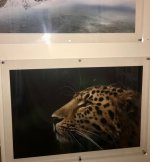
  • 01.JPG
    01.JPG
    240.1 KB · Views: 14
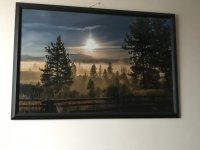
  • 02.jpg
    02.jpg
    254.3 KB · Views: 14
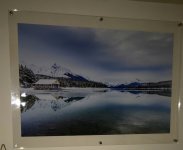
  • 03.jpg
    03.jpg
    276.4 KB · Views: 14
How do you "get it right in camera" if the dynamic range of the scene exceeds the dynamic range of the camera?

Dave


A good question.
Film had a lower dynamic range than a sun lit scene, printing paper had a lower dynamic range than film. At each stage choices and adjustments had to be made by the processor to result in a realistic image..

Digital camera sensors can now capturer a wider dynamic range than can be displayed on screens or paper. Choices and adjustments have to be made to display a realistic image.
These choices can be made in camera with algorithms that produces a compressed jpeg.
The alternative is to capture the entire raw data from the sensor and make your own individual selected adjustments and choices later, to produce the best possible file. This requires the photographer to develop the necessary skills to do so.

However when capturing a raw file , you also capture all the same camera settings necessary to produce a camera jpeg directly in the raw processor, and this is what you can see when you first open the file, if you so wish, this can be saved as a jpeg or other file with no further processing.

However people who shoot raw rarely make all the same settings as those who shoot jpegs, as it is unnecessary to do so.
The resulting opened images will appear different to those produced had they done so.
 
Last edited:
However people who shoot raw rarely make all the same settings as those who shoot jpegs, as it is unnecessary to do so.
The resulting opened images will appear different to those produced had they done so.
Agreed

...and. as has been stated often enough, there is no such as correct exposure, only the exposure(s) that provide the image required for a particular purpose.
 
Agreed

...and. as has been stated often enough, there is no such as correct exposure, only the exposure(s) that provide the image required for a particular purpose.
Absolutely,
and no two people will produce the same finished image from the same original file.
We all add our own interpretations.
 
A good question.
Film had a lower dynamic range than a sun lit scene, printing paper had a lower dynamic range than film. At each stage choices and adjustments had to be made by the processor to result in a realistic image..

Digital camera sensors can now capturer a wider dynamic range than can be displayed on screens or paper. Choices and adjustments have to be made to display a realistic image.
These choices can be made in camera with algorithms that produces a compressed jpeg.
The alternative is to capture the entire raw data from the sensor and make your own individual selected adjustments and choices later, to produce the best possible file. This requires the photographer to develop the necessary skills to do so.

However when capturing a raw file , you also capture all the same camera settings necessary to produce a camera jpeg directly in the raw processor, and this is what you can see when you first open the file, if you so wish, this can be saved as a jpeg or other file with no further processing.

However people who shoot raw rarely make all the same settings as those who shoot jpegs, as it is unnecessary to do so.
The resulting opened images will appear different to those produced had they done so.
A good question and a good answer. One that should be pinned for future reference?
 
I once tested it, it's actually faster, like notably faster with RAW twice. There is no conversion going on by the CPU probably. Just straight information from sensor writing to the card.
Yes, the reason why these cameras have a powerful computer is to process the JPEGS. I believe this is also the reason why many cameras started to include video because the necessary processing power was already there.

Dave
 
Dave Canon - in answer to your question yes I set the camera up to produce the jpegs the way that works for me, agreed it wont be to every ones liking but the vast majority of what I cover is racing on mass and the files are big enough that either the drivers or I can do a little processing still giving great printable images if desired.
If this was misleading on the 'out of camera' statement I apologies .

.DAVID.
 
Dave Canon - in answer to your question yes I set the camera up to produce the jpegs the way that works for me, agreed it wont be to every ones liking but the vast majority of what I cover is racing on mass and the files are big enough that either the drivers or I can do a little processing still giving great printable images if desired.
If this was misleading on the 'out of camera' statement I apologies .

.DAVID.

I'm mildly intrigued David. Do you really use/sell/print several thousand images per event, or do you take several thousand and then cull down to the best 20 or 30 (like most of us would)?

This is a question BTW, and not looking for a potential dig.
 
I'm mildly intrigued David. Do you really use/sell/print several thousand images per event, or do you take several thousand and then cull down to the best 20 or 30 (like most of us would)?

This is a question BTW, and not looking for a potential dig.
Different people do it different ways. One way is to cull the obvious duffers that are out of focus, and bulk upload all of them. You may end up with a thousand photos, but if broken down into categories, a competitor has a number of photos from which to choose. its often quicker to do this as you then don't have to spend time culling and curating further - just let it upload overnight.
 
I'm mildly intrigued David. Do you really use/sell/print several thousand images per event, or do you take several thousand and then cull down to the best 20 or 30 (like most of us would)?

This is a question BTW, and not looking for a potential dig.
Hi Toni,
As Andrew said we all have different ways / briefs.

Afraid I do - I have to cover 11 series over one / two days and have to try to get 15>20 of each car / driver - I cull same evening to get uploaded following day - I do a drivers offer which helps with the sales and yes can clear a thousand sales a weekend (sometimes more, sometimes less) circuit dependant.
And yes - it is hard work not as easy as the old 'oh you just press the button don't you'

Occasionally I have had the request to spend a little time on certain shots and to date have not had any bad feedback - that could be because they don't want to hurt my feelings of course ;-)

Didn't take it as dig - lifes too short huh.

.DAVID.
 
Personally I do both... JPGs to view in Mac's Preview, to sort out the good, the bad and the ugly... and then keep the RAWs with the matching filename..
It is as easy to view raws in preview as it is jpegs. Unless you do not have the necessary codec for some reason.
 
There seems to be a problem getting some codecs for windows 10 (and probably 11) there was a time when Canon said they would not make them available, though they are not the only source.

I found an answer that is quicker and easier than using the windows file browser.

Download IrfanView, then go to options and settings, and set the external editing programmes (you can have three, haven't tried to see if I can add more)

Close IrfanView and open IrfanView Thumbnails.
It is very quick to show previews, and I set the preview size to 800X800 which gives me a very reasonable size preview.
If you want to edit one of them, just right click, open with external programme, and select the programme you want to edit with.

Very quick, easy, and the previews are a good size to see.

You also have the option of using IrfanView for quick jpeg adjustments, resizing etc, which is also very quick and convenient.

Even if the codecs were easy to find, I don't think I would bother now.

 
There seems to be a problem getting some codecs for windows 10 (and probably 11) there was a time when Canon said they would not make them available, though they are not the only source.

I found an answer that is quicker and easier than using the windows file browser.

Download IrfanView, then go to options and settings, and set the external editing programmes (you can have three, haven't tried to see if I can add more)

Close IrfanView and open IrfanView Thumbnails.
It is very quick to show previews, and I set the preview size to 800X800 which gives me a very reasonable size preview.
If you want to edit one of them, just right click, open with external programme, and select the programme you want to edit with.

Very quick, easy, and the previews are a good size to see.

You also have the option of using IrfanView for quick jpeg adjustments, resizing etc, which is also very quick and convenient.

Even if the codecs were easy to find, I don't think I would bother now.

Been using IfanView as my viewer of choice for years, always quick and easy. Also for converting between sizes and formats in bulk.
 
I started saving both with my first camera that had dual card slots, but I realised I never even looked at the JPEG so thought, what's the point? Now I just save RAW
 
It depends on what you intend to do with your photos and also any ambitions you may have. When I got my Sony mirrorless in 2014, I suddenly had the ability to shoot RAW, so I set the camera to save to both. After editing two trips worth of RAW shots, I decided to do a comparison and found I could get the same visual appearance from the JPEGs in seconds, compared to minutes taken with RAWs. I very rarely print the shots and mainly post to Flickr and various forums. I now don't bother with saving to RAW because the JPEGs offer sufficient quality for my needs. I have no doubt that pixel peepers will spot a difference, but my shots are intended to be viewed as a whole. Everyone has a valid reason for their own choices.
 
On the 'proper' camera. I shot RAW+JPEG for a while with them being saved to their own cards.
I realised however that the JPEGs where basically just building up as anything I was happy with I always tweaked the RAW before exporting anyway.
So now, just RAW.

On my phone. I did for a while use a 'Pro' camera type app that allowed RAW files but tbh I realised I couldn't be bothered treating my phone like my main camera and just wanted it to be a point and click that was always with me so in this instance JPEG.
 
I think for a lot Its like people wanting linux over windows.. or only shooting in manual because it makes them look clever .. Theres a reason cameras have the jpg option guys :)

How bad are peoples pictures they need to do that much editing to make them presentable ?

I only shoot in Jpeg as I find setting the camera up first for how I like my .jpegs much easier and rewarding than trying to fix it later, add to that I hate sitting in front of a PC and messing about trying to do what the camera can do for me ( Lens correction, colours,contrast blah blah). I do use Linux and have done for 15 years or more but this was done because at the time I didn't want to pay for Windows (I'm a skinflint) when I could get something else equally as good for free and at the time being a Radio Ham and Electronic service engineer I had some interest in how things electronic work. Now I just don't know how to work Windows so stick with what I know.
 
Back
Top