Distracting Watermark? - Please comment

Mentalblock

Suspended / Banned
Messages
2,175
Name
Neil
Edit My Images
No
Call me suspicious, but if people are going to use an image without permission, surely they are prepared to crop an image so watermarks in the corner are cropped out.
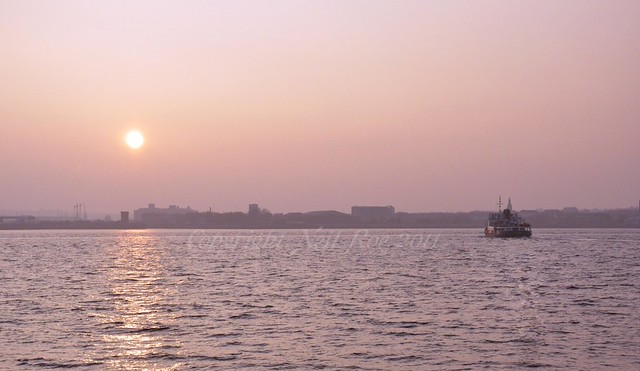
With this concern, I've set up an Action in PS to apply a watermark across all of the image. My question is, is it too distracting?

5718028991_07005f9fc2_z.jpg


I'm happy to have a central watermark if people think this is best, but I've not found a PS tutorial to do this and want to be able to click an action which will centralise it on any sized image - can anyone offer help on this?
 
yes if you want to look at the image

do you know people are using your images or are you just being paranoid for no reason.
 
Yes its a tad distracting, maybe a softer version would be better?

Les :thumbs:
 
Surely that's like saying don't bother locking your front door until after you've been burgled?


no, not the same. if people are going to use the image at that size there is really nothing you can do other than not upload it.
 
no, not the same. if people are going to use the image at that size there is really nothing you can do other than not upload it.

There's no mention of image size in the OP, but I get your point.
 
I'll try a fainter version.

As for paranoid, probably I am, but it's probably more being cautious and making life difficult for those who pay no attention to copyright. I'm only an amateur, but if I've considered making prints of my images, then others may to and it would be nice if they asked or even better paid!

Thanks for the help
 
I would only be concerned about people using my images if they were trying to make money out of it. I am also very much an amateur and take photos for my pleasure as long as I get that I don't really care what happens to them.

Yes the watermark is distracting.
 
Call me suspicious, but if people are going to use an image without permission, surely they are prepared to crop an image so watermarks in the corner are cropped out.
With this concern, I've set up an Action in PS to apply a watermark across all of the image. My question is, is it too distracting?

5718028991_07005f9fc2_z.jpg


I'm happy to have a central watermark if people think this is best, but I've not found a PS tutorial to do this and want to be able to click an action which will centralise it on any sized image - can anyone offer help on this?

Chris,

I find it a hard balancing act with reference to watermarks. Too heavy and it obliterates the image and too weak and its easily removed with software that is readily available.

Then there is the bared faced thieves who just screen print and put them on face book. (Sorry !!! Bit cynical)

I think your final decision must take into account how they are being viewed and by who, ie are they friends or customers. Also where are they being displayed, private website or in the public domain.

Have different watermarks for each occasion.
 
Prints which I like I'm happy to have visible to the public on my Flickr, you never know, some honest person may want to pay for the use of the image!
So I'd like to protect them as best I can, but without spoiling them.

I've decided to go with a single text watermark which I'll place in a suitable part of the image, a part that won't detract from the image but cannot easily be removed by cropping or PP. I've also reduced the image quality too, so anything of a good sized print wont be that good.

5723664125_b50d45122f_z.jpg


Do we prefer the new watermark?
 
new one is far to easy to clone out in my opinion.

I'd agree, but coupling it with the lower image resolution, hopefully the images wont get used for unauthorised financial gain but the image is not destroyed by a watermark for the honest viewer.

This all assumes that as an amateur I actually get an Athena Tennis Girl image that someone wants!
 
Last edited:
small low res images are of little use to anyone wishing to copy / Use

I always re-size mine to 800 x 600

Les :thumbs:
 
Back
Top