You are using an out of date browser. It may not display this or other websites correctly.
You should upgrade or use an alternative browser.
You should upgrade or use an alternative browser.
Discussion / idle chat thread (2022) Week 52 Showcase
- Thread starter Cobra
- Start date

Donnie
Suspended / Banned
- Messages
- 7,027
- Name
- Paul
- Edit My Images
- No
Well I am off the mark with a contribution. Wife's unopened bottle of gin with the gold flakes floating around. I tried the tech angle by selecting shutter speeds between 1 & 2 seconds and moving the camera. Had a few interesting results. Tonight, when it is pitch black again and the kids are in bed I will switch the lens around and take another few but this time alter the zoom on the lens.
You need to add the link in the thread to direct people to your photo in your 52 thread mate.
OP

- Messages
- 114,434
- Name
- The real Chris
- Edit My Images
- No
Everything is in the how to guides and links HEREHeeelp ... I've been trying for 2 hours now to sort the links out for my submission onto Chevin's TP52 thread and the main thread.
This is what I'm doing.
Specifically uploading from Flickr is HERE
Just upload as above to both threads, yours and the main submission pageDo you copy and paste of the image in Chevin's TP52 thread into the submissions thread and then create a link?
Donnie
Suspended / Banned
- Messages
- 7,027
- Name
- Paul
- Edit My Images
- No
I don't believe it is, the idea is to create your own thread allowing you to link the posted picture to your thread to stimulate discussion / feedback. @Cobra can likely clarifyI wasn't planning on setting up my own thread, just contributing to the weekly one. Is that not allowed?
OP
- Messages
- 114,434
- Name
- The real Chris
- Edit My Images
- No
I think I mentioned before, was it you?I wasn't planning on setting up my own thread, just contributing to the weekly one. Is that not allowed?
Not a problem, but you won't get feedback or comments.
Its a community and I think your'll be missing out, if you just submit an image
Last edited:
Don't recall being told / or asking (doesn't mean it wasn't me ). I just assumed those who wanted to set up their own thread could. It was how I interpreted the rulesI think I mentioned before, was it you?
Not a problem, but you won't get feedback or comments.
Its a community and I think your'll be missing out, if you just submit an image

OP
- Messages
- 114,434
- Name
- The real Chris
- Edit My Images
- No
The whole point of the 52 is setting up your own thread is to get feedback, encouragement, etc.I just assumed those who wanted to set up their own thread could.
There are no comments allowed on the submission page, but as above, its up to you if you don't want to

Chevin
Suspended / Banned
- Messages
- 879
- Name
- Duncan
- Edit My Images
- No
Thats how I've been doing it ... I've got a little nearer now ... however the when you click on either image in the submissions thread and my TP52 thread it dosen't link back to Flickr ... clicking the image title or my name links back but not the clicking the image
Heeelp ... I've been trying for 2 hours now to sort the links out for my submission onto Chevin's TP52 thread and the main thread.
This is what I'm doing.
Link Flickr image to Talk Photo via BB code & upload image into Chevin's TP52 thread ... image appears and seems ok, links back to Flickr via clicking image or name & title. There is also this url attached to the image ... [url=https://flic.kr/p/2mW5e3c] at the top left hand corner of the image.
I understand the above ... I appear to be struggling what to do next. How do I get the image into the submissions thread? Do you copy and paste of the image in Chevin's TP52 thread into the submissions thread and then create a link? .. I'm just confused with what to do and it's becoming a tad frustrating as I think it will be something stupidly simple that I'm doing wrong
A few pointers would be appreciated
Hi Duncan
Hopefully I can point you in the right direction.
The post you set up in your own thread ("Chevin's 52 for 2022 Week 01 ... New") seems mostly fine. The second Flickr link works, but the first does not (just for completeness, you don't need to use Flickr, you can just post the image in your thread, but many do use Flickr).
The next step is, after you submit the post, to right click on the little number top right of your post - "#2" in this case. You should get a short list of options. Click the "Copy Link Address" one. (NB I am a Windows user, so it may be different if you use a Mac - can't help there).
Then go to the shared thread ("Post your images here..."). Redo the work you did in your thread to create a new post with the week number, theme, tech (if appropriate) and the image. But also, include in there a link. Click on the chain icon ("Insert Link"). In the URL field paste (Ctrl-V) the link address you copied above. In the Text field, write whatever you like - many people use "Link" or "Linky". Press enter to create the link. Then submit your post.
You can finish by testing your link takes you from the shared thread to your own thread.
Hope that helps!
OP
- Messages
- 114,434
- Name
- The real Chris
- Edit My Images
- No
I've just tested it, with one of your images and one of mine, both linked back to flickr.Thats how I've been doing it ... I've got a little nearer now ... however the when you click on either image in the submissions thread and my TP52 thread it dosen't link back to Flickr ... clicking the image title or my name links back but not the clicking the image
try this one and make sure you have copied the full BB code

202201_TP52_New by Chevin, on Flickr
Last edited:
Chevin
Suspended / Banned
- Messages
- 879
- Name
- Duncan
- Edit My Images
- No
I've just tested it, with one of your images and one of mine, both linked back to flickr.
try this one and make sure you have copied the full BB code
The plot thickens ... when I mouse point to the image above and the other Flickr images in the submission's thread the image url address is as follows ... https://flic.kr/p/{file name} however when I point at my images the url address is ... https://talkphotography.co.uk[https://flic.kr/p/{file name}]. Looks like it's trying to link to the image via talkphotography and not directly to flickr ... any ideas why this should be and how can I correct this?
Last edited:
OP
- Messages
- 114,434
- Name
- The real Chris
- Edit My Images
- No
As long as the image is hosted on flickr, (and not an attachment from your PC or a drop and drag) and you have copied and pasted the full BB code from flicker, into your post, its not possible for it to be redirected to TP.Looks like it's trying to link to the image via talkphotography and not directly to flickr ... any ideas why this should be and how can I correct this?
Don't use the media button BTW the mountain / film icon on the top bar, of the reply field.
The image I linked from your flickr goes straight there.

- Messages
- 49,339
- Name
- Nod (UK)
- Edit My Images
- Yes
Don't recall being told / or asking (doesn't mean it wasn't me ). I just assumed those who wanted to set up their own thread could. It was how I interpreted the rules
FWIW, I reckon I've had more comments and advice about the single image so far than I've had from posting images in the rest of the forum over the past several years!
OP
- Messages
- 114,434
- Name
- The real Chris
- Edit My Images
- No
That's not usual, especially if you post an image it helpsFWIW, I reckon I've had more comments and advice about the single image so far than I've had from posting images in the rest of the forum over the past several years!

As above though, its a community, and everyone tries to help everyone else,
Chevin
Suspended / Banned
- Messages
- 879
- Name
- Duncan
- Edit My Images
- No
As long as the image is hosted on flickr, (and not an attachment from your PC or a drop and drag) and you have copied and pasted the full BB code from flicker, into your post, its not possible for it to be redirected to TP.
I think it's sorted now. I pressed enter and then pasted the url in .... seems to have cleared the issue. Don't know what was happening but from my perspective it was definatly and age thing .... mine!!
Thanks to all who gave me advice .... I think a long lie down is now required .... or a large glass of something alcoholic
OP
- Messages
- 114,434
- Name
- The real Chris
- Edit My Images
- No
I've replied on your threadI think it's sorted now.

Bebop
Suspended / Banned
- Messages
- 7,318
- Edit My Images
- No
Is it going to be acceptable for people not to have their own thread or is it just teething problems? I have just gone looking for non-existent threads. There seem to be a few missing.
For people new to the 52, I find it's really easy to just click on Attach file underneath the post. The image has to be a max of 500Kb and 1000 max pixels across. It does mean you have to attach it in both the main thread and your own thread, but it does mean it doesn't disappear should you delete it from Flickr. Quality might be better if you click through to Flickr though, and there is the group on there.
For people new to the 52, I find it's really easy to just click on Attach file underneath the post. The image has to be a max of 500Kb and 1000 max pixels across. It does mean you have to attach it in both the main thread and your own thread, but it does mean it doesn't disappear should you delete it from Flickr. Quality might be better if you click through to Flickr though, and there is the group on there.
OP
- Messages
- 114,434
- Name
- The real Chris
- Edit My Images
- No
I've been through this a few times with some of the new guys, Bee. There are at least 2 that I am aware of.Is it going to be acceptable for people not to have their own thread or is it just teething problems? I have just gone looking for non-existent threads. There seem to be a few missing.
TBH I don't understand the logic of posting an image and not joining in the community.

At least the old hands won't have so many to comment on.
Also it seems that many didn't read the how to guides and links, before posting,
that explains everything ( as you know) they need to know.

- Messages
- 11,169
- Name
- Tim
- Edit My Images
- Yes
HI Bebop.
I think we are missing threads for @Adamcski and @gerards artzone
There is nothing in the guidelines 100% requiring people to have their own threads, but to be honest if they don't, they are not going to get very much out of the 52 and I doubt will stick around. As you know, it's the interaction that makes the 52 worthwhile doing.
I would suggest that we have a change to the guidelines made for future years, suggesting that if people want to use the 52's theme as a driver to take photos, but don't want to join in with the 52's community, then they post in the personal projects sub forum rather than the 52
Additionally, there appears to be a random post added by @Count Arthur Strong who has not signed up etc. and doesn't appear to be anything to do with the 2022 52 (I will ask Cobra to delete it).
I think we are missing threads for @Adamcski and @gerards artzone
There is nothing in the guidelines 100% requiring people to have their own threads, but to be honest if they don't, they are not going to get very much out of the 52 and I doubt will stick around. As you know, it's the interaction that makes the 52 worthwhile doing.
I would suggest that we have a change to the guidelines made for future years, suggesting that if people want to use the 52's theme as a driver to take photos, but don't want to join in with the 52's community, then they post in the personal projects sub forum rather than the 52
Additionally, there appears to be a random post added by @Count Arthur Strong who has not signed up etc. and doesn't appear to be anything to do with the 2022 52 (I will ask Cobra to delete it).
Bebop
Suspended / Banned
- Messages
- 7,318
- Edit My Images
- No
@LC2 and @Cobra - I wasn't sure if I had missed something as I hadn't been around quite as much as usual I have just wasted time looking for their threads and won't do that in future if there is no link,.. but we can all forget to post a link sometimes.
It does seem to make sense that if people don't want comments, then they may as well be in their own thread with their own project.
I have just wasted time looking for their threads and won't do that in future if there is no link,.. but we can all forget to post a link sometimes. It does seem to make sense that if people don't want comments, then they may as well be in their own thread with their own project.
Hi folks, sorry I've been preoccupied (mom and dad tested +ve and my mom is extremely vulnerable and dad is her carer) so I just haven't had the time to set something up. I didn't realise that there was a requirement to set up your own thread also, could be my mistake for not reading the T&C's fully. As photography is a hobby, I'm not fully up to speed with the ways of the forum and Flickr, etc. If I get chance to set something up either later today or tomorrow I will. If I don't, well I just won't post in the main thread so others don't waste their time. Likewise, it could be a good idea to include the exact requirements in future so new people know . Joining in can be different things to different people also. Perhaps some are happy to just post a picture and don't require comments or critique as it's termed here. I will try and sort something out, just having an hour or two to sit and dedicate to it right this moment isn't time I have.
. Joining in can be different things to different people also. Perhaps some are happy to just post a picture and don't require comments or critique as it's termed here. I will try and sort something out, just having an hour or two to sit and dedicate to it right this moment isn't time I have.
Last edited:
Bebop
Suspended / Banned
- Messages
- 7,318
- Edit My Images
- No
Sorry to hear about your Mom and Dad. Hoping they don't get ill with it.Hi folks, sorry I've been preoccupied (mom and dad tested +ve and my mom is extremely vulnerable and dad is her carer) so I just haven't had the time to set something up. I didn't realise that there was a requirement to set up your own thread also, could be my mistake for not reading the T&C's fully. As photography is a hobby, I'm not fully up to speed with the ways of the forum and Flickr, etc. If I get chance to set something up either later today or tomorrow I will. If I don't, well I just won't post in the main thread so others don't waste their time. Likewise, it could be a good idea to include the exact requirements in future so new people know
I honestly find it much easier just to attach a file rather than sharing from Flickr, but you do have to attach it twice - when you post in the main thread and in your own one.
It is a light hearted, friendly area of the forum and I'd guess most of us are hobbyists, so we don't take it too seriously. I suspect it is all mentioned in the guides thread, but I remember finding it all a bit overwhelming when I first did it.
Not sure if it helps but here is my 'procedure'...
1. at start of year (or in 1st week) set up my own thread.
Then each week...
1. Make a post in my own thread with the week title e.g. Week 1: New and add the photo using Attach file.
2. Edit my thread title to reflect the current week.
3. Go to my last post in my thread that has the image in it, and right click on the no. of the post e.g. #23 and copy the link.
4. Go to the main photo thread and make a post - add my photo by attaching file again, and then add link (right click and paste)
Others may do it differently, but I just find this simpler than using Flickr.
Last edited:
- Messages
- 11,169
- Name
- Tim
- Edit My Images
- Yes
No probs and I know where you're coming from with real life getting in the way (Dad had a heart attack just before Christmas and the bypass was a couple of days ago). Actually, I do recall now that the slithery one mentioned you were going to set up your thread once you had a chanceHi folks, sorry I've been preoccupied (mom and dad tested +ve and my mom is extremely vulnerable and dad is her carer) so I just haven't had the time to set something up. I didn't realise that there was a requirement to set up your own thread also, could be my mistake for not reading the T&C's fully. As photography is a hobby, I'm not fully up to speed with the ways of the forum and Flickr, etc. If I get chance to set something up either later today or tomorrow I will. If I don't, well I just won't post in the main thread so others don't waste their time. Likewise, it could be a good idea to include the exact requirements in future so new people know
So please carry on as you are and fix your personal thread up when you can (maybe nudge me to add the "Link" into the scrolls when you do).
Best of luck with your Mum and Dad!Hi folks, sorry I've been preoccupied (mom and dad tested +ve and my mom is extremely vulnerable and dad is her carer)

rpn
Suspended / Banned
- Messages
- 10,467
- Name
- Stan
- Edit My Images
- Yes
Hi folks, sorry I've been preoccupied (mom and dad tested +ve and my mom is extremely vulnerable and dad is her carer) so I just haven't had the time to set something up. I didn't realise that there was a requirement to set up your own thread also, could be my mistake for not reading the T&C's fully. As photography is a hobby, I'm not fully up to speed with the ways of the forum and Flickr, etc. If I get chance to set something up either later today or tomorrow I will. If I don't, well I just won't post in the main thread so others don't waste their time. Likewise, it could be a good idea to include the exact requirements in future so new people know
Sorry to hear about your parents hope they are better soon.
Don't get too hang-up about rules etc, actually, there are no T&C or even rules just basic guidelines. It is your project/challenge after all.
The first week looks like a bite of a big task but it will get easier. Also it is a good idea to join the community and create your own thread to receive feedback, comments etc. I learned a lot from my first 52s with all the feedback and constructive critiques.
OP
- Messages
- 114,434
- Name
- The real Chris
- Edit My Images
- No
Although the rules / guidelines do allude to it, in #4 ( and I thought that was enough)There is nothing in the guidelines 100% requiring people to have their own threads, but to be honest if they don't, they are not going to get very much out of the 52 and I doubt will stick around. As you know, it's the interaction that makes the 52 worthwhile doing.
I would suggest that we have a change to the guidelines made for future years, suggesting that if people want to use the 52's theme as a driver to take photos, but don't want to join in with the 52's community,
However, I'll give a little thought to re-wording it

- Messages
- 11,169
- Name
- Tim
- Edit My Images
- Yes
We've managed at least 12 years without having to be too specific and that's a good thing really otherwise the guides would be 35 pages long trying to (and failing to) cover every eventuality. A bit like trying to come up with a set of rules to govern Formula 1 (or herding cats).Although the rules / guidelines do allude to it, in #4 ( and I thought that was enough)
However, I'll give a little thought to re-wording it

wornish
Suspended / Banned
- Messages
- 2,088
- Name
- David
- Edit My Images
- Yes
The light touch in terms of rules and the supportive feedback is the reason I have returned here.We've managed at least 12 years without having to be too specific and that's a good thing really otherwise the guides would be 35 pages long trying to (and failing to) cover every eventuality. A bit like trying to come up with a set of rules to govern Formula 1 (or herding cats).
Some other forums that shall be nameless have lost the plot imho.
OP
- Messages
- 114,434
- Name
- The real Chris
- Edit My Images
- No
Yes I agreeWe've managed at least 12 years without having to be too specific and that's a good thing really
Or TP membersA bit like trying to come up with a set of rules to govern Formula 1 (or herding cats).

Hi folks, the forums black sheep here (LOL) I hope all is well.
I believe I have set it up now, although I am just posting the pictures into my personal thread rather than flickr (might alter that when I get chance on weekend).
I have also added a link
Feel free to double check I have done things as per the requirements
I believe I have set it up now, although I am just posting the pictures into my personal thread rather than flickr (might alter that when I get chance on weekend).
I have also added a link
Feel free to double check I have done things as per the requirements
OP
- Messages
- 114,434
- Name
- The real Chris
- Edit My Images
- No
To where?I have also added a link
OP
- Messages
- 114,434
- Name
- The real Chris
- Edit My Images
- No
I've checked it all and all seems OKMy personal thread
OP
- Messages
- 114,434
- Name
- The real Chris
- Edit My Images
- No
BTW there is no requirement to add to the flickr group, some do some don't but its there for anyone that wants tooI am just posting the pictures into my personal thread rather than flickr

- Messages
- 21,611
- Name
- Dave
- Edit My Images
- No
Hi folks, sorry I've been preoccupied (mom and dad tested +ve and my mom is extremely vulnerable and dad is her carer) so I just haven't had the time to set something up. I didn't realise that there was a requirement to set up your own thread also, could be my mistake for not reading the T&C's fully. As photography is a hobby, I'm not fully up to speed with the ways of the forum and Flickr, etc. If I get chance to set something up either later today or tomorrow I will. If I don't, well I just won't post in the main thread so others don't waste their time. Likewise, it could be a good idea to include the exact requirements in future so new people know
Wishing your Mum & Dad a speedy recovery, on the 52 the main thing to remember is have FUN and try not to take it serious as I have done that in the past.

Kell
Suspended / Banned
- Messages
- 5,130
- Name
- Kell
- Edit My Images
- Yes
Well here we are one the eve of the first theme for 2020!


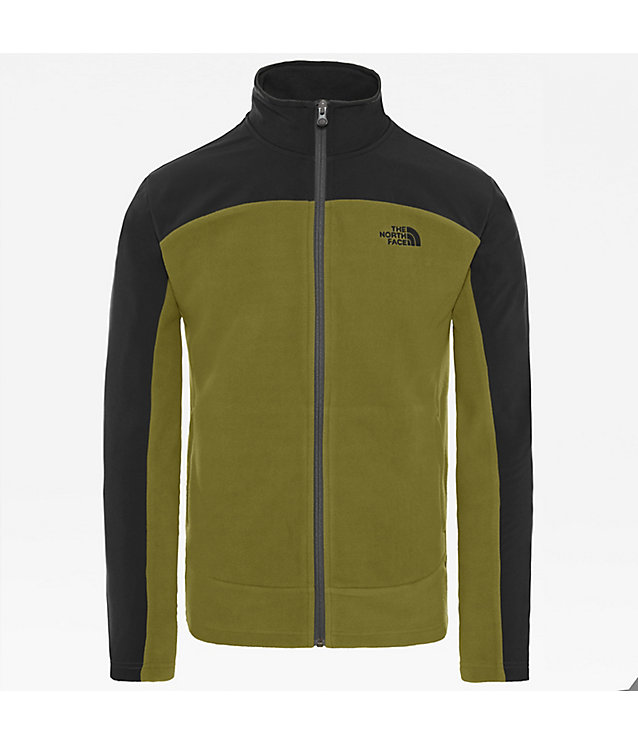
I just bought a new fleece in the sales and a mate pointed out that it looks like it's come from Star Trek.