Dioptre

Dangermouse

Squeaky Clean
Suspended / Banned
Messages
10,135
Edit My Images
No
This may be a silly question but here goes..... I was using a D1 for around 8 month and the images were very sharp considering I was using f5.6 glass then I went onto a D2H and started using some f3.5 and still use it today,
Now though I use a D200 and a 70-200f2.8EX and the images dont seem as sharp so today I altered the dioptre and could see the difference in picture sharpness so my question is does the dioptre alter the focus in any way as I am finding it hard to believe it does, surely the focus system works on the focus it actually sees and the only way to change it is in MF:thinking:
 
The dioptre adjustment adjusts the view finder only to compensate for eye sight issues
 
Thats what I thought .....some other issue then Thanks for the quick replies Dogfish Vv and Fabs

P.S when I said it altered the image I meant in the viewfinder and not on the image produced Cheers
 
Or to put it another way a SLR projects an image on to a ground glass screen which you then view through the eyepiece. You can adjust the eyepiece correction for a sharper view of the projected image.
 
Thats what I thought .....some other issue then Thanks for the quick replies Dogfish Vv and Fabs

P.S when I said it altered the image I meant in the viewfinder and not on the image produced Cheers


:eek:


hang on, you mean ....you do don't you.... **falls off chair laughing**


Well done on finally finding the dioptre adjustment :naughty:


edit: sorry DM, when you said images changed we assumed you meant the actual results, not what you are seeing in the viewfinder, which is ALWAYS affected by the dioptre regardless of whether using manual or auto focus systems. I shouldnt laugh, just couldnt help it, apologies.
 
:eek:


hang on, you mean ....you do don't you.... **falls off chair laughing**


Well done on finally finding the dioptre adjustment :naughty:


edit: sorry DM, when you said images changed we assumed you meant the actual results, not what you are seeing in the viewfinder, which is ALWAYS affected by the dioptre regardless of whether using manual or auto focus systems. I shouldnt laugh, just couldnt help it, apologies.


Scoff you may (I will get my own back one day ...you wait n see) :bat:

I alter the dioptre whenever I get a new camera but on the D200 i simply cannot get a sharp shot whichever lens is on
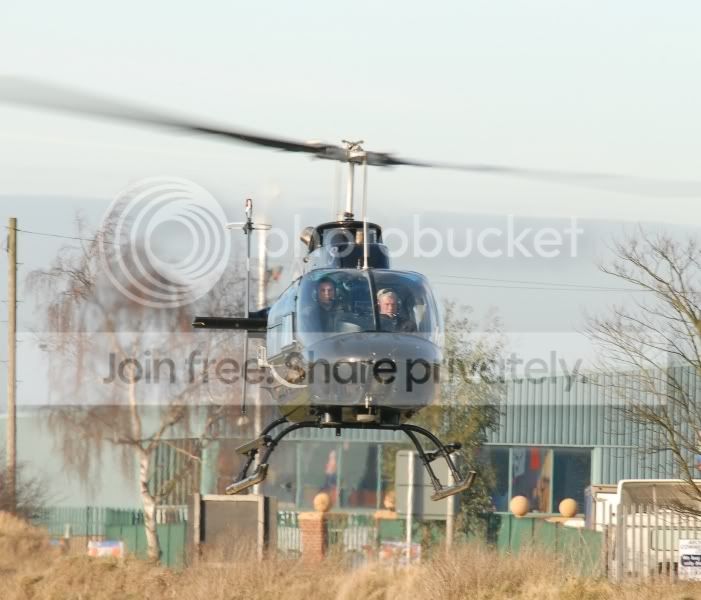
This was today and its a crop but no processing done at all

DSC_8935.jpg


This was with the 70-200f2.8 1/90 and f8 at 200mm


And no I found the dioptre on me old t70 back in the errr When film was BIG
 
the shutter speeds way to slow - your ISO is set at 100 if you increase it it will allow you to increase the shutter speed
 
If you are using AF, what you are seeing shouldnt make any difference anyway, the camera will deal with the resultant shot.

The one you posted looks like it has some camera shake [no tripod?], and @1/90 at 200mm on what is quite a heavy lens, not entirely unexpected. Plus, 2.8 is a very shallow dof for such a large object, only a very small part of it would be in focus anyway. Always remember the rule about keeping shutter speeds at least equal to focal length to avoid the shake. I hope I am not being too harsh when I say you might need to look at rethinking your settings. :shrug:
 
What I want to know is if I take one shot and then another identical shot but alter the dioptre will it change the produced image I dont think it will but .....just asking
 
What I want to know is if I take one shot and then another identical shot but alter the dioptre will it change the produced image I dont think it will but .....just asking

No, not at all, the image should stay the same, only what you see in real time, in the view finder would change based on the assumption you are using AF not MF. ;)
 
What I want to know is if I take one shot and then another identical shot but alter the dioptre will it change the produced image I dont think it will but .....just asking


No it wont alter the shot at all - as long as you are using AF.
 
I use af for aircraft and mf for macro only and Yv we can only improve if you are harsh and honest ... no good telling us amatures its a good shot when its crap really it defeats the object so thanks:clap:
 
I use af for aircraft and mf for macro only and Yv we can only improve if you are harsh and honest ... no good telling us amatures its a good shot when its crap really it defeats the object so thanks:clap:

:lol: us amateurs have to stick to together mate :thumbs: That lens is stonking one, I lugged it round whipsnade stuck on my D200 a year ago and loved it to bits. Sharp as a sharp thing, but you do need to use it within reasonable parametres, like all things, to get the best out of it.
 
As I said it was resized for here and nothing else done to it NOTHING but everyone her seems to get superb photos without doing anything to them so I am trying to do the same
 
As I said it was resized for here and nothing else done to it NOTHING but everyone her seems to get superb photos without doing anything to them so I am trying to do the same

Every photo on this board has had some processing carried out on it, if you shoot raw you will have to process on a pc using software - if you shoot jpg the camera will process the image for you automatically using the settings set in camera for sharpening , colour contrast etc. when you resize a image for the web you introduce softness and you should always sharpen after re-sizing.
 
Dogfish what you have done is make my image thats acceptable to me look like a summat out of a sci fi film I dont know what you are trying to show.... I would alter it my self if I wanted to with some unsharpmask and a level or two if it was a saleable shot but what I am asking is this

Does the dioptre alter the image YES OR NO AND IF NOT then I need another new body as mine is not working right
 
I think the issue here is you used a 90th of second at 200 mm on a moving object. That will make it OOF.
 
I think the issue here is you used a 90th of second at 200 mm on a moving object. That will make it OOF.

1/90 in overcast light,yes bright and at f5.6 should be ok the helicopter was static (apart from the rotors):shrug:
 
Dogfish what you have done is make my image thats acceptable to me look like a summat out of a sci fi film I dont know what you are trying to show.... I would alter it my self if I wanted to with some unsharpmask and a level or two if it was a saleable shot but what I am asking is this

Does the dioptre alter the image YES OR NO AND IF NOT then I need another new body as mine is not working right

There's nothing wrong with your body and altering the diopter will not alter the AF of the camera or lens - resizing a image for the web WILL introduce softness- using the correct settings to take a shot will also help - ie as i said before your shutter speed is to low for the focal length used try increasing the ISO to increase the shutter speed, also you have +1.33Ev dallied in. Personally i think the original image is flat with washed out colours.
 
1/90 in overcast light,yes bright and at f5.6 should be ok the helicopter was static (apart from the rotors):shrug:


You need to take notice of the shutter speed to stop blur from camera shake - from nikkoians

Key shutter speed concepts are:

Hand-holding rule of thumb: traditionally, for 35mm film or an FX sized sensor, the shutter speed for hand-holding should be the inverse of the focal length or faster to avoid blur. In other words, if your lens is focal length 50, you should be shooting with a shutter speed of 1/50 or faster (most cameras do not have a 1/50 setting, so use 1/60 or faster).

This is modified as follows: For DX sensors, the shutter speed should be multiplied by 1.5, eg, focal length 50 requires a shutter speed of 75 or higher.
 
There's nothing wrong with your body and altering the diopter will not alter the AF of the camera or lens - resizing a image for the web WILL introduce softness- using the correct settings to take a shot will also help - ie as i said before your shutter speed is to low for the focal length used try increasing the ISO to increase the shutter speed, also you have +1.33Ev dallied in. Personally i think the original image is flat with washed out colours.


I try to go for +2/3 or -1 if needed in utra light but today with the light being so iffy I went for natural but cant for the life of me get any shots that are spot on with no processing
 
You need to take notice of the shutter speed to stop blur from camera shake - from nikkoians

Key shutter speed concepts are:

Hand-holding rule of thumb: traditionally, for 35mm film or an FX sized sensor, the shutter speed for hand-holding should be the inverse of the focal length or faster to avoid blur. In other words, if your lens is focal length 50, you should be shooting with a shutter speed of 1/50 or faster (most cameras do not have a 1/50 setting, so use 1/60 or faster).

This is modified as follows: For DX sensors, the shutter speed should be multiplied by 1.5, eg, focal length 50 requires a shutter speed of 75 or higher.

Done this to but to get a perfect shot with proper rotor blur is so bloody hard and the settings from Nikonians are so varied from person to person:thinking:
 
I try to go for +2/3 or -1 if needed in utra light but today with the light being so iffy I went for natural but cant for the life of me get any shots that are spot on with no processing

ALL shots have some processing carried out either by the camera or the photographer - if your shooting jpg the camera will process the picture in camera automatically using settings that YOU can set via the menu - one of these settings is sharpening - try plying with this setting to see if you can get a 'out of camera' shot you like.

the following info settings are from uncle ken's website - i dont know what sort of image they will produce by you may want to play ;)

OPTIMIZE IMAGE: This is set in the menus. I crave vivid color! I tweak my D200 to give color as vivid as I can get. If it went to 11 I'd use that, too.

I go to MENU > Shooting Menu (green camera icon) > Optimize Image > Custom.

Here's how I set each item under Custom:

Image Sharpening: Auto (default).

Tone Compensation (contrast): Auto (default). The D200 automatically adjusts its contrast and dynamic range to each and every shot. It works great.

Color Mode: III (three). This is critical: this gives brighter colors than the default of I. No, color mode II is pronounced "two" and not to be confused with 11 (eleven). I had Nikon lock mode II out of production cameras. You don't want Mode II even if you could use it. Details are here.

Saturation: +, of course. This gives brighter colors in addition to the boost from Color Mode III.

Hue: 0 (Default). Don't touch this! it will subtly mess around with your colors. Leave it at 0.

After setting this it's critical to save it by selecting " Done" and clicking to the right actively to select OK. If you forget to hit OK it won't remember all these settings!
 
Back
Top