

You are using an out of date browser. It may not display this or other websites correctly.
You should upgrade or use an alternative browser.
You should upgrade or use an alternative browser.
Digital Medium Format Thread
- Thread starter dancook
- Start date


- Messages
- 1,667
- Name
- Paul
- Edit My Images
- No
So being a complete newcomer to medium format and buying the Fuji GFX100RF and Hasselblad X2D II, one thing I was hoping to avoid was learning another editing application and having to make changes to my workflow.
I've used Lightroom for years, I love it, I can process and edit images in my sleep, and I think over the last couple of years their masking updates have been incredible, I almost never have to switch to Photoshop anymore.
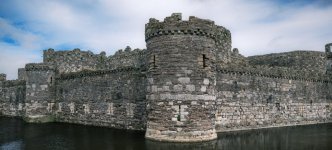
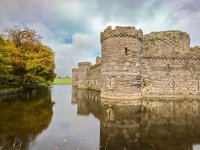
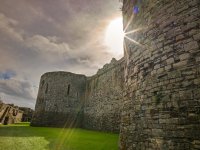
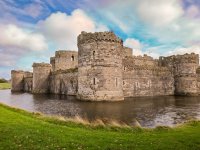
So while I've now had both camera for a couple of weeks, and I've taken them both to Riyadh, Lake District and Anglesey, I've had a chance to do some experimentation.
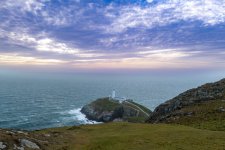
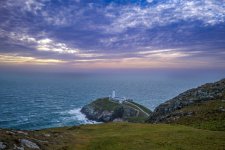
Let's start with the Fuji GFX100RF - I've never been a fan of Capture One, I tried it a few years ago and I just couldn't find that connection that I have with Lightroom. So I started just importing the RAF files direct from the camera into Lightroom and editing, the final images were excellent to my eye and I was happy, but a couple of days ago I downloaded Capture One and use the free 'Fuji RAW Converter' licence. I took this image and processed it twice, one by importing direct into Lightroom and the other importing it into Capture One, doing the adjustments and exporting to a 16-bit TIFF file to then import into Lightroom.
I think you can see the difference, to me the image that was passed through C1 initially is so much better. (I guess a lot of you Fuji guys already know this anyway )
)
Imported directly into Lightroom (it's worth noting, not particularly on this image, but on others, Lightroom struggled to pull back the details in the shadows on the RAF files, whereby C1 did a much. much better job)
Passed through C1 and then into Lightroom
Edit: Not sure if posting the images this way allows you to see the full difference, maybe I'd be better putting them on flickr?
I've used Lightroom for years, I love it, I can process and edit images in my sleep, and I think over the last couple of years their masking updates have been incredible, I almost never have to switch to Photoshop anymore.
So while I've now had both camera for a couple of weeks, and I've taken them both to Riyadh, Lake District and Anglesey, I've had a chance to do some experimentation.
Let's start with the Fuji GFX100RF - I've never been a fan of Capture One, I tried it a few years ago and I just couldn't find that connection that I have with Lightroom. So I started just importing the RAF files direct from the camera into Lightroom and editing, the final images were excellent to my eye and I was happy, but a couple of days ago I downloaded Capture One and use the free 'Fuji RAW Converter' licence. I took this image and processed it twice, one by importing direct into Lightroom and the other importing it into Capture One, doing the adjustments and exporting to a 16-bit TIFF file to then import into Lightroom.
I think you can see the difference, to me the image that was passed through C1 initially is so much better. (I guess a lot of you Fuji guys already know this anyway
)Imported directly into Lightroom (it's worth noting, not particularly on this image, but on others, Lightroom struggled to pull back the details in the shadows on the RAF files, whereby C1 did a much. much better job)
Passed through C1 and then into Lightroom
Edit: Not sure if posting the images this way allows you to see the full difference, maybe I'd be better putting them on flickr?
Last edited:
- Messages
- 1,667
- Name
- Paul
- Edit My Images
- No
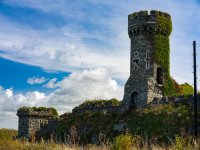
Same experiment on the Hasselblad X2D II, I still want to use Lightroom so I do the initial import into Phocus Desktop, from there the software does an incredible job at recovering details from the highlights and the shadows, I then export to a 16-bit TIFF and then import to Lightroom.
Importing the 3FR file directly into Lightroom
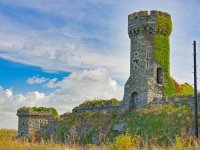
Importing the 3FR file into Phocus Desktop and then export to 16-bit TIFF for import into Lightroom
I've gone a little too far than I normally would with pulling up the shadows but I was trying to prove a point that the initial processing in Phocus, while a bit of a pain, is worth it. Although I'm not a fan of the 600MB TIFF files
Importing the 3FR file directly into Lightroom
Importing the 3FR file into Phocus Desktop and then export to 16-bit TIFF for import into Lightroom
I've gone a little too far than I normally would with pulling up the shadows but I was trying to prove a point that the initial processing in Phocus, while a bit of a pain, is worth it. Although I'm not a fan of the 600MB TIFF files
Last edited:

ancient_mariner
Moderator
- Messages
- 27,766
- Name
- Toni
- Edit My Images
- No
Same experiment on the Hasselblad X2D II, I still want to use Lightroom so I do the initial import into Phocus Desktop, from there the software does an incredible job at recovering details from the highlights and the shadows, I then export to a 16-bit TIFF and then import to Lightroom.
Importing the 3FR file directly into Lightroom
View attachment 463466View attachment 463467
Importing the 3FR file into Phocus Desktop and then export to 16-bit TIFF for import into Lightroom
I've gone a little too far than I normally would with pulling up the shadows but I was trying to prove a point that the initial processing in Phocus, while a bit of a pain, is worth it. Although I'm not a fan of the 600MB TIFF files
Interesting, and thanks for the comparison. I can see the improvement with the Fuji, but the hassleblad image looks a lot better in LR - less haloing around areas going dark to light (like the telegraph pole). I can see that with more careful processing it wouldn't look so washed out, although the colours do look quite off in the Phocus version.
- Messages
- 1,667
- Name
- Paul
- Edit My Images
- No
Thank you, I think I went too far in Phocus with the shadow and highlight recoveryInteresting, and thanks for the comparison. I can see the improvement with the Fuji, but the hassleblad image looks a lot better in LR - less haloing around areas going dark to light (like the telegraph pole). I can see that with more careful processing it wouldn't look so washed out, although the colours do look quite off in the Phocus version.
- Messages
- 1,667
- Name
- Paul
- Edit My Images
- No
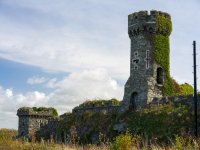
Went back to Phocus and scaled back the shadow / highlight recovery. I did the initial edit on my small MacBook Air, now I'm home it's so much better on a bigger screen.
Imported directly into Lightroom
Edited in Phocus before importing into Lightroom
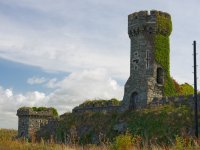
Imported directly into Lightroom
Edited in Phocus before importing into Lightroom
The lightroom subscription went up, so I am currently using capture 1 raw converter (the free one) and liking it... I miss some things, so saving for the one off app payment.
But there is something about the pics that feel..... nicer somehow.
Once I"ve got the full app and histograms etc ... I'll post my feelings about it again
Enjoy the hasselblad and the rf
But there is something about the pics that feel..... nicer somehow.
Once I"ve got the full app and histograms etc ... I'll post my feelings about it again
Enjoy the hasselblad and the rf
I thought the gfx 100s coped reasonably well with the dim lighting in the museum...
Over exposed and brought back a bit...

Exposed a bit better

I only note that the spot is still centered in the image for exposure... so I may need to use the full screen exposure...
Over exposed and brought back a bit...
Exposed a bit better
I only note that the spot is still centered in the image for exposure... so I may need to use the full screen exposure...


- Messages
- 1,667
- Name
- Paul
- Edit My Images
- No
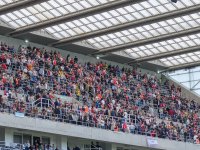
Another reason I love the GFX100F, it fits in your pocket and can be taken in places that won't accept what they call 'professional' cameras. I was at St James Park yesterday for the Newcastle game, I checked beforehand the rules on photography and it said small cameras that don't have interchangeable lenses are allowed, so I took the pocket rocket Fuji, had it in my jacket pocket, nobody said anything when I was using it in the stands and because of the amazing resolution you come away with fantastic shots that you couldn't get with your phone
First pic shows how high up the away fans are, second is cropped in. Third is a 3 shot pano
Just a pity we lost 2-1
Despite the look on here, these pics are razor sharp


First pic shows how high up the away fans are, second is cropped in. Third is a 3 shot pano
Just a pity we lost 2-1
Despite the look on here, these pics are razor sharp
Last edited:

- Messages
- 189
- Name
- Justyn
- Edit My Images
- Yes
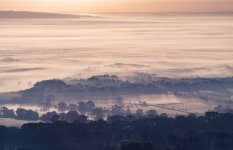
Early morning Severn Vale mists seen from the Wyche Cutting on the Malverns.
GFX50Sii + Pentax 645 80-160m f/4.5
GFX50Sii + Pentax 645 80-160m f/4.5
- Messages
- 1,667
- Name
- Paul
- Edit My Images
- No
Love this!!!Early morning Severn Vale mists seen from the Wyche Cutting on the Malverns.
GFX50Sii + Pentax 645 80-160m f/4.5
View attachment 464549

- Messages
- 11,100
- Name
- Graham
- Edit My Images
- Yes
Early morning Severn Vale mists seen from the Wyche Cutting on the Malverns.
GFX50Sii + Pentax 645 80-160m f/4.5
View attachment 464549
That really is quite special. I bet that would amazing in big print.
- Messages
- 189
- Name
- Justyn
- Edit My Images
- Yes
I will try printing in A3


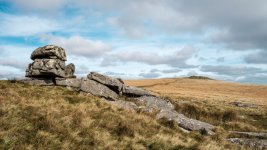
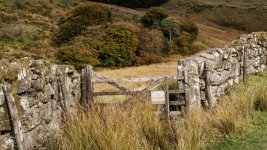
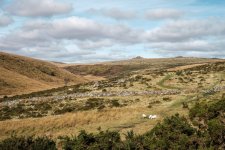
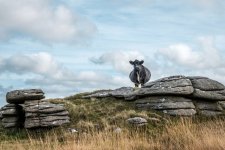



- Messages
- 1,901
- Name
- Nick (yes there is more than one of us)
- Edit My Images
- Yes
Vault Fountains Abbey shot at night GFX 100S with 35-70mm lens

Fountains Abbey Vault Night by K 91, on Flickr
Fountains Abbey Vault Night by K 91, on Flickr


- Messages
- 1,667
- Name
- Paul
- Edit My Images
- No
- Messages
- 11,100
- Name
- Graham
- Edit My Images
- Yes
I love it when something so simple results in something so effective. Had a browse through your photostream, that was a pleasure to view.

- Messages
- 1,667
- Name
- Paul
- Edit My Images
- No
Really nice of you to say so, thank youI love it when something so simple results in something so effective. Had a browse through your photostream, that was a pleasure to view.
- Messages
- 189
- Name
- Justyn
- Edit My Images
- Yes
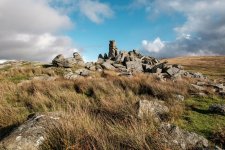
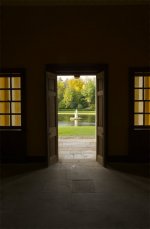
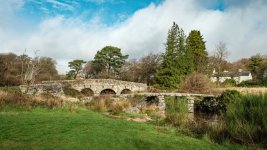
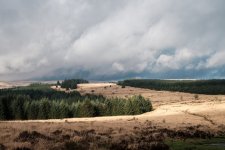
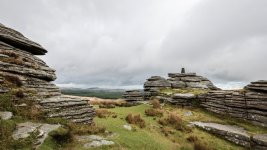
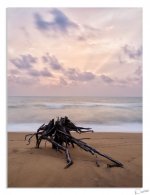
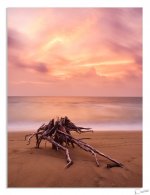
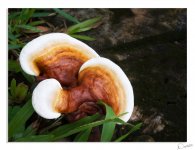
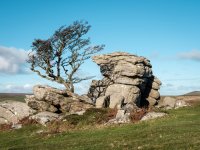
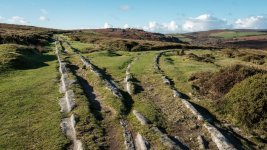
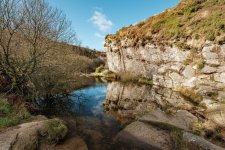
Visited some woodland in the Elan Valley last week with the GFX50Sii + GF35-70mm, P645 80-160mm & Voigtlander VM 21mm
 DSCF9142-Pano by Justyn Crane, on Flickr
 DSCF9067 by Justyn Crane, on Flickr
 DSCF9110 by Justyn Crane, on Flickr
DSCF9142-Pano by Justyn Crane, on FlickrDSCF9067 by Justyn Crane, on FlickrDSCF9110 by Justyn Crane, on Flickr







- Messages
- 7,193
- Name
- Peter
- Edit My Images
- No
Ohh man those vivid colours - sublime ..!!!!
- Messages
- 189
- Name
- Justyn
- Edit My Images
- Yes


- Messages
- 9,347
- Name
- David
- Edit My Images
- Yes
Get extended warranty on GFX |
From now until 31st March 2026, every new Fujifilm GFX camera and lens you purchase comes with a 5-year extended warranty - giving you extra peace of mind with every shot. Whether you’re buying your first GFX or upgrading your existing kit, this extended warranty adds incredible value and confidence to your investment. To claim, simply register your product and your warranty will be applied. |
From a Fujifilm Mailshot and if you have bought a GFX100RF they will allow you to backdate it.