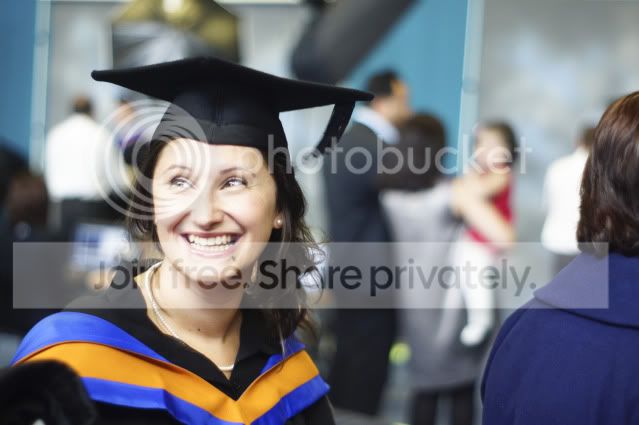
help with some pointers on how to get this images looking its best i know its a bit blurry but i want to try and bring something to it ? any help and tips would be great thank you
In Lightroom:
I've croped it to remove the other shoulder that was in focus on the right.
Recovery 100% on jpeg, Raw would be better.
Adjustment brush over the girls red dress and a couple of other bits in the background to desaturate and tweak exposure so they don't stand out. Done quickly so not perfect.
Slight white balence adjustment.
Lowered saturation, contrast and exposure of whole photo but boosted it slightly over your daughter using the adjustment brush again.
Slight vignette.
A slight nudge to the blacks could help a little as well.
If you have Lightroom, it's a tool in the Develop mode found next to the red-eye and spot heal tools. It allows you to 'paint' over areas of your photo and change the exposure,contrast,saturation etc... of the area you have highlighted. I've found it very usefull to make someone stand out from the background, or make the backgrounds pure black/white.
You can use it as many times as you like on each photo as well with different settings for different parts of the image.
This site uses cookies to help personalise content, tailor your experience and to keep you logged in if you register.
By continuing to use this site, you are consenting to our use of cookies.

 on how to get this images looking its best i know its a bit blurry but i want to try and bring something to it ? any help and tips would be great thank you