D90 Owners Thread - Anything D90 related

Hi all.....still happy with my D90...still learning how to use it properly though :lol:

Has anyone had problems with noisey images....even at ISO 200 in decent light I seem to be getting loads....problem with the sensor ?
Did an indoors shot using hotshoe flash & diffuser , ISO320 f14 1/30 & the noise was dreadfull....didn't realise just how bad till I ran it through neatimage:'(

any advice more than welcome , cheers,Lynne

Are you shooting in jpeg or raw?

Do a few test shots in raw and see if there is still an issue.
 
Cheers Guy's,

Manucbus .....No idea what Active d lighting does but have checked & it was on normal....so I've turned it off...Will see what happens when I do some more photos .

I also have a Meike grip on my D90...works a treat :thumbs:

I shoot in RAW JP.....have done for a while now...only recently been finding this noise issue
 
blondie606 said:
Cheers Guy's,

Manucbus .....No idea what Active d lighting does but have checked & it was on normal....so I've turned it off...Will see what happens when I do some more photos .

I also have a Meike grip on my D90...works a treat :thumbs:

I shoot in RAW JP.....have done for a while now...only recently been finding this noise issue

Are you sure you don't have auto-iso on pushing it up when the shutter speed is lower than the threshold in settings?
 
Cheers Guy's,

Manucbus .....No idea what Active d lighting does but have checked & it was on normal....so I've turned it off...Will see what happens when I do some more photos .

I also have a Meike grip on my D90...works a treat :thumbs:

I shoot in RAW JP.....have done for a while now...only recently been finding this noise issue

My Meike grip has arrived this morning so I'll stick it on when I get home and hopefully all will be well.

Active D lighting increases detail in darker or shadow areas of the frame and it does add noise if set on the higher settings but on normal it should be fine.

Any chance you upload some examples with the exif intact?
 
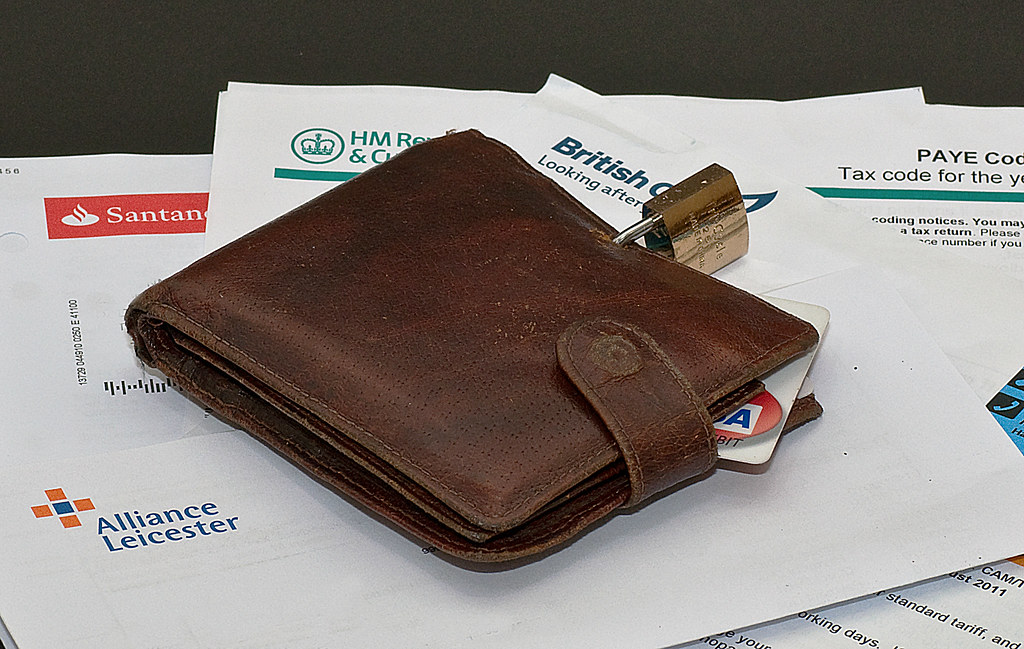
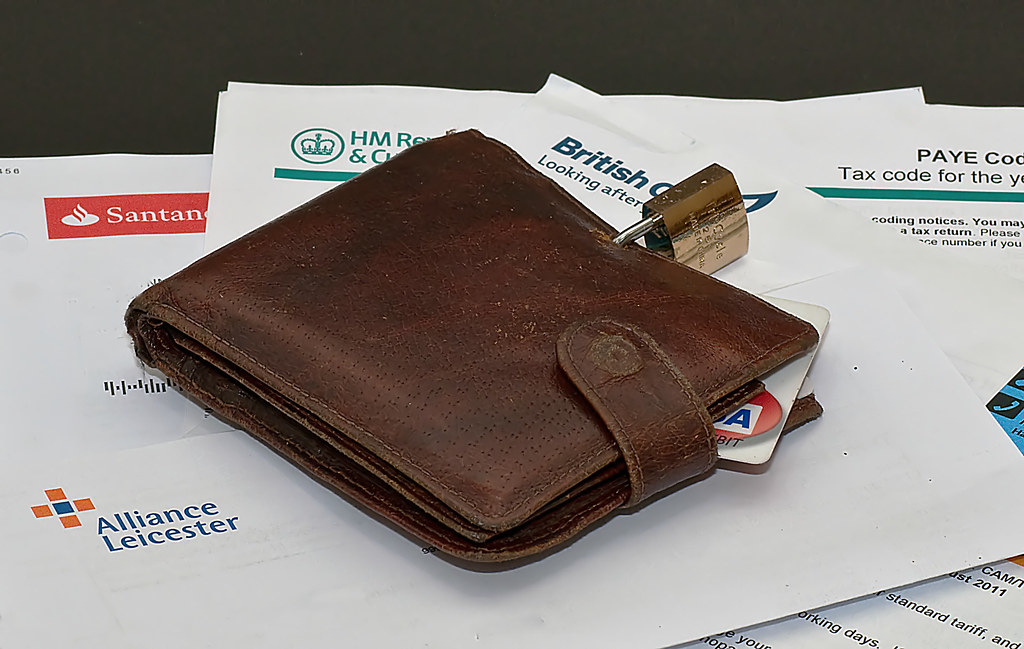
Right then...just found 2 identical images for the purpose of deciding if I'm being too critical of the noise I seem to be getting .

I don't have ISO auto on & suspect if I did the EXIF wouldn't match what I set the camera too ?


this one is just normal editing through PSE8 , cropped,bit of color adjust & sharpen :


DSC_5658 by llj666, on Flickr


This is the same image & editing but run though neatimage :

Secure_filtered by llj666, on Flickr

The little black spots are on the white paper not the sensor . ISO was 320 shot in manual

Am I being too critical ?
 
Well the 1st thing thats stands out to me is that your Exposure Compensation is turned all the way up to +5.

If that was intentional for this shot then thats fine, however it does have the potential of adding noise in dark areas when its turned up so high.

Having said that though they don't look particularly noisy to me.
 
Well the 1st thing thats stands out to me is that your Exposure Compensation is turned all the way up to +5.

If that was intentional for this shot then thats fine, however it does have the potential of adding noise in dark areas when its turned up so high.

Having said that though they don't look particularly noisy to me.

Thought that might come up....as far as I'm aware , when shooting in manual , Exposure compensation makes no difference - think it just advises you what to change whereas in Shutter on Aperture priority it does alter the exposure...think I read that in Practical Photography's boot camp.....but stand to be corrected :)

The noise thats bugging me is on the paper & the black BG (excuse the poor cloning-had to white out my details )
 
Last edited:
If dust on sensor ruled out then the possibilty of Dead pixels must be considered?
 
Thought that might come up....as far as I'm aware , when shooting in manual , Exposure compensation makes no difference - think it just advises you what to change whereas in Shutter on Aperture priority it does alter the exposure...think I read that in Practical Photography's boot camp.....but stand to be corrected :)

The noise thats bugging me is on the paper & the black BG (excuse the poor cloning-had to white out my details )

Missed that you was shooting in manual :$ and of course you are right as in manual there is nothing to compensate for.

Nothing is really standing out to me though as an immediate cause but again as I said the images you have posted don't look particularly noisy imo.
 
Yeah , maybe able to do that but not until june :'(

Perhaps worth checking if any TP members near you. Or alternatively, check your local camera club, might be lucky enough to have a D90 owner as a member.
 
Lets get one thing sorted, and I too stand to be corrected here!

If you increase the exposure compensation and then manually set a correct exposure (ie zero on the display) in manual mode, you have still tricked the camera to thinking it's brighter and thus you expose to a false exposure. It's no different to the semi auto modes , it's just that you've set for a the exposure, ie zero, not the camera!

Now, as for the noise.
I've got both images open large and can see it on the padlock, or can I!
Is the padlock really that smooth and shiny?
Looking at the paper and the black BG it stands out more.
However, and I could be wrong here, is it because your shooting in RAW?
In Jpeg the camera will sharpen and adjust the image itself, but in RAW we have to do it. So is it not a result of incorrect processing of the RAW file?

What RAW programme do you use?
Gimp has a noise adjuster, but the Nikon View 2 doesn't so I generally have to de-noise mine in Gimp or PS.

I could be totally wrong on all counts here, so anyone with more experience please correct me! Then again, I could totally surprise myself and be bang on, in that case can I give out the pencils in class :)
 
Lets get one thing sorted, and I too stand to be corrected here!

If you increase the exposure compensation and then manually set a correct exposure (ie zero on the display) in manual mode, you have still tricked the camera to thinking it's brighter and thus you expose to a false exposure. It's no different to the semi auto modes , it's just that you've set for a the exposure, ie zero, not the camera!

Now, as for the noise.
I've got both images open large and can see it on the padlock, or can I!
Is the padlock really that smooth and shiny?
Looking at the paper and the black BG it stands out more.
However, and I could be wrong here, is it because your shooting in RAW?
In Jpeg the camera will sharpen and adjust the image itself, but in RAW we have to do it. So is it not a result of incorrect processing of the RAW file?

What RAW programme do you use?
Gimp has a noise adjuster, but the Nikon View 2 doesn't so I generally have to de-noise mine in Gimp or PS.

I could be totally wrong on all counts here, so anyone with more experience please correct me! Then again, I could totally surprise myself and be bang on, in that case can I give out the pencils in class :)


Cheers Neil....you could be on to something with 2 comments in the above....pp is just one of my weak points....main pp is PSE8 which does have noise reduction . I've mailed you the stuff from Nikon's site re Exp Com :p

Begining to think I'm going mad....is it only me that can see the noise in the white paper ? Must admit I had'nt given the padlock a 2nd look...it really is that smooth & shiny :)
 
Cheers Neil....you could be on to something with 2 comments in the above....pp is just one of my weak points....main pp is PSE8 which does have noise reduction . I've mailed you the stuff from Nikon's site re Exp Com :p

Begining to think I'm going mad....is it only me that can see the noise in the white paper ? Must admit I had'nt given the padlock a 2nd look...it really is that smooth & shiny :)

Do a test, shoot an image in both RAW and Jpeg and see if the noise is in the jpeg!
 
Maybe already been asked but is it possible to dedicate the fn button to change ISO??
 
stuartgreen said:
Maybe already been asked but is it possible to dedicate the fn button to change ISO??

"Easy iso" function makes the main or sub dial iso control in A,S and P modes.

Really handy being able to change ISO whilst still looking through the viewfinder.
 
Thanks just changed that setting and its brilliant still got the problem i have in m mode but a lot easier in the p,a and s mode thanks Richard :)
 
johnb said:
Another one for the club. D90 should arrive today!

John

You'll be well pleased John. Fantastic camera.
Reading this thread will probably answer a lot of your questions, but don't be afraid to ask, if there's anything you need.
 
Wow, got my hands on it last night- what a lot of bells and whistles!

You can feel the improvement over the D50 that I loved but already low light performance is so much better.

Glad that I was upgrading from another Nikon as the menus are fairly intuitive & understandable.

Can't wait for the weekend so I can have a play!
 
I recently purchased a Meike with two batteries from cam2uk for £36.00 and am very satisfied with it. I tried a Nikon one on my D90 before I bought it and to be honest couldn't tell the difference, although I am sure there must be one, but being only a light use amateur I'm sure it will be fine for me. I suppose if I were a pro I would need to pay the £150 plus the genuine one would cost me.
( my only problem now is my small walkabout bag isn't big enough since fitting the grip, but that would have been the case whichever one I bought, and I'm still trying to find one)

Just a word of warning for anyone who has bought a meike from cam2uk with the two batteries. Although I have previously said that I wouldn't trust the batteries and that I would always carry the genuine nikon one with me, I saw the moon and Venus ( I think) very close together and showing right above our church steeple as I was driving home. I dashed in and picked up my camera without thinking about the battery situation, especially as the last time I checked the levels they were both showing approx. 85% and I had not used the camera since, drove back to the church, set up the camera on my tripod only to find both batteries were completely dead, obviously I didn't have time to go home and get the nikon one as the positions changed, and I haven't seen it since. A hard lesson learned. I don't know what to do now, I can't afford another nikon one, and am wary about other non-nikon ones. Anyone have experience with the ones from Premier ink at £15.99?
 
madmardle said:
Just a word of warning for anyone who has bought a meike from cam2uk with the two batteries. Although I have previously said that I wouldn't trust the batteries and that I would always carry the genuine nikon one with me, I saw the moon and Venus ( I think) very close together and showing right above our church steeple as I was driving home. I dashed in and picked up my camera without thinking about the battery situation, especially as the last time I checked the levels they were both showing approx. 85% and I had not used the camera since, drove back to the church, set up the camera on my tripod only to find both batteries were completely dead, obviously I didn't have time to go home and get the nikon one as the positions changed, and I haven't seen it since. A hard lesson learned. I don't know what to do now, I can't afford another nikon one, and am wary about other non-nikon ones. Anyone have experience with the ones from Premier ink at £15.99?

Not tried premier ink batts, but if they're unbranded there's a good chance they're similar to the linkdelight ones... Only non nikon batt I have never had a prob with is a Hama, which cost around £18 when I got it from Amazon, works a treat with or without grip, and doesn't lose charge.
 
Right, had my first trip out with teh D90 today. Got a lot of blown out swans!! Have been shooting in AV with picture control set to vivid, ISO set to 200 most of the time apart when I accidentally turned the wheel & EV set to +0.3. These are roughly the settings used on my D50.

Blown out images is a problem but I haven't found the setting yet to view blown highlights on screen!!!

One other point, there seems to be a lot of people with an additional battery grip on here. Is the battery performance that bad?
 
johnb said:
Right, had my first trip out with teh D90 today. Got a lot of blown out swans!! Have been shooting in AV with picture control set to vivid, ISO set to 200 most of the time apart when I accidentally turned the wheel & EV set to +0.3. These are roughly the settings used on my D50.

Blown out images is a problem but I haven't found the setting yet to view blown highlights on screen!!!

One other point, there seems to be a lot of people with an additional battery grip on here. Is the battery performance that bad?

I wonder if the 3Dmatrix metering is different in the D90 compared to the D50? What was the camera saying to your settings (was it over or under)?
 
Right, had my first trip out with teh D90 today. Got a lot of blown out swans!! Have been shooting in AV with picture control set to vivid, ISO set to 200 most of the time apart when I accidentally turned the wheel & EV set to +0.3. These are roughly the settings used on my D50.

Blown out images is a problem but I haven't found the setting yet to view blown highlights on screen!!!

One other point, there seems to be a lot of people with an additional battery grip on here. Is the battery performance that bad?


Battery performance is actually quite good. Battery grip offers a lot more functionality other than just the additional battery.
 
Last edited:
You can also scroll through view when reviewing the image using the from wheel. One is full image, another histogram and another 'blinkies' that's how I check find it easier and quicker than the menu, enjoy it!
 
Hi Richard, kept a close eye on the histogram & whilst the peak was narrow and on the bright side it was nowhere near the right of the screen however it must have shown some clipped highlights as well

Hi John. I got a battery grip with the camera, I will give it a go. Is it just plug & play or what?

Thanks CJ, I dont remember it showing highlights when I was reviewing but I will go and play.

Thanks all

One question, what do you guys use the function button on the front for?
 
Right, had my first trip out with teh D90 today. Got a lot of blown out swans!! Have been shooting in AV with picture control set to vivid, ISO set to 200 most of the time apart when I accidentally turned the wheel & EV set to +0.3. These are roughly the settings used on my D50.

FWIW I used to run matrix metering with +0.3/0.7 exp comp, most of the time as Nikon on the whole seems to slightly underexpose.

AutoISO works well also, I normally used to set a max of 1600 with a shutter speed depending on the lens I was using.

I got a battery grip with the camera, I will give it a go. Is it just plug & play or what?

You need to pop off the battery compartment door, there's a slot in the grip to store it.
 
Yes battery grip is plug and play.
Personally, I use the function key to quickly select metering mode.
 
johnnypanic said:
Yes battery grip is plug and play.
Personally, I use the function key to quickly select metering mode.

I don't have a bettery grip yet but there is a setting to tell the camera what batteries you are using in it AA or EL3? I guess there it is important or it wouldn't ask.
 
Hi James, you should know it as it was your camera haha!

I also tend to use +0.3 but was concerned if it was causing the blown out areas.

Must play more!
 
DrRusty said:
I don't have a bettery grip yet but there is a setting to tell the camera what batteries you are using in it AA or EL3? I guess there it is important or it wouldn't ask.

Yep, setting d12, but its only to specify what type of AA battery you're using, as different types have different voltages. You don't need to worry about this setting unless you're using AA's :thumbs:

johnb said:
One question, what do you guys use the function button on the front for?

I also use mine to select metering mode :)
 
Last edited:
Not tried premier ink batts, but if they're unbranded there's a good chance they're similar to the linkdelight ones... Only non nikon batt I have never had a prob with is a Hama, which cost around £18 when I got it from Amazon, works a treat with or without grip, and doesn't lose charge.

Ok thanks Ron,
I'll have a look at the hama one.
Cheers,
Ken
 
madmardle said:
Ok thanks Ron,
I'll have a look at the hama one.
Cheers,
Ken

Hmm, have just looked at the amazon page for the very batt I bought... Reviews are mixed so maybe I got lucky?

FWIW the genuine batt I have in my grip was also from Amazon, and cost £28, no idea if they're still that cheap :)
 
johnb said:
What sort of recycle times are people getting with their SB400s on the D90? Mine seems to take an age with rechargeable batteries in it!

Your recycle times depend on the strength of your batteries.
In my sb-600 and sb-700 I use 2650mah, they recycle within a second, if not immediately.
 
Back
Top