

oblivion
Suspended / Banned
- Messages
- 235
- Name
- Richard
- Edit My Images
- Yes
I'm new to PS and have just started making use of the Content Aware tool with some very good effects. A true godsend I must say.
However I am struggling with one picture where I am trying to remove a radiator from behind a ballet dancer on a wooden floor. Each time it keeps filling the selection with a blended copy of the dancer rather than the clear white wall above her head (which is what I'm after). I thought there may be an option similar to Lightroom 4 when using Spot Removal and you could choose the area.
I see when I press the delete key and having chosen Content Aware there is a huge drop down menu with various options. I have played around but running out of patience now. Anyone with any ideas?
However I am struggling with one picture where I am trying to remove a radiator from behind a ballet dancer on a wooden floor. Each time it keeps filling the selection with a blended copy of the dancer rather than the clear white wall above her head (which is what I'm after). I thought there may be an option similar to Lightroom 4 when using Spot Removal and you could choose the area.
I see when I press the delete key and having chosen Content Aware there is a huge drop down menu with various options. I have played around but running out of patience now. Anyone with any ideas?


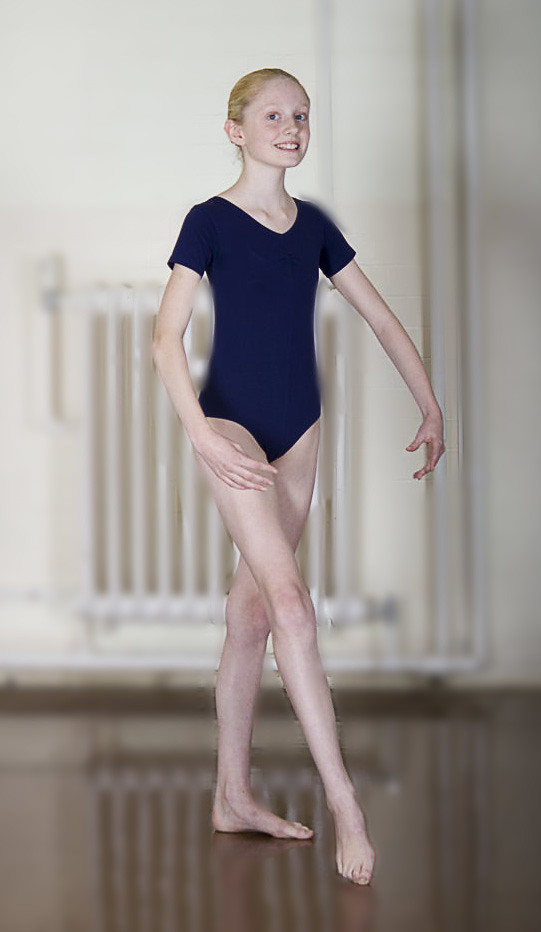

 well you could have done it as an example rather than just the BG Walt