

You are using an out of date browser. It may not display this or other websites correctly.
You should upgrade or use an alternative browser.
You should upgrade or use an alternative browser.
Constant windows update failure
- Thread starter LauraJ23
- Start date
Lyonspride
Suspended / Banned
- Messages
- 453
- Edit My Images
- No
Try http://www.sevenforums.com/windows-updates-activation/247030-windows-updates-keep-failing.html
Also disable any anti-virus you may have, I know from experience that a certain well known AV blocks updates and blocks you from installing AV or anti-malware stuff from other companies.
Also disable any anti-virus you may have, I know from experience that a certain well known AV blocks updates and blocks you from installing AV or anti-malware stuff from other companies.

neil_g
Suspended / Banned
- Messages
- 30,364
- Name
- Neil
- Edit My Images
- No
Thanks Neil, there are 40 which keep failing, how do I do these manually?
does it seem to trip over on the same one each time? i.e. the same one at the top of the failed report?
Also disable any anti-virus you may have, I know from experience that a certain well known AV blocks updates and blocks you from installing AV or anti-malware stuff from other companies.
which one?
Lyonspride
Suspended / Banned
- Messages
- 453
- Edit My Images
- No
which one?
It shares part of it's name with the current Xbox.
I had no end of trouble with it on my parents machine and the worst thing was that after the subscription runs out, instead of simply stopping the updating of its own virus definitions, but continuing to protect the system..... It actually stops protecting from all known viruses and then also continues to block other anti-virus/malware tools from installing/updating.
If Microsoft did the above, they'd be sued for millions.......
Last edited:

neil_g
Suspended / Banned
- Messages
- 30,364
- Name
- Neil
- Edit My Images
- No
It shares part of it's name with the current Xbox.
norton 360?

david357
Suspended / Banned
- Messages
- 3,024
- Name
- Umm......................
- Edit My Images
- Yes
Try deselecting all the updates in the windows update list, then installing them a few at a time.
This is what I have done also, I had the same problem with the update process falling over every time and reverting to the previous state, so I deselected all and tried 4 or 5 at a time.
My plan was to find the problem update and deselect it permanently, but by updating in stages the whole lot worked. (I also manually restarted the pc after each successful update.)
hth.

John Young
Suspended / Banned
- Messages
- 4,330
- Name
- John
- Edit My Images
- Yes

whitevanman
Suspended / Banned
- Messages
- 248
- Name
- Graham
- Edit My Images
- Yes
This is what I have done also, I had the same problem with the update process falling over every time and reverting to the previous state, so I deselected all and tried 4 or 5 at a time.
My plan was to find the problem update and deselect it permanently, but by updating in stages the whole lot worked. (I also manually restarted the pc after each successful update.)
hth.

This is what I had to do. I updated in their groups or if they were individual files just install thoughs on their own. Had 40 or more up dates to do and restart if required after each up date, its not a 5 minute job.

f1charlie
Suspended / Banned
- Messages
- 1,211
- Name
- Charlie
- Edit My Images
- No
Probably nothing to do with your problem:
http://www.pcpro.co.uk/news/security/381121/microsoft-withdraws-patch-after-botched-security-update
Although I am running Vista and don't have Kaspersky, I had problems booting my computer after this update. Once the update was uninstalled, my boot problem went away. Might be worth checking if it is in your list or has already been installed. You never know, it might be doing something strange.
http://www.pcpro.co.uk/news/security/381121/microsoft-withdraws-patch-after-botched-security-update
Although I am running Vista and don't have Kaspersky, I had problems booting my computer after this update. Once the update was uninstalled, my boot problem went away. Might be worth checking if it is in your list or has already been installed. You never know, it might be doing something strange.

OP

LauraJ23
Suspended / Banned
- Messages
- 14,759
- Name
- Laura
- Edit My Images
- No
Right, I tried the above link and it didn't change anything. I then proceeded to the updates 1 by 1.
I found 3 which were causing problems
kb 2786400
kb 2726535, this wasn't even on the list and appeared in the failed list after the one above failed and then this one
kb 2840149
This appeared after the restarts
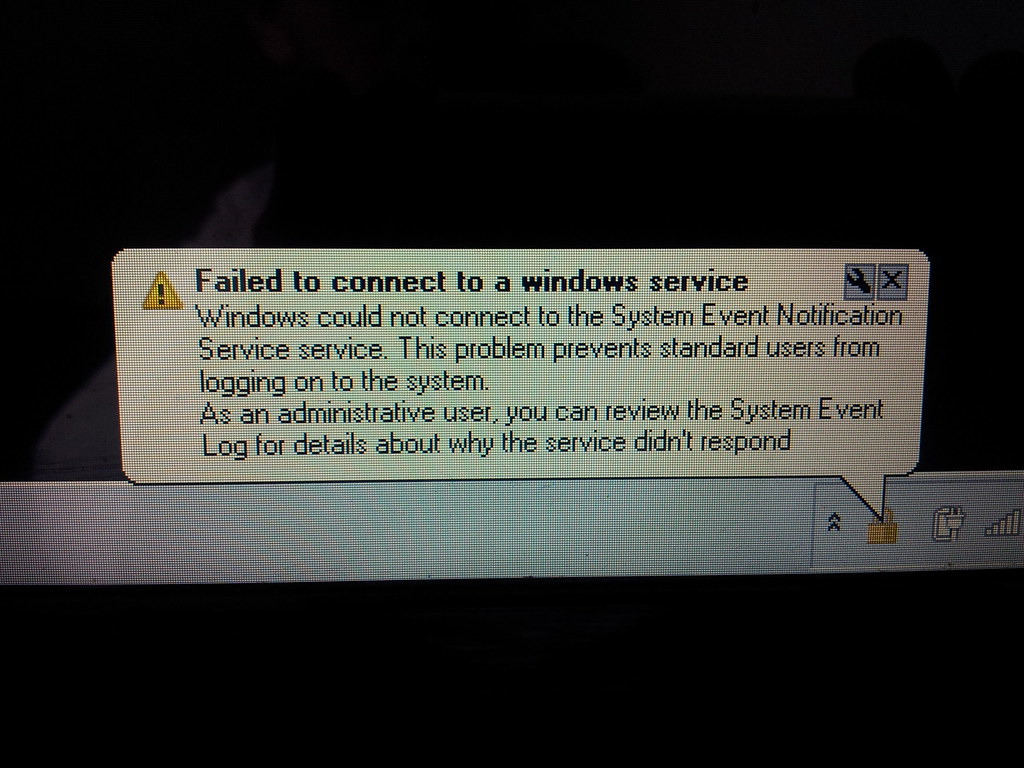
windows 7. update problem by scilly puffin, on Flickr
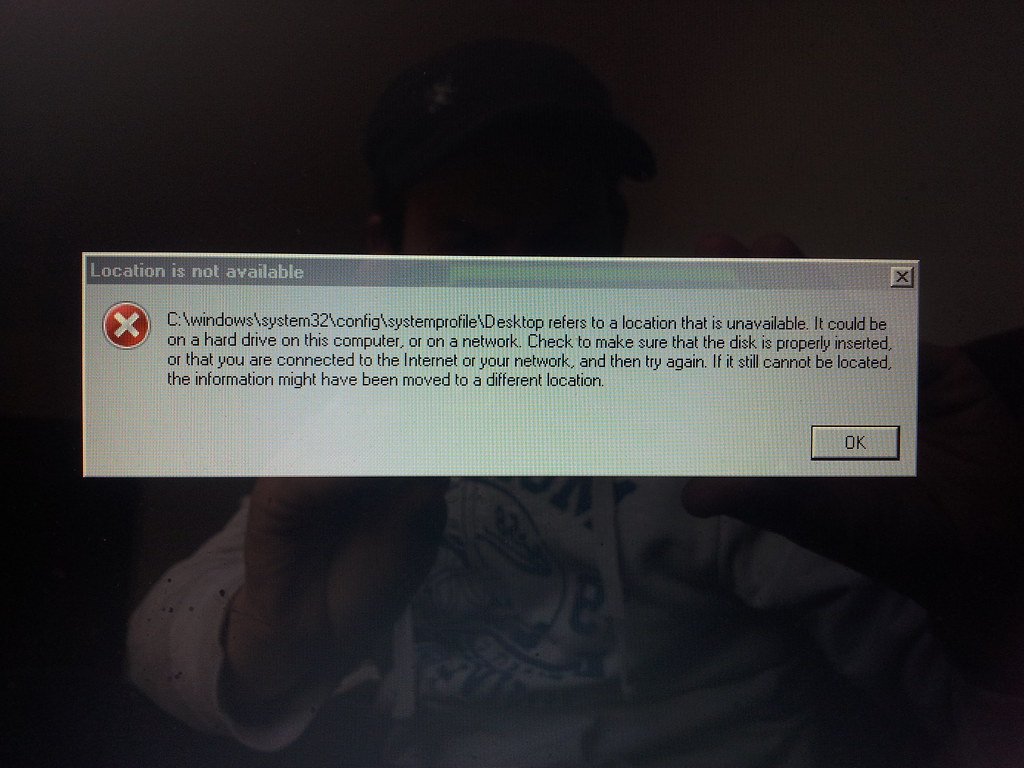
windows 7. update problem by scilly puffin, on Flickr
All seems ok at the moment, does anyone know what went wrong with the above? I am thinking maybe they are corrupted files causing the problems?
I found 3 which were causing problems
kb 2786400
kb 2726535, this wasn't even on the list and appeared in the failed list after the one above failed and then this one
kb 2840149
This appeared after the restarts
windows 7. update problem by scilly puffin, on Flickr
windows 7. update problem by scilly puffin, on Flickr
All seems ok at the moment, does anyone know what went wrong with the above? I am thinking maybe they are corrupted files causing the problems?
f1charlie
Suspended / Banned
- Messages
- 1,211
- Name
- Charlie
- Edit My Images
- No
I found 3 which were causing problems
kb 2786400
An update is available that changes the default settings of the shaping behavior for Arabic text rendering in Windows 7 and Windows Server 2008 R2
kb 2726535
An update is available that adds South Sudan to the list of countries in Windows Server 2008, Windows 7, and Windows Server 2008 R2
kb 2840149
This one is the replacement for the faulty update I described earlier. Some details here.
The first two you may not need to worry about unless they are applicable to your needs.
Perhaps try running the System File Checker (http://support.microsoft.com/kb/929833) to ensure all the correct files are in place and then try the third update again.
Last edited: