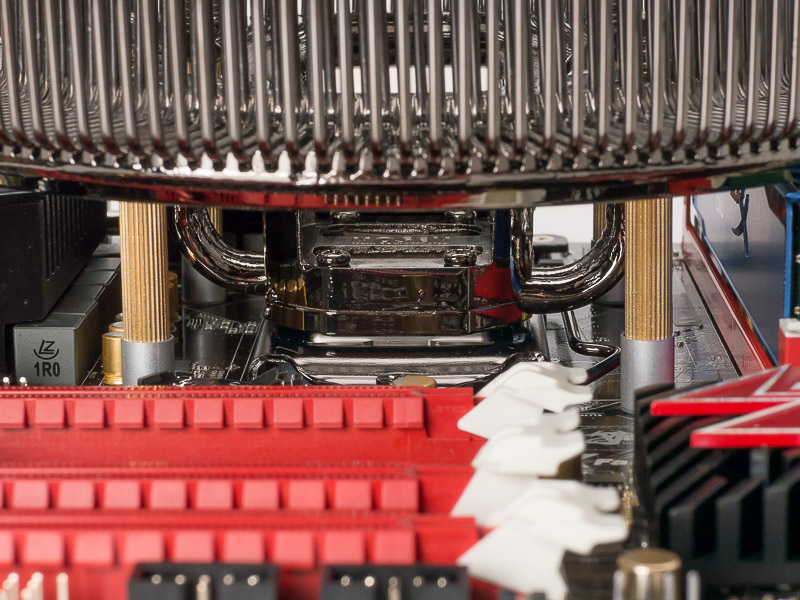
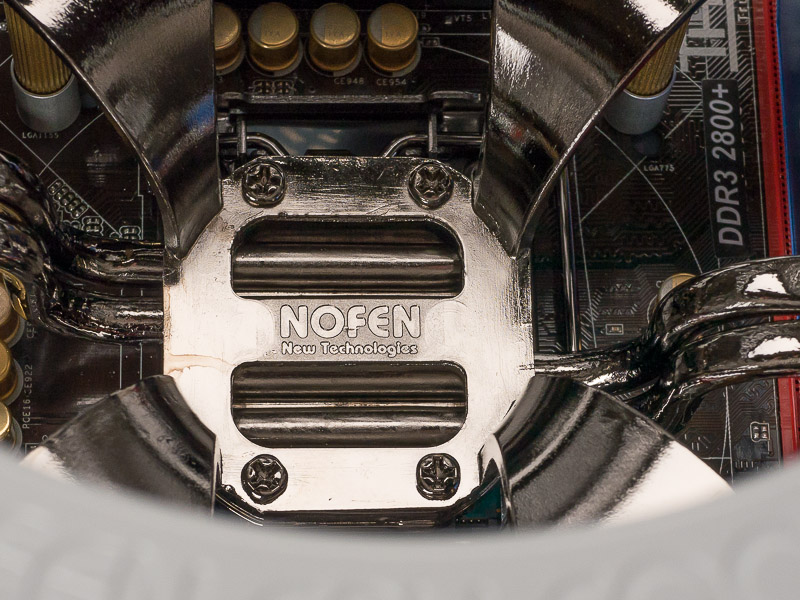
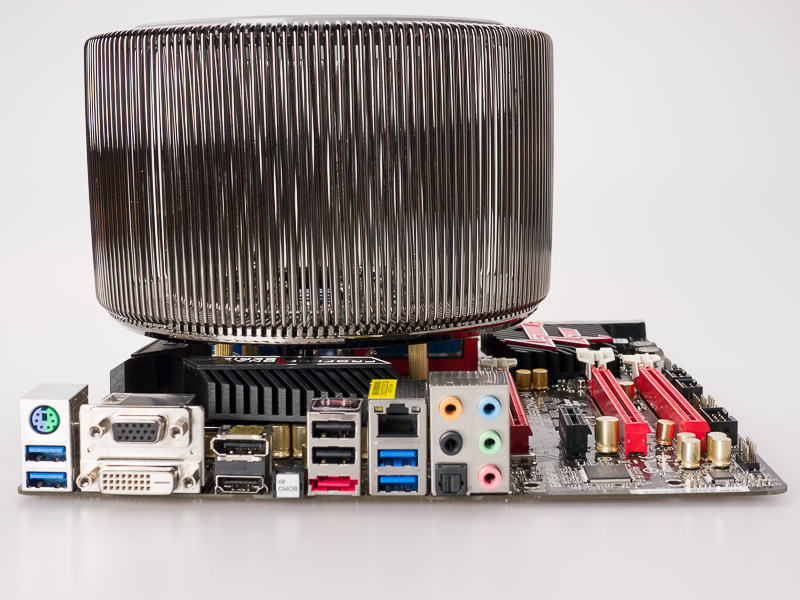
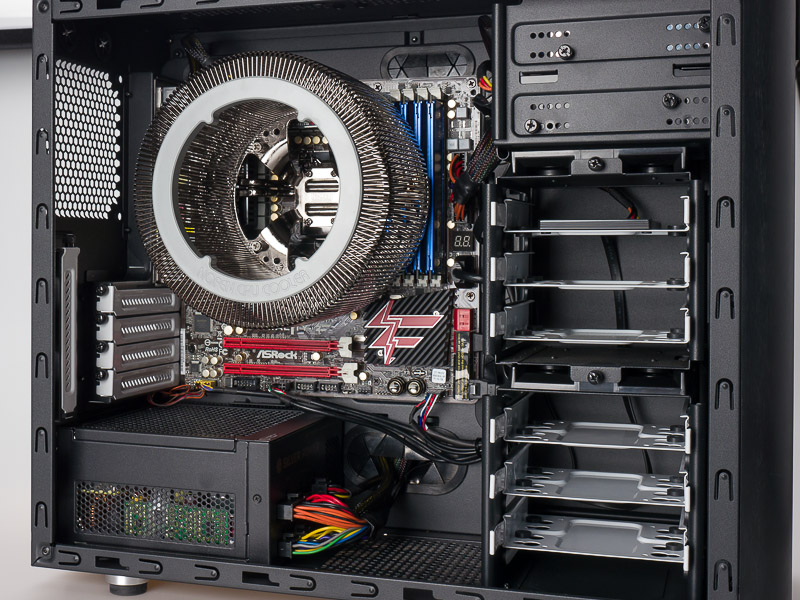
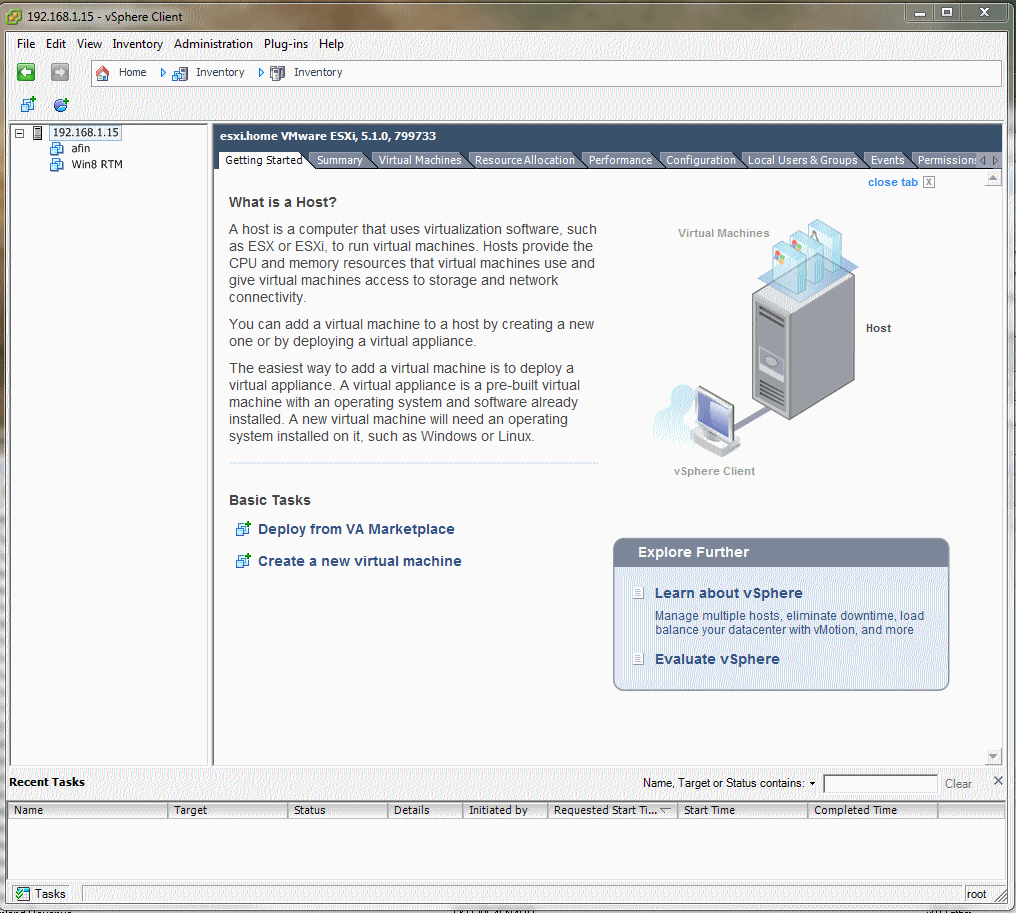
Completely silent PC build.....

Basically, it's a way of me coalescing lots of things onto a single silent PC rather than running things on different machines. It might also replace the E8400 machine I have here as well (xbmc and mythtv server) but I'll have to see how nicely that plays first - with PCI-e passthrough it should be possible though.

It's only recently I've come to love VMs - I can try more things out that way, and discard them very easily!

So a bit like me with all my partitions running XP Pro with each partition dedicated to one thing - Surfing, Photos, Films, Music etc - with the exception that mine sounds a bit easier to set up.

.
 
So a bit like me with all my partitions running XP Pro with each partition dedicated to one thing - Surfing, Photos, Films, Music etc - with the exception that mine sounds a bit easier to set up.

.
Ahahahah... :D a bit like... Except they are all on at the same time ;) They can also share resources or be given PCI-e slots if you want exclusive access to a device by a particular machine. At least that's the theory. It should be fairly easy to set up once it's built so this should be easier than yours as once you have the base hypervisor installed, you just create a new machine and point it at the ISO file to install a new OS (but we shall see!). The trick is to find a board that has the right hardware on it (which I supposedly have done...)
 
Ahahahah... :D a bit like... Except they are all on at the same time ;) They can also share resources or be given PCI-e slots if you want exclusive access to a device by a particular machine. At least that's the theory. It should be fairly easy to set up once it's built so this should be easier than yours as once you have the base hypervisor installed, you just create a new machine and point it at the ISO file to install a new OS (but we shall see!). The trick is to find a board that has the right hardware on it (which I supposedly have done...)

But surely if they're all on at the same time then each virtual machine will run much slower than a single REAL machine?

.
 
petersmart said:
But surely if they're all on at the same time then each virtual machine will run much slower than a single REAL machine?

.

Depends on the spec of the host and allocated resources. And what the vm is going to be doing.

We run VM servers at work (in beefier requirements think quad xeon boxes with huge amounts of ram) and they're excellent and power saving.
 
Depends on the spec of the host and allocated resources. And what the vm is going to be doing.

We run VM servers at work (in beefier requirements think quad xeon boxes with huge amounts of ram) and they're excellent and power saving.

But definitely NOT money saving by the sound of it!!

.
 
But surely if they're all on at the same time then each virtual machine will run much slower than a single REAL machine?
Much? No - not unless they are constantly competing for resources - which is why this machine has a fastish quad core and 32G of memory and a fast SSD ;). Most work (video recoding is the exception) is bursty and doesn't require an overclocked 4+GHz quad core so you can timeslice between "machines" and still get very good performance. The convenience of a workhorse that can be doing several completely different jobs at once - potentially running several different OS's which are tuned to the task at hand (e.g. Linux for media work, Solaris or FreeBSD as a filestore, a Windows 8 tester on the same machine at the same time) with almost no overhead is quite appealing. One box, one PSU, one power drain, one footprint, one HDD, one network card - all being used by a number of virtual computers at the same time.
 
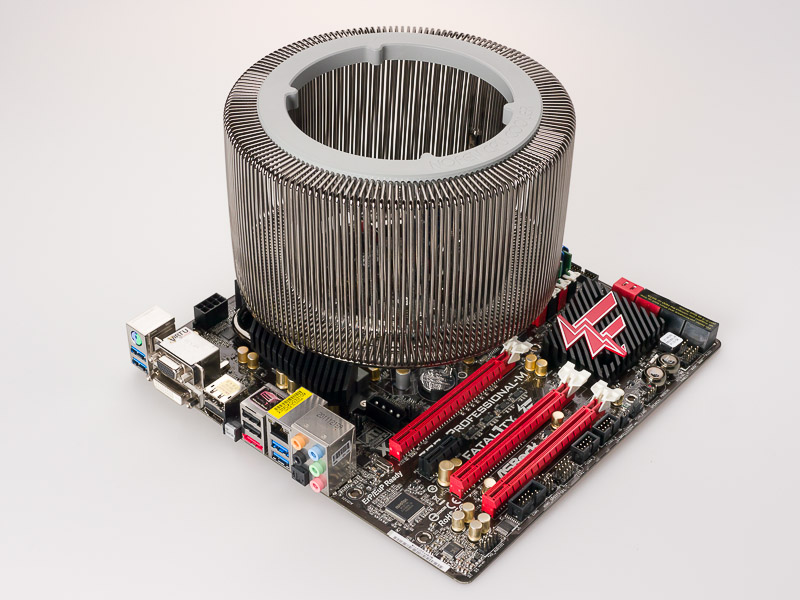
Well... I'm officially impressed (apart from the fact it worked when I plugged it all together :D). Firstly, it is silent which is weird. Turning a PC on with NO noise - silence. Very weird.

I have a 65W TDP processor and whilst I am running it in a case with the side off, I have had it running prime for the last 10 minutes. It maxes at 3.2GHz (which is correct according to specs) and the CPU cores are running about 40 deg C. That is INSANE....

Photos when I have tidied the cabling (and room!!)
 
tsk... just for you...

P1010134-800.jpg


P1010133-800.jpg


P1010135-800.jpg


P1010137-800.jpg


P1010139-800.jpg


P1010142-800.jpg
 
Try reloading............. They work here and are on an external server...
 
Looks like a bad card, half to a third of some photos are a nice battleship grey:eek:

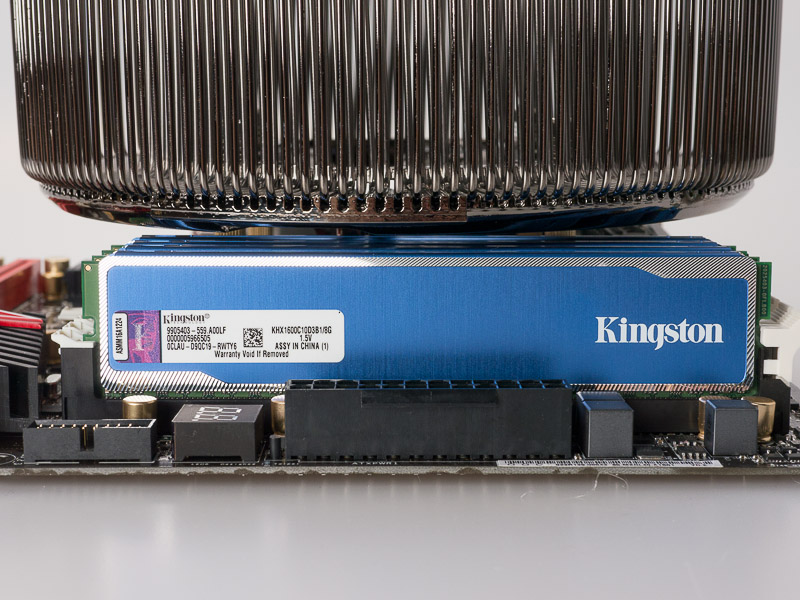
My too late comment earlier was about RAM stick space and it certainly looks like a cooler removal job if any go wrong.
 
Last edited:
They're OK from work too... Chrome & IE tested on 2 machines via completely different routes :shrug:.
 
Looking from my ipad, will check on PC in morning.
 
And fine on the Nexus7
 
I see 6 pictures with no problem.
 
Only the first pic is half grey on IE on this PC, rest are fine.

Now cleared all my cookies, history and data from ipad.

Took ages to log back in here, but all the pictures are lovely and clear.

Now then can I remember all my passwords?
 
got my hyper-v running last night and VM installed for IIS.

VMs rock.
This is where it's at...

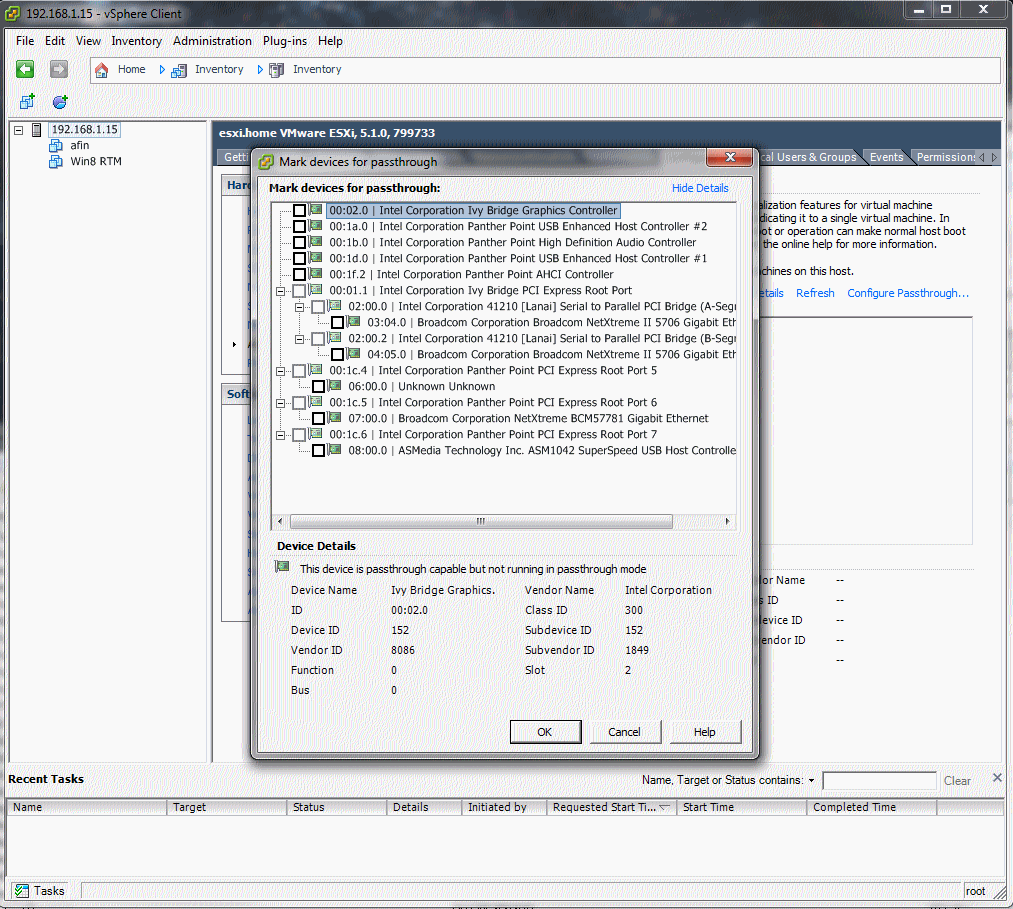
passthru.gif


Basically, I can mark any of these as "passthrough" to a VM. That is, they appear as if they own the device and see it as if they were on the hardware with no hypervisor sat in the way managing the hardware.

Pop a RAID card in -> pass it and a network interface through -> run something like OpenIndiana and you have a bare metal fileserver.

I should have bought a full sized ATX board to be able to plug more cards in!! The first PCI-e slot is unusable due to the heatsink and the second looks dodgy for use (but may be OK with a half height card in).

BTW: for anyone going to try this, I couldn't get the onboard network card recognised for the management network "out of the box" so have a server network card in the chassis at the moment (HP NC380T - £25 from e-bay)...
 
that indeed is very powerful.
Yes, it is.

I'm going to see if I can get xbmc running on the internal Intel card (not sure if that's supported in the Linux build though).
 
we use hyper-v at work (hence im using it also) and its a bit more basic. but you can assign cpu cores, memory, drives, virtual drives/dvd, NIC(s), SCSI controllers etc which is all we'd ever need.
 
Looks very nice. :)

I did my own silent PC a couple of months ago, all housed in a Streacom FC8 EVO case. For those that want something a little smaller and don't need all the expandability I would definitely recommend it (although get the Silver case rather than matt black, even looking at it seems to leave white marks on it...). I finally "finished" it a couple of days ago and like it a lot, the case is lovely - tiny and made from 4mm thick aluminium. I ended up using the spec below so it should last a few years of photoshop and video/internet duties, with a little video editing thrown in.

ASRock Z77E - Mini ITX
i5 3570k
16GB (2x8GB) Teamforce RAM
128GB Corsair M4
150W Pico PSU

The Z77E is a fairly expensive mini ITX MB but I needed the displayport as I was planning on upgrading to a 27" monitor. It's not actually silent silent as of tuesday as I dumped a 2TB WD Green drive in it for storage, but that may be coming out shortly. I also managed to get a 256GB SSD for £95 at the same time so installed that as well, to say there isn't much space inside anymore is a slight understatement... I'm using the M4 as the boot drive and then will be using the 256GB SSD (not hugely fast) as a scratch and quick access/day to day drive. I'm sticking all my music and documents on that, alongside downloading my camera photos onto it for editing before storage on the HDD which is also going to be the storage for all my films as well. That way while it's in the case I'm hoping it will be asleep most of the time (so totally silent), only being woken up every so often when I want to watch a film (where I won't hear it) or when I do a big transfer of edited photos.

Definitely something worth looking into if you're interested in a silent build. Slightly more fiddly (less space to work with) but so much smaller than even a m-ATX case, I got bored of towers so wanted something small. :)

I am having a small issue at the moment however, CPU temps are a little high, although the manufacturer suggests you can use up to 95W CPU's I think I would stay with 65W max. I have my CPU slightly underclocked and undervolted to cool it down a but and may think about swapping the full fat version out for the S version that arad85 has.

DSC_3469.jpg


DSC_3471.jpg
 
Last edited:
Nice :D
 
Right... some tests (well a test). I've compared a recode using ffmpeg on my quad core, overclocked, hyperthreaded i7-2600K @ 4.3GHz with the i5-3470S at 2.9GHz turbo'd to 3.2GHz. There is a slight advantage to IvyBridge as they tweaked the architecture, but looking at the figures (recoding a 58 minute segment of Channel 4 HD from Wednesday) we have:

i7-2600k able to boost to 4.3GHz (1-4 cores):

Code:
Pass 1: 56fps, time: 0:26:24
Pass 2: 40fps, time: 0:36:39
Overall time: 1:03:03 (63:03)

For the i5-3470S which can turbo to 3.2GHz with 4 cores running, 3.6 with 1 core running.
Code:
Pass 1: 50fps, time: 0:29:36
Pass 2: 29fps, time: 0:50:11
Overall time: 1:19:47 (79:47)

Make of that what you will, but in a "real world" application, we have the i7 @ 4.3GHz and hyperthreaded is ~25% faster than an i5 without hyperthreading @ 3.2GHz. The clock speed of the i7 is 25% higher than the i5. Do you think hyperthreading is worth it?
 
that is quite interesting, i guess it goes to backup that real cores > hyperthread cores
I know where my money will be going when it comes to the next upgrade.....
 
Right... some tests (well a test). I've compared a recode using ffmpeg on my quad core, overclocked, hyperthreaded i7-2600K @ 4.3GHz with the i5-3470S at 2.9GHz turbo'd to 3.2GHz. There is a slight advantage to IvyBridge as they tweaked the architecture, but looking at the figures (recoding a 58 minute segment of Channel 4 HD from Wednesday) we have:

i7-2600k able to boost to 4.3GHz (1-4 cores):

Code:
Pass 1: 56fps, time: 0:26:24
Pass 2: 40fps, time: 0:36:39
Overall time: 1:03:03 (63:03)

For the i5-3470S which can turbo to 3.2GHz with 4 cores running, 3.6 with 1 core running.
Code:
Pass 1: 50fps, time: 0:29:36
Pass 2: 29fps, time: 0:50:11
Overall time: 1:19:47 (79:47)

Make of that what you will, but in a "real world" application, we have the i7 @ 4.3GHz and hyperthreaded is ~25% faster than an i5 without hyperthreading @ 3.2GHz. The clock speed of the i7 is 25% higher than the i5. Do you think hyperthreading is worth it?

What were you rendering and to what size?

.
 
What were you rendering and to what size?
.

From:

Code:
Video
Format                                   : AVC
Format/Info                              : Advanced Video Codec
Format version                           : Version 2
Format profile                           : Main@L4.0
Format settings, CABAC                   : Yes
Format settings, ReFrames                : 4 frames
Bit rate                                 : 9 021 Kbps
Width                                    : 1 920 pixels
Height                                   : 1 080 pixels
Display aspect ratio                     : 16:9
Frame rate                               : 25.000 fps
Scan type                                : Interlaced
Stream size                              : 4.91 GiB (89%)

to:

Code:
Video
Format                                   : AVC
Format/Info                              : Advanced Video Codec
Format profile                           : High@L4.0
Format settings, CABAC                   : Yes
Format settings, ReFrames                : 4 frames
Bit rate                                 : 3 500 Kbps
Width                                    : 1 920 pixels
Height                                   : 1 080 pixels
Display aspect ratio                     : 16:9
Frame rate                               : 25.000 fps
Scan type                                : Progressive
Stream size                              : 1.41 GiB (88%)

So it includes a de-interlace step as well.

Just a recode to strip out the fluff at the beginning and end (I always over record to ensure I get the whole program) and reduce the bitrate.

Audio is AC-3 and just copied across.
 
Back
Top