LCPete
Suspended / Banned
- Messages
- 9,785
- Edit My Images
- Yes
Afternoon everyone can some explain how to do colour corrections for black, white and grey in Affinity please ?
In photoshop find the black , white and grey points in the image in the following way
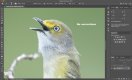
I use threshold then move the slider to the left for black , threshold slider to the right for white
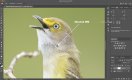
For the grey point new layer 50% grey, change blend mode to difference then threshold slider to the left
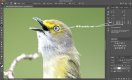
Then mark the points and correct using black white and grey dropper in curves
Is there a way of doing the same thing in Affinity?
In photoshop find the black , white and grey points in the image in the following way
I use threshold then move the slider to the left for black , threshold slider to the right for white
For the grey point new layer 50% grey, change blend mode to difference then threshold slider to the left
Then mark the points and correct using black white and grey dropper in curves
Is there a way of doing the same thing in Affinity?
Last edited:


 I’m so used to the layout in photoshop that I’ve still been going back into an old version of photoshop just to do colour corrections will have a go at that