

aerobandit
Suspended / Banned
- Messages
- 2,487
- Name
- Piotr
- Edit My Images
- Yes
I've taken this shot of robin this morning. After importing via Lightroom 4.3 and editing in CS6, I uploaded in on flickr and found out that the photo looks different than my edit prior to upload.
I thought it could be due to me using CS6 (I never had this problem before with CS4), so I've used CS4 and uploaded to flickr as well. I could see the difference straight away, but photo edited in CS4 also seemed to have a bit of contrast increased comparing to original. Seems to me like photos Are loosing a bit of dynamic range after uploading to flickr. Originals have more detail in dark areas on my Hard Drive.
My color profile is always set to sRGB.
Color settings are the same in both CS4 and CS6 - North America General Purpose 2
Did anyone noticed this as well? Is it flickr or Photoshop?
CS6

CS4
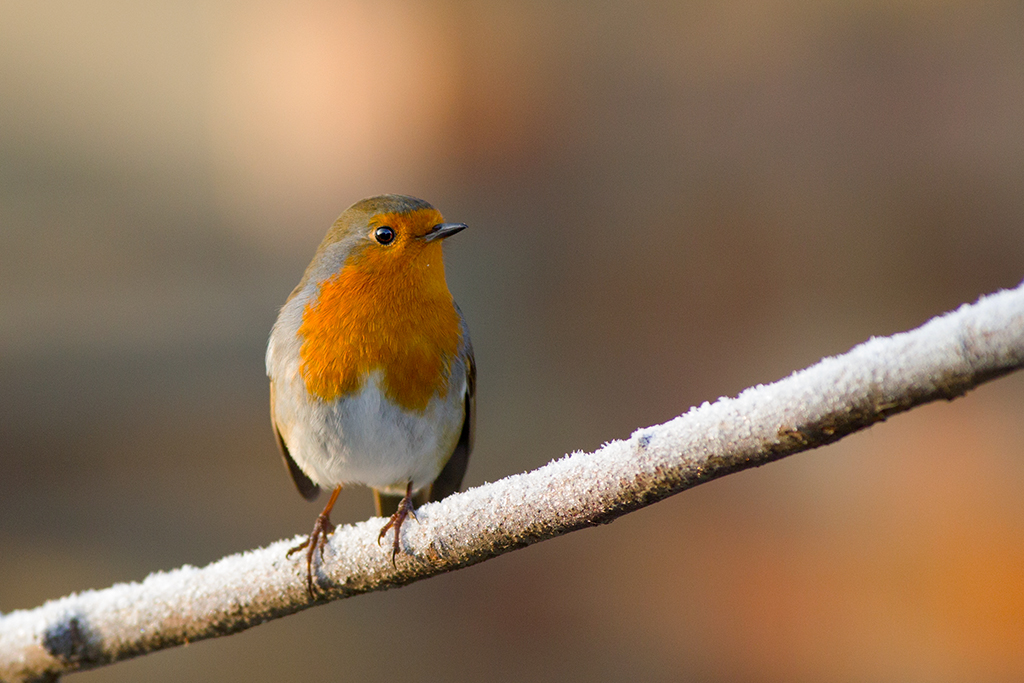
I thought it could be due to me using CS6 (I never had this problem before with CS4), so I've used CS4 and uploaded to flickr as well. I could see the difference straight away, but photo edited in CS4 also seemed to have a bit of contrast increased comparing to original. Seems to me like photos Are loosing a bit of dynamic range after uploading to flickr. Originals have more detail in dark areas on my Hard Drive.
My color profile is always set to sRGB.
Color settings are the same in both CS4 and CS6 - North America General Purpose 2
Did anyone noticed this as well? Is it flickr or Photoshop?
CS6
CS4

