Collage software needed

connersz

Suspended / Banned
Messages
1,468
Name
Jamie
Edit My Images
No
I'm in need of some collage software, preferably something you download. I have something called CollageIt pro which I paid for and it's awful. It is very limited and awkward to use.


I need to be able to...
Setup a page size (e.g. a4)
Add tiles to the page, in portrait and landscape
Add different amount of images (selectable)

The software I have at the moment lets you setup a page, add some photos then it give a bunch of random size boxes on the page in weird formats, There's no way to change them so you have to keep re-shuffling them until you get something roughly there. If you then change any of the settings it re-shuffles your images so you lose all the work you have done.
 
Photoshop? Add multiple images as layers, move around and scale to suit.

Lightroom? Create (or download) print template to contain several photos at different sizes, then select photos.

What do you want to do that these don't do?
 
The simplest one i find to use is Picasa. It's free and quite decent. HTH's
 
Try gimp, a freeware program
 
Try Picmonkey free and half decent from what I understand.

Trev
 
To be honest I need something that's going to do most of the work because I can't spend too much time making these. The one I have is good in the sense that it automatically puts all the selected images on the page at once but is limiting when you need to adjust them. It's basically just too simple.
 
The problem your going to have is almost all these softwares "fit" the images into the given space, this means it's pretty much certain to crop some or all the pics.
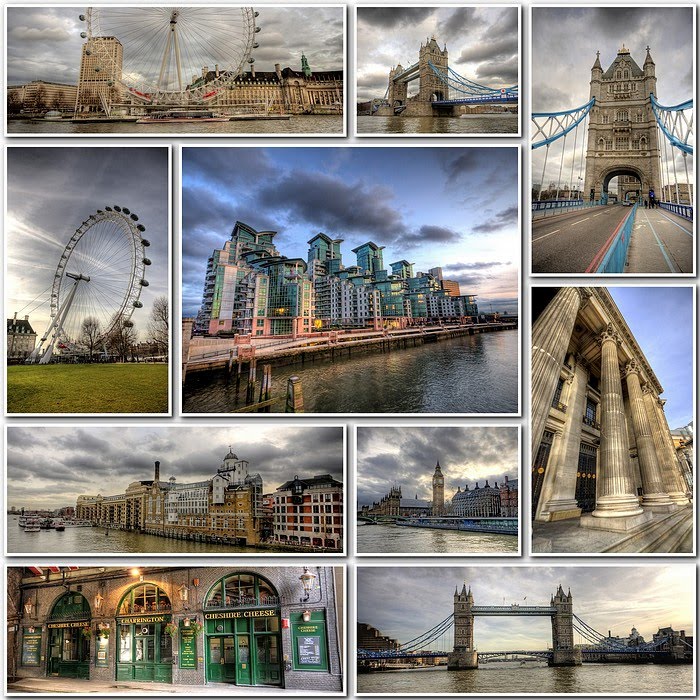
The one I use is Foto Fusion, but I don't know if it'll do all you need. heres an example, the square format is for a reason, it's not a fixed size/shape, you just set up a page size and off it goes.The borders and drop shadows are also selectable.

tn_london%2B1.jpg
 
The problem your going to have is almost all these softwares "fit" the images into the given space, this means it's pretty much certain to crop some or all the pics.
The one I use is Foto Fusion, but I don't know if it'll do all you need. heres an example, the square format is for a reason, it's not a fixed size/shape, you just set up a page size and off it goes.The borders and drop shadows are also selectable.

tn_london%2B1.jpg
I get your point but to be honest I don't need the collage to be perfectly square around the sides. If the edges stick out that's fine with a border.

In my case it would be best to have them all in 2x3 format.
 
In Picasa, once you've selected the images you wish to use, you can chose to "throw" them like a deck of cards to land in whatever order. If you don't like that, you can repeat ad infinitum. You can chose to position them yourself if you wish to and change the size, placing and orientation of each image as you like. I'm sure all the other programs will offer the same. HTH's
 
I get your point but to be honest I don't need the collage to be perfectly square around the sides. If the edges stick out that's fine with a border.

In my case it would be best to have them all in 2x3 format.
I'd be tempted to use Photoshop or Gimp if thats what your after, easy enough to create the plain background and just drop the images on top where you want.
 
I'd be tempted to use Photoshop or Gimp if thats what your after, easy enough to create the plain background and just drop the images on top where you want.
I'm actually looking into possibly using lightroom. The reason being that I can create a print template of X amount of images then modify it slightly if required.
 
Back
Top