
and the site receives a small commission
You are using an out of date browser. It may not display this or other websites correctly.
You should upgrade or use an alternative browser.
You should upgrade or use an alternative browser.
Clean up experts here please!
- Thread starter Matt
- Start date


Marianne
Suspended / Banned
- Messages
- 3,125
- Edit My Images
- Yes
I took this great image into photoshop, duplicated the layer, applied gaussian blur 2.3 to the top layer which blurred the marks on the glass and using a layer mask I revealed the meercats from the layer below, graduating the opacity of the layer mask as I reached the outside edges of the cats, going from 100% to 5% opacity. I Flattened the image and applied an unsharp mask, settings, 130%, radius .4px. I really like this image, they are such great animals to watch!


noah
Suspended / Banned
- Messages
- 1,059
- Edit My Images
- Yes
hope you dont mind matty, but i loved the image and thought it could do with a little crop and warm up...
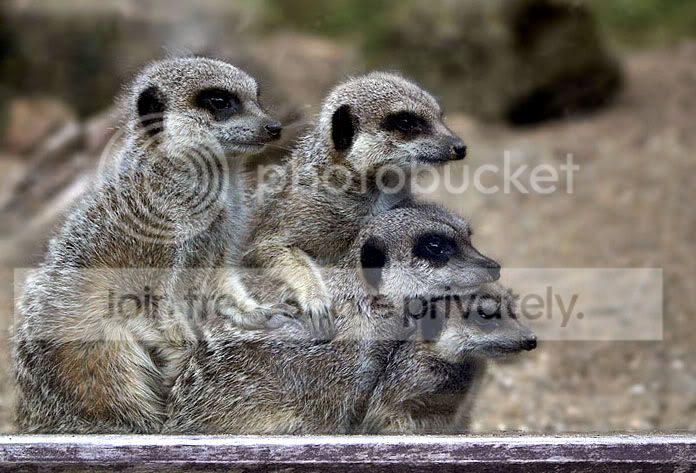
>used marianne's excellent tidyup
>added a bit of warm up filter
>brightened
>straightened
>ran tpf remove digi haze for a little more contrast
>a spot of fred mirandas velvia vision to add some colour to the animals and >then took it back away from the background as it became distracting
>flattened
>used marianne's excellent tidyup
>added a bit of warm up filter
>brightened
>straightened
>ran tpf remove digi haze for a little more contrast
>a spot of fred mirandas velvia vision to add some colour to the animals and >then took it back away from the background as it became distracting
>flattened
OP

- Messages
- 22,999
- Name
- matt
- Edit My Images
- Yes
nice Job Noah! i really like the picture, just a shame about the glass!
Ive got the other picture of the staff team matt, the one with a big red baboons ass showing in the background while the other 5 pick their navels?
Ive got the other picture of the staff team matt, the one with a big red baboons ass showing in the background while the other 5 pick their navels?
