Case Lights Not Working.

Dale.

Bo Derek
Suspended / Banned
Messages
13,716
Name
Dale.
Edit My Images
Yes
Some of you will remember my PC build from just about 2 years ago now. It has been a joy to use and still is but I have encountered a problem.

I have an Antec case, it came with 3 fans fitted and there is also the CPU fan and 2 fans on the graphics card. The PC has never missed a beat or broken a sweat, no matter what I've thrown at it, I've never seen the GPU or CPU temps go above 30 degrees.

Recently though, the 3 case fan LEDs stopped working. The CPU fan light works as well as the RAM card lights, all as normal. It's just the case lights that don't work. The case fans are running fine.

I've checked all the connections and updated the motherboard. I've also reset the lights as well as tried running the fans at 100% continously.

I have noticed when I power down the PC, the lights flicker on for about 1/2 second. I've also noticed that when the central heating is on and the room gets warm, when our room thermometer gets to about 21 degrees, the lights will come on and stay on, so it seems to be temperature (fan speed?) related. The lights worked fine until recently, cold days, hot days, made no difference. Now, if it's cool in the room, the lights don't come on but if temperatures rise, they often will. Surely it won't be overcooling? :thinking:

It makes no difference to the running of the PC, it's just annoying, I like things to work, even if they are not really needed.

I'm at a loss, I can to the basics like I have done but the problem seems to be deeper than I can dig with my knowledge of such things.

Any suggestions appreciated.

ta. (y)
 
Last edited:
Some of you will remember my PC build from just about 2 years ago now. It has been a joy to use and still is but I have encountered a problem.

I have an Antec case, it came with 3 fans fitted and there is also the CPU fan and 2 fans on the graphics card. The PC has never missed a beat or broken a sweat, no matter what I've thrown at it, I've never seen the GPU or CPU temps go above 30 degrees.

Recently though, the 3 case fan LEDs stopped working. The CPU fan light works as well as the RAM card lights, all as normal. It's just the case lights that don't work. The case fans are running fine.

I've checked all the connections and updated the motherboard. I've also reset the lights as well as tried running the fans at 100% continously.

I have noticed when I power down the PC, the lights flicker on for about 1/2 second. I've also noticed that when the central heating is on and the room gets warm, when our room thermometer gets to about 21 degrees, the lights will come on and stay on, so it seems to be temperature (fan speed?) related. The lights worked fine until recently, cold days, hot days, made no difference. Now, if it's cool in the room, the lights don't come on but if temperatures rise, they often will. Surely it won't be overcooling? :thinking:

It makes no difference to the running of the PC, it's just annoying, I like things to work, even if they are not really needed.

I'm at a loss, I can to the basics like I have done but the problem seems to be deeper than I can dig with my knowledge of such things.

Any suggestions appreciated.

ta. (y)
I surmise that those lights are plugged into a motherboard connector.....so have disconnected & reconnected them??? Just a bit of a long shot!
 
I surmise that those lights are plugged into a motherboard connector.....so have disconnected & reconnected them??? Just a bit of a long shot!


Yup, all connections seem fine, as far as I can tell. (y)
 
What kind of fans are we talking here, RGB PWM fans or single colour 3 pin types? If they are RGBs, are you using your MB manufacturer or third party software to control them? Some software suits can alter the colours according to temps so maybe a setting is keeping the lights off until it gets hot?
 
What kind of fans are we talking here, RGB PWM fans or single colour 3 pin types? If they are RGBs, are you using your MB manufacturer or third party software to control them? Some software suits can alter the colours according to temps so maybe a setting is keeping the lights off until it gets hot?


Yes, can select the colours on them or they will cycle the colours too. Control is through the MB. I updated the MB but made no difference.

I'm thinking it's a setting somewhere, just been into BIOS and but them back to default. I don't think it's a connection or they wouldn't work at all. They always flick on for a split second during shutdown.
 
Yes, can select the colours on them or they will cycle the colours too. Control is through the MB. I updated the MB but made no difference.

I'm thinking it's a setting somewhere, just been into BIOS and but them back to default. I don't think it's a connection or they wouldn't work at all. They always flick on for a split second during shutdown.
If the lighting has its own circuit apart from the fan circuit.......is it possible the light circuit is failing?
 
I'm thinking it's a setting somewhere, just been into BIOS and but them back to default. I don't think it's a connection or they wouldn't work at all. They always flick on for a split second during shutdown.

I would try your MB manufacturer's RGB utility if one is available to see if you can set things manually from within the OS. Hopefully it would override whatever setting if it is a setting causing this. If its a Gigabyte MB the utility is called RGB Fusion
 
Oddly, the lights started working again over the weeknd, all as normal. Yesterday though, they went off again and are still off. It has been mild weather and our living room temperature went over 20 degrees at the weekend and the lights came on. We've not had the heating on for a few days as it's been warm enough indoors but today, it's dropped a little to 16.5 degrees. I'm going to see what happens if I put the heating on until it reaches 22 degrees and see if that brings the lights back on. It may just be coincidence but I'd like to prove or disprove the heat theory.

Failing that, I'm going to look at all the connections and go from there, then dig into settings, as suggested.
 
Are the misbehaving case fans connected separately to the mobo, or combined using a splitter?
 
Perhaps there is a broken solder joint or connection. I have seen this before whereby it isn’t obvious but a crack in a solder joint.

When the temperature is higher there is potentially some expansion joining two parts of the broken circuit or sufficient surface area to allow current to flow.
 
Are the misbehaving case fans connected separately to the mobo, or combined using a splitter?

Yes, there is a splitter, I will check that.


Perhaps there is a broken solder joint or connection. I have seen this before whereby it isn’t obvious but a crack in a solder joint.

When the temperature is higher there is potentially some expansion joining two parts of the broken circuit or sufficient surface area to allow current to flow.

That's a thought.

I'm going to try unplugging each fan, as they are in series ( I believe ), starting with number 1 and see what happens. The case came pre fitted with 3 fans and these are the ones that only light up intermittently.
 
Weirdly, the case lights just came on, the PC has been on about an hour. The odd thing is though, there was a chill to this room this morning, room temperature was 15.2 °C, so I put the heating on for an hour. As soon as the room temprature got to 18.2 °C, the lights came on.

Bizarre.

Good excuse to keep the heating on. :LOL:

:thinking:
 
Last edited:
Weirdly, the case lights just came on, the PC has been on about an hour. The odd thing is though, there was a chill to this room this morning, room temperature was 15.2 °C, so I put the heating on for an hour. As soon as the room temprature got to 18.2 °C, the lights came on.

Bizarre.

Good excuse to keep the heating on. :LOL:

:thinking:
Can you confirm that even with the lights off that the fans are running?

This on the surmise that I think you said they LEDs were incorporated into the fans.
 
Last edited:
Can you confirm that even with the lights off that the fans are running?

This on the surmise that I think you said they LEDs were incorporated into the fans.

Yes, the case fans have been and are working as normal, it's just the case fan LEDs that are intermittent. The case fans were prefitted (to the case) when I bought it.

PCU and DDR LEDs are all working fine. (y)
 
Yes, the case fans have been and are working as normal, it's just the case fan LEDs that are intermittent. The case fans were prefitted (to the case) when I bought it.

PCU and DDR LEDs are all working fine. (y)
OK and please forgive my ignorance as I have never used any fans with LEDs in them....
If the fans are running is there then a completely separate wiring cable to power the LED aspect of the fan in addition to the 3 or sometimes 4 pin fan plug? Why do I ask, well my perception was that a common cable powered the fan & its lights :thinking:
 
OK and please forgive my ignorance as I have never used any fans with LEDs in them....
If the fans are running is there then a completely separate wiring cable to power the LED aspect of the fan in addition to the 3 or sometimes 4 pin fan plug? Why do I ask, well my perception was that a common cable powered the fan & its lights :thinking:


It's a 5 core ribbon cable for the fans.
 
It's a 5 core ribbon cable for the fans.
Hmmm...
I thought standard aRGB fans are 4-pin fan tach/pwr, and 3-pin RGB control.
Does the 5-pin ribbon come directly from the fans?
What does it plug in to?
 
@Dale.

Can you please state:-

The model of the Antec case and the motherboard model and version number, if it is recorded anywhere e.g. v1, v2 etc
 
Firstly, I found this on the Antec page in regard to the wiring of the ARGB fans

ANTEC FANS Screenshot 2025-12-13 125102.jpg

So as @Tori_T says do the 5 pin cables that you mention come from the fans?
NB a bit Googling seems to point to a 5 core cabling being used used for LEC strip lighting in PC cases (and elsewhere)

Also, I noted this short video and lighting issues..... That is due to an update(?) of the software to run the lighting of the fans and strip lighting.
View: https://www.reddit.com/r/SignalRGB/comments/1ix0xwh/antec_c5_case_rgbs_flickering_after_newest_update/
 
Last edited:
Hmmm...
I thought standard aRGB fans are 4-pin fan tach/pwr, and 3-pin RGB control.
Does the 5-pin ribbon come directly from the fans?
What does it plug in to?


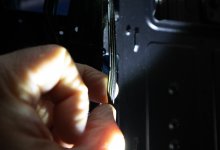
Apologies, I've just gone digging into the depths of the PC, this is the fan cable, I'd assumed it was 5 core but looks like 4 core. It's been a while since I've rummaged this deep into the tower.

IMG_0694 tp.jpg


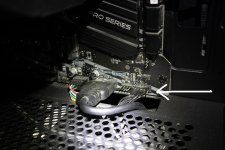
There are 3 of these, and they connect to the mobo here .................


IMG_0695 tp.jpg

There is a connection 'inline' that collects the cables and feeds them from there to the mobo. I've just been fettling with that connection, as I couldn't remember which lead was for which fan. I've disconnected each fan, one by one, and one at a time until they stopped. On reconnection, I've gotten this .............

IMG_0696 tp.jpg

This might be a breakthrough as it would point to one of the connectors being at fault, possibly a bad earth. When I shut down though, all the LEDs come on for a split second just as power is cut, so I know all LEDs themselves are working and also, all of them will come on at higher temperatures, which might be a coincidence.

I think I may try rewiring the fans, especially those connectors that gather the 3 leads together. I made those connections but I will need to refresh my memory on exactly how I did it, I can't believe that was almost 2 years ago now.


@Dale.

Can you please state:-

The model of the Antec case and the motherboard model and version number, if it is recorded anywhere e.g. v1, v2 etc


The case is an Antec NX410. The mobo is shown below, before the build ...............

IMG_1465[1].jpg


I'm going to try a reboot now and see what happens, now that one LED seems to be working, although it's not responding to the colour changing ..... on/off button on the case for the LEDs.


The PC is due it's annual checkover/clean in January and I can live with this until then but I would like to find out what is causing in. I'm closing in on those connectors. (y)
 
If I read the above correctly your fans are wired to a case hub and from there to the MB via the 2 2pin connectors? Your MB has enough case fan connections( 6 in total) to handle all your 4 pin fans, I would be tempted to bypass the hub altogether and wire each fan independently to the MB.
That would help rule out the fans and possibly identify the hub as the issue.
 
If I read the above correctly your fans are wired to a case hub and from there to the MB via the 2 2pin connectors? Your MB has enough case fan connections( 6 in total) to handle all your 4 pin fans, I would be tempted to bypass the hub altogether and wire each fan independently to the MB.
That would help rule out the fans and possibly identify the hub as the issue.


Cool, I was thinking along those lines whilst possibly rewiring too. It was my first build, with some remote help. It's a good opportunity to tidy things up as well and re-familiarise myself with the build.. The LEDs were working fine until recently, when they became intermittent.

I've just rebooted and all the case LEDS are not working again. PCU and and DDR LEDS are working fine, as they always have.
 
Last edited:
@Dale.

In regard to the Reddit page video showing off light behaviour on an Antec case?

Did yours start misbehaving following either an 'in the background update ' or an update by you of the software that runs the lights?
 
@Dale.

In regard to the Reddit page video showing off light behaviour on an Antec case?

Did yours start misbehaving following either an 'in the background update ' or an update by you of the software that runs the lights?

I've regularly updated Windows but I didn't relate the light problem begining after any particular one. I did update the mobo a while ago but that was to try and correct the light problem. The mobo is now on the latest version, those are the only updates that I've done.


The problem may have begun after a Windows update but I didn't relate to that possibility at the time.


I'm leaning to something with the case now, I need to dig deeper into the fan wiring and refresh my memory on that. It was pre-wired so to speak, to an extent. I see a complete rewiring of the fans in the (very) near future.
 
I've regularly updated Windows but I didn't relate the light problem begining after any particular one. I did update the mobo a while ago but that was to try and correct the light problem. The mobo is now on the latest version, those are the only updates that I've done.


The problem may have begun after a Windows update but I didn't relate to that possibility at the time.


I'm leaning to something with the case now, I need to dig deeper into the fan wiring and refresh my memory on that. It was pre-wired so to speak, to an extent. I see a complete rewiring of the fans in the (very) near future.
Sorry I wasn't clear ..I didn't mean a Windows update.

I was talking about motherboard makers software that controls the lights, as mentioned here


So as yours is an MSI board this seems to be the software

I hope that helps :thinking:
 
Sorry I wasn't clear ..I didn't mean a Windows update.

I was talking about motherboard makers software that controls the lights, as mentioned here


So as yours is an MSI board this seems to be the software

I hope that helps :thinking:


Yup, I updated the mobo a few months ago .................... although I will read that article. Thanks.

EDIT:- I also downloaded Mystic Light last week, MSI's software to control the LEDS but it made no difference.
 
Last edited:
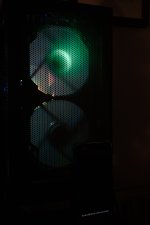
Heating is currently on, room temp was 16°C an hour ago, now it;s 19°C and the lights have come on. I'm convinced it's a temperature thing, which is possibly causing the fans to run faster and draw slightly more voltage...... maybe.

If the fans are running faster, it's not by much as they haven't got noticeably louder.

:thinking:


20251216_175403[1] tp.jpg
 
You can use HWmonitor by cpuid to check fan speeds and compare them to the different temp sensors on the MB/ graphics card. Make note of their speeds at lower temps and when the lights come on see if there has been an increase in RPM.
Its a useful bit of software to have anyway (if you don't have it already)
 
Back
Top