Capture the landscape

ashcroft999

Suspended / Banned
Messages
37
Name
Scott
Edit My Images
Yes
Morning All,

Such a beautiful day :cool:

I'm heading out into the hills to take some pictures, What settings would I be looking to use? I do have a preset landscape tog on my wheel but i'm sure i could adjust something to give me that edge.

I'll be taking my tripod so any hints/tips would be great :)

Thanks for your time

p.s I did search but couldn't find anything
 
Thanks for the speedy reply :)

I nipped out yesterday to try the landscape setting already on the camera but wasn't turned on by it (so to speak) lol
 
Lowest iso poss to reduce noise, if you're using a tripod then you can do this without fear of camera shake.
Aperture priority, and go for f11 or f16 for bigger depth of field.
Focus about 1/3 into the scene to get maximum depth.
Try to compose with something like 1/3 sky, 2/3 land. Or the opposite if the sky is more interesting.
If you dont have grad filters then you might need to bracket your shots and blend them later.
Also try to get some foreground interest like a big rock and make sure its in focus too.
 
Thanks Canon_Togger

A great reply like that makes me understand things a little more each time :-) Total newby here!
 
Thanks Canon_Togger

A great reply like that makes me understand things a little more each time :-) Total newby here!

We've all been where you are ;)
Practice, practice, practice.
Put your shots up and be prepared to take criticism, thats how I learned.
Look at more experienced toggers shots and decide what you like about them, and then set your sights on achieving similar standards.
Mostly though, have fun :thumbs:
 
There's lots of things to think about with landscape and capturing the twist on a scene is often what makes a snap in to a good image.
I tend to use an F-Stop of F11-F13, and focus a third in to the scene, as suggested above.
To the above compositional comments (using thirds, foreground interest) I would also add leading lines: it could be for example the line of waves or trails in the sand on a coastal shot, fences/hedges/pathways on a rural scene, for example.
 
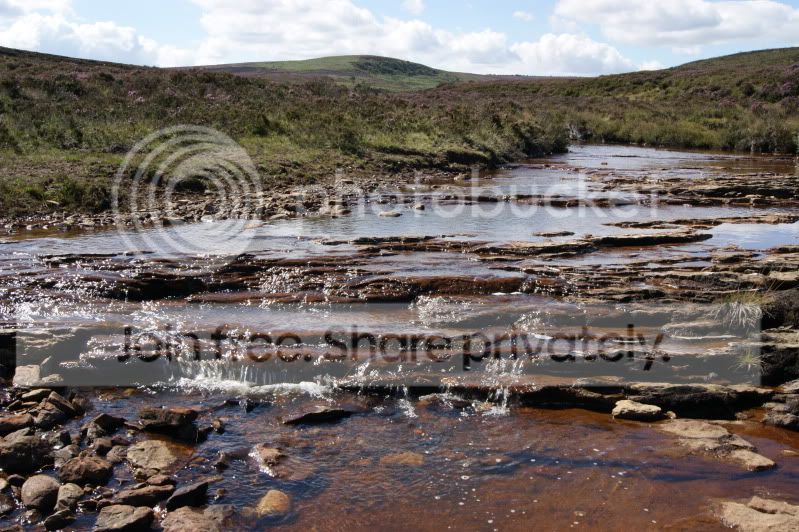
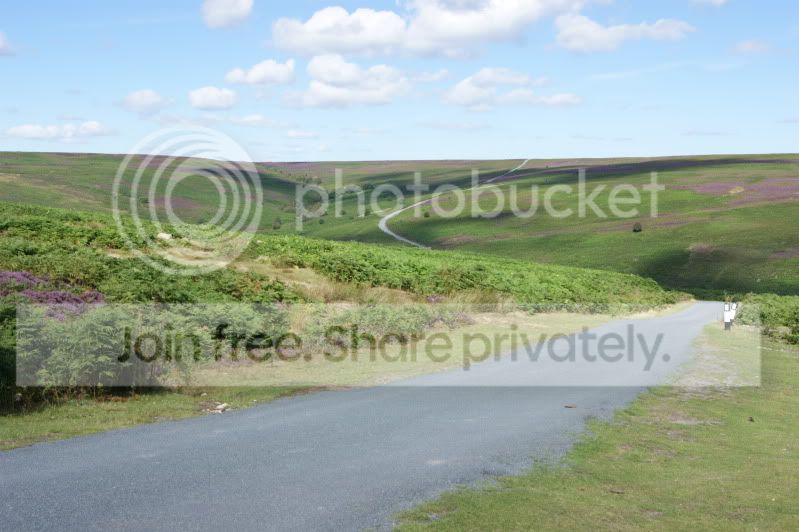
Well i suppose i best add a couple of pictures from today and sit back and watch to see what gets said.

DSC00135.jpg


DSC00137.jpg


Compared to some images on this site these could make a few people giggle! :lol: Please be kind haha
 
Theyre pretty good for starters. In number one i would've come up a bit to get more sky and less of the stream, it's not THAT interesting that it needs to take up all that space in the frame but i can see what you were trying to do with it. Number 2 is better composition-wise but you're still not quite hitting the third of the frame with the horizon. Keep trying, just take as many shots as you can and you'll get it! :thumbs:
 
Thanks for the comments :)

I don't understand what you mean by "but you're still not quite hitting the third of the frame with the horizon" - do you mean I should be taking the picture of less rather than more? maybe zooming in a little?
 
Look up "rule of thirds". It is, apparently, more pleasing to the eye to apply it to your photos. The general idea is that you divide the frame into thirds by making an imaginary grid:

ruleofthirds.jpg


points of interest, instead of being in the middle of the picture, are better placed to the side and up or down a bit (where the green dots are) and horizon lines on one of the thirds. But sometimes it's favourable to break the rule to get the best composition.
 
Ah so more sky less land :D

Not always, the image should be what you want it to be, concentrate on good exposure and image quality and the rest is down to your artistic side. Sometimes an image will work taken with a certain composition and sometimes it wont. Don't be afraid to just have a go at anything and try taking the same scene with different compositions to see what you like best. Remember your photography should be what YOU want it to be. We all like different thing's.
 
Hi Scott,

The leading line (the road) in the second shot would work however the sky isn't really "interesting" enough for the eye to be drawn up to it. This is largely due to when it was taken, if the exif is right it was taken at about 12.30 pretty much when the light is directly overhead and not particularly interesting. I think it has the makings of a good shot but you really need to be there an hour either side of sunset. With the shot as it is I'd be tempted to put a grad over the sky (in post) to perhaps darken it a bit, maybe do a mono conversion with the blues set to black to make use of the blue sky.

The most important thing you can do is get out and take the shots, which you have done, I'm sure you'll get plenty of tips, inspiration and constructive crit on here.
 
I understand fully :) I'll keep you all posted and i'll post pictures in the relevant places! Cheers guys
 
Hi Barnaby

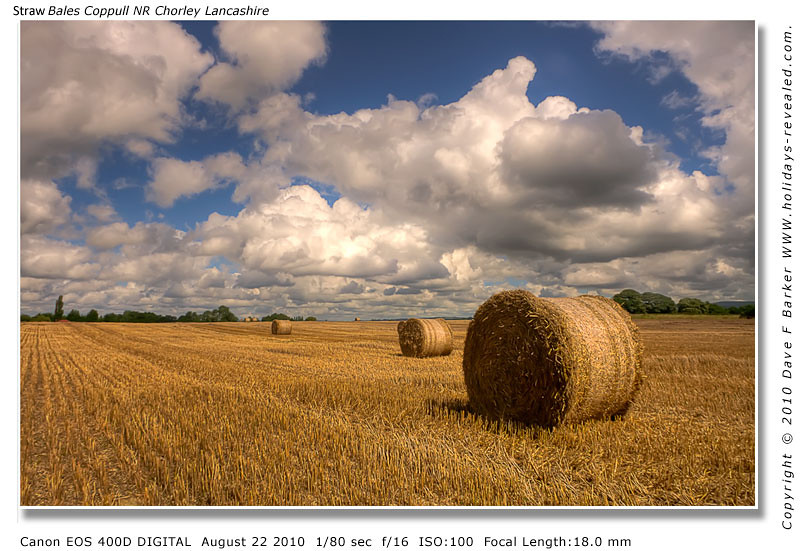
as in this scene I focused on the area level with the second bail in, and 2/3 skyish 1/3ish land thirds comp, the front bail is also placed on a thirds, giving it foreground interest and helping throwing the rest into the distance, exif on the border

4922886659_2aa358c988_b.jpg


Dave
 
Last edited:
haha something else I don't know how to do lol :bonk:

Don't suppose there are any tutorials on the bracketing/tone mapping technique (using PS) on here are there?

I'm really trying to get in to landscapes as it's a good excuse for a bimble but keep coming back with bland, souless images.
 
Theres loads of tuts on you tube, your camera will do auto bracketing, :thumbs: that way you get the full tonal range of the scene
 
Last edited:
Once you have your 3 or more bracketed shots, in CS4 File/ Automate/Merge to HDR, or Photomatix is a good programme for exposure blending, think theres some other free software I'll have a look and post back
 
Back
Top