Canon xxD owners

scooby-tc

Suspended / Banned
Messages
131
Edit My Images
Yes
Have any of you guys got a prefered mode to shoot in? I have tried various settings on my 50D but i just can't seem to get that crisp close up shot.The only lens i have is an EF 28-135 IS USM which came as a kit lens but it seems that whatever mode i try the pictures just are not crisp and clear.
Just looking for a bit of advice really other than just playing with it incase there is something i am not doing right

All comments welcome
 
Depends what you mean about close up shot, if its a macro sort of shot it may be that you are wanting to focus closer than the minimum distance for the lens, but the best way to find out is to post some pictures you are not happy with so people can see the problem and be able to advise :)
 
Have any of you guys got a prefered mode to shoot in? I have tried various settings on my 50D but i just can't seem to get that crisp close up shot.The only lens i have is an EF 28-135 IS USM which came as a kit lens but it seems that whatever mode i try the pictures just are not crisp and clear.
Just looking for a bit of advice really other than just playing with it incase there is something i am not doing right

All comments welcome

No one way all depens on what I am shooting
Are you JPG or RAW?
Let see some photos
 
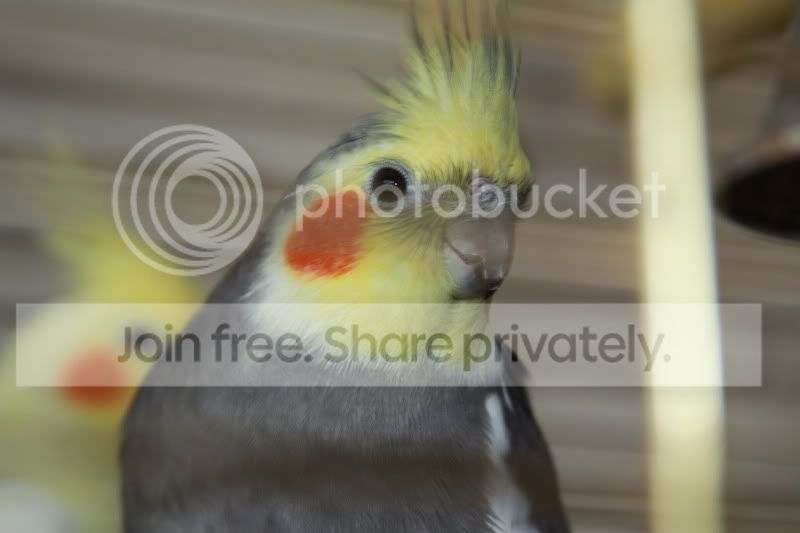
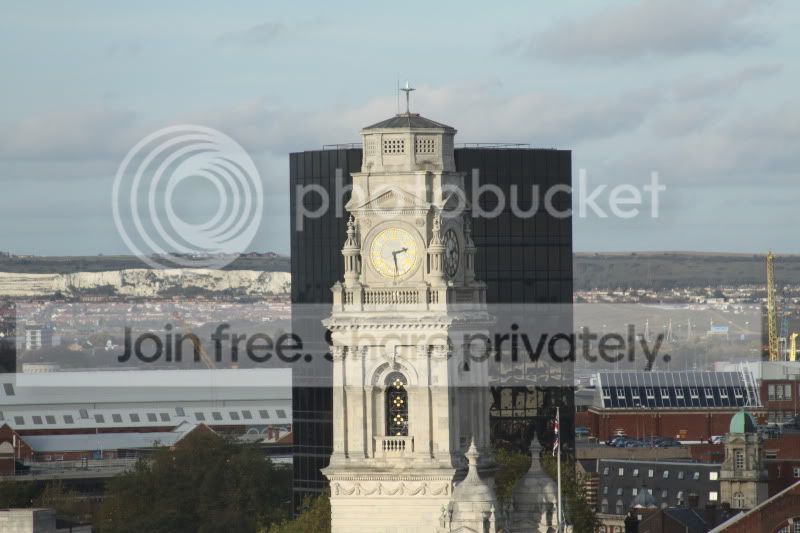
Thanks guys/girls I am currently shooting in JPG havent tried experimenting with RAW yet.These are a couple of pics I took earlier
IMG_0251.jpg

IMG_0172.jpg


I can't help thinking that i can capture a much crisper shot though which is why i was enquiring what mode is preferred.These shots were taken in Av mode
 
Was the first one taken through glass or a cage? There is something running through the middle of the shot which is causing distraction. The second one looks fine, just a little over exposed to my eye as the clock face looks a little blown.

Have you sharpened your pics at all? This needs to be done after a resize for the web.
 
Well the shot of the bird looks like it has motion blur - probably because the bird moved its head. Also were you shooting through bars? If you were shooting in AV mode then chances are your shutter speed dipped too low hence the motion blur.

I'm not sure what your problem with the other shot is - with that lighting the scene was never going to 'pop' IMO
 
The first one was taken through a cage and I havent sharpened any of the pics but I will take a few more later and have a play
 
What's the sutter speed for the first one and focal lengh?
 
I have looked at the exif on the first one, 105mm with a shutter speed of 1/60.

I agree with what has already been posted on this one - Probably a bit of motion blur. You need to be looking at a shutter speed of 1/105 minimum to get a sharper shot. in fact with the 1.6 senso on the 50D that will be more like 1/170 secs
 
RAW is the way to go, you can do so much more with proccessing than you can do with JPG.
You can see that the AF has missed the focus points on the bird.
If you used all the available focus points, select the middle one and try again.
As as RichardtheSane said, it also looks like motion blur so if you had the AF drive set to one shot, changed the setting to AI focus.
You could also try AI servo but this won't allow you to select a manual focus point.
Everything else I can think of has already been pointed out.
 
I think with the lens being image stabilised the shutter speed issue isn't about camera shake - but subject shake (New term especially for the day).

On reflection I have to ask one thing scooby-tc - what were you expecting?
How long have you had the camera/lens combo and what did you have beforehand?
 
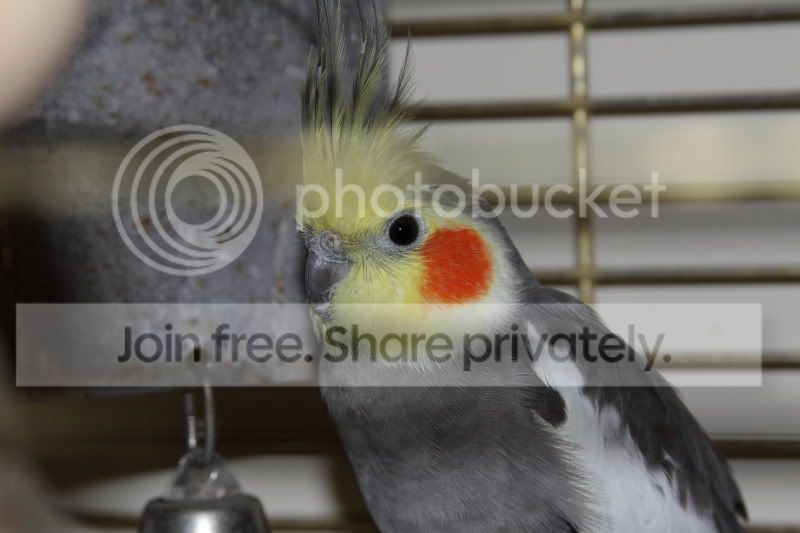
I'm not sure I've made it much better but I read this thread on here yesterday and had a little go... might have overdone it a little but I mean, see for yourself. Hope it's okay I did this but you have the "EDIT" checkmark so yeah... if you want me to remove it, fire me a PM though.

birdp.jpg


Also for shots like this.. maybe try using lower F/x numbers to lift the object from the background etc... Set your Canon to Av and use something like 2.8 and see what difference it makes and if it's what you're looking for.

/edit: oh, also.. start shooting in RAW!
 
Also for shots like this.. maybe try using lower F/x numbers to lift the object from the background etc... Set your Canon to Av and use something like 2.8 and see what difference it makes and if it's what you're looking for!

With a lens like a EFS 28-135 IS USM, he has more of a chance winning the lottery than getting a handheld shot @ f/2.8 even with IS :D
 
I think with the lens being image stabilised the shutter speed issue isn't about camera shake - but subject shake (New term especially for the day).

On reflection I have to ask one thing scooby-tc - what were you expecting?
How long have you had the camera/lens combo and what did you have beforehand?

Hi Richard,I have had the camera since Friday so am obviosly a complete novice.I am not sure what i was expecting to be honest but i came from a sony DSC N1 and I was getting some really nice shots with that so expected much sharper images.I am sure with a bit of time and patience I will get the hang of taking some quality pics

Thanks everyone for your help
 
I just took this pic in RAW with an increased shutter speed and I think that is quite a bit better than the last one
IMG_0262_1.jpg


I won't bore you with anymore daft questions.I will have an experiment with the camera and hope to post up some really good shots in the not too distant future.Thanks again for your help
 
Thats an improvement on the first one. Natural light would help the image alot imo
 
No doubt it would but it's dark outside.I will have another go tomorrow afternoon
 
The IS will help cancel shake, but if your close to a subject and you half press the shutter and pause, it would be very easy to move closer or farther away enough to spoil the crisp focus. Try it on a tripod ;)
 
Well the bird you shoot at 1/60 f5.6 on a 105mm this is on the slow side
The 2nd shot I can’t help but ask why did you take this on F5.6 when you had a shutter of 1/1600?
You say you are in AV so this means you picked this F stop...
To get the best out of a lens it is often about f8 to f16 to get the sharpest images
 
i agree, i had similar shots when i bought my 50d....

tried a tripod, with a shutter speed faster than focal length,, and bingo'
 
To answer your original question, my preferred mode is Manual! Second option, I have programmed custom settings around aperature priority.

Two 'rules of thumb' I've been told to adhere to for best quality images: -

1..Shoot 'mid aperature' (a previous post mentioned f8 - f16 which is probably about right)

2..Shoot 'mid zoom' as you won't get the best out of a lens at either extreme.

That said, each lens tends to have a 'sweet spot' so a bit of playing will help you find it. As noted a tripod and remote shutter release (or use the self timer) and a static subject will take out any possibility of blur and allow you to assess the lens.

Hope this is of some help.

Andy
 
close up shots are difficult
for animals, something really sharp and fast like the nifty fifty is really helpful I think
and a flash.
have you tried using the onboard flash and a diffuser? not expensive from ebay.
a new camera is always a challenge, also a nice DSLR like that will be alearning curve and give you the opportunity to take better photos and get photos you wouldn't be able to get with your own camera. however, it won't magically make your shots better. that comes with practice and advice :) That's why I read the forum !
I don't think mid aperture is needed for that photo though, would make things really slow. f5.6 on the mid zoom is normally enough for a decent lens.
also pick your focus point and shoot in burst mode so that one of them might be in focus with that moving/breathing target
 
Back
Top