Canon 50d - highest usable ISO?

dubcat

Suspended / Banned
Messages
1,310
Name
Amir
Edit My Images
Yes
Hi - I recently ended up shooting a bunch of flash photography at ISO1600 by accident. I was surprised at how grainy it was. I used noise ninja on it but of course this managed to soften things like hair and in some cases resulted in a slightly plastic look to skin.

This lead me to wonder what in general do people consider to be the highest usable ISO on the Canon 50d?

Cheers,
Dub
 
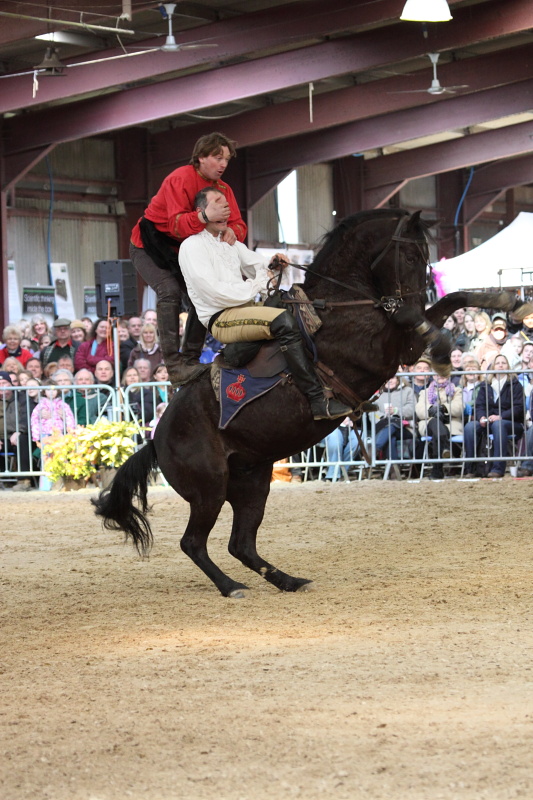
I shot at 1600 at the south east carriage driving fair and got some very usable results. If you pixel peep you can see the noise but overall the result is easily passable.
 
Hmm that is odd. At 1600 iso my indoor shots showed tremendous amounts of noise on dark items ...
 
I use ISO1600 with my 450d with generally good results and I have no reservations in using it. Admittedly it is fairly obvious that the photos weren't taken at ISO200, but they weren't overly noisy. It's important to nail the exposure at high ISO though, it's much less forgiving of tinkering in PP.

So I guess the 50d should be usable at least up to 1600, but it boils down to whether you mean usable, or noise free. :)
 
I use 1600 on my 450d regularly as well, like this:

IMG_8361_sb.jpg


There has been no NR used on that whatsoever.
 
I v rarely run NR (when I had 50 I didn't either) tbh noise isn't much of a problem as long as its not important, sharpness is much more of a big deal
 
This was taken in very low light at 1600, had to boost the exposure a little and sharpened but this doesn't have NR

march182010186filtered.jpg
 
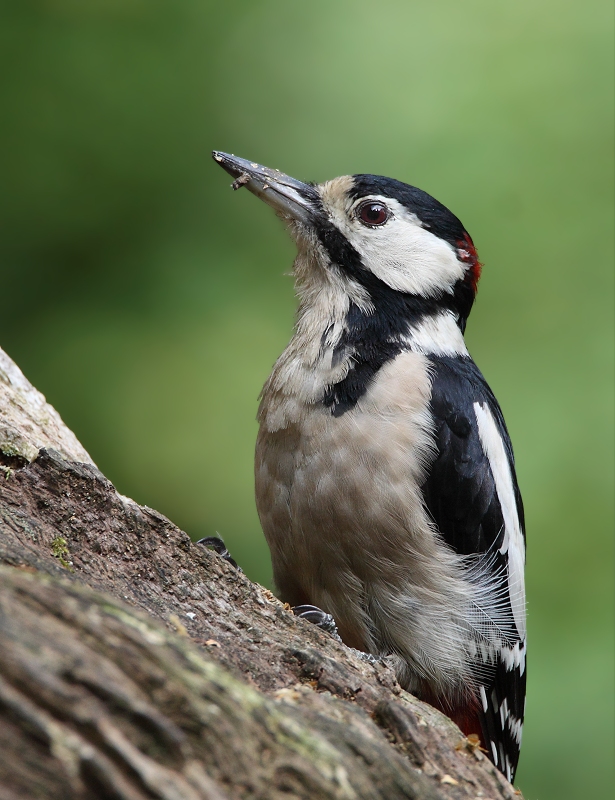
I consider 800 ISO pretty much my default ISO when shooting with the 50D and 500mm lens and don't hesitate to use 1600 ISO if necessary. This is an 800 ISO shot with no noise reduction. Shot on a dull day in woodland.

3844516115_9acfc463e9_o.jpg


The trick is really to avoid under exposure which will inevitably increase noise.
 
The trick is really to avoid under exposure which will inevitably increase noise.

^ That. Always expose to the right and there will be less noise. I can see the temptation to underexpose in low light, but then ISO1600 quickly becomes 3200 or even 6400 after pulling in post. Highlights have the most information, and shadows - hardly any.
 
What size are you printing at If less than about A3 I wuldn't even think about it - you'll hardly see it - Don't pixel peep.
 
Hmmmm i must be either pixel peeping (not sure what that means to be honest) or doing something very wrong. When I magnify the image just one time in lightroom i see the blacks have lots of coloured flecks all over them. I'll cut out a full resolution chunk from one of my pics and post it later today so you can see what i mean.

Dub
 
Hmm that is odd. At 1600 iso my indoor shots showed tremendous amounts of noise on dark items ...

have you got good exposures or are you under exposing? you get more noise in the lower end of the histogram then you do in the upper end.
Also are you shooting RAW or jpg? what camera settings have you as the default ones are not the best...
This was taken at 1000 ISO
4398215520_b6aa4f29d3_o.jpg
 
If the noise is acceptable at the final use stage, the ISO is useable. If the noise is too intrusive, the ISO is too high (or the exposure wasn't quite right).Prints are often very forgiving, especially at smaller sizes while full screen shots of cropped images will show every speck of noise.
 
OK someone HAS to tell me what I am doing wrong as you guys are creating stunning high iso pictures :).

My camera settings are set to neutral.. i.e. no in camera sharpening etc.

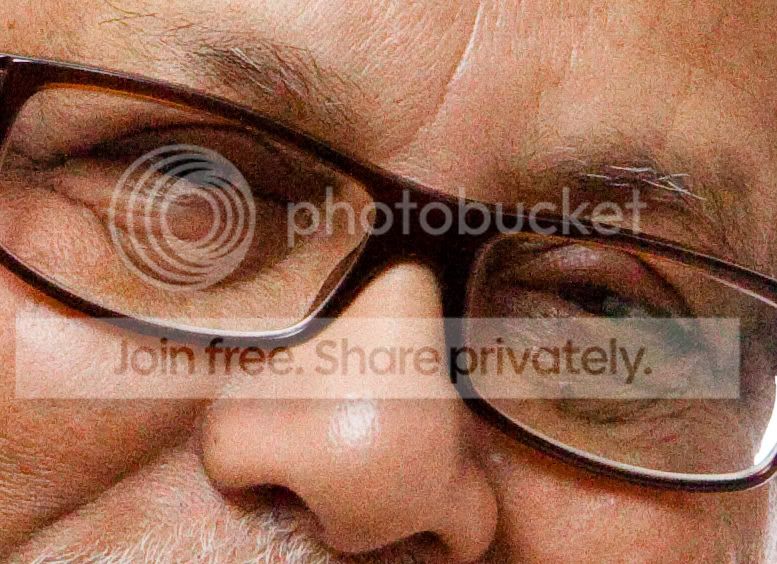
The following pics have just had a little sharpening and exposure correction done to them in lightroom. I also bump up the saturation, vibrance and clarity sliders just a little to make the pictures look more pleasing. Here are some crops from full size pictures to show you the noise I mean.

Both pics are taken on 50d with 17-55 2.8 IS lens. I shoot in RAW.

noise2.jpg

ISO 400, 28mm, f8, 1/250s with flash

noise1.jpg

ISO 1600, 50mm f8 1/250 with flash
 
That last shot of the man's face has colour noise. Pull up the colour noise slider in ACR or DPP and you will see that go.
 
these look like 100% crops... could you post the originals please?
 
Janice - i use lightroom. There are two sliders under noise. One is Luminance and one is Colour. Not sure how to do what you are advising with these though :(

trencheel303 - the originals are too big to post as the forum has a maxium allowed size of 800 pixels. That is why i cut out a chunk of the original.
 
So resize the originals.
 
Ah ok here you go:


I can't post the other one as it has a family member in it who doesn't want me to post them on a forum... /sigh...

Does that give you the info you need to comment?
 
As above, ISO 400-800 is often default for me. I'll regularly use ISO 1600, 3200 when needed without hesitation. I'm confident of printing up to A1 when shooting ISO 1600 without any problems at all. The key is not to under expose the shots! :thumbs:
 
Ah ok here you go:


I can't post the other one as it has a family member in it who doesn't want me to post them on a forum... /sigh...

Does that give you the info you need to comment?

There is absolutely nothing wrong with that. Where's the grain - I don't see it!
 
I just printed it and there is grain all over my daughters face...
 
Gheesom how do i make it camera faithful? sorry if that is a silly question.. /blush
 
OK someone HAS to tell me what I am doing wrong as you guys are creating stunning high iso pictures :).

My camera settings are set to neutral.. i.e. no in camera sharpening etc.

The following pics have just had a little sharpening and exposure correction done to them in lightroom. I also bump up the saturation, vibrance and clarity sliders just a little to make the pictures look more pleasing. Here are some crops from full size pictures to show you the noise I mean.

Both pics are taken on 50d with 17-55 2.8 IS lens. I shoot in RAW.

noise2.jpg

ISO 400, 28mm, f8, 1/250s with flash


ISO 1600, 50mm f8 1/250 with flash

What your're doing wrong is making a very common mistake in judging noise in your images by looking at the full size (1:1) image. No camera will produce a particularly impressive looking image at high ISO when viewed at full size. Looking at full size images and judging the noise from that size is what's commonly referred to as 'pixel peeping,' basically because it's an unrealistic way of judging noise. and you're expecting far too much of the camera.

You're never going to print at that full size anyway. The more you reduce the image in size, the more the noise disappears as you can see in your smaller version of the shot of the adult with child. You don't have to reduce by as much as you have here for web viewing - you should easily be able to get A3 sized prints or larger with no sign of noise.

Try just reducing the image size by 50% to see what I mean - you'll still have a pretty large image for printing.
 
Gheesom how do i make it camera faithful? sorry if that is a silly question.. /blush

in LR you need to be on Develop, then the right hand set of menu's you'll see right at the bottom, Camera Calibration inside there you'll see profile click and change to Camera Faithful, I find the ACR profiles horrible.
 
Back
Top