*Babs
Suspended / Banned
- Messages
- 685
- Name
- Babs
- Edit My Images
- Yes
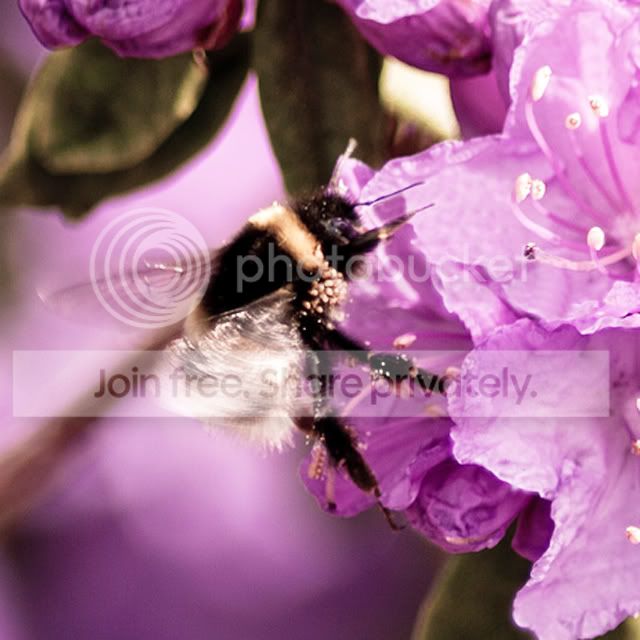
This shot was a bit of an accidental capture! I did focus on the bee, but took it so quickly that I didn't adjust the exposure and now the sunlight on the flowers seems to have blown (or borderline blown) the image.
Can it be saved at all? I love the movement of the bee's wings and the pollen on its body, but I'm not sure anything can be saved.
Any hints and tips on where to start (if indeed, I should start trying to save it!) would be great!

IMG_2208 by *Babs, on Flickr
(This is the original shot without any tweaks at all)
Can it be saved at all? I love the movement of the bee's wings and the pollen on its body, but I'm not sure anything can be saved.
Any hints and tips on where to start (if indeed, I should start trying to save it!) would be great!
IMG_2208 by *Babs, on Flickr
(This is the original shot without any tweaks at all)
Last edited:


 Thanks guys. I do have a RAW version. I've barely played around with RAW files but take shots in both RAW and JPEG on the basis that when my knowledge increases I may want to revisit shots and edit in RAW.