Can someone teach me.....

Bigvin

Suspended / Banned
Messages
616
Edit My Images
No
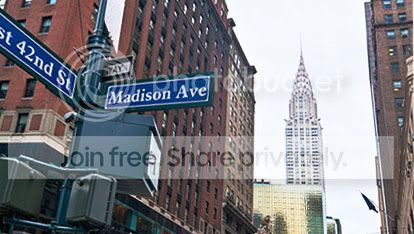
Can anyone give me any tips or pointers how I would begin to process this picture please.

I've got loads of pictures from New York and i'm wondering how to correct the angles of the buildings. I'm using Lightroom 3.

Here's an example of what I mean

New York (13 of 164) by NUFC_Ozzy, on Flickr

How would I go about straightening the Empire States Building but keeping the sign as it is?

Any help would be appreciated.

Cheers Lee
 
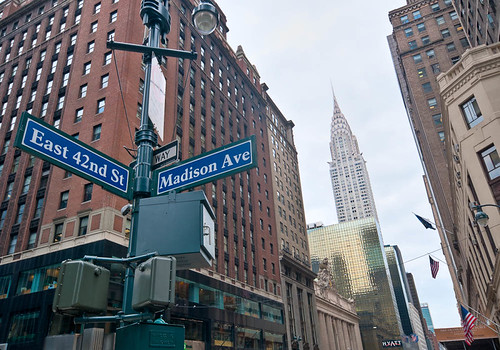
took couple of tweaks
str1.jpg


straighten tool pe9
 
Empire_State.jpg


Not sure what software you have but I did this in Photoshop use the Free Transform tool in about 30 seconds.

Could have made the building on the left a bit more vertical but you wanted to keep the street sign in so I let it slope a bit more then than I would normally have done

To do this First zoom out of the image so you have canvas all around the image.
Now select all the image ( cmd/ctrl A on the keyborad will do this ) Then select the Transform tool ( Select > Transform tool) (or cmd/ctrl T ) You'll see little boxes appear at the four corners ( and in the middle of each side as well. Now holding down the cmd/ctrl key using the mouse grab the top right box and drag it to the right. Continue dragging until the building is vertical. You might also want to drag slightly up at the same time.

Now to straighten the building on the left , repeat the procedure.but use the top left box and drag this to the left. Keep an eye on the Empire State in case this second action causes it to lean back to the left. If it does repeat the first part.
 
Sorry should have said what other software you have :bonk:

I think PSE9 has free transform so it should be possible to use that
 
Back
Top