Can Someone Please Advise

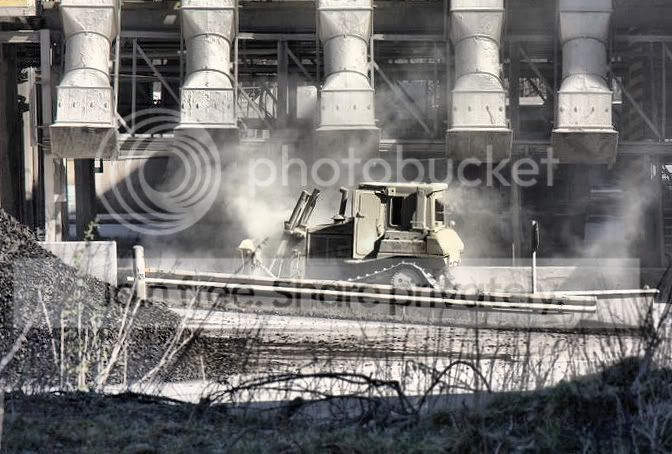
Would say abit of adjustment on hte levels (shado and Mids) up the contrast abit as well as the saturation, shoud give it abit of punch. Hope that helps.
 
Give it a try and show us ;)

As I like to see what other people expect.

Please :)
 
Happy to give it a try, but you will need to allow editing on your acount or I will get a virtual slap on the wrists from the Mods/Admin. You need to click your username at the top where it says welcome then edit to alow editing.

Give it a try and show us ;)

As I like to see what other people expect.

Please :)
 
Have done that buddy, did not notice that at all and fire away :)
 
Rookies, I can't see it. It's asking for me to log in to picasa, and I can't stand that thing :lol: Have you got it hosted anywhere else?
 
Nope not got it hosted anywhere else sorry :( Strange as wonder how cosmix can veiw it?
 
Is strange, never used it myself so not logged in, Heres my attempt for you.

IMG_1909.jpg


on the levels I raised the Shadows/Blacks to 11, the Mids/Grey to 0.79, then uped the contrast by +25 and the Saturation by +35 then just abit of sharpening 50%

Rookies, I can't see it. It's asking for me to log in to picasa, and I can't stand that thing :lol: Have you got it hosted anywhere else?

Nope not got it hosted anywhere else sorry :( Strange as wonder how cosmix can veiw it?
 
That a great effort :) do you think it need cropping?
 
Had a quick go mate hope you dont mind

IMG_199.jpg


I think cosmix3's is better
 
testedit.jpg


All done in Elements 6 (since that's what you use). Hope you don't mind

Straightened the image to make the vents level - cropped it to make a better composition

Adjusted levels slightly - then increased the saturation of the yellow to bring out the digger. Blurred the foreground.

Added some vignetting (duplicated layer - gaussian blur - layer set as multiply - then soft eraser to remove the middle of the image)

Then flattened the image and applied selective sharpening to the digger.

EDIT: Now I'm viewing it on a good monitor I can see that I've pushed the yellows way too far - but hey it's just an example!
 
Straightened the image to make the vents level - cropped it to make a better composition

Adjusted levels slightly - then increased the saturation of the yellow to bring out the digger. Blurred the foreground.

Added some vignetting (duplicated layer - gaussian blur - layer set as multiply - then soft eraser to remove the middle of the image)

Then flattened the image and applied selective sharpening to the digger.

EDIT: Now I'm viewing it on a good monitor I can see that I've pushed the yellows way too far - but hey it's just an example!


Nice :thumbs:
 
Right I got it from the second link :)

IMG_1909.jpg


Using Corel Paint Shop Pro Photo x2 I ....

Rotated to the right 1 oC Then cropped of the excess.
Clarified to the max (20 in this case)
Contrast boost of 7 units
Sharpen
Save
 
I went the monochromatic route. Used Apple's Aperture to do the levels adjustment, applied the cyan toning effect to the shadows and then altered the paper tone to compliment it (hopefully). Very light vignette along with a bit of sharpening.

IMG_1909a.jpg
 
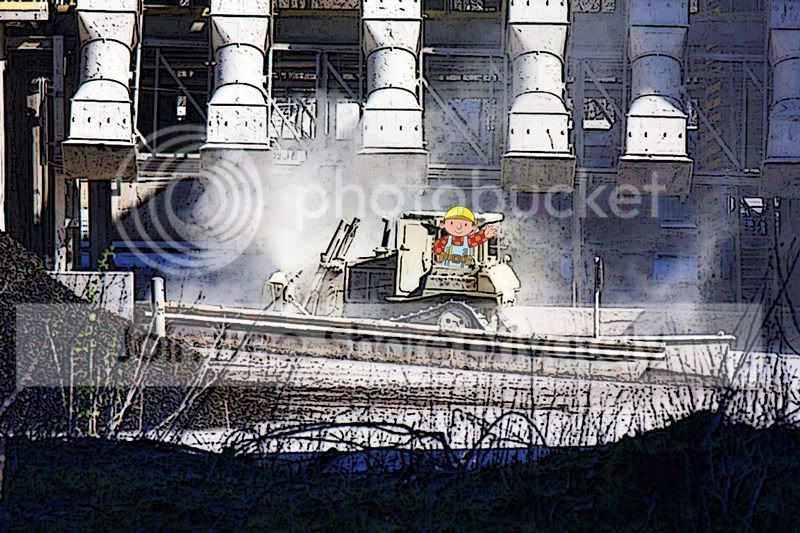
Hmmm Some very nice effort there folks.... Anyway here is my version that I did and not too sure if i am happy with it or not so hopefully i get good comment to boast my confidents.

here it comes

dozer.jpg
 
Nice job. You got rid of the 'haze' through your levels/curves adjustment and nicely saturated the dozer.
 
Thank you for your kind comments.... The word Haze pop up alot what is the meaning? Sorry for the dobe question
 
Thank you for your kind comments.... The word Haze pop up alot what is the meaning? Sorry for the dobe question
It's the 'flat' look you get to an image that needs more contrast. Named such because of the hazey effect it gives to an image (almost washed out look). If you look at the histogram of an image with that haze look you will see that it's got big gaps at either end of it. Once you adjust the levels to compensate for those gaps then you lose that 'haze'.
 
lol class! Where's the model release form though :D
 
Back
Top