Can a scanned image be edited ?

Coley.

Bryant Gumble
Suspended / Banned
Messages
444
Edit My Images
Yes
Evening all,

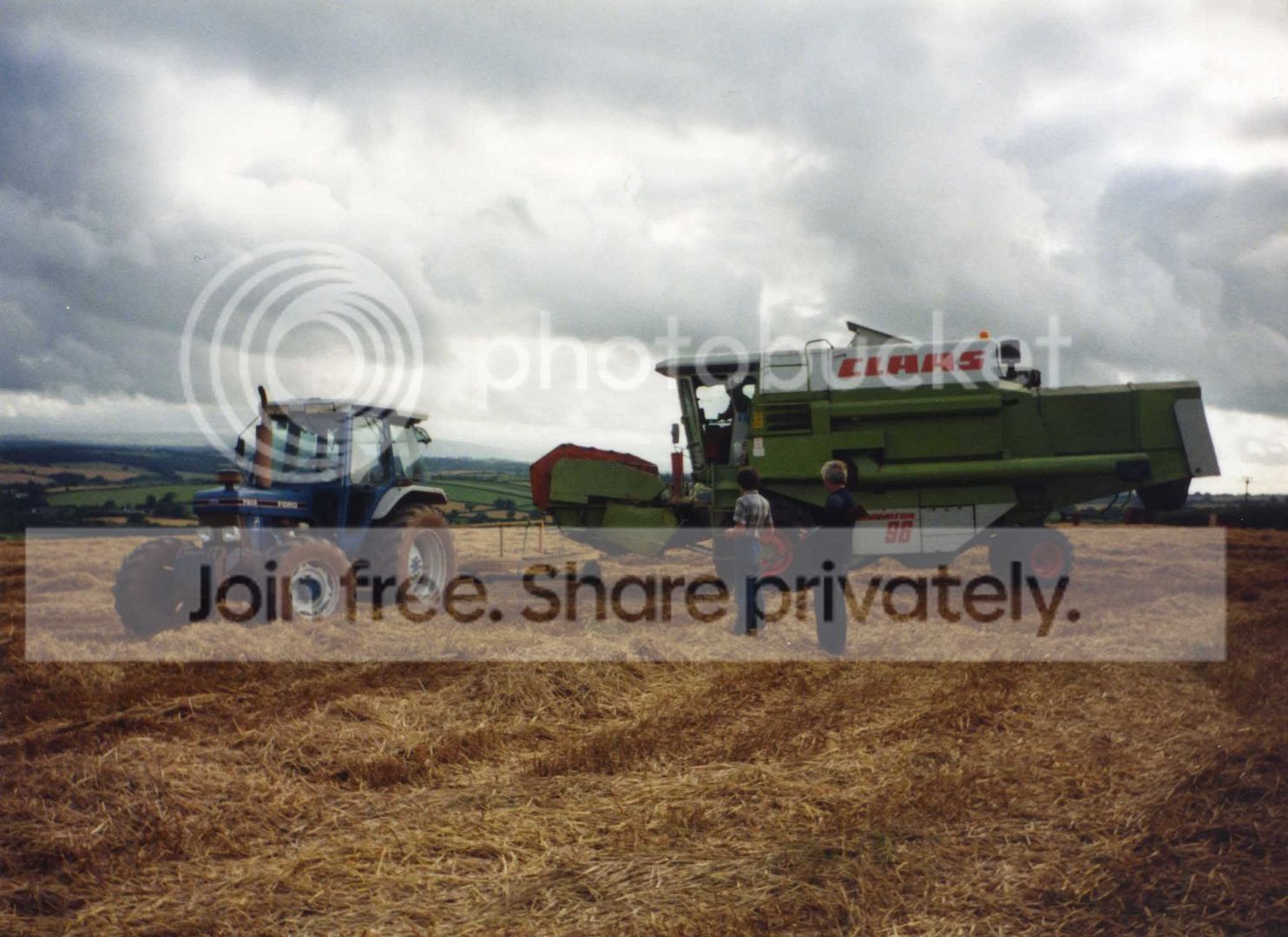
Years and years ago when i were a boy i was given a standard 35mm camera- my first camera :p. I took many photos with it, but one photo stands out in particular. Think this photo is the reason i've been so fond of photography ever since. I must have only been about 10 and its got a photo of my older brother and Dad. I've only got the photo (negative long gone) and would love it if it could be somehow edited to be suitable for a canvas (A3 size would be smashing)

The other day i noticed someone posted a link to http://photorelive.com/photo-retouching.html saying they were good. Looking closer it appears they mainly specialise with portrait pictures.
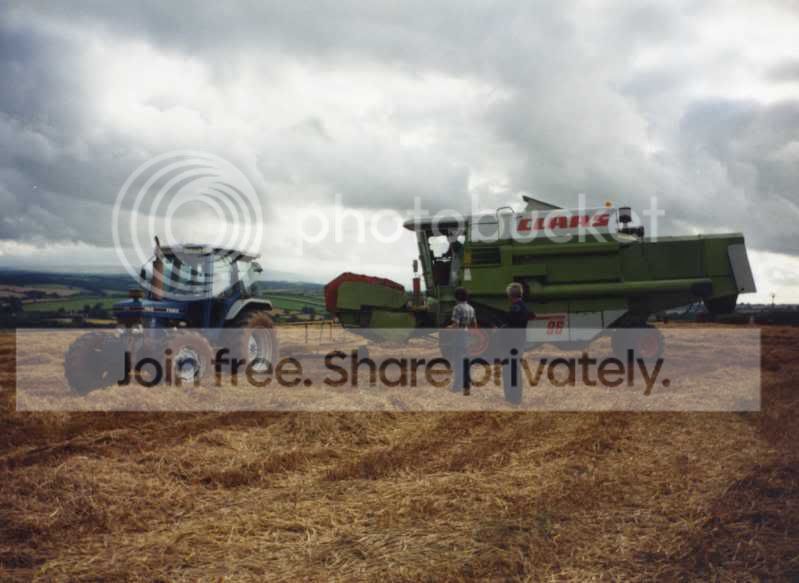
7f5efc99.jpg


This is the image i'd be looking to have doctored. I've been holding onto the photo must be atleast 15 years. Before i scanned it i tried cleaning off all the surface dirt and also made sure the scanner glass was clear- it still looks pretty shocking on closer inspection :thinking:

Be nice if i could get it up on the wall - Im sure Dad would like it also- Its his birthday in August, im thinking this might make an ideal present:nuts:

If anyone could reccomend somewhere that might be able to improve this i'd be very gratefull :thumbs:

Thanks

Simon
 
hmm, the scan looks pretty unsharp

it could have been a slow shutter, a cheap lens, missed focus- it's difficult to say without the photo sitting in my hands and a 10x loupe


assuming the original photo is sharp, maybe a higher resolution scan might help draw some more detail out the image.
 
Thanks James.

Im just trying to rescan at 3200 dpi ;) I'll have to see the results tonight as i need to shoot off to work :wave: (still 23 minutes remaining) I think photobucket might have reduced the file size also on the last picture. The camera was nothing special at all. From memory the very basic setting were - slide open the lens cover, flash on, or off :naughty:

Simon
 
Scratches etc can be cleaned up, if you want it A3 a lot will depend on the quality of the scan. I did one picture where my scanner did not do a brilliant job (it is quite old) but got a better result by taking a photo of it, fortunately it was a glossy rather than one of those old matte photos that were very "bumpy"
 
Photoshop can certainly improve the image (I did a couple of quick edits) but there are flaws which will only look greater in a larger image.
 
i've just got the rescanned image (5.0mb) but photobucket is having a hissy fit saying error. I've tried 4 times now, will have to leave it a while and have another go :razz:

Simon

08371beb.jpg
 
Last edited:
I've lightened it up a bit but if you try to sharpen it you'll just inroduce more noise. I've cropped it to 16" x 12" and it does have a bit of 'grain' but looks ok.

You have to remember, although this might not be up to a standard acceptable to us, the recipient of this present will be over the moon and look at the picture content not the quality of the image!


08371beb1.jpg
 
Jim, thankyou so much :love: I cant believe you managed to pull so much detail from the poorly scanned photo. I think it looks so much more pleasing ! The straw now looks straw colour :banana:

I reckon he'll be over the moon with it, so thanks again for making a poor photo finally usuable. I just need to get it put onto canvas now.


Simon
 
PM me your email and I'll send you the large version (6.8Mb) minus the dust specs.
 
I did occur to me that with that sky it might lend itself to a moody B&W conversion

08371beb1bw.jpg
 
Thanks for you edit Pete ! I think it looks pretty smart in b&w. I'll have a go at printing them both out and see which i prefer. Just to be safe i'll probably end up getting both done on canvas:D

There seems to be alot of familiar names on here. Similar names to twh and ukws :cool: Think i've spotted atleast 5 so far.

Cheers

Simon
 
Thanks for you edit Pete ! I think it looks pretty smart in b&w. I'll have a go at printing them both out and see which i prefer. Just to be safe i'll probably end up getting both done on canvas:D

There seems to be alot of familiar names on here. Similar names to twh and ukws :cool: Think i've spotted atleast 5 so far.

Cheers

Simon

Yes theres a fair few - and others that are using totally different user names - photo owl for example is DuncanM fro ukws

by the way do you have a wife called kate and a kid called riley ? (if so we were at birkbeck together) :cool:
 
Yes theres a fair few - and others that are using totally different user names - photo owl for example is DuncanM fro ukws

by the way do you have a wife called kate and a kid called riley ? (if so we were at birkbeck together) :cool:

Not me Pete ;)
 
Yeah thats me, was over there all the time - seem to be spending hours and hours here now. Think this place will probably be a much cheaper hobby . Buy camera- buy lens, then take forever and ever to learn. Its nice to be thinking of something other than wood outside work :lol:

Simon
 
I think you can edit them, but it needs to be a high quality print.. also i think theres a certain type of scanner which is good for it, but i honestly can't remember what you call it..
 
I'd steer clear of Photobucket. Flickr does not reduce quality in the same way PB does.
 
Think this place will probably be a much cheaper hobby . Buy camera- buy lens,

Hmm - little do you know this side has just a big a slope - buy camera, buy lens, buy another lens, and another, and a flashgun, and a tripod, and another camera bag, and a second body, upgrade camera, upgrade lenses, buy a medium format system, go old skool and start colecting old bodies....

plus of course theres all the trips out to take photies

I think woodwork is propbably cheaper in the long run :lol:
 
I'd steer clear of Photobucket. Flickr does not reduce quality in the same way PB does.

Thanks for the info Dougie. I'll register a Flickr account when i get time, just for this site ;)

Hmm - little do you know this side has just a big a slope - buy camera, buy lens, buy another lens, and another, and a flashgun, and a tripod, and another camera bag, and a second body, upgrade camera, upgrade lenses, buy a medium format system, go old skool and start colecting old bodies....

:lol:

Oh no, dont do this to me :lol:

Im already fighting against adding a few extra lenses -a macro one in particular. Not sure what i'd take with it but reckon it would be quite fun.

Im finding photography way more rewarding than woodwork- I mean, what's the worst that can happen ? 'oh no that's a bad picture' so all you do is play around with the settings and try again- None of this having to order a big load of timber, cause you ballsed the last load up. Or when you've painstakingly fitted every joint, but as soon as you point a glue brush at it, it suddenly decides not to fit-spoiling the whole job :lol:

-Im going to sell my tools and become a professional photography :cool:

Now the excitement of having 2 nice pictures to print has gone, would you mind giving me a brief explanation how you altered them :geek:

Jim, im thinking you may have either used the burn tool to brighten certain areas, or somehow adjusted the whole contrast making it appear lighter :thinking:

Pete, i thought yours might have been a little easier for me to figure out :shake:
I tried to replicate yours (in elements) going to 'image' - 'mode'- 'grayscale' that didn't work. Then i tried 'enhance'- 'adjust colour'- 'remove colour' which also failed miserably.
I had the most success by going to 'enhance', then to ' convert to b&w' and then by moving the sliders around got something looking similarish to yours. Is that something like it ?

Thanks

Simon
 
Pete, i thought yours might have been a little easier for me to figure out :shake:
I tried to replicate yours (in elements) going to 'image' - 'mode'- 'grayscale' that didn't work. Then i tried 'enhance'- 'adjust colour'- 'remove colour' which also failed miserably.
I had the most success by going to 'enhance', then to ' convert to b&w' and then by moving the sliders around got something looking similarish to yours. Is that something like it ?

Thanks

Simon

Using elements 5 I used the selection brush to select the sky only then used adjustment layer-levels to darken it (moving both the dark and mid point sliders right brings out more detail. Then I flattened the image

Then adjustment layer - Hue saturation, up the saturation a tiny bit, then move the hue slider right until the ground goes red. Then flatten again

Then Adjustment layers , gradient map and click on the third box along to desaturate.(if you use the first box you'll get a IR style image)

Then Flatten

And finally adjustment layer - levels and a tiny tweak bringing both the dark and light points slightly towards the middle

and flatten

Then i used the clone tool to tidy up any dust marks that still show (not many did)

Btw - Someone will probably be along to tell you theres an easier way - and there probably is - as i'm self taught in PS so my way isnt always the easiest or best
 
Last edited:
Back
Top