

Hi all, well I've changed my monitor and it has no card reader built in. Now I'm in the market for a good quality card reader. I can go down the path of installing a dedicated 5.25 inch reader in my PC (but have heard bad reports about quality), or I can go down the path of a USB 3 card reader or I can go down the path of getting a Nikon wifi adapter for my D7100 and use the wifi setup on my pc. What are people using and what are people avoiding? Any suggestions would be of great help
You are using an out of date browser. It may not display this or other websites correctly.
You should upgrade or use an alternative browser.
You should upgrade or use an alternative browser.
Camera to pc
- Thread starter timbo2410
- Start date


Mad Badger
Suspended / Banned
- Messages
- 636
- Name
- Steve
- Edit My Images
- Yes
Lexar USB3 card reader works faultlessly for me.
Gramps beat me to it.
Gramps beat me to it.


ianp5a
Suspended / Banned
- Messages
- 4,719
- Name
- Ian
- Edit My Images
- Yes
I plug my camera in to the PC with a wire, and it prompts me to download new pictures. Fast and reliable.
But a cheap USB3 card reader is also fast and reliable. And also portable and costs about £5.
But these Wifi card readers are cool for just £17.
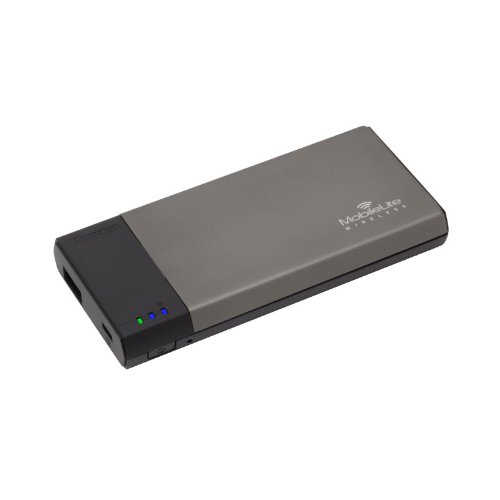 http://www.amazon.co.uk/Kingston-Te...&sr=8-1&keywords=SD+card+reader+wifi+Kingston
Stick the card in, and your phone or PC can see the pictures right away. It's also useful when you are out shooting, for easy sharing.
But a cheap USB3 card reader is also fast and reliable. And also portable and costs about £5.
But these Wifi card readers are cool for just £17.
Stick the card in, and your phone or PC can see the pictures right away. It's also useful when you are out shooting, for easy sharing.
Last edited:
I find it easier to leave my camera and 600mm lens attached to the tripod and just pop out the card rather than detaching and plugging in the cable. The whole wifi idea sounded rather good but then it means extra expense getting the adapter and I've heard mixed reviews about that. Yep I think I shall go the card reader path as being the quick way to go .. thanks everybody 


- Messages
- 443
- Name
- Mark
- Edit My Images
- Yes
Uspeed USB3 card reader has been ok for me, but the lead is a bit of a pain as it is on the short side. Not really found an in desktop card reader that I have like so far, either they connect via usb2 rather than usb3. The only one that I have almost brought was usb3 but had to go through the case and out the back to connect to the usb3 on the back of the case.
Last edited:

Mark G
Suspended / Banned
- Messages
- 840
- Name
- Mark
- Edit My Images
- Yes
I use a usb2 reader which I picked up years ago and is reliable. I've tried many methods over the years including a built in multi card reader as you described (that was the most unreliable and slowest of all).
Now, I have an eyefi mobi card, it's my second eyefi card and I love it. However, I use the wifi capabilities to transfer one or two images to my phone or tablet for social media etc and I still Take the card out and put it in the reader if I want to remove a collection of images.
Hope this helps.
Now, I have an eyefi mobi card, it's my second eyefi card and I love it. However, I use the wifi capabilities to transfer one or two images to my phone or tablet for social media etc and I still Take the card out and put it in the reader if I want to remove a collection of images.
Hope this helps.