calibrating dell U2713H monitor

Lilbear

Suspended / Banned
Messages
127
Edit My Images
Yes
So I'm going to try to calibrate my new monitor that is going to be run by my laptop.
I know to download the Dell software to calibrate rather than use the software that comes with the xrite i1 display pro. But thats where my knowledge ends lol
Any tips or how to do it much appreciated :-)

Also if i calibrate my external monitor will my picture on my laptop change as well or is it going to stay the way it is?
 
I don't know anything about the Dell software but the X rite will calibrate only the monitor. Unless you tell it to the laptop monitor will not be calibrated.
 
So I'm going to try to calibrate my new monitor that is going to be run by my laptop.
I know to download the Dell software to calibrate rather than use the software that comes with the xrite i1 display pro. But thats where my knowledge ends lol
Any tips or how to do it much appreciated :)

Also if i calibrate my external monitor will my picture on my laptop change as well or is it going to stay the way it is?

The whole point of the H version is that it's hardware profiled, so you're not profiling the video card's output like you normally would... you're reprogramming the monitor's LUT... it's HARDWARE profiled independently of what input you give it. However, the software will also set the monitor profile as the operating system's working colour space. If you set your laptop to have an extended desktop... meaning that your Dell is acting as a second screen to extend your laptop's desktop space (you can move your mouse off the edge of the laptop screen and it appears on the dell) then you will not be affecting the laptop display. However, if you have it set up so that what is on the laptop screen ALSO appears on the Dell (only one desktop space) then yes, it may well affect the laptop display as you'll be setting the operating system's colour management settings to use the gamut and gamma settings of the created Dell .icm profile.
 
I won't lie. It sounds complicated to me. I hope I will know what I'm doing once I will do it lol
 
so I calibrated the monitor with 2 profiles.
One set to native and one to sRGB.
But I feel like the native profile has a green tint to it. the skin on peoples faces is slightly greenish and a slight green tint to the entire image.
While the sRGB profile looks better imo switching between the 2 shows the sRGB has more magenta in it and makes the picture look nicer.
Now im confused how to tell which profile has the correct colour ??

Any advice?
 
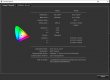
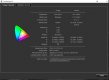
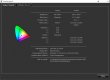
The white point should be d65 but the calibration achieved 6620. Does that mean the calibration is not right?
 
so I calibrated the monitor with 2 profiles.
One set to native and one to sRGB.
But I feel like the native profile has a green tint to it. the skin on peoples faces is slightly greenish and a slight green tint to the entire image.
While the sRGB profile looks better imo switching between the 2 shows the sRGB has more magenta in it and makes the picture look nicer.
Now im confused how to tell which profile has the correct colour ??

Any advice?


They should be the same. I have the same here. The Eizo has two separate modes, one of which is for emulation. I have native and sRGB emulation like you, and on my black and white desktop, they're utterly identical. You only really notice when there's something really colourful on the screen. What device are you calibrating with?


The white point should be d65 but the calibration achieved 6620. Does that mean the calibration is not right?


It means it's a little out. Should be massively noticeable though. However, it should be getting much closer to the values than that. What about the rest... Gamma, brightness etc. They as far out as well?

Using Eizo Color Navigator here, with a X-Rite i1 Display Pro.

Capture.JPG
 
I used the dell software and xrite i1 display pro.
 
Last edited:
It says target is D65 and it achieved 6618K

I don't know what im doing wrong, or if there is something wrong with the monitor?
 
Tried to calibrate again and the same white point is still at 6618K

I'm thinking of returning this monitor. Unless it's me who's doing something wrong with the calibration.
 
I did exactly what it said on the website.

So it doesn't matter the white point is off by that much?

I was thinking of swapping it for the u2515h or the 27 inch version.
 
I did exactly what it said on the website.

So it doesn't matter the white point is off by that much?

I was thinking of swapping it for the u2515h or the 27 inch version.

Not really, so long as it's consistent. I doubt you'd notice unless you put it right next to another screen that was exactly 6500k. D65 is just an arbitrary standard. Some calibrate to different white points. The printing industry would be calibrating to 5000k for instance. That's too low for us, but being 100k our will not cause you any issues. SO long as luminance and gamma are correct that's actually more important. Far too much importance is put on white point. 100k is nothing. I'm just surprised the i1 with the Dell software (which is actually rebranded X-Rite software) is a 100k out, because I found it excellent in all regards.

Do both sRGB emulation and native have the same issue? I mean do they both report 6600K?
 
accidental double post.. ignore.
 
No idea why everything is appearing twice.. I promise it's nothing I'm doing this end :)
 
Yes, it's the same with sRGB.
I hope it's not the i1 that's got something wrong with it. But it's brand new.

I just think for that kind of money I would at least expect to be able to calibrate it without such issues.
 
I did it try a few times and at times it was even higher than 6600
 
Just calibrated mine again for native and sRGB emulation.

Capture.JPG
tyrtey.JPG

There are small variances, each time I profile, which is normal.

Bear in mind, this is a £2300 monitor built to pass the most exacting standards in pre-proofing tests for a demanding industry, and WAY beyond what a photographer needs. This is what you pay for when you choose a Eizo ColorEdge or a NEC Reference screen. Your Dell, while excellent, and equally as adequate for our needs as photographers, it's not made to pass the same stringent tests as this screen.

Yours beats mine in contrast ratio, thanks to what would seem like a lower black point than mine, so it's clearly a superb screen. Mine just has an edge on sheer colour and gamut accuracy, which is what it's designed for. Yours actually would give a visually more pleasing image... marginally.

I'm absolutely confident that something you've processed and worked on at your end will look perfectly accurate at this end.

Being 100k out on white point is nothing to worry about so long as your profiles are consistent.
 
Last edited:
So I sent the monitor back as I just think the wide gamut is just maybe not for me.
I got the u2515h instead and software calibrated it and now the white point is even worse with this screen at 6803K
Is it my calibrator or is it just how it is? Is the reading bad?
I really don't know that much about those readings but surely the 1i display pro should result in better readings?
 
Just redone it and got those readings
White point 6514K
Black luminance target native achieved 0.108 cd/my
Luminance 122cd/my
Contrast ratio 1127:1

Does that sound better?

I find after calibration my blacks aren't as black anymore comparing the before and after pic though ??
 
Nothing wrong with that!!

Blacks are a little weaker, but fab contrast and very accurate.
 
Great.!! I'm quite happy with the monitor. Maybe get a more professional one later on in the future but this will do me for now :-)
 
What do u think about the backlight bleed... is that bad or acceptable? ?
I hope the pic is alright as I'm posting from my phone.20151110_164451.jpg

20151110_164451.jpg
 
switch your light on, you'll not see it :) All IPS screens "glow" a blue/grey and have pretty crappy blacks.
 
Back
Top