Budget editing machine

bass_junkie83

Suspended / Banned
Messages
4,367
Name
Dave
Edit My Images
Yes
Following my other thread here, I want to get a head start on deciding on a replacement PC in the event that it is dead. Even if it does come back to life i'm taking it as a sign that it's on it's last legs.

Timing isn't great so need to keep as cheap as possible.
Use will be mainly for photo editing using lightroom, with occasional photoshop use and even more occasional video editing.

Pre built or self build are an option. Edging toward self build as there are parts I can salvage and re-use, PSU, SSD, hard drives, optical drives, OS etc.


For pre built options these have caught my eye.
http://www.ebuyer.com/751989-asus-k20cd-desktop-k20cd-uk039t#
http://www.ebuyer.com/735874-zoostorm-origin-desktop-pc-7260-3047


Or if I build one myself, looking at this kit of parts.
http://www.ebuyer.com/629964-intel-...-1150-8mb-l3-cache-retail-boxed-bx80646i74790
http://www.ebuyer.com/512557-asus-b85m-g-socket-1150-vga-dvi-hdmi-6-2-channel-hd-audio-matx-b85m-g
http://www.ebuyer.com/707929-crucia...400-mt-s-pc4-19200-cl16-dr-x8-bls2c8g4d240fsb
http://www.ebuyer.com/719746-wd-blue-2tb-3-5-sata-desktop-hard-drive-wd20ezrz
http://www.ebuyer.com/711134-therma...e-window-usb3-black-interior-ca-1d4-00s1wn-00

That lot would come in at around £500.

Not sure if I need i7 or if i5 will do. Something like this could save me around £100.
http://www.ebuyer.com/722836-intel-...-1151-6mb-l3-cache-retail-boxed-bx80662i56500


Does it look ok, any obvious mistakes or anything you would suggest changing?
 
Personally I would go Skylake i5 over a haswell i7 and save yourself some money.

As you only do occasional video editing I don't think you are going to lose much except maybe time taken to render the video.
Obviously if you go for a skylake chip you will need to find a suitable 1151 compatible motherboard.

The money saved on the above I would then put towards a new PSU. I wouldn't trust an old PSU against new components and for the small outlay Vs peace of mind that you are covered.

Also consider the SSD you have relative to the bus speed of the motherboard. All new mobo's are SATA III (6gbps) if your SSD is ony SATA II (3gbps) it will only operate at the lesser speed. Still faster than a mechanical hard drive but worth noting.
 
Personally I would go Skylake i5 over a haswell i7 and save yourself some money.

As you only do occasional video editing I don't think you are going to lose much except maybe time taken to render the video.
Obviously if you go for a skylake chip you will need to find a suitable 1151 compatible motherboard.

The money saved on the above I would then put towards a new PSU. I wouldn't trust an old PSU against new components and for the small outlay Vs peace of mind that you are covered.

Also consider the SSD you have relative to the bus speed of the motherboard. All new mobo's are SATA III (6gbps) if your SSD is ony SATA II (3gbps) it will only operate at the lesser speed. Still faster than a mechanical hard drive but worth noting.

Ok great, that is a result. Something like this for the motherboard in that case?
http://www.ebuyer.com/732420-asus-b...i-8-channel-hd-audio-matx-motherboard-b150m-k


As for a new psu, just put the above bits into a calculator and that comes out as recommending a 252W psu. They seem cheap enough to thninking something in the 400-500w range for headroom and a bit of future proofing.
Even then they vary massively in price, £8 up to £90 and loads in between. Not sure what the differences are.
 
Ok great, that is a result. Something like this for the motherboard in that case?
http://www.ebuyer.com/732420-asus-b...i-8-channel-hd-audio-matx-motherboard-b150m-k


As for a new psu, just put the above bits into a calculator and that comes out as recommending a 252W psu. They seem cheap enough to thninking something in the 400-500w range for headroom and a bit of future proofing.
Even then they vary massively in price, £8 up to £90 and loads in between. Not sure what the differences are.

If you are not fussed for doing serious overclocking etc then the mobo you linked to will work and be just fine.

As for power supplies prices vary due to things like make, certification (e.g. gold etc), power output and whether or not it is modular.
As the PSU is essentially the heart of your PC i would recommend something from the Corsair gold series and preferrably modular so you only plug into the PSU the cables you need (less cable clutter)
 
Last edited by a moderator:
The 4790 is a very good chip but owning 2 Haswell builds myself I am finding it increasingly difficult to find quality ITX 1150 motherboards.

Can you price up an i5 6600? That's a very good chip and will more than do what you require.

PSU wise, this is quality. (I own one) and completely silent. https://www.scan.co.uk/products/500...ar-sli-crossfire-dual-rail-48a-plus12v-1x120m
Yeah, there is a 6600 which is only a little more than the 6500 I linked to if iit makes much difference.
http://www.ebuyer.com/722915-intel-...-1151-6mb-l3-cache-retail-boxed-bx80662i56600
If you are not fussed for doing serious overclocking etc then the mobo you linked to will work and be just fine.

As for power supplies prices vary due to things like make, certification (e.g. gold etc), power output and whether or not it is modular.
As the PSU is essentially the heart of your PC i would recommend something from the Corsair gold series and preferrably modular so you only plug into the PSU the cables you need (less cable clutter)
I looked at overclocking before when I priced up a dream machine for the future when I expect there to be more funds available. But in reality the less for me to fiddle with is probably for the best.
thanks for the explanation, looks like I have a fairly good starting point now.
 
IMHO modular powersupplies come with very long cables which defeats the object of them. They probably make a lot of sense of a high spec gaming rig in a large ATX case, but non-modular is probably cheaper and just as good a choice.

Good luck with it.
 
modular vs non-modular.

modular every time, especially in smaller cases. trying to hide all of those unwanted cables is just plain hassle. the cable lengths arent any longer in my experience.

modular top, non bottom:

DSC00814 by Neil Gates, on Flickr

edit: actually the top is semi modular (the motherboard power isn't removable). even that is worse than full modular..
 
Last edited:
modular vs non-modular.

modular every time, especially in smaller cases. trying to hide all of those unwanted cables is just plain hassle. the cable lengths arent any longer in my experience.

modular top, non bottom:

DSC00814 by Neil Gates, on Flickr

edit: actually the top is semi modular (the motherboard power isn't removable). even that is worse than full modular..

I agree. I have. Modular in one build and a non modular in another. That said I have cut off all the unwanted power cables to tidy them up! I then shrink wrapped the cut ends so they don't short against the case.

Not for everyone.....!
 
*ponders*

Maybe it's a manufacturer thing.

We do still use modular PSUs at work - currently the Corsair CS450M - which aren't as bad for cable length as the previous ones we used to use* - but I'm not a fan of the cables - the plastic coating is very rigid relative the flex you used to get.

*I've no idea what these were off-hand
 
I bit the bullet and ordered everything last night. Will give me something to do next week when I get back off holiday.
 
What did you go with?

I went with the following.
Asus B150m-C motherboard
http://www.ebuyer.com/724976-asus-b...displayport-7-1-channel-hd-audio-uatx-b150m-c

I went for this over the asus board I linked to previously as it has four ram slots allowing for future upgrades by adding more rather than replacing the existing, also supports DDR4 rather than DDR3 (no idea if there is much between them.
6 Sata ports rather than 4
And more expansion slots should I ever need them, no plans to now. For the sake of an extra ~£15 it seems sensible.

Processor is an i5 6600 3.3Ghz
http://www.ebuyer.com/722915-intel-...-1151-6mb-l3-cache-retail-boxed-bx80662i56600

16 GB ram
http://www.ebuyer.com/719221-corsai...ram-2133mhz-c13-memory-kit-cmk16gx4m2a2133c13

Corsair psu.
http://www.ebuyer.com/726366-corsair-vs-series-450-watt-power-supply-cp-9020096-uk
Didn't go for a modular one in the end as the price was mounting up. But could be swapped over in the future, particularly if I decide to get a nicer case.

And this case.
http://www.ebuyer.com/233665-coolermaster-elite-342-black-micro-atx-case-rc-342-kkn1-gp
It was hard finding something at a good price that didn't look like it had fallen out of the death star. My study is currently 75% dumping ground while we refurbish our house, so once we know what we are doing with decor for that and where the machine will end up it may well get swapped out for something with a bit of class.

Aslo picked up a 3TB hard drive and a cheapy cpu cooler. I didn't know if I would need something impressive in size and how big I could go so thought I would get something cheap for now to get me started and then can change later once I know what room is available in the case and if I actually need it.

That all came to a few pence under £500.

I also have left over from my old machine a 120gb sandisk SSD and a couple of 1TB drives.

I need to work out yet the best way to set it all up, I have never built a pc from scratch before by myself. I am thinking of installing the SSD, 3TB and one of the 1TB drives, Use the SSD for the OS, lightroom installation and lightroom cache. The 3TB for all my business photography storage and the 1TB for all other software installation, personal photos and all other general storage.

Then getting a drive dock and use the left over drive (and others as and when I need to get them) to perform backups/archiving.

Happy to hear of any suggestions if you think that can be improved.
 
Sounds a nice build and you have it planned well. Great price for the performance.

Ddr4 V's ddr3 not a lot in it and it depends on ram speed and the timings.

For example ddr 3 at 2400 MHz with a cl of 10 will be faster than ddr 4 3000 MHz with a cl of 14.

Cl time in nanoseconds = CL / MHz X 1000

10/2400 X 1000 = 4.16 nano seconds
14/3000 X 1000 = 4.6 nano seconds

So a huge 0.5 nanoseconds faster - woot ;)
 
Nice components you have selected, that will be a nice little setup when built.
Even though you have never built a PC before its not that difficult with everyrging being pretty much plug and play, obvious and or self explanatory.
Not sure if you are aware but your CPU should come with a stock Intel cooler.....unless you purposely wanted something aftermarket.

Watch that the 3rd party CPU cooler doesnt foul the DIMM slot for the RAM (first black slot).
When installing the RAM be sure to install them either both in black or both on the grey slots so that you get dual channel. Its easy to forget and just drop the RAM into the first two slots which will still work albeit in single channel mode only.
(Apologies if you already knew the above :D)
 
Thank you.

I did check but it seems this particular processor doesn't come with a cooler.

I went for this one as it seems pretty similar in format to a stock cooler so thought it will definitely fit, then when it's up and running I can see what else will fit if needed.

http://www.ebuyer.com/338260-arctic...ev-2-intel-processor-cooler-ucaco-ap112-gbb01


I think the hardest thing will be finding where all my software discs are. I've had three house moves since I last had to install any main software and it could be anywhere. :lol:
 
Yeah you should be fine with that one.

Good luck finding your discs though :D
 
It's all arrived! :D

Quick question before I start. Does the SSD I am going to install have to be freshly formatted before I start? Ie. do I need to freshly format it on another machine first, or will there be an option to do it during the setup of the new build?
 
It's all arrived! :D

Quick question before I start. Does the SSD I am going to install have to be freshly formatted before I start? Ie. do I need to freshly format it on another machine first, or will there be an option to do it during the setup of the new build?

When you install your OS it should do it at that stage for you.
When you have have the machine built make sure your BIOS is setup for ACHI and not IDE.
 
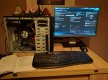
All up and running, was a lot easier than I expected.

IMG_20160926_200651.jpg

Windows 7 is installed. Not sure if I have any logical reasoning for it, but I would like to get it fully updated and up to Windows 10 before I start installing other software. But for some reason I can't get it to find any updates. If I search for updates manually it just hangs indefinitely. I also left it on over night set to auto update and it still found nothing.
 
All up and running, was a lot easier than I expected.

View attachment 74495

Windows 7 is installed. Not sure if I have any logical reasoning for it, but I would like to get it fully updated and up to Windows 10 before I start installing other software. But for some reason I can't get it to find any updates. If I search for updates manually it just hangs indefinitely. I also left it on over night set to auto update and it still found nothing.

If i recall correctly it takes a while for all the updates to come through for a fresh Windows 7 install which includes SP1 which is required to upgrade to Windows 10.

The windows 10 free upgrade has expired though so I am guessing your going to have to pay for a copy so it may be easier to just do a fresh install of Windows 10 instead.
 
b****r, that's annoying. I had downloaded it previously but not installed it. Would that still be usable or is the time limit on installation?
 
b****r, that's annoying. I had downloaded it previously but not installed it. Would that still be usable or is the time limit on installation?

Hmm good question. Im guessing you downloaded the ISO image which i think is a boot image.
Im not 100% sure if the version you have is verified against you old license key however and whether or not it will work.
Maybe someone else can offer advice on that part @neil_g you might know the answer to this.
 
Thanks guys, I may have got it sorted. Phoned MS support and told them that I had previously taken the free upgrade on my old machine but had to roll back due to compatibility issues and have now built a new machine that will run it. They are going to honor the previous install of windows 10 and will provide me with a product key once the install is ready for it. Can't complain at that service!
 
I thought so. Still not been straight forward though. They wanted me to make an iso disc which I have done, but for some reason any time I try to run it windows explorer crashes.
Also tried making a usb but it wont recognize the usb drive even though it is accessible through explorer and has been reformatted.
 
Re the USB part, have you installed all your motherboard drivers?
 
Yeah I done that. I can see and use usb drives, just wouldn't be recognized by the windows setup. Manage to get there in the end with the disc, after I disabled autorun and I ran it manually it worked.

So, now on windows. Going to take a while to get used to it as it is so different to previous versions it seems less intuitive. All drives set up and partitioned as I want, last thing to do before I start installing software is sort out my user folders locations as I don't want them to be on the SSD with limited capacity.
Tried moving them manually by just changing the location in the properties, it works for the first folder, say I start with documents. If I then go to move the next one ie pictures to the same location, it keeps giving me a warning that it is going to put it within the documents folder and that files for both will be in the same location.

So instead I thought I could move the whole user folder, found a guide on line but it requires a second administrator account to do it. When I click on add new account it opens a grey dialogue box as if it is about to open a new window, but then closes straight away. I'm not sure why, but although it seems fairly quick and snappy, it also seems to be flaky and unresponsive at times.
 
Back
Top