Broadband speedtest

kelack

TPer Emerita - But she's back!
Suspended / Banned
Messages
10,607
Name
Kelly
Edit My Images
Yes
We've been finding our laptop quite slow so I did a broadband speedtest. The results came out at

Download speed - 1.27 Mb/s
Upload speed - 0.245 Mb/s

Is this crap?

And could it also be my laptop?
 
What are you supposed to be getting?
It's the poor end of rubbish for what's available.
 
It's the Sky Unlimited package and supposed to get 14mb but I realise it's never going to be that fast but I would have thought it would be a tad better.
 
fabs said:
Have you tried rebooting your router? That can sometimes make a massive difference.

Who are you with?

It was off this morning when we got up so I rebooted it anyway.
 
Unless you are a very long way from the exchange I would expect at least 5mb download - do you have an ethernet cable that you can plug the laptop into the router? If you get good speed via cable then that shows it's the wifi that needs investigating ... if not it's a call to Sky.
 
Probably worth checking the router stats to see what your sync speed and noise margin is.

A while back I ended up with a very high margin of about 15db which knocked several MB off my sync speed.

It now seems to have settled around 6db which is about right.

Also might be worth plugging the router directly into the test socket as this will eliminate problems caused by internal phone wiring.
 
It's the Sky Unlimited package and supposed to get 14mb but I realise it's never going to be that fast but I would have thought it would be a tad better.

We're on the same package and get a regular 4-5mb download and 0.67 upload.

How old is the router, personal experience is that they tend to start to die after a couple of years.
 
Also worth checking with a wired connected to the router.
 
It's the Sky Unlimited package and supposed to get 14mb but I realise it's never going to be that fast but I would have thought it would be a tad better.
You need to get onto Sky, if your connection is always going to be that slow then you shouldn't be paying the full unlimited amount.
I'm about two miles away from my exchange as the crow flies and on unlimited also, I guess I'm one of the lucky ones as I'm happy enough with the speed, supposed to be 20mb connection but never is the full amount.

Capture28.JPG
 
You need to get onto Sky, if your connection is always going to be that slow then you shouldn't be paying the full unlimited amount.....

Surely "unlimited" refers to the amount of data that can be downloaded rather than the connection speed?

An "unlimited" connection speed simply does not exist as there will always be factors that limit the speed, such as line length, attenuation etc
 
boliston said:
Surely "unlimited" refers to the amount of data that can be downloaded rather than the connection speed?

An "unlimited" connection speed simply does not exist as there will always be factors that limit the speed, such as line length, attenuation etc

This exactly.
 
What speed should the OP be on? It appears to me that he is unhappy with his/her current connection
 
We've been finding our laptop quite slow so I did a broadband speedtest. The results came out at

Download speed - 1.27 Mb/s
Upload speed - 0.245 Mb/s

Is this crap?

And could it also be my laptop?

Wireless or wired?

You can always check out here and then click the locality tab to see how far from the exhange you are.
 
Kelly, anyway you can checking what your neighbours are on? A friendly word with any of them or something?

Could be the area partly?
 
arad85 said:
First thing to do is see what the router thinks it is connecting at. Have a look here: http://www.skyuser.co.uk/forum/view-routerstats.html and post the connection speed, line attenuation and margin figures.

+1

But also when speed testing you should always have your router in the BT master socket (ideally the test socket behind the main plate) and not an extension
Bell wires, bad extensions etc can cause all sorts of bother. When I first went to sky I replaced my existing master socket with a better one that had an adsl filter built in and in the process disconnected the bell wire to the extension which was picking up all sorts of electrical interference. Took me 10mins to put it in and solved all my issues.

One thing you shouldn't do on sky is keep switching your router on and off too much. They may well see this as you thinking there is a problem on your line and start trying to recalibrate your connection....

Also before worrying too much have you logged into the sky website and checked the service status?
 
We've been finding our laptop quite slow so I did a broadband speedtest. The results came out at

Download speed - 1.27 Mb/s
Upload speed - 0.245 Mb/s

Is this crap?

And could it also be my laptop?

To summarise all the other information so far:

When speed testing always always always use a wired connection (you do not state if the laptop is using a wired or wireless connection to the LAN)

Connect the router directly to the master socket, preferably the test socket if your master socket has one.

Log in to the router and check what the sync speeds are. The speed test throughput should be around 20% lower than the sync speed.


Doing all of that should give a much clearer idea of what's happening and where any problem might lie.
 
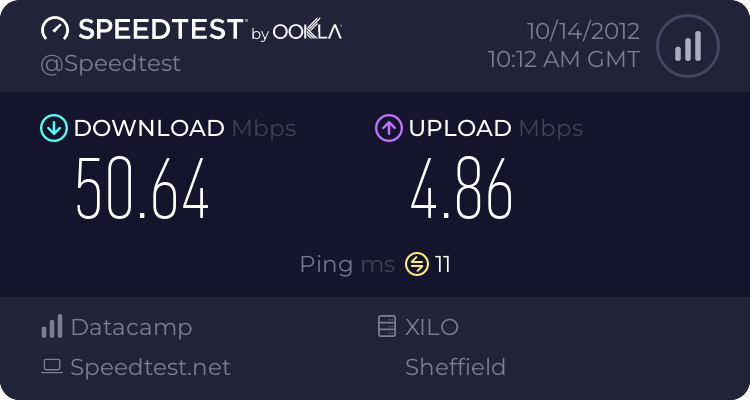
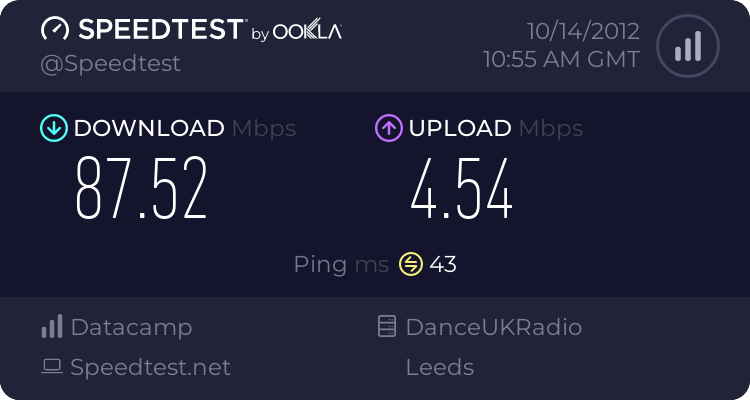
I'm getting:

2240956971.png


that's with Virgin 100mb using wireless. Will check hard wired later.


Kev.
 
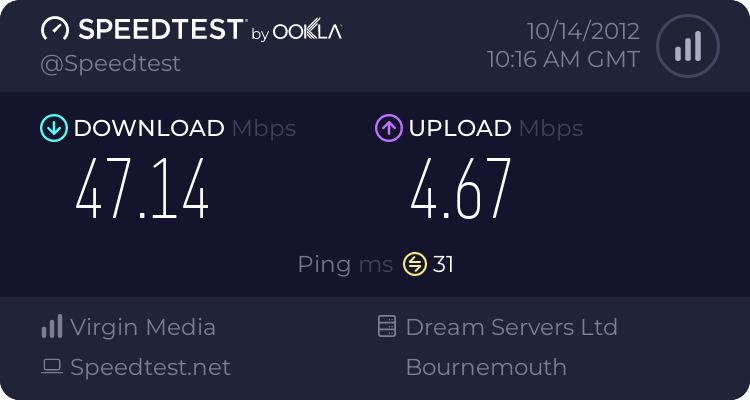
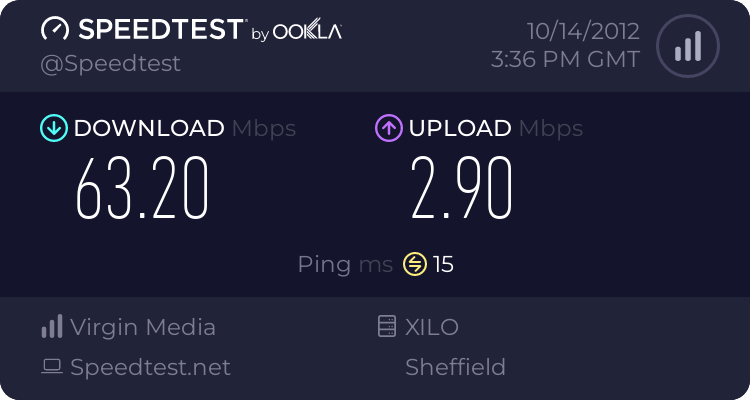
Virgin 50mb using wifi connection to laptop.

2240961745.png
 
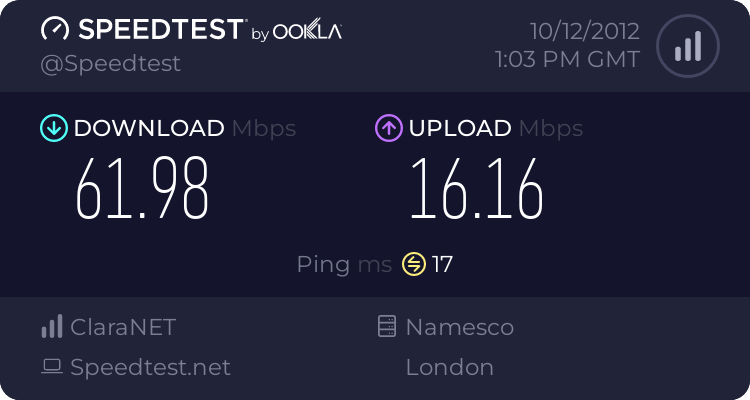
Since we're willy waving :D:

2237269802.png
 
Just tried hardwired. It is indeed quicker. I didn't realise that. I suppose it makes sense really..

2241013164.png


That'll be why my sons use the desktop for down loading. They kept that to themselves. :lol:

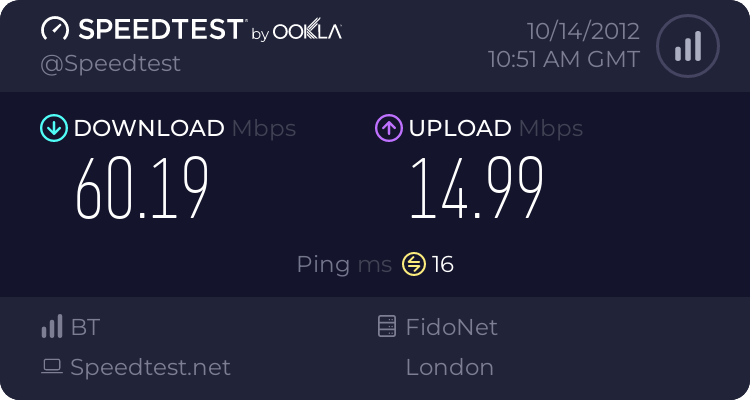
Interesting how if you changes servers, it can change the speed dramatically.
 
60MB connection, good enough for me :)

2241438064.png
 
but sadly Kelly seems to have disappeared altogether! :D
 
:suspect:


*SLAPU4* ^


I think she should start at the beginning.
Sky are offering up to 14mb, much the same as ****** BT @ up to 20mb, doesn't mean you will get that speed, since they both use ****** BT's wires its safe to assume both can only supply the same max connection speed.
I pay for up to 20mb, because that is all they offer, my actual connection speed is 1.5mb.
She could go on the BT website and type in her post code to discover what the fastest actual connection BT can offer, and then know that Sky cannot be faster than that.
If BT says I dunno, 10mb and she's only getting 1.5, something needs looking at, there's no point fannying about with routers and whatever if max connection is 1.5, in my experience this is entirely possible.
Being an interwebz reliant kinda guy, I can't tell you how snot pizzel a 1.5mb line is compared with the 30 I had before I moved......its dire.


edit...*SLAPU5*

 
Last edited:
If it's up to 14mb it will be ADSL2 so no use tormenting with the cable speeds.
It would be good to test the router plugged into the main socket, preferably without the front plate on.
No other telephones or extensions connected.
Filters seem to degrade over time and are inexpensive for example on ebay.
Worth having a spare anyway so that could be worth trying.
 
Looked on this http://www.uswitch.com/broadband/speedtest/ and no one in my village has more than 0.7as an upload speed or more than 6mb download speed.

And Kelly for your area they seem to max out at 10mb. The highest sky one on there is 8mb and the lowest sky one is a mighty 0.8mb download speed lol.

I think the Internet people have forgotten about giving our area fast Internet.

I know these stats on the site won't display everyone's speeds in the area but it makes me feel a bit better about not being able to get more than 5mb.

Maybe it's an area thing?
 
Last edited:
Just checked and the nearest town has speeds of up to 80mb, is it all to do with the cabling in the area?
 
Unless you are a very long way from the exchange I would expect at least 5mb download

tell that to the crap cabling in our flat. internal cabling can often be a cause of a naff connection speed. as well as failing adsl filters.

What speed should the OP be on? It appears to me that he is unhappy with his/her current connection

depends what was quoted, sky do estimate the speed before you sign up. mostly they get it spot on (issues aside).
 
In the deepest Suffolk at work
Download 6.24Mb/s
Upload 0.35 Mb/s
Ping 42ms
I think we are lagging abit
 
Last edited:
We can't get wifi at our current student place, I've been tethering from my iPhone on my unlimited Vodafone data plan - getting speeds of 3 .5 mb to 5.4 - very pleased, seems dead good. Used 60GB data so far this month...!

staticmap
 
We can't get wifi at our current student place, I've been tethering from my iPhone on my unlimited Vodafone data plan - getting speeds of 3 .5 mb to 5.4 - very pleased, seems dead good. Used 60GB data so far this month...!

60GB!

So, being a stoodint, you watch films all day :wave:
 
Nah! Thinking about that again, I don't believe you. Unless you are watching 8 to 10 films a day - for the last 15 days.
I've used 200GB in 37 days here (in and out).
 
That's an awful lot of pron, man.

Most of the world manage on less than 500MB pcm.
 
That's an awful lot of pron, man.

Most of the world manage on less than 500MB pcm.
No pr0n at all ;) and I'm not talking mobile either.

I'm starting to stream stuff a lot now - all at 1080p. Watched the Baumgartner jump live yesterday for example. That plus image downloads and updates for PCs here can use a lot.

LR 4.2 was 700MBytes. With a nice fast connection - that came down in a few minutes :D
 
thats only 2gb a day..

depends on the kind of traffic though, "downloads" for example a HD movie would be around 8gb.

No. That's 4GB a day. He said "...so far this month"

And an HD film would average about 3.8 Mbit. An SD would be about .6 Mbit.
 
Back
Top