Blown skies

a lex

Suspended / Banned
Messages
637
Name
Alex
Edit My Images
Yes
Whats the best way to prevent it?!

Out today with 450D + 70-200 f4 and seemed like most photos I took had blown out skies..

Was shooting around up to about f8 at a range of shutter speeds.


What can I change to try to stop this? Or is it a case of getting some ND filters?

Thanks.
 
Could shoot a couple of exposures of the pic and combine the images with photoshop or photomatix. Or as you said use ND's.


Excuse the beginner question but by shoot a couple of exposures what do you mean? Like shoot one at say -2 and one at +2 and merge them?

Was shooting handheld so wasn't an option today really.

Cheers.
 
Excuse the beginner question but by shoot a couple of exposures what do you mean? Like shoot one at say -2 and one at +2 and merge them?

Was shooting handheld so wasn't an option today really.

Cheers.

Pretty much, depending on the pic, you might need to shoot one at 0, -2, -4. Alternately if you shoot in raw you may be able to do it afterwards.
 
You could simply magic wand the blown sky and use selective colour then add some clouds.
 
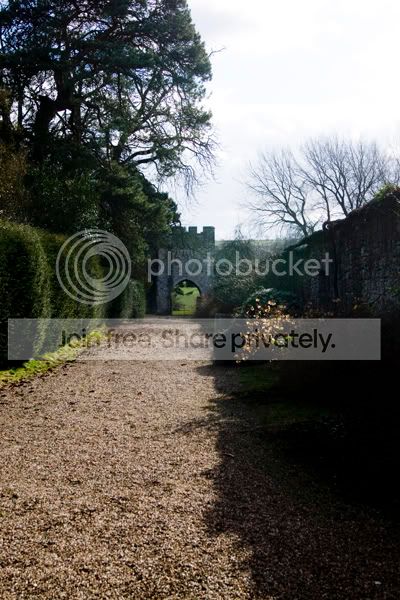
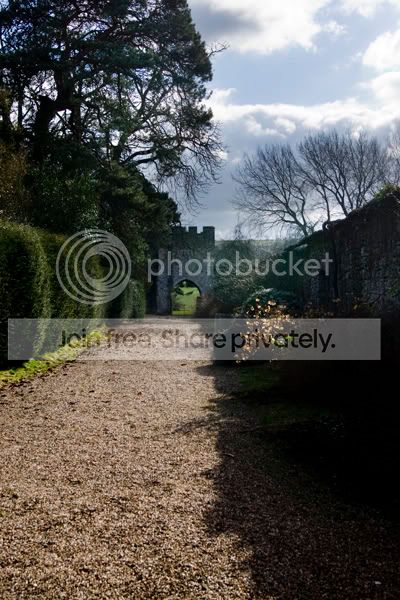
Here is a quick one I did using RAW.

DSC06541.jpg


DSC06541a.jpg
 
Did 2 copies of the RAW image, one normal exposure one adjusted to -3. Copy the -3 over the top and delete anything that isn't sky.

What software did you use to do this?

At the moment all I have is iPhoto and am thinking I'd do well to upgrade to something a bit more useful PP-wise.
 
Sorry to pipe in with a daft question but what's 'blown sky'.

Either way both pics look alright to me :)
 
Blown means overexposed (i.e. white) - look at the difference in the sky's of the images posted.
 
Ahhhh...thank you.

Carry on :D
 
Hi Alex, are you able to post an example of what you ended up with? as it is hard to tell without seeing the image, it could well be more than one thing to take into account.
 
If you shoot raw, you may well be able to drag enough back out of the image when post processing so that the sky still has some contrast.

If you want to shoot multiple exposures on a Canon, you can easily do this using bracketing (under Menu, AEB......).

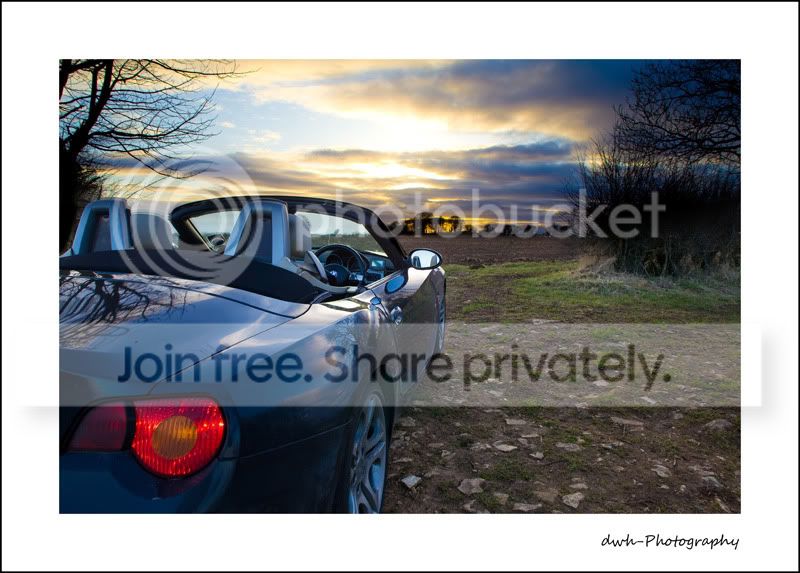
Make sure you use a tri-pod. Following image is composed of two shots. I didn't use a tripod and therefore this example is flawed, but sort of works for the purpose of this thread. Check out the windscreen!

small-z4.jpg
 
as for what software on the free side there is the Gimp, does much of what photoshop does, just not as smooth and for more advanced stuff you need plug ins, but you can easily layer and mask two exposures, the RAW converter that goes with it is UFRAW.
 
Hi Alex, are you able to post an example of what you ended up with? as it is hard to tell without seeing the image, it could well be more than one thing to take into account.

Im my anger I may of deleted them... :lol:

If you shoot raw, you may well be able to drag enough back out of the image when post processing so that the sky still has some contrast.

If you want to shoot multiple exposures on a Canon, you can easily do this using bracketing (under Menu, AEB......).

Make sure you use a tri-pod. Following image is composed of two shots. I didn't use a tripod and therefore this example is flawed, but sort of works for the purpose of this thread. Check out the windscreen!


Cheers for that. Didn't know about that setting, nice easy way to take three exposures. Nice pic too.


So the best way is to shoot in raw huh... I normally just shoot jpeg as raw fills the card so quick... think im going to invest in a few more cards!


Finally, could there be anything simple im missing? Like for example would shooting at f11 as apposed to f4 help with blown skies?

Thanks everyone.
 
Finally, could there be anything simple im missing? Like for example would shooting at f11 as apposed to f4 help with blown skies?

Yes and no. It would help with the sky, but would darken the detail in the foreground I think?
 
Your skies are blowing because you are metering off the hills or whatnot around you, which will expose the landscape correctly but ruin the sky. ND filters or a HDR is the way to go. Cameras sensor doesn't have nearly the same dynamic range as our eyes, which is why this happens.
 
Alex, to maintain the spontneity of your shooting consider forgetting grad filters and multiple exposures and build up a stock of sky images to replace blown skies when required. Shoot all sorts of skies and you can easily combine these images in photoshop elements.

john www.phototuition.net
 
Alex, to maintain the spontneity of your shooting consider forgetting grad filters and multiple exposures and build up a stock of sky images to replace blown skies when required. Shoot all sorts of skies and you can easily combine these images in photoshop elements.

With the greatest of respect I've used that method before, even though it does have its merits, on the whole I find it too time consuming, fiddly or fake looking.

To start with you have to search through the skies to find out which one suits, angle of light, brightness, colour etc. The next problem is creating a layer mask, e.g. my pic above, the trees would be a nightmare. Image above time to do finding, replacing & getting sky to look good = 20 mins approx. Using RAW 5 mins approx.

If you have a good sky that is just over exposed, why go looking for a new one?
 
Your skies are blowing because you are metering off the hills or whatnot around you, which will expose the landscape correctly but ruin the sky. ND filters or a HDR is the way to go. Cameras sensor doesn't have nearly the same dynamic range as our eyes, which is why this happens.

Cheers for that. Will have a look into some grads then. What would you recommend? Cokin seem to be ok and not too badly priced?

Alex, to maintain the spontneity of your shooting consider forgetting grad filters and multiple exposures and build up a stock of sky images to replace blown skies when required. Shoot all sorts of skies and you can easily combine these images in photoshop elements.

john www.phototuition.net


Interesting idea John... I tend to do as little PP as possible so not really ideal.


One final question if I may... im going to have a look at getting some grads but also like the HDR and multiple exposure shots ive seen around... what software would you recommend? Ive only got iPhoto on my mac at the moment so need some nice editing software? I do have photoshop on an old PC but would prefer to use the mac.

Thanks.
 
I've just downloaded the 30 day trial of Photoshop Elements From the Adobe website.

Looks the business and not too expensive if I decide to invest. May take a while to get to grips with on first sight though! :D
 
I've just downloaded the 30 day trial of Photoshop Elements From the Adobe website.

Looks the business and not too expensive if I decide to invest. May take a while to get to grips with on first sight though! :D

:lol:


Thats one of the options ive been looking at as well as Aperture..
 
Alex, to maintain the spontneity of your shooting consider forgetting grad filters and multiple exposures and build up a stock of sky images to replace blown skies when required. Shoot all sorts of skies and you can easily combine these images in photoshop elements.

john www.phototuition.net

:gag::shake:
 
Instead of using filters or post-processing, I usually take a meter reading from the sky and a meter reading from the foreground and try to meet the exposure in the middle (Meter from Sky = f11 @ 1/250s // Meter from foreground = f11 @ 1/15s then I'd use f11 @ 1/60s - 1/125s). The beauty with digital is you can see how the image looks once you've taken it, so just play around.
 
I've just downloaded the 30 day trial of Photoshop Elements From the Adobe website.

Looks the business and not too expensive if I decide to invest. May take a while to get to grips with on first sight though! :D

depending on what you're doing Paint.NET might be okay, and it's free.
 
Ah this is still annoying the hell out of me!!

Went to safari park earlier and on a few of the photos the sky behind the animal is completely blown... I don't have any grad filters nor was is suitable to take multiple exposures :bang:


Can anyone suggest anything that might help reduce the chance of a blown sky? I was shooting at f4, will a higher f number help with this?!

Driving me mad :help:
 
No, it's simply a fact of how cameras work - you can't capture the whole dynamic range of the whole picture.

You either have to use HDR, Dodge and Burn or I don't know if your camera has any inbuilt auto dynamic range system.
 
Ah this is still annoying the hell out of me!!

Went to safari park earlier and on a few of the photos the sky behind the animal is completely blown... I don't have any grad filters nor was is suitable to take multiple exposures :bang:


Can anyone suggest anything that might help reduce the chance of a blown sky? I was shooting at f4, will a higher f number help with this?!

Driving me mad :help:


Spot meter off the sky, use your exposure lock, recompose the photo and take one shot whilst holding the lock down, Then, keeping the camera still, let go of the exposure lock and take a second shot. you can them combine these in software.

You can also try bracketed exposures - look in you manual for how to.

Blonkster
 
No, it's simply a fact of how cameras work - you can't capture the whole dynamic range of the whole picture.

You either have to use HDR, Dodge and Burn or I don't know if your camera has any inbuilt auto dynamic range system.

Ah shame. Ive started using HDR with landscapes but its the shots were somethings moving. Would be impossible to get 3 exposures of a moving animal wouldn't it... guess ill have to put up with the damn white skies!

Thanks :thumbs:
 
Spot meter off the sky, use your exposure lock, recompose the photo and take one shot whilst holding the lock down, Then, keeping the camera still, let go of the exposure lock and take a second shot. you can them combine these in software.

You can also try bracketed exposures - look in you manual for how to.

Blonkster

Excuse the basic questions...

Spot meter off the sky... why spot metering?

Exposure lock and recompose... so point at the sky and lock the exposure with the * button? Then simply point the camera at what I actually want to take the photo of?

I guess that would expose for the sky and then when I take the next photo that would be the correct exposure... however, I was taking photos of moving animals... whilst the exposures would be different id have two different photos which I could combine...
 
Excuse the basic questions...

Spot meter off the sky... why spot metering?

Exposure lock and recompose... so point at the sky and lock the exposure with the * button? Then simply point the camera at what I actually want to take the photo of?

I guess that would expose for the sky and then when I take the next photo that would be the correct exposure... however, I was taking photos of moving animals... whilst the exposures would be different id have two different photos which I could combine...


Hi, spot (or centre) metering to ensure you actually pick up the sky in the vicinity of the shot. Sorry, I didn't realise the animals were moving ! It may still work, but over to the experts to advise (I'm still a newbie too!).

Try the technique in the garden to get the hang of it - even better if you have a dog, as I assume you don't have a lion or similar to use ;-)
 
Hi, spot (or centre) metering to ensure you actually pick up the sky in the vicinity of the shot. Sorry, I didn't realise the animals were moving ! It may still work, but over to the experts to advise (I'm still a newbie too!).

Try the technique in the garden to get the hang of it - even better if you have a dog, as I assume you don't have a lion or similar to use ;-)

Unfortunately not :D


Think I have a vague understanding of spot metering... evaluative meters everything in the frame but spot only meters what is in the small area..

Say for example I used spot metering and metered off the animal only.. would that mean an even more over-exposed sky as its metering off something much darker?

Ill get my head around this eventually.. :nuts:
 
Typically yes, if you meter off the (dark) animal you'll overexpose the rest even more.
 
Back
Top