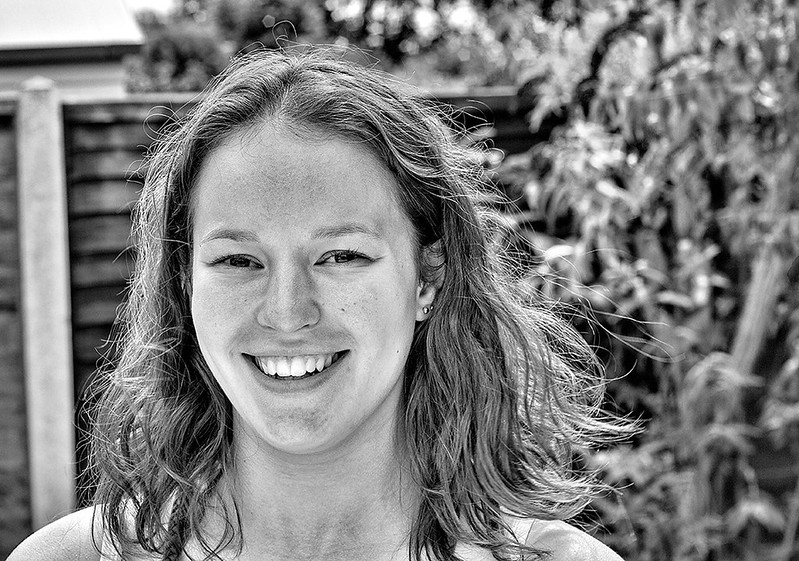
Blotchy skin on conversions

Carlh

Suspended / Banned
Messages
8,261
Name
Carl
Edit My Images
Yes
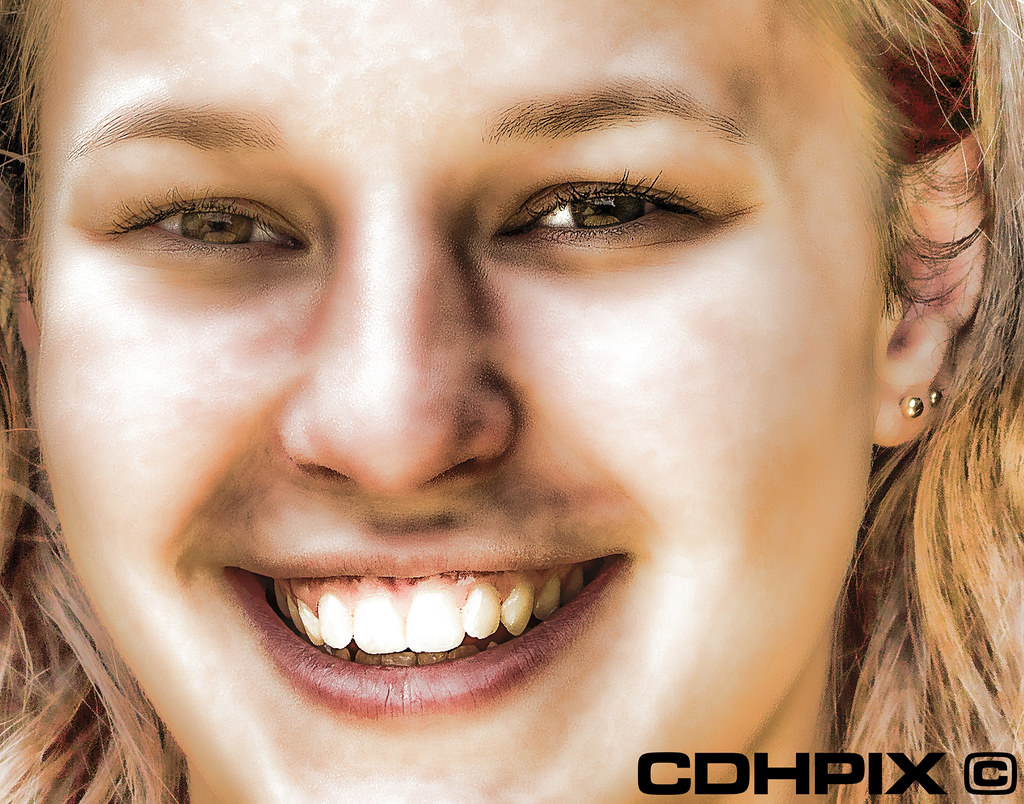
Ive had this problem with this image for both black and white and topaz simplify from the original photograph.

I think its the skin itself, and on the colour photograph, the skin toning doesnt look too bad, there are slight blotches of redness but when converted to B&W or simplify, looks like this, very blotchy:

9371180498_b8a2237069_b.jpg


Is there anything I can do to sort out blotching in the original photograph before conversion to B&W/Topaz?

Thanks :)

EDITED:

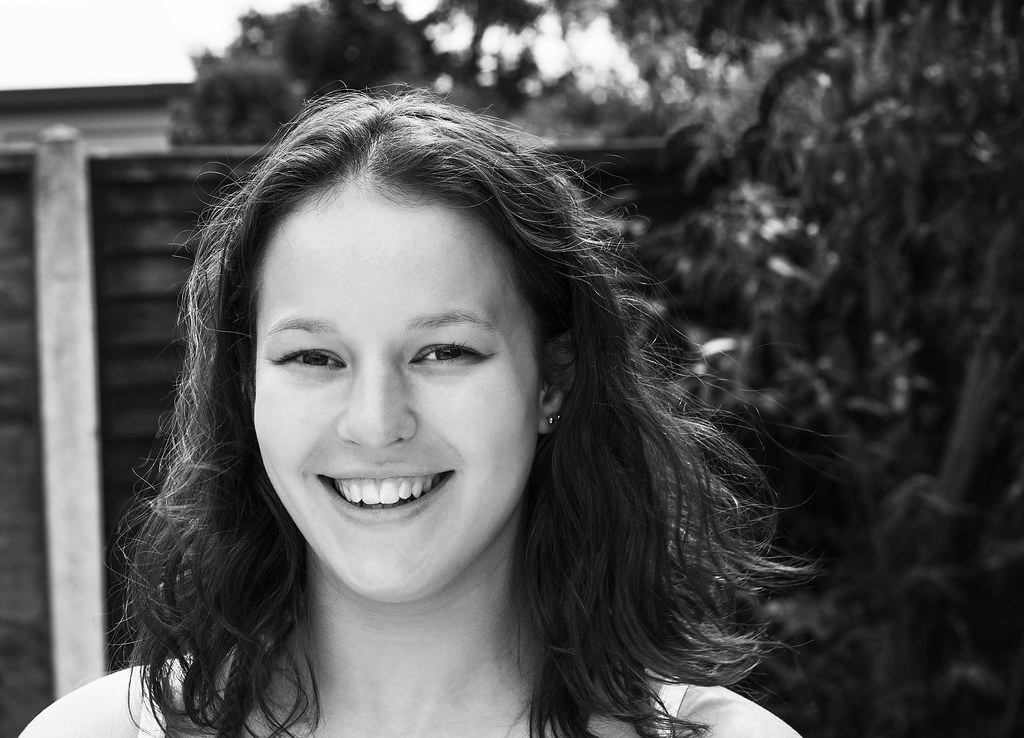
My final processed versions, abandoned the "comic" look

9407427672_a713425e00_b.jpg


9407427602_66b6bfa4f9_b.jpg


Spent about 30 mins
 
Last edited:
I'm sorry... you can not blame the models complexion for the HUGELY over-processed mess above... you just can't.

A poor workman always blames his tools. You're clearly using a process that's wrong for the job in hand.
 
thanks the comments :bonk:

I need to get the original back out so I can show what I mean, without the use of a overprocessed image. I'll go see if I can dig it out later, then i'll make a subtle processed version and you can see what I mean, thanks :)
 
That would be hugely helpful.

The problem I think, is relying on plug in type, automated processes instead of good old fashioned retouching skills.
 
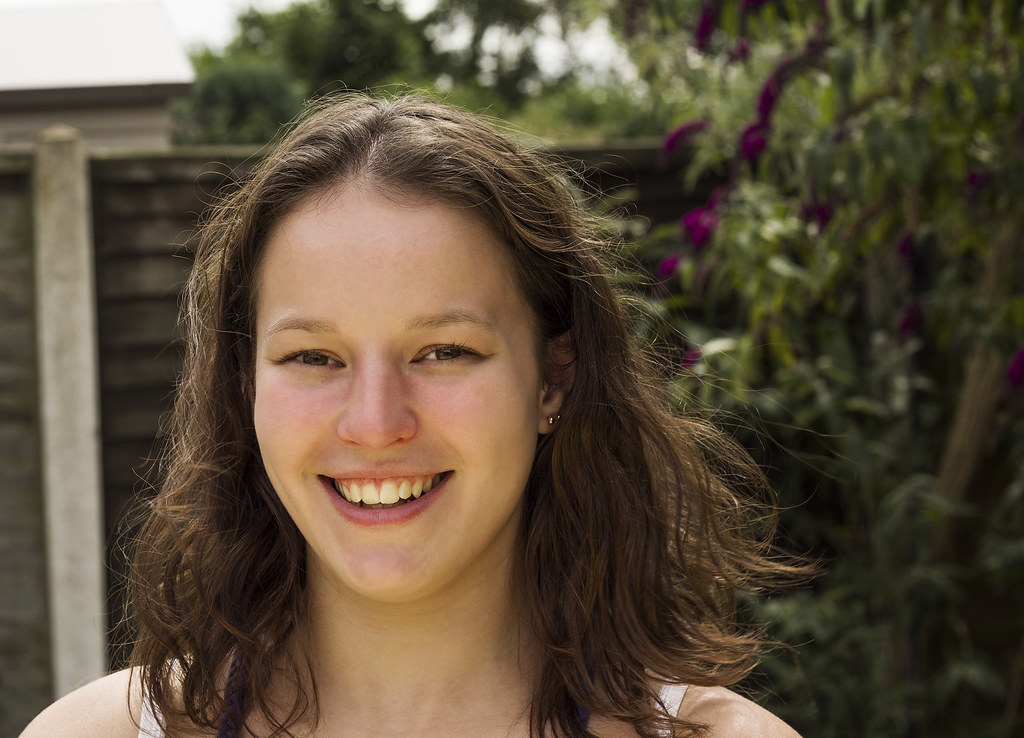
here are the originals, they have had some camera raw adjustments and ive cooled the image a little. then i ran a preset in silverefex.

the more i look at the colour one, the more i can see the lady has red blotchy marks on her chin and forehead. the skin isnt particularily good.

9385134108_aafa7bce72_c.jpg


9382352397_cc64ae8fda_c.jpg


i think its probably teenage acne, anyone have an idea how i can retouch and remove the redness of parts of her face?
 
here are the originals, they have had some camera raw adjustments and ive cooled the image a little. then i ran a preset in silverefex.

Then that's not the original... it's already processed. It's also looking over sharpened too. That will not help.

the more i look at the colour one, the more i can see the lady has red blotchy marks on her chin and forehead. the skin isnt particularily good.

Maybe not, but then it's up to YOU as the photographer to use a method sympathetic to the subject matter isn't it?

9385134108_aafa7bce72_c.jpg


9382352397_cc64ae8fda_c.jpg


i think its probably teenage acne, anyone have an idea how i can retouch and remove the redness of parts of her face?

Yes... retouch it using clone, heal, and airbrushing instead of running through filters like Topaz or silverFX, or whatever you're using.. that's not retouching.. that's applying a process across the entire image. This is not what retouching is about... and it sucks.

That black and white above is an absolute disgrace.. stop using "filters" and start using retouching tools in the individual flaws of the face. You can't apply a filter or process to the entire image and think you're retouching... you're not... you're applying a filter, and they all suck.. hard.

Photoshop, and photoshop elements have traditional retouching tools... use them. Yes, they take time, effort, and skill... but they work. Clicking options in a plug in or filter package is crap... as you've discovered. Also... converting to black using SIlverFX presets sucks too... it's way over the top. There's no subtlety in that image... it's a sledge hammer blow and it looks like hell.

There are a ton of you tube tutorials on using traditional retouching methods... watch a few, and work through them. Acne, blemishes etc, need individual attention using traditinal retouching tools. You can't put a blotchy face through something silver FX and expect it to work.

Also, and understanding of how colours translate to black and white will help you. Again... search some you tube tutorials on converting black and white to colour... just avoid ones that use presets and plug ins.. do it yourself.. once you've learned, the results will be much better.


You surely must see that you're really, really over-processing these images.. can't you?

Her skin looks fine when I convert it to B&W using separate colour channel adjustments... no need to retouch her skin at all, other than to remove spots. Photoshop elements is a good, cheap tool for almost all image retouching that needs targeted, individual retouching on image areas.

mDi6Sax.jpg
 
Last edited:
Then that's not the original... it's already processed. It's also looking over sharpened too. That will not help.

Yes... retouch it using clone, heal, and airbrushing instead of running through filters like Topaz or silverFX, or whatever you're using.. that's not retouching.. that's applying a process across the entire image. This is not what retouching is about... and it sucks.

I could not agree more with the above, and as for the model having bad skin..well no it's not and I have certainly had to handle a lot worse without it appearing overprocessed.

As Pookyhead said stop running it through filters and learn some basic retouching.

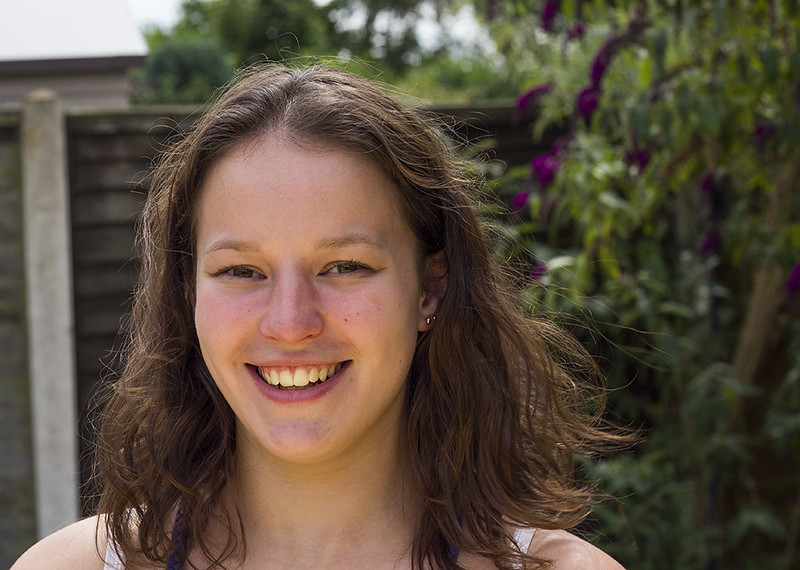
As a quick example I spent 20 min on this in Elements 9 which costs a fraction of those filters. And if the girl is not worth twenty minutes of your time to get it right why bother taking her portrait in the first place .;)

original.jpg
 
Thank you both :)

My first set that I posted up, I spent 20-30 minutes removing spots etc... then I went through a smoothing process, which overdid it.

As for sharpening, I'll definitely look at that :)

Thanks again - not just for comments, but helpful tips. Appreciated, given me lots to think about and look into. I'll come back in a few days with a better image. Cheers again
 
here's my quick edit, it took about 5 minutes:


girl_edit1 by btyreman, on Flickr

I did this using mostly the healing brush in photoshop elements 10:

* desaturated,
* removed all spots/blemishes using healing brush,
* high pass sharpen using 'soft light' blend set to 10-20%
* dodge tool used on the eyes.
 
Last edited:
A straight "convert to black and white" of the "original" in PSE11 is much better than the horrible image posted by the OP.
 
Back
Top