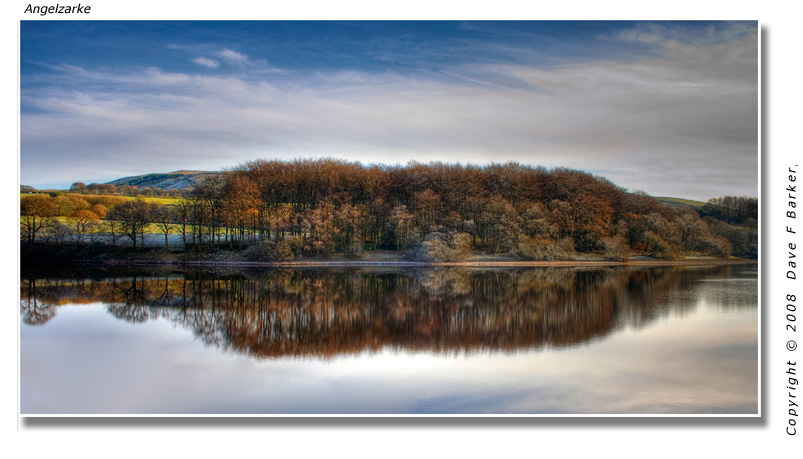
Blending two exposures from one RAW file

Enduro Rider

Suspended / Banned
Messages
258
Name
Andy
Edit My Images
Yes
For Landscapes:

Rather than use ND grad filters or use bracketing, I have been playing with exposing the same RAW file twice for the sky and the foreground and then blending the two together.

I always end up with a dark line/band on the horizon, and can't figure out how to blend without it. If i try to feather/refine edge (usually feather by 30 and play with expand/contract) on the two selections then I end up with missing detail/not enough left of each selection to match up.

Any tips or online tutorials for blending the same RAW file??

Ta
 
Can you not use the eraser tool on a light opacity?
 
Have you tried using something like Photomatix or another HDR program?
 
I always end up with a dark line/band on the horizon, and can't figure out how to blend without it.

I guess that's why GND's are still a value tool still. Saves hours of farting about in Photoshop. I would say my filters are probably one of the most useful and best purchases I've made.
 
Hi

Check out petes tut HDR Guide pete discribes to save each exposure asa Tif then blend them and get photomatix to use exposure blending HTH

A quicker way (not necessarily better, though) would be to just drag the raw file into Photomatix and tone-map it from there.
 
never tried photomatix and I've no idea what tone mapping is. I've seen loads on HDRs and I quite like the more suble conversions. Is it easy to get the hang of? How do you prepare for it, by bracketing or just use one RAW file?

I've tried lightening the eraser effect but maybe not gentle enough. guess i need to play more. I was going for quite extreme blends. i.e. a very dark sky to a quite light foreground to get a dramatic image. mayt have been too much.

I have ND grads but the only way I can get them to work well is on straight horizons. with hills/peaks/trees etc on the horizon I cannot see how they work without loads of PP work?
 
"Ive seen an article where the graduation tool is used"

that's another tool/technique I've not figured out yet :help: must spend more time learning photoshop :lol:

thanks anyway. :)
 
You use one raw file then save it as a tiff, then use the exposure slider to -2 save that, then again adjust the exposure to +2 save then then you have your 3 file to either HDR or exposure blend when exposure or HDR are blended tone map the result read petes tut it explains it more in depth
 
Enduro Rider I was asked on another forum similar to your question and my answer below if it helps........


Took this photo yesterday, I like to get as much done in camera as possible but this shot is where I need post processing as I can only stand in one place and the sun either blows foreground or sky, so I take a compromise shot where there is some detail in sky and the foreground is underexposed. I also have 2 grads on camera, a 9 and a 6 so I am pushed on that as well. I have shot better in summer when sun comes round but its a good photo to show post processing and how to get image back.

hdr2.jpg


This is the way I altered the images in raw, the last shot more contrast I will add in the circles in stone using a layer and paint brush.

hdr1.jpg


Screen shot below: I load the two pics and using the move tool (top right on tool bar) I drag the over exposed image on to the under exposed. You have to hold the shift key while doing it so the photos line up perfectly.


1) On tool bar at the moment it shows grey on white, that has to be black on white, you can reverse it depending on which layer you want to work on.>

2) Shows currently one layer

3) Is the add layer mask

hdr3.jpg


On 2nd screen shot the two photos are layered.

1) Its now black on white<br>

2) Shows the two layers and on the right in blue there is a layer mask which I added by pressing 3) the "add layer mask"

4) I have selected the Gradient tool and made line go from top of photo down to just past halfway, there is a slight bend in line, I was taking screen shot and it moved :lol: but if you press shift key it makes it straight.<br>

hdr4.jpg


On 3rd screen shot you see result of gradient tool and on 5 on layer mask. I would add a bit more but it shows how its done, On 6) it show the gradient selected which you can adjust to make more gradual or opposite. At this stage I could reverse the black white 1) and using a paint brush bring back any of the under exposed shot if I wanted.. when you are happy flatten layer and save as.<br>

hdr5.jpg


The only other thing I did was to do same as above but used the contrast image and painted in the circles on foreground rock so they stood out more make. This technique once you get the hang of it you can do very quick.
 
Thanks for the info, I'll have a play at both blending a little more carefully and with HDR and see what I can come up with.

thanks again
 
Thanks for the info, I'll have a play at both blending a little more carefully and with HDR and see what I can come up with.

thanks again
 
Be very wary of people recommending HDR and tone mapping. In most peoples hands you end up with some horrendously unrealistic flat oversaturated image. Even done expertly I do not beleive it is as good as exposure blending.

I exposure blend extensively myself. Use layer masks. Hand paint the masks. Use a sharp brish where necessary. This is extremely time intensive but when done well can look outstanding. all of the top pros combine this with the use of GNDs to create near perfect renditions fo a scene. Marc Adamus is a prime example.

Alex
 
I've been playing with the trial version ofphotomatics, and the HDR is going to take a bit of getting used too. The exposure blending seems a little more natural looking. I think the exposure blending is probably a better way of doing it than in elements using the eraser

only got elements 6, so no layer masks for me yet :-(
 
I've been playing with the trial version ofphotomatics, and the HDR is going to take a bit of getting used too. The exposure blending seems a little more natural looking. I think the exposure blending is probably a better way of doing it than in elements using the eraser

only got elements 6, so no layer masks for me yet :-(
 
I usually shoot in raw then make 3 exposures @ -2, 0, +2, saved as tiffs then use photomatix to blend them as said you need to be careful but I find the default settings give good result, recently I have seen a free software called Essential HDR Community Edition

gives great results but has limitations the full version is $48.99

This is an example of a raw file saved as above blended with photomatix on default settings then enhanced in CS3

3075536338_0ca020340e_o.jpg
 
I like that effect, not too unnatural looking.

I've only tried three or four times at HDR, using three conversions from the same raw file. struggling to get a subtle final image.

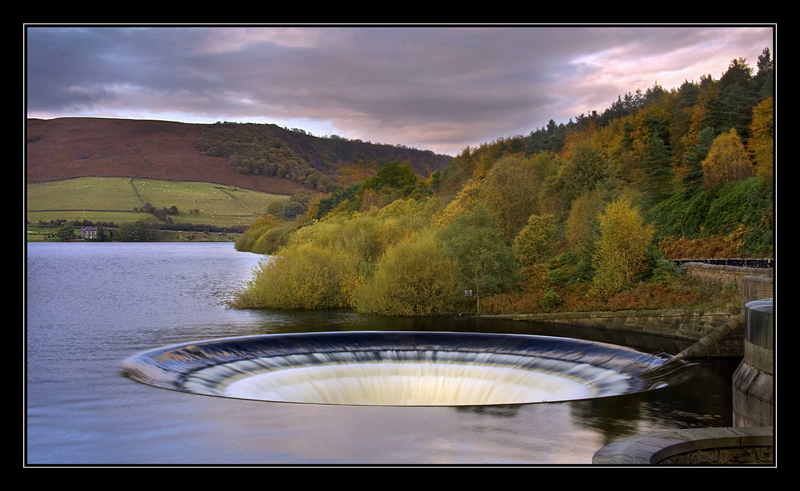
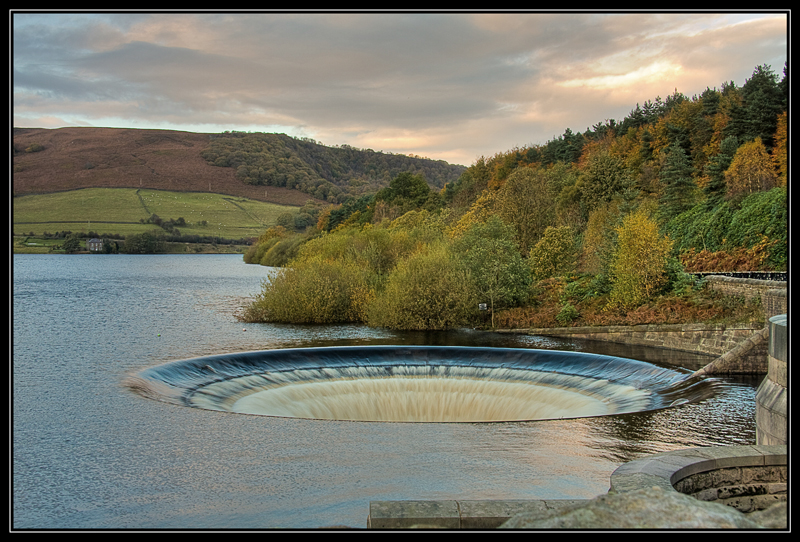
this is a comparison between an image I converted by blending two conversions in elements by layering and erasings sections, and an attempt at HDR using photomatix.

top is blended in elements, middle is as the top image but more saturated, the bottom is the HDR. I tried to make the HDR subtle rather than obvious.

what do you recon?

3076015820_dd6b6ea4df_o.jpg


3076002054_ddbb5df847_o.jpg


3075984904_97689ca678_o.jpg
 
I reckon the first and second shots are far superior to the last in terms of tone, colour, depth and detail. This to my mind illustrates perfectly why not to use HDR.

Alex
 
Have to agree here the first two look much better. Where is this place :thinking: looks like a giant plug hole
 
There are several free demo downloadable HDR programs.
The one Dave mentioned Essential HDR Community Edition which limits you to a smallish final image.

Or my preferred choice at the moment Dynamic Photo HDR which gives a full sized images with a small banner text at the very bottom, of the image. It also looks to be very adjustable. Full price $55 USD
 
"Have to agree here the first two look much better. Where is this place looks like a giant plug hole "

It is Ladybower reservoir in Derbyshire. Victorian Age stone/earth embankment dams. The overflow on the lower dam comprises two circular towers that the water can flow down when it overtops the overflow levels. Make a nice photo at sunset though ;-)
 
Back
Top