Black & White

Simmotino

Suspended / Banned
Messages
3,336
Name
Clarke Kent ;)
Edit My Images
Yes
Right, time to start the learning curve again I think as I'm becoming more and more obsessed with shooting and processing monochrome images.

I always shoot in colour and RAW, and then process to black and white, normally using the B&W option in CS4 using the colour sliders to give the balance that I think works.

I've seen several people mention that they use the Channel Mixer for black and white but, as far as I can see, that only allows you the three channels of adjustments and I can't get anywhere close to what I want using that. Am I using it wrong, or is there a nack to it?

I know some (yes, you Marc!) will say use SilverEfx and that's something I will look at when there are funds available I think, but I do want to be sure I'm equipped with the knowledge to be able to do it without specific softwre too.

So what do you all do? How do you get those contrasty punchy images in B&W? I know a good monochrome image needs to be a good colour image to start with as a rule, but what am I missing out on in my processing?

I call upon the collective genius that is TP to show me the error of my ways, and offer up a plate of cookies by way of sacrifice (share people, there's plenty there!).

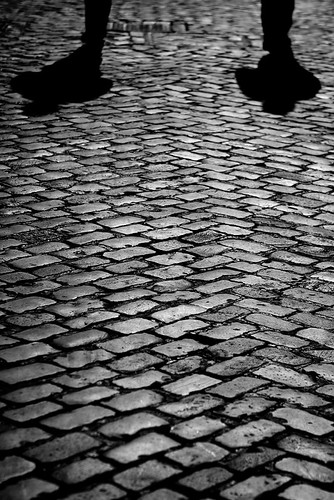
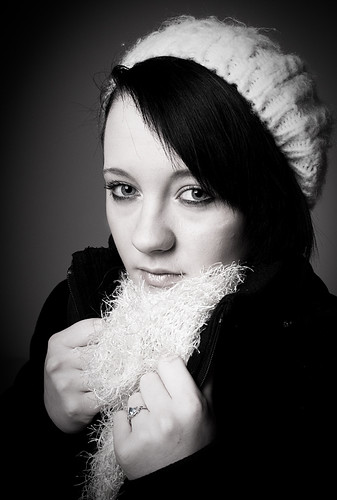
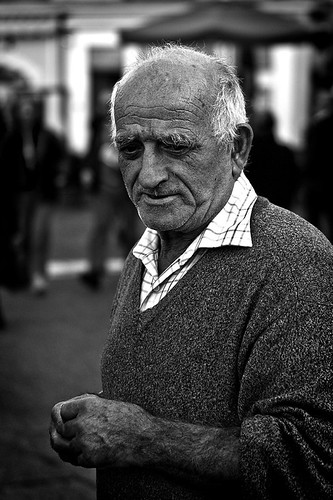
So that you have an idea of the current results:
4150707784_f503624bfe.jpg


4116500893_1ac8eab2ff.jpg


Help! :lol:
 
definately channel mixer first for me [when not using sfx], switch to monochrome first and normally I do it as an adjustment layer. The theory is that all the percentages should add to about 100. With portrait shots, I think the green channel is the one to boost most iirc, even just setting that at 100 and the others at 0.

Then more layers, starting with a curves adjustment, sometimes two, to boost the contrast and detail, especially if looking for a higher key image.

Finally, you can even add a contrast layer adjustment if need. of course all these layers can be done using maskes, so they dont affect the entire image if necessary and because they are layers, you can delete and do again any you change your mind about [which I do, frequently :bonk: ]

Another trick I use very occasionally on shots is to create a faux HDR [by creating my 3 exposures from one, the inherent noise is marginally less important for these] and running through photomatix, THEN doing the mono conversion...gives a lovely depth to the image, but doesn't work on everything.

I am pretty sure there are plenty of other tips and tricks from the good people of TP, these are just my starting point. I even did one the other day entirely in ACR, by desaturating, boosting clarity a lot, increasing the blacks then adding a vignette, just to see the effect.

Its all about fiddling until you have a 'look' you like basically imo. ;)


edit:

here you go, I posted it here a few weeks ago, the one done in ACR. Opened in cs to apply a very small amount of sharpening and resize.

4168223721_ffcd0955b6.jpg
 
Thanks for the pointers Yvonne. I'm not doing anywhere near as much as that, so it's clear my workflow is way off where it needs to be.

I remember that shot as it was one that made me look at my monochrome stuff again and realise I was a long way off getting it right (which the huge difference in workflows would seem to reinforce!).
 
I have an excellent tutorial on a disk somewhere, I'll see if I can find it, but failing that just do a google on it there are loads of tutorials out there that can explain it much better than me! From what I understand, it's similar to using channels but has different blending settings available. It takes some getting right but as it creates a new layer automatically theres no harm done if you don't quite get it right first time.
 
I think the thing with mono is that workflow can vary considerably depending on where you want to take the image. SFX has 'high detail' setting, that I was strugglng to acheive without using it, hence I tried the HDR thing, and that got me much closer to where I wanted to be, but would still love to know what the software is doing to achieve that effect, but I just don't know.

I am currently into desaturating atm, but not entirely, just leaving a mere trace or hint of colour, which can work really nicely on both portraiture and architecture, but its just my current fad and not to everyones taste. Experimentation is the key I think, plus a few good web tutorials ;)
 
I have an excellent tutorial on a disk somewhere, I'll see if I can find it, but failing that just do a google on it there are loads of tutorials out there that can explain it much better than me! From what I understand, it's similar to using channels but has different blending settings available. It takes some getting right but as it creates a new layer automatically theres no harm done if you don't quite get it right first time.

Thanks. Found a few online links already so will investigate those further.

I think the thing with mono is that workflow can vary considerably depending on where you want to take the image. SFX has 'high detail' setting, that I was strugglng to acheive without using it, hence I tried the HDR thing, and that got me much closer to where I wanted to be, but would still love to know what the software is doing to achieve that effect, but I just don't know.

I am currently into desaturating atm, but not entirely, just leaving a mere trace or hint of colour, which can work really nicely on both portraiture and architecture, but its just my current fad and not to everyones taste. Experimentation is the key I think, plus a few good web tutorials ;)

I know it's very much horse for course as with a lot of photography, and no two shots will warrant the same work, but I really wanted to strip it all back to basics and work up form there again (as you outlined in your first post) to make sure that I was considering all options.

As it is, it is quickly becoming apparent that what I am doing isn't getting the best out of my shots.
 
If you are on a PC you can have lot of fun with the free OptikVerve plugin. There are loads of different B/W options which you can customise even further.
 
Right, time to start the learning curve again I think as I'm becoming more and more obsessed with shooting and processing monochrome images.

I always shoot in colour and RAW, and then process to black and white, normally using the B&W option in CS4 using the colour sliders to give the balance that I think works.

I've seen several people mention that they use the Channel Mixer for black and white but, as far as I can see, that only allows you the three channels of adjustments and I can't get anywhere close to what I want using that. Am I using it wrong, or is there a nack to it?

I know some (yes, you Marc!) will say use SilverEfx and that's something I will look at when there are funds available I think, but I do want to be sure I'm equipped with the knowledge to be able to do it without specific softwre too.

So what do you all do? How do you get those contrasty punchy images in B&W? I know a good monochrome image needs to be a good colour image to start with as a rule, but what am I missing out on in my processing?

I call upon the collective genius that is TP to show me the error of my ways, and offer up a plate of cookies by way of sacrifice (share people, there's plenty there!).

I use Silver Efex. :p :D
 
I argree with silver effects, it's pricy but it does do a nice job.
 
Back
Top