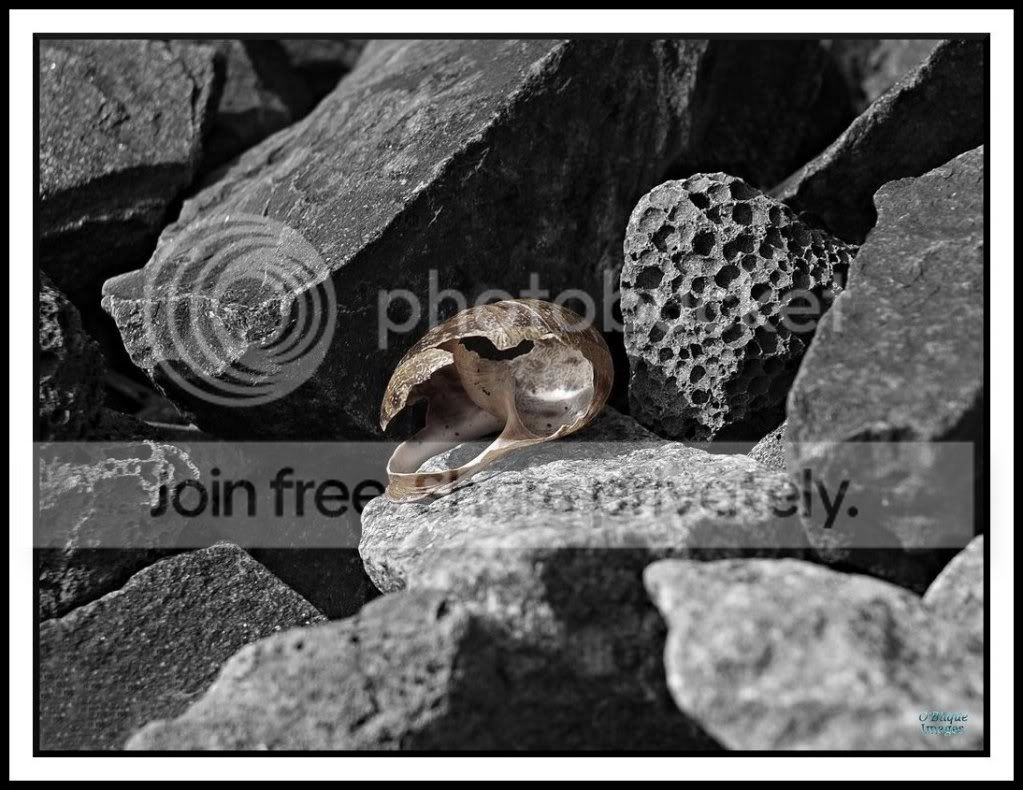
black white with a touch of colour

dickythetaff

Suspended / Banned
Messages
6
Name
richard
Edit My Images
Yes
hi folks,this might sound reall dull but i cant work it out on own!!
when you se a b&w photo but one or more items are in colour,how is that done? is it post picture editing and if so the software that came with my nikkon d3 would that be able to do it or do i need something like lightroom???
 
I'm not even sure you can do that in Lightroom, it is a Photoshop/Elements job, although I'm sure there are specific applications to just do selective colour.

Warning: whenever a selective colour image is uploaded to the Internet a small kitten dies...
 
I have the Nikon P500 and it does it in camera :)

skvyqk191k.jpg
 
I'm not even sure you can do that in Lightroom, it is a Photoshop/Elements job, although I'm sure there are specific applications to just do selective colour.

Warning: whenever a selective colour image is uploaded to the Internet a small kitten dies...

Very simple in Photoshop......

Take the image in colour, open in PS, duplicate layer and convert to B&W then remove the parts of the top layer* to let the colour come through.

Simples :D

*various ways to do this including the eraser brush and selections
 
Craikeybaby said:
I'm not even sure you can do that in Lightroom, it is a Photoshop/Elements job, although I'm sure there are specific applications to just do selective colour.

Warning: whenever a selective colour image is uploaded to the Internet a small kitten dies...

You can do it in LR using an adjustment brush, although as you say it kills small kittens
 
easy to do in lightroom also.. go to develop, get out an adjustment brush, and just slide the saturation to nothing..then paint over the parts you dont want coloured. :)
 
At our recent club contest a member did this, I like it, but the judge totally 100% missed it, and it had to be pointed out on the night, his comments "oh there is that too", idiot.

Had it been MY print I would have asked for a re judging.

Red London bus on B+W pic, how he could miss it
 
i did one yesterday as requested buy the couple buying the print (personally hate selective colour) i used lightroom as they only wanted the grass in front of them green. I slide all the saturation sliders down to -100 to turn the entire thing B&W then increase the Green slider. i then use my adjustments brush set to saturation, slide the saturation's slider down to -100 and go over anything that might be green in the shot
 
My way of doing it in lightroom. Use adjustment brush paint over whole picture with saturation down to lowest point (slider to the left) then use the erase option on the adjustment brush and paint over (erase) what you want in colour....easy
 
Very simple in Photoshop......

Take the image in colour, open in PS, duplicate layer and convert to B&W then remove the parts of the top layer* to let the colour come through.

Simples :D

*various ways to do this including the eraser brush and selections

Thank you :thumbs:
 
For this one, as it was a simple shape, I used the free-hand select, inverted the selection to select the background, then desaturated the background. I used GIMP.
More than one way to skin a cat :)
SelectShell2_1.jpg
 
Easy Pessy in Aperture, and no need for those adobe flanged mask or layer things , you just brush in or out the colour/B&W bits.

rcrg.jpg
 
I have done colour popping using CS5 slightly different to ways suggested above.

I would say if you've never used CS5 or anything like that it is far from simple!

I have spent hours learning how to use this software through youtube and this fabulous forum!

If you have an iphone there is an app called Coloursplash that does a good job too.
 
Try a program called tintii .... Does the job and is easy enough.

PS I'm a dog lover.
 
More importantly, if you are now a D3 owner, why would you want to do this to your lovely pictures?
 
More importantly, if you are now a D3 owner, why would you want to do this to your lovely pictures?

Depends on the picture surely? Just like you don't want a shallow DoF in every shot, but do in some, there are good and bad applications of colour popping I think.

Plus, you don't have to go the whole hog; you can selectively desaturate and saturate just a little, not 100%, if that works better.

I think people dislike it because it's become a cliche, but that doesn't make the technique bad; you just have to find original ways to use it.
 
Personal preference then, I have never seen a selective colour shot that looked good.

I think I dislike it for the same reasons I dislike most HDR pictures - I just don't like the look of a photo that has been clearly processed by a machine.

Trying to keep this relevant to the original question, I would get Photoshop if you haven't already. You don't need the latest greatest for this kind of thing - any editions of PS will be fine.
 
Hello Dobegirl,

Welcome to TP.

With the p500, take the picture first then press the review button so you can see it in the lcd display, then press the menu button and then go into the filter effects and select selective colour, there is a whole range of colours on a sliding bar which you can pick. Just check the display as you choose the colour and it will show you the result, then choose save when you have chosen the colour you want. Hope that makes sense.

Rod
 
Back
Top