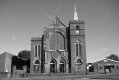
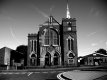
A quick attempt from an old photo first one is greyscale using Image Magic second is Gimp editor having altered the contrast oddly enough the second one is nearly twice the file size as the original colour photo.
Assuming you saved at the same level of JPEG compression as the colour original, that will probably be because you have created more local tonal variation in the image by your changes. Especially in the sky, you can see the mottling effect.
In an uncompressed image, such as a TIFF file, every single pixel is given a tone value. In a 32 x 32 pixel image, that is 1024 pixels, each with its own tone level to record. That's a lot of data to keep about when large numbers of those pixels may be exactly the same or very close to each other.
Broadly, JPEG compression works by dividing the image up into square blocks and determining the amount of tonal variation present in each block. If the tone in, say, the sky is all one level of grey (or blue) or very close to it (say +/- 4 grey levels out of 256) then the algorithm averages the whole block to approximate to the same tone.
The algorithm might say 'this 32 x 32 pixel image is all grey level 236', which is quite succinct.
More tonal variation in a given area = more local contrast = more detail in the image
If there is a large number of tones present inside the 32 x 32 pixel block, then the algorithm divides it up into four 16 x 16 blocks and tries again. If each of the four is distinct, but within a level of tolerance (what you set as the level of compression) it can now list the tonal values as
- Block 1: 240
- Block 2: 232
- Block 3: 227
- Block 4: 238
Which is a bit more verbose.
If there is still more variation in blocks 3 and 4 than the tolerance allows, it subdivides those two blocks up into four more 4 x 4 pixel blocks (let's call each of those A, B C and D) and lists the grey levels in each of those, so now you have
- Block 3A: 227
- Block 3B: 221
- Block 3C: 233
- Block 3D: 227
- Block 4A: 232
- Block 4B: 238
- Block 4C: 244
- Block 4D: 238
This is obviously a lot more information to deal with, and it takes up more space.
The algorithm keeps going down, dividing the image into smaller and smaller blocks where more detail is present, perhaps to 1 x 1 pixel blocks until it has a complete description of every part of the image.
When you save a JPEG and set the compression levels, you are telling the algorithm how much tonal variation it will consider acceptable to describe with an average number within one block before moving on to analyse the next part of the image.
Large areas of flat colour (typically clear skies) can be described in a very concise manner; the compression can work efficiently to throw away pixel-level data to produce a small file size without sacrificing the quality of the image.
Areas with a lot of detail require many more smaller blocks to describe them, because it needs many more, smaller blocks. This leads to larger file sizes.
You can see this effect visually as you crank up the compression - smooth tone transitions begin to break up into squares as the algorithm is averaging out the values inside the blocks.
This is also why high ISO images tend to be larger on disk - compression alogrithims have to deal with lots of spurious detail from the noise in the image. Similarly, sharpening an image or increasing the global contrast tends to make a JPEG file larger as there is more variation of tones to record.
Your tonal adjustments have enhanced the noise inherent in the sky, brickwork, etc. which leads to a larger file size. Even between the two examples posted above, the second is nearly 50% larger on disk (172KB vs 115 KB).