Battery life on retina 15 macbook pro

lawrenceots

Banned : Trading/Abuse of Classifieds
Suspended / Banned
Messages
4,395
Name
Lawrence
Edit My Images
Yes
How long do you reckon the battery should last on your macbook pro 15 retina? Mine seems pretty rubbish, yet says its still got 92% go its life left.. its the mid 2012 macbook pro i7 retina display model with 16gb of ram.
 
Mines not great when compared to my air. I'll maybe get a couple of hours out of it.

What do you mean it says it's got 92% left? Do you mean it says it's got charge then turns off?
 
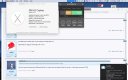
Run this to get a health report on your battery and keep tabs on it.

Depending on usage you should get 4 to 7 hours.
 
What do you mean it says it's got 92% left? Do you mean it says it's got charge then turns off?

I think he means the battery has 92% good life left in it rather than how long it will last for the day - if that makes any sense ??? :D
 
I think he means the battery has 92% good life left in it rather than how long it will last for the day - if that makes any sense ??? :D

Argh yes I know what you mean. Battery health I think it's called.
 
Depends on use.

With the screen dimmed and using for note taking and internet browsing at university mine will last demo 08:30 - 16:40 and still have around 10-20% left. If I were using it for image editing or CAD that would decrease to just a few hours at most I expect.

(It's a late 2013 Macbook Pro 15" Retina with everything upgraded)
 
yes I’ve already got the health check and its got 92% life left. I’ve just done a test, and in one hour exactly i drops to 50% power.. so one hour on battery see that much. I’m using Indesign, illustrator etc. Thing is though, its about the same even while watching a movie..
 
That is very poor battery stats! My 09 MacBook Pro lasts around a few hours when hammered. These new ones should last a lot longer.
 
Last edited:
So there must be something up with it..
 
Book in a genius bar appointment. Even though it might be out of warranty worth going done and giving the EU spiel on products working. Also yours is the late 2013 not mid 2012.
 
I would imagine that I design, illustrator and watching movies are all power hungry taxing the HDD, ram and CPU and therefore the fans to cool the machine.

How long does it last if idle?

Also make sure that air vents are clear and don't use the laptop on your lap of anywhere else where the vents could be blocked. This will cause the laptop to heat up causing the fans to spin to cool the machine.
 
Last edited:
I’m going to pop to Manchester this weekend and get it sorted or seen to methinks. Its still under applecare anyways, I bought the extra 3 year thing. Yeah, I thought it was older than it was haha! I used this in work today you see, and those are my standard programs so I noticed it as I didn’t use my work Mac today as eft it at home for the babe to use. I’m going to test it this weekend and see how things pan out, and if it is indesign... Thing is though, the programs still last about 5 hours at least or so when I use my work mac, which is a rubbish 13” i5 so I’m not too sure! We shall see, we shall see!

 
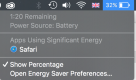
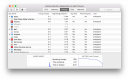
You can check what is draining the battery by using the Activity Monitor. As you can see from the screenshot from my machine, the majority of the energy usage has been Safari. You can also check what's using energy by clicking on the battery icon on the menu bar.
Screen Shot 2015-11-20 at 18.00.18.png
Screen Shot 2015-11-20 at 17.58.33.png

Here's a link to the Apple support pages: https://support.apple.com/en-gb/HT204054

Don't forget that AppleCare includes telephone support, so you can always call up for assistance/troubleshooting.
 
Last edited:
Book in a genius bar appointment. Even though it might be out of warranty worth going done and giving the EU spiel on products working. Also yours is the late 2013 not mid 2012.

This battery is in good condition, so this is likely to be a software related issue.

Batteries are considered consumable items, so AppleCare will not cover a consumed battery (over 1,000 charge cycles), but will cover a defective battery that retains less than 80% of the original charge with fewer than 1,000 charge cycles.
 
What do you mean it says it's got 92% left? Do you mean it says it's got charge then turns off?

the 92% refers to the percentage of the original capacity - you'd expect this figure to decline over time as the battery is charged and discharged.
 
It does show as High use for illustrator and Indesit - however I then browsed safari for about 5 minutes (this being the weekend period with no adobe software etc) and over about 10 minute small it went down 6%.. Which us faster than my iPhone?!!
 
It does show as High use for illustrator and Indesit - however I then browsed safari for about 5 minutes (this being the weekend period with no adobe software etc) and over about 10 minute small it went down 6%.. Which us faster than my iPhone?!!

Can you check all processes on Activity Monitor (View -> All Processes) then order by CPU% with the highest at the top. Check there isn't a system task taking up lots of CPU.

I would also suggest an SMC and NVRAM reset and to run Apple Diagnostics/Hardware Test
SMC https://support.apple.com/en-gb/HT201295
NVRAM https://support.apple.com/en-us/HT204063
Diagnostics https://support.apple.com/en-gb/HT202731
 
I will give this a shot this morning Andy, Cheers!
 
Back
Top