back to basics - some help needed please

ukphd

Suspended / Banned
Messages
258
Name
Nancy
Edit My Images
Yes
Hello

Ok, I'm not new to photography and have used manual cameras since I was 12 (18 years ago!) and digital SLR's for years (since the 300d came out)

however...
since using DSLR's I've become lazy and forgotten everything I used to know and with my 300d, 400d, and now the 450d (soon to be 550d!) I've basically stuck to using the auto mode and the P mode and just altering the ISO, nothing more.

I take mostly wildlife photos where I conduct research for my job in a tropical rainforest in Indonesia, so we're talking hand held camera and relatively quick shots, rather than sitting in a hide for hours/days waiting to get the photo.

I posted in the equipment section about whether I should upgrade my 450d body and in so doing realised how little I utilised the camera's other modes. A friend has now offered to swap my 450 for a 550 but I imagine many of the menus/functions are the same so I'm trying to learn more now.

I've bought a copy of the digital field guide for the 450d and have been out and about playing with different modes but I really need some more guidance!

I just don't have a clue what mode I should be using to get the most out of wildlife shots (using a canon L series 100 - 400mm lens). I don't know if I should be using AF and trying to get the F number as low as possible? Or should I be trying other modes? Should I be altering other things?

I really need a bit of an idiots guide to get me started and although the digital guide is good for explaining what everything does I kinda need some advice that suits what I am trying to do.

So can anyone give me some basic tips to get me started? Modes and settings I should be trying out in the first instance to get the best out of the wildlife shots I'm taking.

Thanks very much
Nancy :)
 
Hi Nancy, for Wildlife I use AV, set the aperture to the lowest possible (so 100400 at 400mm would be F5.6), this means I can control the Depth of Field, from there I will adjust the ISO to work the shutter speed, i.e. if at 400mm I look for a minimum Shutter peed of 400 (unless I can brace myself, from there it is just a case of looking at the aperture to suit the subject, i.e. if there are 2 animals or more I will raise it a bit say F8/F11 to get a bigger Depth of Field for the shot, hope that helps.
 
It's all about the glass!

There's naff all difference between the bodies and to be honest I feel you've wasted a load of cash upgrading to the newest consumer model each time they've been released.

Either upgrade the body to a semi-pro model or don't bother. However, really you're money is best spent on lenses (assuming you haven't already). To get good shots in the jungle, (as I discovered on a recent trip to Borneo) you need fast glass so some F2.8 zooms would be where my money would go.
 
I'd agree with Nawty, the 450d is a superb camera, we use it for training and I've even used it on a family photoshoot when I grabbed the wrong bag. Spend your money on glass, a body upgrade can come later.
 
It's all about the glass!

There's naff all difference between the bodies and to be honest I feel you've wasted a load of cash upgrading to the newest consumer model each time they've been released.

Either upgrade the body to a semi-pro model or don't bother. However, really you're money is best spent on lenses (assuming you haven't already). To get good shots in the jungle, (as I discovered on a recent trip to Borneo) you need fast glass so some F2.8 zooms would be where my money would go.

I'd agree with Nawty, the 450d is a superb camera, we use it for training and I've even used it on a family photoshoot when I grabbed the wrong bag. Spend your money on glass, a body upgrade can come later.

She already has a 100-400L! The next step up from that is a £5k prime!

But I agree there's not much to be gained from upgrading the body to a 550D. What does it do that you haven't got already?

There's nothing fundamentally wrong with using P mode. A lot of the time long lens work tends to be about maintaining a shake free shutter speed while getting enough depth of field, so use whichever mode you prefer but keep an eye on the shutter speed as that's usually the danger area in the kind of light we get here. That might mean Tv or Av, or P or manual - depends on the situation.
 
There's nothing fundamentally wrong with using P mode. A lot of the time long lens work tends to be about maintaining a shake free shutter speed while getting enough depth of field, so use whichever mode you prefer but keep an eye on the shutter speed as that's usually the danger area in the kind of light we get here. That might mean Tv or Av, or P or manual - depends on the situation.

I think "the kind of light we get here" might be a little irrelevant: ;)

Hello
I take mostly wildlife photos where I conduct research for my job in a tropical rainforest in Indonesia, so we're talking hand held camera and relatively quick shots, rather than sitting in a hide for hours/days waiting to get the photo.

:D :D :D

That said, I think Hoppy's spot on - I have the brilliant 100-400L as well, and I must concede that I have not taken as many wildlife shots as I would have liked with it, but I find that throwing my camera into ISO400 (I've only got a 350d - any higher leads to unacceptable noise :bang:) and Av mode with lowest possible aperture (f5.6) gives me the best possible speed - if this gives you more speed than you need to play with (anything faster than around 1/400th) then I would probably start by lowering the ISO down to 200, then after that opening up the aperture.
 
Thanks everyone.
I'm upgrading the body because it's a free swap with a friend. I asked advice in the equipment section and everyone said that as it's a free swap to a 550d that I should go for it.
I'm certainly not upgrading the lens - I've only just got the 100 - 400 lens and that was quite pricey enough for now :)

Ok, so if I go for AV mode with a low F number what do I do if shots are coming out under or over exposed? Do I alter the iso?

I tried some shots yesterday and I was going to try to upload them but I realised I don't have software to get the RAW images from my camera (my laptop had to be reinstalled and I can't now find the canon cd! Doh! - is there
Any free software?) Also can someone direct me to the instructions to upload images on here (with the data intact)?

Sorry for all the stupid questions! :)

P.s. To the person who says I wasted cash upgrading to the newest model. My 300d broke after heavy use in a tropical forest so I made the decision, having already had it repaired once to replace it with the 400d. Unfortunately that then suffered a chip failure whilst
I was in indonesia with a once in a lifetime chance to photograph wild primates in a private reserve in the mentawai islands. So I bought the only model available at the one camera shop in Padang, Sumatra - the 450d. The 550d is a free swap from a very kind friend (see my thread
In the equipment section). So no, I've not just wasted money upgrading to the latest model. It's just the way things worked out. I'd happily still be using my 300d if it hadn't broken and I'd stick with my current 450d if the swap wasn't free.
Thanks :)
 
I had a couple of 1-2-1's with a professional photographer and he was keen on using spot metering and manual mode. His approach was to find a surface where you knew the difference between it and mid-grey (by trial an error or using a grey card). For example green grass (and it's a while since I've been out so can't remember what green grass comes out at..) Spot meter off the grass (or a grey card if you've got it) and use this to set the aperture and shutter speed you need. It's a similar approach to the well known Zone System as it allows you then to adjust your exposure to the scene and the effect you want and not be dictated by the camera's metering system. I know this isn't a great explanation but I'm sure a bit of research into the approach and you will get the idea.

It takes time, but I found it very useful as it makes you think about the scene and the exposure you want.
 
There's nothing wrong with upgrading! I do it all the time, for no particular reason other than I want to :)

It sounds like the OP's main problem is getting enough light for flexibility of exposure options, which is why I suggested that there is no best mode to use in all situations. When shutter speed becomes the main issue, as it usually is with very long lenses, it seems obvious to switch to shutter priority but actually, when you're up against the buffers, aperture priority with the f/number set to lowest is the best way to ensure shutter speed is always as high as it can be (as suggested by Nigel). Then push the ISO when you have to. And when in doubt, or in a hurry, P will never be far out as a default option.

I would recommend evaluative metering, which will also get you close even in difficult situations. Then check the LCD and histogram. The histogram is very easy to understand and will tell you exactly what's going on, regardless of what method you used to get there. Also, enable 'blinkies' in the menu (over exposure warning). Good link to histograms here http://www.sekonic.com/images/files/HistogramsLightmetersWorkTogether.pdf

Those that suggest spot metering and manual as an answer to everything tend to come from a film background and have a good level of knowledge. It is much less applicable to shooting digital and if you don't know exactly what you're doing it will get you into trouble very quickly. Basically, don't! And the Zone System really doesn't apply to digital at all - it's a technique for shooting negative film.
 
Thanks :)

I think you may have answered my next question which was to do with exposure. A lot of the animals I shoot are either in relatively poor light, or dappled sun/shade and I find shots are either over or under exposed in that situation. Would evaluative metering help fix that?

I managed to find my canon CD so I'm hoping I can get the RAW images downloaded and then maybe I'll try uploading a few to get some advice on actual photos
:)
 
Thanks :)

I think you may have answered my next question which was to do with exposure. A lot of the animals I shoot are either in relatively poor light, or dappled sun/shade and I find shots are either over or under exposed in that situation. Would evaluative metering help fix that?

I managed to find my canon CD so I'm hoping I can get the RAW images downloaded and then maybe I'll try uploading a few to get some advice on actual photos
:)

You don't need the CD to upload stuff. Set the camera to record both Raw and JPEG images, and upload the JPEGs directly. You can adjust them for colour, contrast etc in Picture Styles, then refer back to the Raws when if you need to tweak them for optmum results. You might never actually need to. JPEGs take up very little extra memory space, it's the Raws that eat it.

It sounds like evaluative is likely to be your best option, but all metering methods are fallible. Your fall back is the LCD/histogram, which shows you what you've actually got, as opposed to the metering system which can only ever make a best guess.

Exposure metering in a nutshell: Every scene contains a range of tones from light to dark. That's the dynamic range. It can range from thousands to one, but it is typically many hundreds to one. Your eye/brain copes pretty well with that, but the camera sensor only has a limited range and for sake of argument we'll say that it is seven stops, or 128:1 (1, 2, 4, 8, 16, 32, 64, 128 - count the commas).

The exposure meter's job is to asses the scene, work out what is mid grey (the 18% grey you hear talked about) and try to stick that right in the middle of the sensor's dynamic range. That is the middle position of the histogram. In doing this, it is inevitable that the brightest highlights will likely blow completely to pure white and the darkest shadows will block up to solid black because they're beyond the dynamic range, but most of the time that's acceptable.

When you get the exposure wrong, it means that 18% grey is too far away from the middle point (without getting too technical about it). If you look at the histogram, there will be a big lump at one end or the other whereas you want the lump in the middle somewhere, and you must ensure than nothing important has tripped off either end. Those blinkies I mentioned are very good at warning of blown highlights. Adjusting the exposure level will shift the histogram left/right so you can see exactly where you are.

The fundamental problem that metering systems have is that they don't know where mid grey is in the scene, and they have to guess. Classic case, bride and groom with white dress and black suit - if you meter off either of those two subjects it will be wrong. The correct exposure for both is somewhere between the two, so what the meter does is scramble the whole image together and, generally speaking, what comes out is usually pretty close to 18% grey. Often, but not always, hence the dilemma.

Right about now, someone reading this will say what about an incident light reading? To which I would reply, yes, maybe, in theory, but not easy and impossible for the work you're trying to do, and we'll end up with spot metering again and gorillas holding up 18% grey cards for you.

Evaluative metering is the best attempt yet we've got to address this problem in your kind of application. What it does is take dozens of 'spot' meter readings from all over the scene. In this way, it not only knows the dynamic range, it knows what the average scene brightness is (the scrambled average grey) and it knows what the dominant tones are, and where they are positioned. That's a lot of very useful information which it then compares to its database derived from thousands of typical imges and, if necessary, makes a correction. Simple example, it knows that landscapes often have a lot of bright sky at the top so it will compensate for that.

The dappled sun/shade situation that you refer to often gives lovely light and I would imagine that a lot of the time evaluative metering will make decent fist of that. But if you have a shaft of bright sun shining directly through, that will throw everything. It will be way beyond the dynamic range and if you try to adjust the exposure for that, everything else will go black. But if you don't, it will burn through like a laser.

There's just nothing you can do about that, but to accept it and let it blow. What might be happening with your under exposure situation is that a bright shaft of light is skewing the overall reading, making the meter think that there more light about than there is, and delivering dark images. The opposite might also happen. Presumably there are are no 'gorillas in dappled sun/shade' in the evaluative metering database.

But you can probably manage that situation better by switching to manual operation. Think of manual as a 'set & lock' mode so that once you have got a good exposure reading (by whatever means suits you, and from checking the LCD/histogram) you transfer those settings to manual and lock them there. So long as the light falling on your main subject doesn't change, the settings cannot be influenced by other factors.

Post a pic. Sorry it's a bit wordy ;)
 
Thank you - wordy yes, very helpful - definitely! :thumbs:


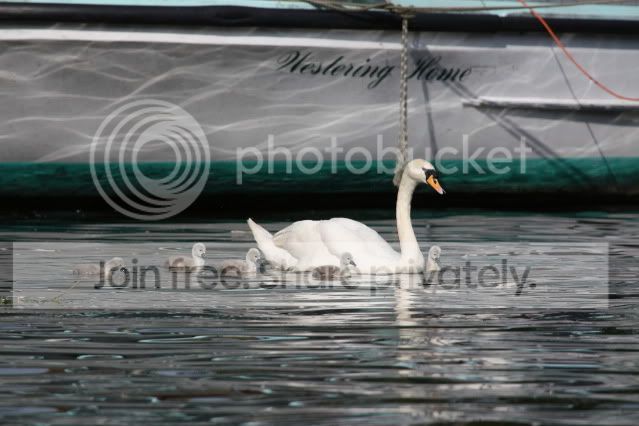
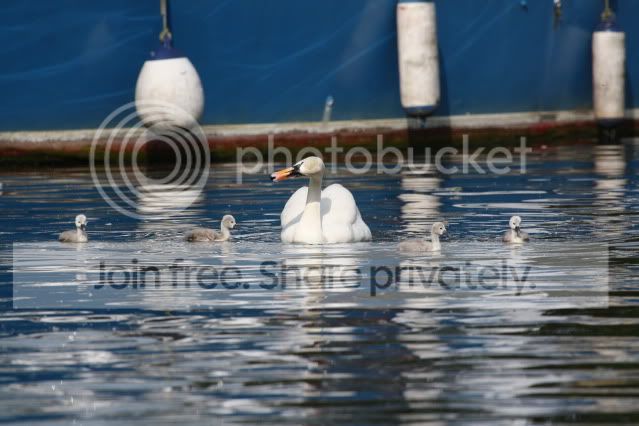
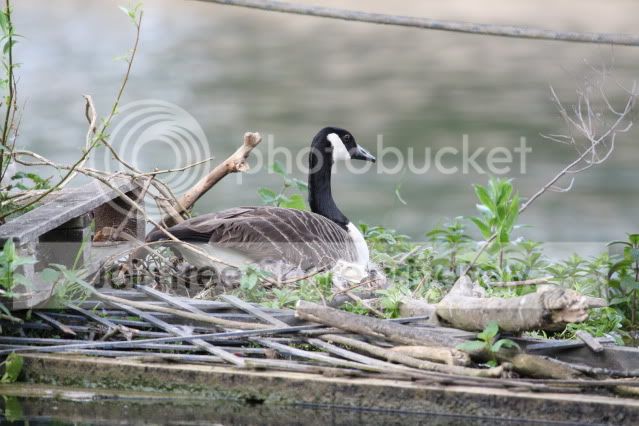
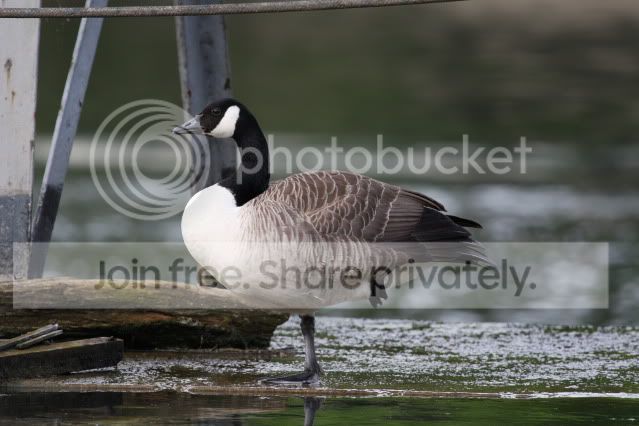
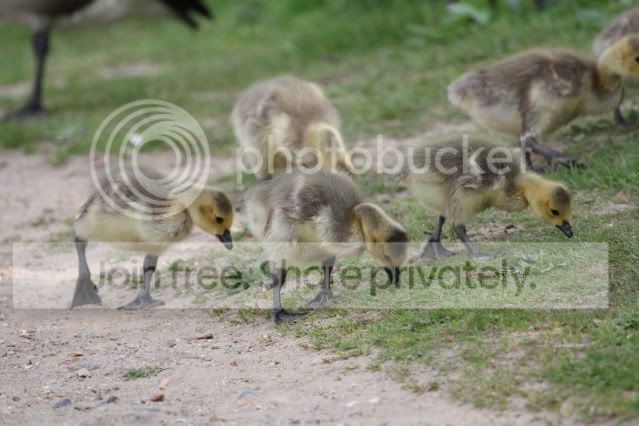
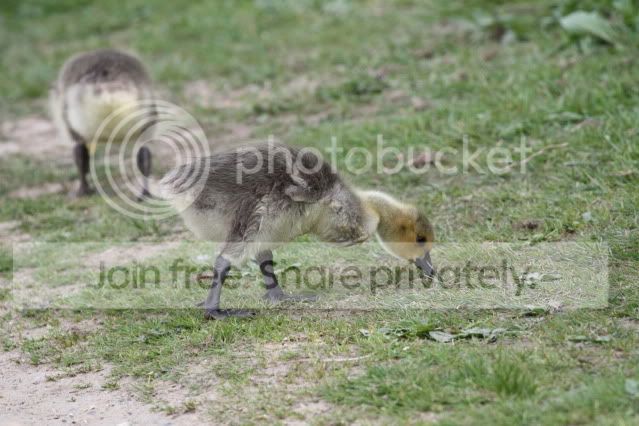
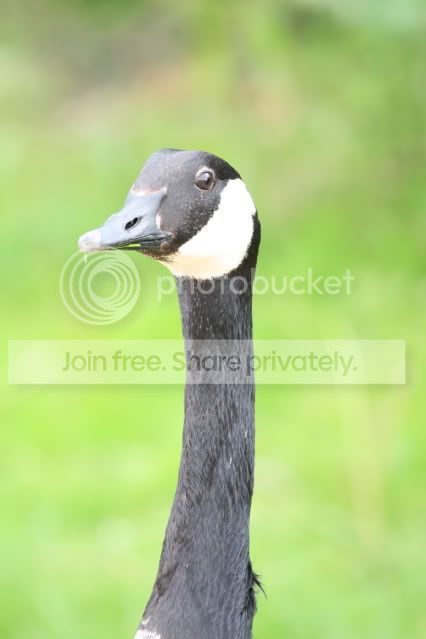
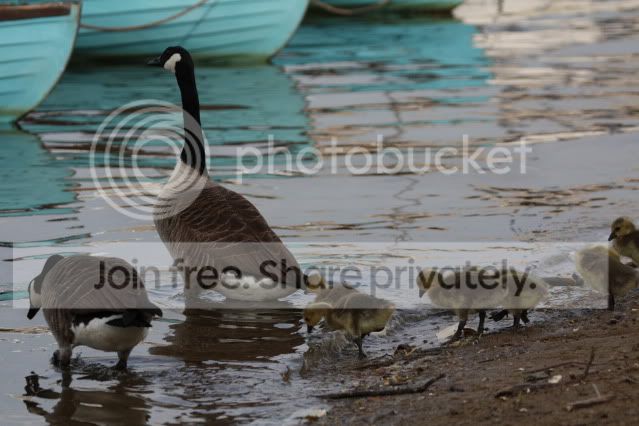
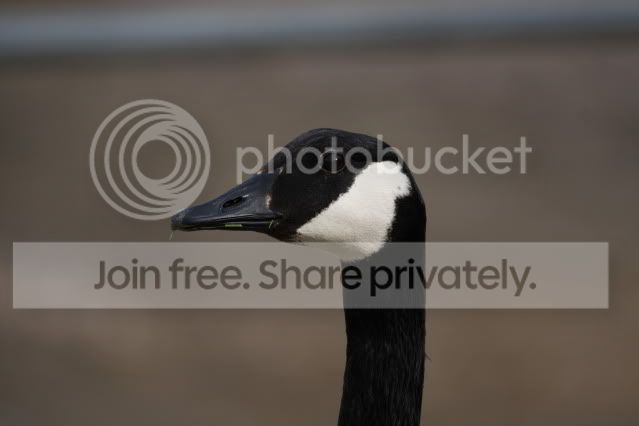
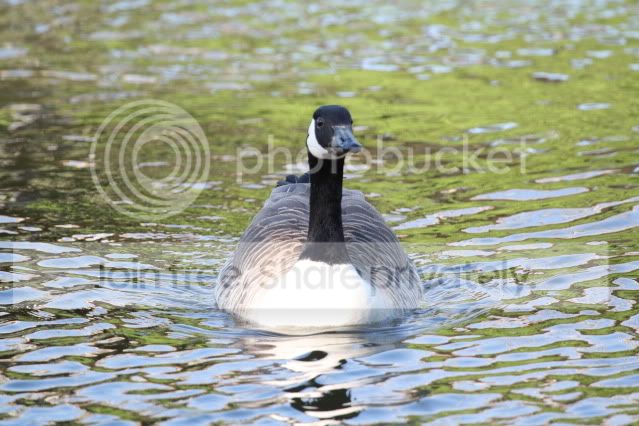
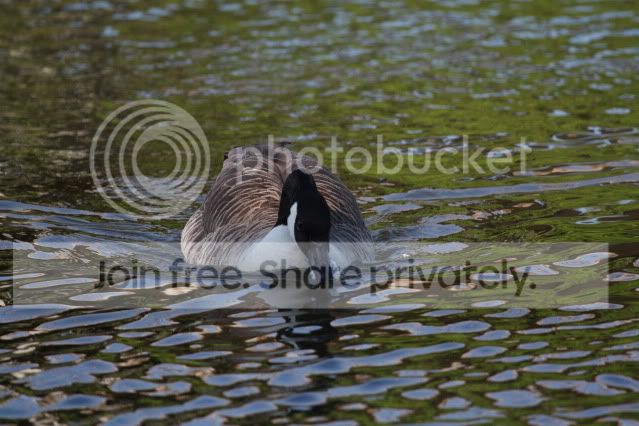
Ok so here are some shots. Rather a lot (sorry - but wanted to put as many as possible to get more general feedback). Some taken yesterday and a couple just an hour or so ago. Some seem ok, some not so. All shot in AV mode and most with F 5.6 I think. Please ignore the fact that they're poorly composed - I was just trying to practice using the settings not compose the perfect photo! :) Also I know the swans are far away but that's how far they were - I'd like to shoot photos that are of a good enough quality so they can be cropped in situations like that...

anyway here they are. Any advice welcome :)

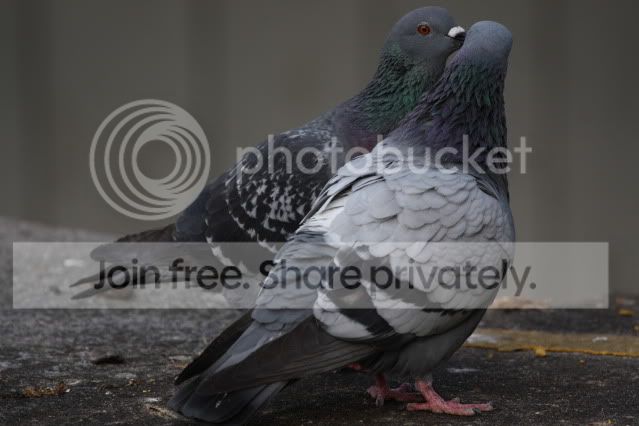
IMG_7819.jpg


IMG_7825.jpg


IMG_7847.jpg


IMG_7851.jpg


IMG_7857.jpg


IMG_7863.jpg
 
Hmm. They're all over the place.

First things first, what is your metering mode? Have you got any exposure compensation dialled in?

The last two shots of the goose - are they the same bird taken one straight after the other? What are the exposure settings for both of those?
 
I know! :)

I was using evaluative metering.
The last 2 are the same goose shot quite close together.

At the risk of sounding like an idiot I don't know if I have any exposure compensation dialled in or not (sorry! - what do you mean?).

How do I find out what the exposure settings were? I've downloaded them and have Canon's "Digital Photo Professional" - will that tell me somewhere?

Sorry - I'm a moron! :(
 
I know! :)

I was using evaluative metering.
The last 2 are the same goose shot quite close together.

At the risk of sounding like an idiot I don't know if I have any exposure compensation dialled in or not (sorry! - what do you mean?).

How do I find out what the exposure settings were? I've downloaded them and have Canon's "Digital Photo Professional" - will that tell me somewhere?

Sorry - I'm a moron! :(

With respect, how do you know you were using evaluative metering then? And the mode dial is deffo on Av? If you were accidentally using spot that might explain things, but summat's wrong there.

Exposure compensation is set using the buttons to the right of the LCD. I think on your camera it will also show in the viewfinder. But if you haven't touched it, even if it's set everything would be either too light or too dark. Check the handbook.

All camera settings are shown in the Exif data tagged to each image. You can read top line stuff by putting the card in the camera and hitting the info button when each image comes up. It's shown alongside the histogram.
 
With respect, how do you know you were using evaluative metering then? And the mode dial is deffo on Av? If you were accidentally using spot that might explain things, but summat's wrong there.

Exposure compensation is set using the buttons to the right of the LCD. I think on your camera it will also show in the viewfinder. But if you haven't touched it, even if it's set everything would be either too light or too dark. Check the handbook.

All camera settings are shown in the Exif data tagged to each image. You can read top line stuff by putting the card in the camera and hitting the info button when each image comes up. It's shown alongside the histogram.

Ah ok

Right I know I was using evaluative metering because I selected that in the metering mode - sorry was getting confused. I may have used spot metering for some of the baby geese as I was playing around but the majority were evaluative.

Checked handbook and no I didn't alter the exposure compensation at all.

Definitely all set to AV. The only thing I altered in AV was the F number.

Those last two goose photos:
Last one - 1/400 F 5.6 ISO 200 Auto white balance (histogram rather to the left)

second to last one - 1/40, F 5.6, ISO 640, Auto white balance again (histogram rather to the right!)

What's the ideal histogram?

Sorry - just not used to the terminology (am embarrassed that I've forgotten all this stuff from when I used to use film cameras - I feel like a complete idiot again! :) )
 
Nancy, have you had a read of the tutorials on the TP forum? There's a couple here that may help you to recharge that grey matter!!

Understanding exposure
Back to basics
Tutorial index

Hope these help.

Thanks - I did have a look there and have been reading the "digital field guide" but can't seem to keep any of it in my brain at the moment! I think I'm trying to remember too much at once (that and clearly the sun has got to me!). Thanks for the specific links - I will look at them :)
 
Ah ok

Right I know I was using evaluative metering because I selected that in the metering mode - sorry was getting confused. I may have used spot metering for some of the baby geese as I was playing around but the majority were evaluative.

Checked handbook and no I didn't alter the exposure compensation at all.

Definitely all set to AV. The only thing I altered in AV was the F number.

Those last two goose photos:
Last one - 1/400 F 5.6 ISO 200 Auto white balance (histogram rather to the left)

second to last one - 1/40, F 5.6, ISO 640, Auto white balance again (histogram rather to the right!)

What's the ideal histogram?

Sorry - just not used to the terminology (am embarrassed that I've forgotten all this stuff from when I used to use film cameras - I feel like a complete idiot again! :) )

I'm not getting this and, if I'm honest, I'm not sure about the information you're giving us! ;)

You say they are all using evaluative, except (some of) the ones of the baby geese which were with spot, and that you didn't change anything else. Except the ISO it seems...

The metering mode is shown in the Exif - which ones were spot metered?

Do you have the AE lock enabled?

A decent histogram will (usually) have a big lump in the middle, as per my previous post and the link to Sekonic.
 
ok well I'm not sure how to get you the info you're expecting. :)

As you can probably tell I'm fairly confused and in fact I'm wondering if I should have stuck with auto and P mode to be honest :lol:

I didn't change anything (or if I did it was by accident) except the F number and I was using AF mode.

I must have taken more with spot metering than I realised - just checked and the 2 goose head shots are spot as are the ones with baby geese in them. The others were evaluative.

I didn't change the ISO - it's in Auto mode according to the camera - those 2 last goose shots were taken less than a minute apart and I didn't change anything in between - I was just shooting.

I wasn't using AE lock.

ETA: the pigeon's spot metered too! I clearly left it on that far longer than I realised - sorry!
 
ok well I'm not sure how to get you the info you're expecting. :)

As you can probably tell I'm fairly confused and in fact I'm wondering if I should have stuck with auto and P mode to be honest :lol:

I didn't change anything (or if I did it was by accident) except the F number and I was using AF mode.

I must have taken more with spot metering than I realised - just checked and the 2 goose head shots are spot as are the ones with baby geese in them. The others were evaluative.

I didn't change the ISO - it's in Auto mode according to the camera - those 2 last goose shots were taken less than a minute apart and I didn't change anything in between - I was just shooting.

I wasn't using AE lock.

ETA: the pigeon's spot metered too! I clearly left it on that far longer than I realised - sorry!

No worries. I'm beginning to think that there's perhaps nothing much wrong with the camera and maybe you're trying to run before you can walk. There are lots of options but ultimately it's important to remember that in terms of exposure they are all just different ways of arriving at the same conclusion. Keep it simple.

In which case, I would avoid spot (it's always risky) and use evaluative. Maybe put the shooting mode on P but keep an eye on the shutter speed with that long lens. Set the ISO to 400 and leave it there unless you have to change it - one less variable to worry about. Switch on the IS mode 1.

Check the LCD/histogram. Enable blinkies so you can see if anything is blowing to pure white. There usually will be if the overall exposure is close to optimum but that's fine so leave it if it's nothing important. If the image is too dark, use the + compensation to lighten it, which will shift the histogram to the right. Do the opposite if it's too light.

Then compare the results to the Exif data to see what you and/or the camera have done. When you've got a handle on that, have a go at Av.
 
Thanks.
My only reservation with sticking to P is that all my photos from the field from previous years taken in P are not sharp at all. Plus iit's almost impossible to stick at iso 400 in the forest - I'm usually at 800 but the results are just a bit disappointing and mainly because of the DOF I think.
I guess I was hoping for some basic guideline settings that would suit most of what I do. I tend to take photos on the move whilst trekking (following monkeys and recording data) so there aren't many second chances.

I am quite pleased with the sharpness of some of these recent images, although I found it hard to focus on the right bit of the animal.

Do you think one option might be to experiment with P as you suggest but then if I start using AV when away (in 3 weeks - for 3 months) that I should perhaps try sticking to auto ISO and go for something like F8 for most subjects?
I can stick to evaluative metering and then if I've got the hang of exposure compensation and I'm in a siutation where I can make adjustments I could do that?

I think what I need is a tutorial that has specific 'projects' to get this to sink back in to my brain! I defintely learn by doing but when I feel so out of my depth it's hard. I've booked a one day course before I go which is a wildlife photography walk so I'm hoping that will help too.

:)
 
Okay, with the monkey thing particularly in mind, it sounds like your main problem is low light. Which is doubly difficult as you always want lots of that when using long lenses because your f/number is relatively high (f/5.6) and you need a high shutter speed to combat camera/lens shake.

So, this is how I would do it bearing in mind what you've said. Evaluative, Av, lowest f/number, ISO800 (or auto if you prefer), centre focus point. This will ensure that your shutter speed is always as high as it can be.

Check the exposure on the LCD (it's called 'chimping' LOL) and histogram/blinkies. Adjust with +/- compensation. If you have a got a good exposure level and want to lock it there, transfer the settings shown in the viewfinder to M. So long as the light falling on the subject remains the same, even when the surrounding light levels may change (eg dappled shade) the exposure will always be correct regardless of what the meter might say.

Focus very carefully, on the eyes. Learn focus-recompose technique, basically lock the focus with the centre point only on the subject (it's more sensitive) with a half-press of the shutter release and then hold it there while you recompose. Bear in mind that depth of field will be shallow so if the animals move you must constantly focus-recompose but with this method you always know exactly where the focus is and it won't shift unless you change it.

Check your hand-holding technique. You should support all the weight of the camera in your left palm, cupped under the lens. Your left elbow should be held close to the side of your chest, almost vertical. The weight is then transferred to your chest but if your elbow is sticking out at 45 degrees, it won't be. It will soon strain your arm muscles and you'll lose control. I imagine that when you've got it right, the effect will be like wearing a push-up bra ;)

Get a monopod and use that if you can. It will dramatically increase stability, they're cheap and light. Brilliant for this kind of thing. And a beanbag. There's a guy on here who's wife makes them, cheap and high quality. Deano or something I think. I'll find a link in a mo. Edit: Beanbag link http://www.talkphotography.co.uk/forums/showthread.php?t=216895

Keep an eye on the shutter speed. On max zoom, always try to keep it higher than, say, 1/500sec even with the IS on. If you can't get that, one way to increase your chances is to shoot in bursts of three with the drive on continuous. One will probably be sharp if you're careful/lucky.

Bear in mind that even when you can hold everything steady at lower shutter speeds, that won't freeze subject movement so keep the shutter speed up.

Learning by doing is good, and those geese etc pics are probably good practise. Try the above. Maybe reduce the ISO so that the shutter speeds you get are close to the levels you had when shooting the monkeys. Have a go at focus-recompose. See how you manage with longer shutter speeds. But be consistent in your testing, and take notes so that there is no confusion about exactly what you did when reviewing the results.
 
Thanks - that's brilliant!

I already use the focus recompose technique so am familiar with that. My camera holding sounds about right but will work on that.
I tried a monopod but found it too hard to manage in the forest with all my other gear (camera, day pack full of data collection gear like gps's notepad, 3 litres of water as am out all day, and, first aid kit and food). I'm not very strong and the terrain is rough and steep, overgrown and it's 80 degrees and 100 percent humidity :)

But I will try again I think. I may try to get a lighter weight model (my old one weighs a tonne! :)) - which brands are the best cheap and light ones that you'd recommend?

Not sure about the beanbag - again something I've tried in the past but I find the weight too much to carry with me in the field (and in my luggage - I pack way too much stuff but I do go for 3 months :) ). Thanks for the link - I'll definitely consider it, if not for the field then certainly for here :) (eta; just checked out the link properly and can see the standard one is only 180g which seems pretty light so maybe I'll give it a go for the field too :thumbs:)

I'll keep practising with local wildlife until I go and keep better notes next time!
Thanks :)

Edited to add:

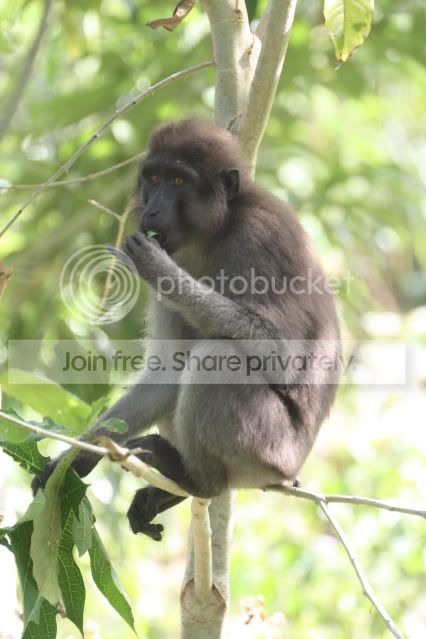
Just thought I should mention - the monkeys I tend to photograph are black/grey furred - will that change any of the advice you've given? I've posted a sample shot here from last year so you can see what they look like!

IMG_4174.jpg
 
A monopod will transform your working! Don't know why I didn't suggest it earlier. Considering all your other clobber, you won't even notice it's there. They weigh less than a kilo complete with head.

Just remember that you still need a shutter speed sufficient to freeze subject movement. When you're on the limit, and even a bit beyond, shooting lots of pictures increases your chances of a sharp shot dramatically. Maybe set the camera on continuous anyway.

This one from RedSnapper is exceptional value at £35 complete with head. Screw the QR plate to the foot on your lens and you'll be ready in seconds http://www.redsnapperuk.com/tripod-monopod-ballhead.html

You can spend more to save weight (carbon fibre) and get a shorter length for packing. Benro from this recommended eBay supplier are cheap for what you get, but not actually cheap! http://stores.ebay.com/DCs-Photogra...Q2ec0Q2em14?_trksid=p4634.c0.m14.l1513&_pgn=1 and this head http://cgi.ebay.com/BENRO-DJ-90-Mon...tem&pt=LH_DefaultDomain_0&hash=item3eff17d316

Pop along to your local dealer and have a go. Take your lens. They will probably have Manfrotto, Velbon, Slik etc - all good brands. The RedSnapper is made by Slik.
 
Awesome thanks!
Don't think I can stretch to a carbon fibre one right now but the redsnapper one looks great - going to the shops next weekend so hopefully there's a local stockist :thumbs:

I always shoot on continuous - part of the reason I fill up my memory cards so much! I usually end up with 10 blurry for every 1 in focus shot! :lol:

Thanks again for all the help :)
 
Awesome thanks!
Don't think I can stretch to a carbon fibre one right now but the redsnapper one looks great - going to the shops next weekend so hopefully there's a local stockist :thumbs:

I always shoot on continuous - part of the reason I fill up my memory cards so much! I usually end up with 10 blurry for every 1 in focus shot! :lol:

Thanks again for all the help :)

RedSnapper only sell direct, hence their prices. Lots of folks on here have got them though. Actually I think you get 10% off if you mention Talk Photography - have a look in the advertisers' forum.

Memory is cheap these days, so don't hold back. Just don't use the machine gun style of hit and hope as a substitute for careful technique. A lot of folks are buying these Sandisk at £20 delivered for 8gb from 7dayshop http://www.7dayshop.com/catalog/product_info.php?cPath=777_6&products_id=107515
 
Thanks - yeah I have loads of mem cards and will be getting more to take away. Thanks for the link. I'd forgotten about 7dayshop :)

I certainly was using the machine gun style but now I'll be a bit more careful and actually try to use a bit of technique while I'm at it!

:thumbs:
 
I really need a bit of an idiots guide to get me started and although the digital guide is good for explaining what everything does I kinda need some advice that suits what I am trying to do.

So can anyone give me some basic tips to get me started? Modes and settings I should be trying out in the first instance to get the best out of the wildlife shots I'm taking.

Thanks very much
Nancy :)

Try the courses at www.shutterbugclub.com

You could look at "Tune In To Programs" or maybe "Shutter Speeds for shutterbugs". They're good value courses that you complete at your own pace but they are backed by a human being who will critique your work and help you along.

Best wishes
Monty
 
Hello

Ok, I'm not new to photography and have used manual cameras since I was 12 (18 years ago!) and digital SLR's for years (since the 300d came out)

however...
since using DSLR's I've become lazy and forgotten everything I used to know and with my 300d, 400d, and now the 450d (soon to be 550d!) I've basically stuck to using the auto mode and the P mode and just altering the ISO, nothing more.

I take mostly wildlife photos where I conduct research for my job in a tropical rainforest in Indonesia, so we're talking hand held camera and relatively quick shots, rather than sitting in a hide for hours/days waiting to get the photo.

I posted in the equipment section about whether I should upgrade my 450d body and in so doing realised how little I utilised the camera's other modes. A friend has now offered to swap my 450 for a 550 but I imagine many of the menus/functions are the same so I'm trying to learn more now.

I've bought a copy of the digital field guide for the 450d and have been out and about playing with different modes but I really need some more guidance!

I just don't have a clue what mode I should be using to get the most out of wildlife shots (using a canon L series 100 - 400mm lens). I don't know if I should be using AF and trying to get the F number as low as possible? Or should I be trying other modes? Should I be altering other things?

I really need a bit of an idiots guide to get me started and although the digital guide is good for explaining what everything does I kinda need some advice that suits what I am trying to do.

So can anyone give me some basic tips to get me started? Modes and settings I should be trying out in the first instance to get the best out of the wildlife shots I'm taking.

Thanks very much
Nancy :)

I think you should try to read what I read so that you will see the basic tips to shoot in different wildlife. I will send a pm if you wanted. :D
 
Back
Top