Attaching an application to an email (Mac)

Marc

TPer Emeritus
Suspended / Banned
Messages
34,670
Edit My Images
Yes
I'm having issues with a plug-in and the developers have asked me to email the application file. Think is, I'm not sure how to do that. If I drag it from the applications folder, it won't attach because it's 0kb (guessing it's just a shortcut). If I use the 'attach' icon and double click it, it brings up subfolder and files but I can't see anything that lloks like the application itself.

Anyone able to help?
 
Have you tried sending it via DropBox. Or making a sparse file and sending that
 
Can you send them a link to where you downloaded the plugin from?

Normally the code files are in the applications own plugins folder. You may be able to zip up that folder and send that.
 
Can you send them a link to where you downloaded the plugin from?

Normally the code files are in the applications own plugins folder. You may be able to zip up that folder and send that.

The developers are the ones who supply the plug-in. They've specifically asked me to send them the original application (Rapidweaver) but I can't work out which specific file it is. I've asked them bu9t, due to time differences, it takes 24 hours before I get a reply
 
Rapidweaver has a free trial option, could they not use that ?
 
Just downloaded the trial copy of Rapidweaver. It downloaded to the download folder ( nothing new there) but launched from there as well. didn't ask to be put in Applications folder at all. Just ran AppDelete and apart from 4 small files in other locations, the main app is in Downloads. You could try running the app, and then right click the icon in the dock and choose "Show in finder" this should tell you where the main part of the app is
 
Just downloaded the trial copy of Rapidweaver. It downloaded to the download folder ( nothing new there) but launched from there as well. didn't ask to be put in Applications folder at all. Just ran AppDelete and apart from 4 small files in other locations, the main app is in Downloads. You could try running the app, and then right click the icon in the dock and choose "Show in finder" this should tell you where the main part of the app is

Just tried that and it took me too the Applications folder. If I the click on Show Package Contents, I get the following folders

View attachment 32057
 
I was going to say look in your "Applications" folder.

What is in the MacOS folder? One of the files they might want is the pkginfo file too?

If the folder sizes are not too large I'd be tempted to email the whole lot to them and if they need more information they'll need to be more prescriptive.

Some folders 'might' be in the Library or Application Support folders but they should be telling you that IMO.
 
I was going to say look in your "Applications" folder.

What is in the MacOS folder? One of the files they might want is the pkginfo file too?

If the folder sizes are not too large I'd be tempted to email the whole lot to them and if they need more information they'll need to be more prescriptive.

Some folders 'might' be in the Library or Application Support folders but they should be telling you that IMO.

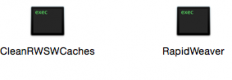
The MacOS folder contains 2 files

Screen Shot 2015-03-04 at 16.38.41.png

I might just stick the lot on Dropbox.

TBH, I'm pretty p***ed off as everything was working fine until I clicked Yes to update the plug-in. :banghead: Now it tells me the plug-in is missing but it's definitely there and where it should be.
 
Stick the lot in dropbox. If they have developed the plugin and it doesn't work then they can sort it out.

Is there an uninstall that works with the plugin? You could remove the new one that doesn't work then reinstall the previous version that did. Then at least you'd have it working.
 
The developers are the ones who supply the plug-in. They've specifically asked me to send them the original application (Rapidweaver) but I can't work out which specific file it is. I've asked them bu9t, due to time differences, it takes 24 hours before I get a reply

Can't you look at the properties of the thing that you click on to start the application to find out where it is on disk? I don't know how this works on OSX as I haven't has OSX running on my mini in over four years.

If it was Windows or linux (or even an unforked BSD) I could probably point you in the right direction, but Apple have mucked about with their fork of BSD so much I have no idea where anything lives.
 
Can't you look at the properties of the thing that you click on to start the application to find out where it is on disk? I don't know how this works on OSX as I haven't has OSX running on my mini in over four years.

If it was Windows or linux (or even an unforked BSD) I could probably point you in the right direction, but Apple have mucked about with their fork of BSD so much I have no idea where anything lives.

No, it just tells me it's in Applications. All I can do then is click Show Package Contents, the contents of which is what I've sent to the developer.
 
Looks like a permission issue to me. If the icon is showing like a shell script it somehow got messed up. The manifest should be able to restore that. Did you run a permissions check/repair?

Ps. The easiest way of finding things is just simply a spot light search. Press apple+space bar and start typing. Then click on all results and it will give you the folder locations.
 
The original application file should be

HD/Applications and then just the file "Rapidweaver". That file, and all the contents within it when you view "show package contents" are the application.

but the full application file is going to be around 40mb, so you're never going to email that, and I'm not sure why the devs would suggest it, as any problem is unlikely to be due to that application file. I could understand them wanting to confirm which version it was (select Rapidweaver, click Cmd-I (or right click it and get info)) to confirm there wasn't a version/plugin conflict.

Think the plugins should go into ~/Library/Application Support/Rapidweaver but it's been a few years since I've run it, wondering if this article
http://help.realmacsoftware.com/hc/en-us/articles/201567002-How-to-Copy-Addons-to-RapidWeaver-6
may help?

Looks like a permission issue to me. If the icon is showing like a shell script it somehow got messed up.

Those files hidden within show package contents folder "MacOS" always show like that, so that's normal.
 
Good point. I missed the bit that it was in the MacOs folder opposed the application folder.
 
Nice of them to be clear at the outset :D
 
Back
Top