Asked to fix a virus on XP...

RobertP

TPer Emeritus
Suspended / Banned
Messages
11,726
Name
Robert
Edit My Images
Yes
And i'm not getting very far :lol:

Daughters friends laptop - a Sony vaio. The hard drive is somewhere in the middle of the machine with no access door and I'm trying to avoid taking it completely apart to do the easy fix of removing the drive, taking off the data in a USB adaptor then wiping it.

There are 2 users. One has admin rights the other does not. Admin logs on to a blank desktop image - no task bar no start menu. Ctrl-alt-del gets a message box that task manager has been disabled by the administrator. Can't get anywhere.

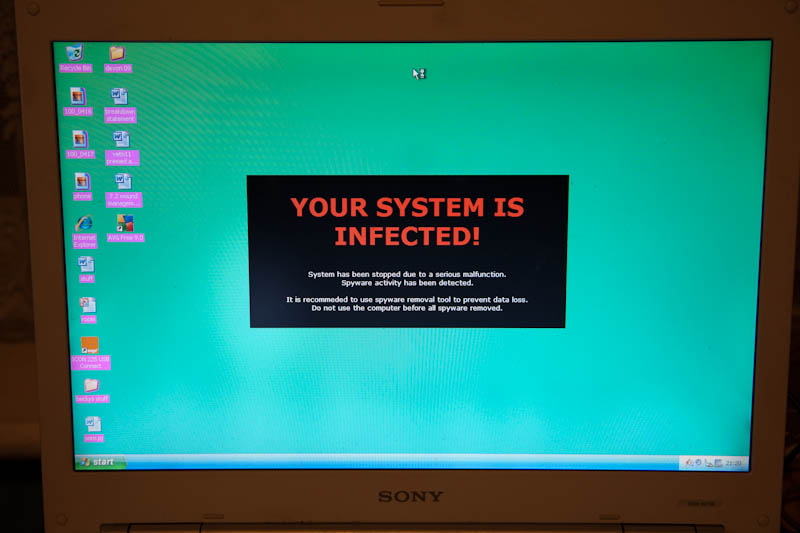
User1 logs on to a blank desktop background too but I can get task manager up and run explore.exe and get the task bar and start menu back..... and a big clue. 'Your Computer is Infected' is the desktop background. Which leads me to plenty of Google hits for this Internet security 2010 / Smitfraud type virus/malware.

Problem then is I can't do anything with administrator rights in order to fix it.

Safe mode is disabled completely. It boots as far as saying mup.sys in the file list then goes straight into a reboot.

Think I know what I'm going to end up doing but just wondered if anyone has any ideas before I break out the screwdrivers :)

Some kind of bootable CD that would let me do something useful?
 
Try running in safe mode then login as administrator

edit:
Sorry, gotta read properly.
 
Robert, there are a few boot CDs that you can download that give you a Linux desktop with access to the hard drive. Also some virus protection packages include such functionality. I will just have a look.....
 
I'm guessing it won't load into safe mode either :(

On the plus side if you need to wipe/rebuild the Vaio's have a great inbuilt systyem for doign it extremely quickly :)
 
Just a thought, you could get a version of linux ubuntu which you can burn to a CD which auto boots...

Once it boots you will have access to your c drive which in the worst case scenario will let you back up your work and files.

Well worth a try?
 
But I guess he needs to salvage some important files, if he can't boot in safe mode then a boot CD might be his only chance.

edit:
ooopss.. gotta l;earn to type fast
 
And gosh, what an efficient forum this is! 4 different people giving sensible advice within a few minutes. Great to be a part of this forum :)
 
I'm guessing it won't load into safe mode either :(

On the plus side if you need to wipe/rebuild the Vaio's have a great inbuilt systyem for doign it extremely quickly :)

If there is something that runs from the bios that can do that then i need to find out about it... once i have both users data off the drive.

I don't mind a challenge like this but even i have limits and can see this virus being hard work lol
 
If there is something that runs from the bios that can do that then i need to find out about it... once i have both users data off the drive.

I don't mind a challenge like this but even i have limits and can see this virus being hard work lol

It should be one of the function keys that will trigger the reformat/return to factory default option
 
If there is something that runs from the bios that can do that then i need to find out about it... once i have both users data off the drive.

I don't mind a challenge like this but even i have limits and can see this virus being hard work lol

Let me reboot mine and will post in a bit...
 
Yes, you will. I did it the same reason a month back.As long as you can burn it onto another computer as an ISO - really simple process, is loads and runs very similar to Windows. Honest!
Infra recorder lets you burn an iso (a special file format) and it's freeware.

http://infrarecorder.org/
 
Yes, you will. I did it the same reason a month back.As long as you can burn it onto another computer as an ISO - really simple process, is loads and runs very similar to Windows. Honest!
Infra recorder lets you burn an iso (a special file format) and it's freeware.

http://infrarecorder.org/

no problem with iso's and burning. Just had visions of strange commands like bash and root or other unix terms I never really understood when I last tried to use Linux... many years ago.

Edit downloading now. A bit slow. 30 mins left
 
If you're really stuck I've got an image of ESET Sysrescue AV disk that I could upload for you... would just be a case of burning it to CD then booting from it... about 230mb so would take a while to get up to Rapidshare... probably overnight...
 
while logged in under the admin account can you press the windows key + E to bring up an explorer window?

Just turned it back on.

First press the cursor changed to an hourglass for a split second but nothing else happened. Admin user can't do anything apart from look at the desktop wallpaper.

I have to hold the power button for 5 seconds to kill the machine so i can reboot to get out
 
while logged in under the admin account can you press the windows key + E to bring up an explorer window?

if this does work try browsing to windows\system32 where you can either run:

explorer - then go off to the net and download something like spybot or malwarebytes
taskmgr - if above doesnt work there may be a process running stopping it, use task manager to find and kill
msconfig - stop it loading at startup

edit - balls.
 
taskmgr - if above doesnt work there may be a process running stopping it, use task manager to find and kill


edit - balls.

I'd love to but refer to post #1 lol

agree with the second comment :)

edit - something works - the screen saver has started up
 
Stick the CD in, it should boot up and it should end up looking like windows. No commands etc. I was under the same misconception and was pretty pleased with the results!
 
F3 brings up a repair option which may help or there is a last good config option although not sure the last good known will help any :(
 
Either go for the Emergency Boot CD or take the lappy apart to get the drive out. Shouldnt be that hard.
 
Either go for the Emergency Boot CD or take the lappy apart to get the drive out. Shouldnt be that hard.

I've taken apart and put back together laptops before. Not too bothered about it but also know how plastic lugs like to break when they shouldn't and how ribbon cables like not to connect so well when you refit them!
 
The boot disc I posted a link to earlier actually includes AVG anti virus so you can possibly fix it without re-installing.
 
I'd love to but refer to post #1 lol

oops.

this is a little odd to be honest, ive never seen any of the spoof anti malware programs cause this much of an issue. theyre designed to get your cash so "shouldnt" wreck your system..

boot cd it is then.. unless you want to start going down the road of parallel installs of windows and editing registries..
 
User1 with no admin access could probably go online and pay some money to the hackers. When i went to 'run' via task managers menu explore.exe was already filled in and ready to run - and there is no way the users would have had the nouse to have typed it in previously.

It is certainly clever!
 
I used to use a bootable XP disk for things like this, it runs a cut-down version from a CD Full windows Gui etc . BartPe i think it was, has usb support if you plugged in the drives before booting. Need an XP Disk to make it though.

Edit: linky http://www.nu2.nu/pebuilder/
 
Am uploading ESET image anyway... I'm baffled... it's uploading at 1000kb/s? Never seen anything like it with my crap 10mb line... will post links when done... worth a try I suppose.
 
Just for info..

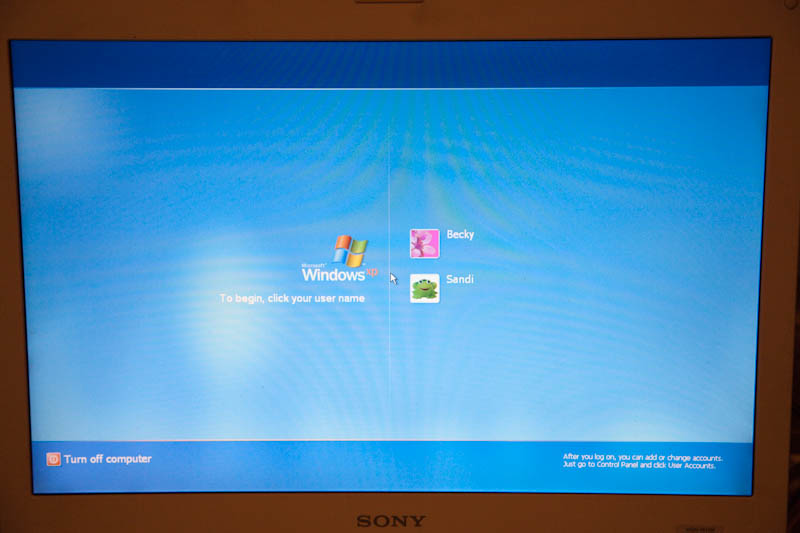
pc1.jpg


becky is admin sandi isn't
pc2.jpg


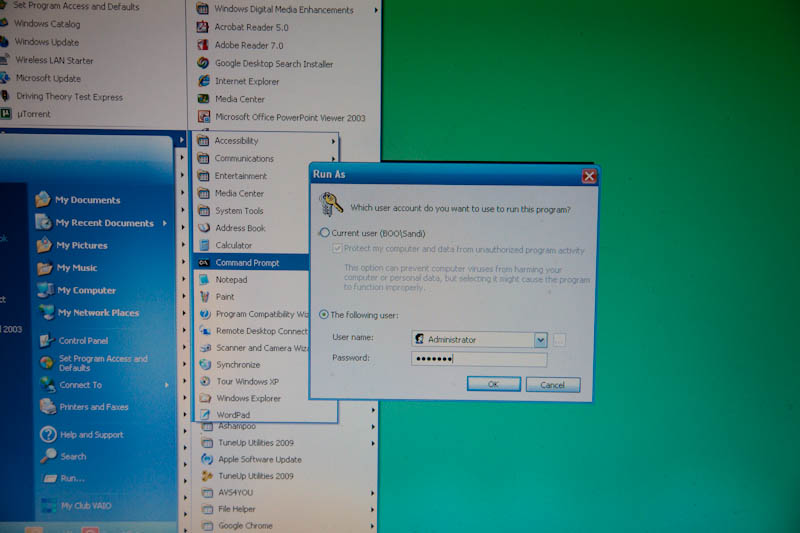
trying to get admin via 'sandi'
pc3.jpg


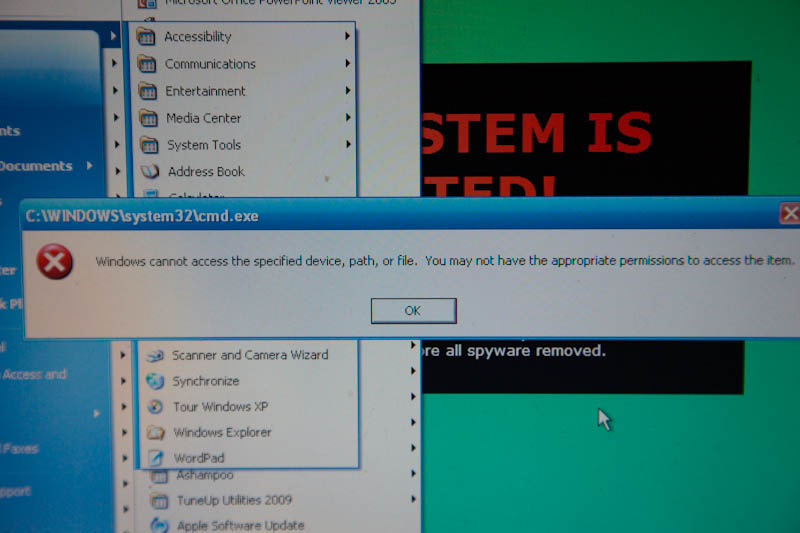
tried becky and password too in case admin was different. same result
pc4.jpg


I've now burnt the Linux ISO and 'mounted' the C drive and can see all the files. Just need to sort out something USB to copy them to.

Thanks for the offer Derek but I think I could be sorted so please cancel your upload.
 
This Ubuntu thing isn't bad :)

Copying lots of Gb to a USB hard drive now. I'll let Kaspersky on my machine loose on it once copying is finished.

great help as always. thanks team :)
 
The link to Ultimate Boot CD 4 Windows posted by Cowasaki was the best tool to use for this. During the creation part of the process, you get access to multiple anti virus and malware tools which can be used to fix issues like this without a reinstall. Worst case, you have file management tools which can do what you are doing now. Personally, I'd rather not copy potentially infected files to a clean machine without first attempting a scan.
 
In work atm so havent read through everything properly but rather than start in safe mode have you tried starting directory services mode? This may allow you access and so sllow the removal of the virus.

An alternative might be to simply reinstall windows and force it to overwrite the settings the virus has made, you can do this without losing the data on the hdd.
 
Good to see ubuntu worked well. I keep a copy near me most of the time as it's saved my bacon on a number of occasions. I'm also going to stick it on a memory stick so that for my little netbook I can plug it and boot from memory stick should there be any problems.

If you need any further help, just shout.

Neil G - from previous memory, I'm sure that it overwrites JUST the windows/programs folders and doesn't delete all files, so you should be able to access the files, but not run them until you install the relevant program such as Office etc.
 
I have you tried starting directory services mode?

Same result as a safe mode start - straight to reboot.

All the user files are now copied to an external HDD. I've made a Kaspersky rescue/recovery CD on my system and have booted the laptop with it and started it scanning. It has deleted a few things already and is still on 1%. scanning the recovery partition too just in case.

Could take a while to complete then I'll have to see if there is anything still working or if i go for reinstall.
 
Neil G - from previous memory, I'm sure that it overwrites JUST the windows/programs folders and doesn't delete all files, so you should be able to access the files, but not run them until you install the relevant program such as Office etc.

there you go then, couldnt remember which way around it was.

but yeah like you say youll have a fresh copy of the registry so programs will need reinstalling.
 
Kaspersky seems to have got it but the permissions are all still screwed. just double checking with the Ubuntu CD that I've found everything that needs backing up then I'll try the recovery partition. I'll see what F3 at boot says or look in the bios.

Edit. nothing in the bios. It's f10 for recovery. 1st step is a hardware quick test.... which says it will take 78 minutes! To be continued...

Edit 2 to save bumping the thread..... After a day of windows updates it is finally up to date and up and running. It had AVG on it before the virus. I've put microsofts security essentials on it now. Ready to go back to its owner. I'm getting low on beer so hope to have some more stock soon :)
 
Back
Top