Are subjects softer the further they are away? UPDATED: Lens sent for repair

jamin100

Suspended / Banned
Messages
1,208
Name
Ben
Edit My Images
Yes
I've got a quite newbie ish question that im trying to get my head around. Ive just got a Sigma 70-200 for my D90. Im testing it in the garden on the kids at the moment.

I find that photo's I take at 200mm f2.8 when the subject is only say 10-15feet away are really sharp. Yet with the same settings but the subject now 35feet away then the subject is very soft.


Here's what i mean. Both images were taken at 200mm f2.8 1/500 ISO400
Both are 100% crops.

Image 1 taken at roughly 12feet away

Screenshot2011-04-06at215541.png


Image 2 taken at roughly 35-40 foot away
As you can see the focus point was dead on his face.
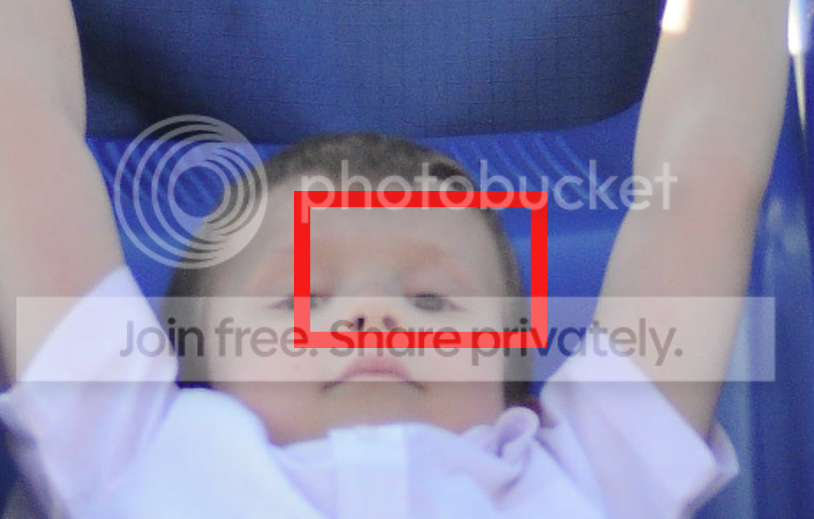
Screenshot2011-04-06at215455.png
 
Last edited:
At F2.8 the depth of field will be very narrow, so anything outside of this will be OOF.
Looks like you lad moved a bit during the shot?

If you want sharper shots whilst people are moving, then you need to go with a larger aperture number (smaller hole, allows less light so you need a slower shutter speed) to get a crisper shot.

You also need to remember that at that distance any movement in the camera will mean a blurry shot.
 
Some of that info above is just wrong. Not at my desk do will try to give a proper answer tomorrow. Looks like it could be a focus issue with the lens. Hard to tell on a phone.

Sent from my iPhone using TP Forums
 
That looks like a focus issue to me, but yes things further away will be inherently softer as you shoot through more crud in the atmosphere, although at distances greater than 35feet. :)
 
Some of that info above is just wrong. Not at my desk do will try to give a proper answer tomorrow. Looks like it could be a focus issue with the lens. Hard to tell on a phone.

Sent from my iPhone using TP Forums


Well if you are using the same focal length and the subject is further away you wouldnt expect the same detail to be present because in the first image lets say there is 500 pixels making up one eye, in the second image there might only be say 100 pixels. That doesn't mean it shouldn't appear sharp though.

There seems to be a problem with focus, the pattern in the blue area in the 2nd image appears to be sharper than the boy, and it seems that area is behind his head, so I don't think you nailed the focus on that one.

Remember the DOF is very shallow at 2.8, look at the first picture the eye to camera right is pretty sharp but the other eye is already soft and the difference in distance from camera position can't be more than about an inch.

I know this isn't a critique but I would also suggest that when taking a close shot of someone at a shallow DOF, focus on the eye closest to camera position. It's not a hard and fast rule but it's usually one I live by ;)


Oh one more thing, us the lowest (native) ISO possible, if you don't need the extra shutter speed. For the D90 I think that is ISO 200, the lower the noise the cleaner and sharper the small details will appear.
 
Last edited:
I can't see how the aperture would have any effect on the 2nd image not being sharp, if anything it should make it easier.

On a d90 the DoF at 200mm 2.8 at 12ft = 0.12ft, same settings at 35ft is just over 1ft.

As mentioned, the ISO will play an part, however, it could be possible the lens itself is back focussing?
 
Suspect a user-focus issue. Nailing it 100% with a 200mm lens at f/2.8 is not easy.

Need to see the whole of the second image to see where the focus actually is, but the AF point marker only shows which AF point was used, not necessarily where the subject was when the lens was focused. If there is any delay between focusing and shooting, and usually there is, then it's going to be different.
 
Thanks for all your comments so far.
Im going to get one of the kids to stand still (if thats possible) tonight and take the same shot but from varying distances.

I'll keep my ISO at 200 but use a fast a shutter speed as possible.
I'll post the new images this evening.
 
Image 2 looks a lot less sharp than it should be. However the difference in distance between the two shots should have no proactical effect on focus. Indeed the depth of field would be greater in shot 2 - all other things being equal. Your shutter speed was fast enough and should have guaranteed no camera shake. It's likely you just missed focus - or possibly a problem with the lens - shot 1 is not what I'd call sharp enough either.

For your test I wouldn't use kids - find a static subject in good light - put the camera on a tripod and then do your sidtance tests. However, as I said the distance should make no difference - if anything the closer shot would be harder to get accurate focus - and be more likely to throw up any problem with the lens.

BTW in post 2 above the phrase 'larger aperture number' is confusing - because he means a smaller aperture. The comment in that post about 'at that distance any movement in the camera will mean a blurry shot' is also confusing. Distance has no effect on blur - shutter speed has and nothing else. What he possibly means is that if you moved after focusing then the focus point may have changed. But your close up shows that is not the case. HTH
 
Image 2 looks a lot less sharp than it should be. However the difference in distance between the two shots should have no proactical effect on focus. Indeed the depth of field would be greater in shot 2 - all other things being equal. Your shutter speed was fast enough and should have guaranteed no camera shake. It's likely you just missed focus - or possibly a problem with the lens - shot 1 is not what I'd call sharp enough either.

For your test I wouldn't use kids - find a static subject in good light - put the camera on a tripod and then do your sidtance tests. However, as I said the distance should make no difference - if anything the closer shot would be harder to get accurate focus - and be more likely to throw up any problem with the lens.

BTW in post 2 above the phrase 'larger aperture number' is confusing - because he means a smaller aperture. The comment in that post about 'at that distance any movement in the camera will mean a blurry shot' is also confusing. Distance has no effect on blur - shutter speed has and nothing else. What he possibly means is that if you moved after focusing then the focus point may have changed. But your close up shows that is not the case. HTH

Thanks Andrew, I'll do some tests tonight and see what happens.
Depending on the results I may send it to sigma for calibration as from what I can tell it only costs £38.
 
One thought, would back button focusing be a possible cause as its set to continuous?
Would Single be better at that focal length?
 
Back button on continuous - is THE best way to work - always. It gives tou the best of both worlds - hold your thumb on the back button - you have continuous focus - essential for moving sujjects - take your finger off the back button - or just stab and off - and you have the equivalent of single. Combine with 51pt 3D - if your camera has that - and you have the ultimate focusing system.
 
Back button on continuous - is THE best way to work - always. It gives tou the best of both worlds - hold your thumb on the back button - you have continuous focus - essential for moving sujjects - take your finger off the back button - or just stab and off - and you have the equivalent of single. Combine with 51pt 3D - if your camera has that - and you have the ultimate focusing system.

:thinking:i knew that lol.
Well these were taken with Back button focusing continuous but never tried it with 3D tracking so I'll give that a pop aswel tonight.
 
At F2.8 the depth of field will be very narrow, so anything outside of this will be OOF.
Looks like you lad moved a bit during the shot?

If you want sharper shots whilst people are moving, then you need to go with a larger aperture number (smaller hole, allows less light so you need a slower shutter speed) to get a crisper shot.

You also need to remember that at that distance any movement in the camera will mean a blurry shot.

none of the image is in-focus....:shrug:

''lad moved'' No.... shot at 1/500

smaller aperture will give greater DOF but the last thing with kids is a slow shutter speed.............raise the ISO..?
 
He didnt move but I may have recomposed Or used one of the outer focus
points.
 
With 51pt 3d focus - you focus on the face - keep the back button pressed and move the camera to follow the subject or recompse and the focus point moves with you tracking the subject. magic! It really does work.
 
I'll give it a try tonight. The D90 only has 11 points so it might not work aswel.
 
then you don't have 3D tracking :( - glad there are 'extras' when you spend on a D3!!
 
then you don't have 3D tracking :( - glad there are 'extras' when you spend on a D3!!

According to the manual it does?

3D Tracking - Similar to Dynamic area but with the intelligence to track a moving subject real-time within a stationary or panning frames. Good for unpredictable, moving subjects. This is achieved with the use of the built-in 420-pixel RGB sensor to track subjects in motion.
 
yep - just checked your D90 manual - you have 3D tracking with 11 points - give it a go.
 
yep - just checked your D90 manual - you have 3D tracking with 11 points - give it a go.

Do you really think that'll work at f/2.8 Andrew? There's zero DoF in the first shot. I would not be comfortable leaving a decision that critical to any automated system - too much chance of it picking up on the wrong part of the face? And a D90 is not a D3 in the AF department.
 
I don't know - but that's why I said 'give it a go' - nothing to lose in a test. I kinda hope it's not as good as a D3 - seriously - with only 11 AF points it probably isn't - it certainly works very well on the D3.
 
I don't know - but that's why I said 'give it a go' - nothing to lose in a test. I kinda hope it's not as good as a D3 - seriously - with only 11 AF points it probably isn't - it certainly works very well on the D3.

:thumbs:
 
Looks like you just missed focus. The chair (or whatever the object is behind the boy) looks sharper in focus.
 
Ok here's another test. I dont have a tripod so can only hand hold but I made sure a was as steady as possible. ISO was 200, F2.8 200mm and shutter speed was very high

Both images were focused on the word TIPS.

Taken at 11feet away

1.
Flickr_.jpg


100% crop

1.1
Screenshot2011-04-07at182821.png


Taken at 33feet away

2.
Flickr_-2.jpg


100% crop


2.1
Screenshot2011-04-07at182835.png
 
Last edited:
closer shot looks sharper - I'd get the lens checked out.
 
Another test I performed was to take a photo of my son with the same distance between (10 feet) us on each shot but at different focal ranges. These are all 100% crops but I think something is defiantly wrong.

3. 70mm

Screenshot2011-04-07at182636.png


4. 105mm
Screenshot2011-04-07at182706.png


5. 200mm
Screenshot2011-04-07at182738.png
 
I would agree. Personally I've given up on Sigma lenses - all my kit is Nikon now.
 
There is an other possible point...

If you were taking landscapes and saying the leaves in the trees in the background weren't sharp that would be because the image detail isn't there. If you zoom in in PS you are digitally zooming rather than optically, if you see what I mean. I would certainly expect the items in the foreground to be sharp though.

Not sure if this makes sense, but I know what I mean..... :)
 
String said:
There is an other possible point...

If you were taking landscapes and saying the leaves in the trees in the background weren't sharp that would be because the image detail isn't there. If you zoom in in PS you are digitally zooming rather than optically, if you see what I mean. I would certainly expect the items in the foreground to be sharp though.

Not sure if this makes sense, but I know what I mean..... :)

Yeh I see what your saying but at this distance they should be a lot sharper than that

Sent from my Nexus One
 
No haven't tried that. I'll give it a go tomorrow. Have emailed sigma to see what they say

Sent from my Nexus One
 
Are you able to set a single, spot focus point and use that, rather than allowing the camera to choose the focus point? It looks to me as if the camera has focussed on the wrong point. I've found this when experimenting with the different modes on my camera - the auto setting chooses the point of greatest contrast which is usually NOT where I want it to focus, so I simply use a single, central point.
 
Yes these are all shot with the central focus point

Sent from my Nexus One
 
Yes these are all shot with the central focus point

Sent from my Nexus One


Its hard to be sure because of the type of test shots but it looks like your lens is backfocusing a little.

Now you can set up a much better test shot to see if this is the case but you really need to get the camera locked down on a tripod IMO.

You need something vertical and stationary in your shot to focus on, the box you used will do. And some way of seeing where in the shot the lens is in focus, some other objects, a ruler etc. Have a look at how this guy has done it, just make sure you focus on something vertical, dont shoot a focus chart or ruler at an angle.
http://www.komar.org/faq/camera/canon-back-focus-problems/


While your at it do the test using live view. This should show you how sharp the lens is because it uses the image sensor itself and adjusts focus until the image is sharp using contrast detection.


I think you are going to end up having to take the lens back and report your problems, would be nice to know a bit more about whats going on if you could be bothered though, that way you know what to test for to be sure the problem is solved when you get it back.
 
jamin100 said:
Yes these are all shot with the central focus point

Sent from my Nexus One


BTW another reason I suggest doing it on a tripod etc is you often hear people saying their equipment isn't calibrated properly etc and it turns out to be user error. I think you might have a real problem here though.
 
I've noticed that none of the images are as sharp as they should be, i have the MK1 non macro 70-200 f2.8 and it's tack sharp, i suspect there's a fault with the lens possibly.
 
If you haven't got a tripod place the camera on a table to keep it still, you need to remove every possibility of user error to test a lens
 
Its hard to be sure because of the type of test shots but it looks like your lens is backfocusing a little.

Now you can set up a much better test shot to see if this is the case but you really need to get the camera locked down on a tripod IMO.

You need something vertical and stationary in your shot to focus on, the box you used will do. And some way of seeing where in the shot the lens is in focus, some other objects, a ruler etc. Have a look at how this guy has done it, just make sure you focus on something vertical, dont shoot a focus chart or ruler at an angle.
http://www.komar.org/faq/camera/canon-back-focus-problems/


While your at it do the test using live view. This should show you how sharp the lens is because it uses the image sensor itself and adjusts focus until the image is sharp using contrast detection.


I think you are going to end up having to take the lens back and report your problems, would be nice to know a bit more about whats going on if you could be bothered though, that way you know what to test for to be sure the problem is solved when you get it back.

Easier set up than the link. Kitchen worktop is a handy place for these things provided you have enough distance to make it realistic.

Worktop is a nice height, flat and square, and the floor often has a pattern which makes lining up the tripod easy.

IMG_3381-1.jpg
 
Back
Top