Any Android experts?

michaelg

Suspended / Banned
Messages
564
Name
Michael
Edit My Images
Yes
I have a Samsung Galaxy Tab 4 (10" version) and I have a 64Gb SD card in it.

But despite hardly having anything on it, it's telling me I have no space for further app updates. I've moved as many apps as allow it to the SD card but still seem to have no space.

Not sure what info you'd need to help but please ask away. All my Google searching has achieved nothing so far :(
 
Yeh, thats happened to to me a few times. (Same tab) I had to disable some of the apps stored on the tablet, NOT the card.
There are a lot of apps that just cannot be stored on an SD card!
 
Last edited:
Try one of the storage space analysing apps, may find you've got some unexpected things taking up space. Think the one I used was Storage Analyzer and Disk usage by Anton Patapovich. Showed me some big files I'd forgotten I had downloaded.
 
Try one of the storage space analysing apps, may find you've got some unexpected things taking up space. Think the one I used was Storage Analyzer and Disk usage by Anton Patapovich. Showed me some big files I'd forgotten I had downloaded.
Think I will need to connect to a computer to try that as it won't let me download any more apps in the meantime.
 
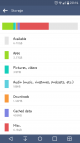
If you go to Settings>Storage you will see two items at the bottom called cache and miscellaneous.

For Cache just click it and accept the option to clear cache.
For Miscellaneous click on it and you can scroll through and identify antthing that doesnt need to be kept.

If your tablet doesn't clear its cache automatically then it can soon mount up and eat space.
Screenshot_2016-01-25-20-14-42.png
 
Last edited by a moderator:
If you go to Settings>Storage you will see two items at the bottom called cache and miscellaneous.

For Cache just click it and accept the option to clear cache.
For Miscellaneous click on it and you can scroll through and identify antthing that doesnt need to be kept.

If your tablet doesn't clear its cache automatically then it can soon mount up and eat space.
View attachment 55321
I just tried doing that as it turns out I have 4Gb of files but it said Security Policy restricts clearing this data. I tried twice and now it's showing 518Mb. For the miscellaneous files,is about 736Mb. Any guidance on what can be deleted?
 
Try running ccleaner from the playstore.
 
Are you restricted on cache clearing or deleting content from the miscellaneous?
 
Are you restricted on cache clearing or deleting content from the miscellaneous?
On the cache clearing but it seems to have deleted the bulk of it now so possibly problem solved - thanks!
 
Strange one as cannot understand why cache would be restricted but hey problem solved :thumbs:
 
Root it and put custom rom on it. Then there should be ways to move whole apps, not just the data to SD card.
Might investigate doing that at some point when I feel more adventurous! I'm just pleased to have solved this little problem!
 
Back
Top