

DalyanJC
Suspended / Banned
- Messages
- 166
- Name
- John
- Edit My Images
- Yes
Hi, I have recently started using Lightroom 3 and would like advice as to whether I am on the right lines with what I am doing.
Here is the original photo
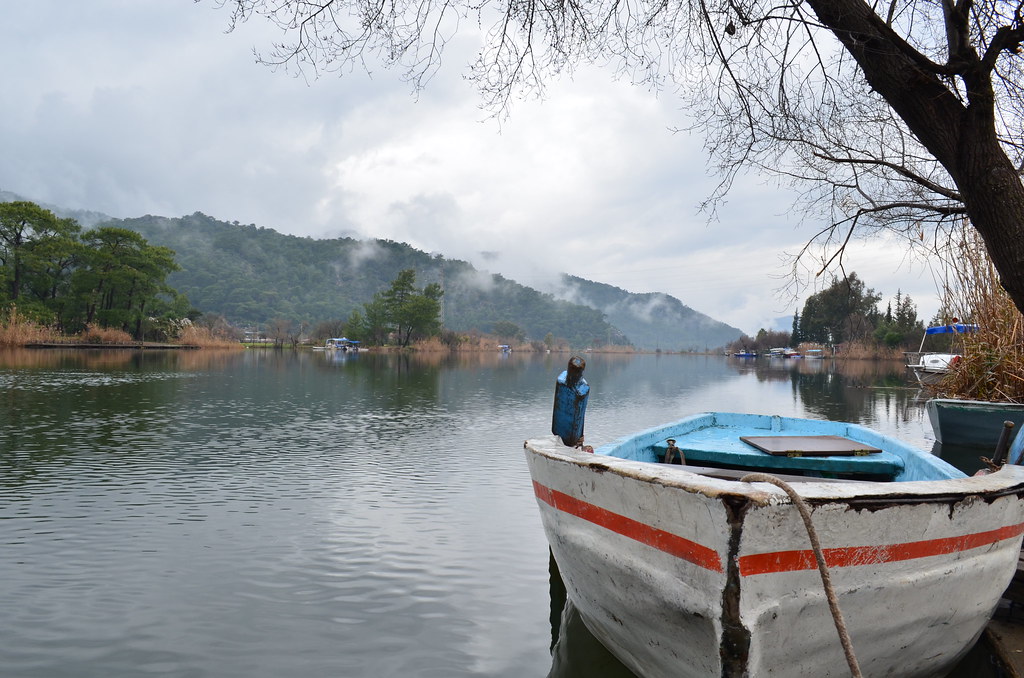
DSC_0078 by cennetfoto, on Flickr
and here it is after I have tweaked it in Lightroom,
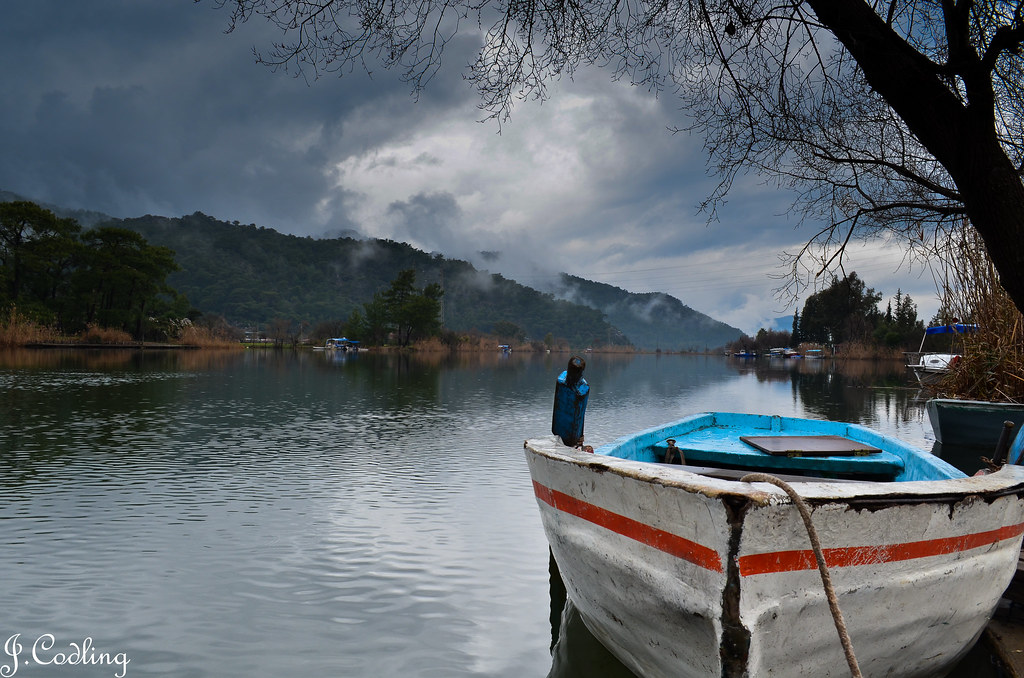
20120115-DSC_0078 by cennetfoto, on Flickr
I have introduced the nd grad filter option as I wanted the sky to look a bit more forboding but am not sure if I have overdone it or is there a better way of getting a similar effect. Rest was just tweaking levels here and there till I got what I thought was right although I think the trees to the left could be lighter perhaps.
Feel free to take the original and do your own post processing if you want to.
Here is the original photo
DSC_0078 by cennetfoto, on Flickr
and here it is after I have tweaked it in Lightroom,
20120115-DSC_0078 by cennetfoto, on Flickr
I have introduced the nd grad filter option as I wanted the sky to look a bit more forboding but am not sure if I have overdone it or is there a better way of getting a similar effect. Rest was just tweaking levels here and there till I got what I thought was right although I think the trees to the left could be lighter perhaps.
Feel free to take the original and do your own post processing if you want to.


