All things related to Apple phones & tablets

  • Thread starter Thread starter stupar
  • Start date Start date
What's a good authenticator app for an old (v1) iPhone SE, stuck at IOS 15? I've loaded Goggle Authenticator, but AFAICS I'd have to log in to a Goggle account for it to be useful, and for some reason that makes me suspicious. Ditto for a MS account, I guess. I do have 1Password 7 on the phone, but really only as a backup for the same thing on my Mac. The password is long; it's easy to type on the Mac, but an absolute pain on the iPhone, then when you get it open, blink and it's closed again!
 
Well my wife and I have joined the Apple iPhone crowd (still have my Pixel).

Picked up a Grade A iPhone 16 Pro Max (natural) from John Lewis yesterday, not a mark on it and Battery is 100% with a 20 count...£860 with the two year warranty and it is on our phone insurance also. Shows it has Apple warranty until October 2025 but no Apple Care (not that I am too worried). Wife got an iPhone 16 256 gb in ultramarine blue around £100 cheaper also (grade N - new).
First impressions is that Apple IOS (is it) is different a bit like Android from about 5 years ago in terms of its operation. Will take some time to adjust but I still have my Pixel 7 Pro (as does the wife).
 
What's a good authenticator app for an old (v1) iPhone SE, stuck at IOS 15? I've loaded Goggle Authenticator, but AFAICS I'd have to log in to a Goggle account for it to be useful, and for some reason that makes me suspicious. Ditto for a MS account, I guess. I do have 1Password 7 on the phone, but really only as a backup for the same thing on my Mac. The password is long; it's easy to type on the Mac, but an absolute pain on the iPhone, then when you get it open, blink and it's closed again!
The reason I was asking this was to help logging into something on the family Win10 box. I'm thinking maybe better to get Proton Pass for that, which allows me to explore itt with the possibility of putting it on our other platforms!
 
What's a good authenticator app for an old (v1) iPhone SE, stuck at IOS 15? I've loaded Goggle Authenticator, but AFAICS I'd have to log in to a Goggle account for it to be useful, and for some reason that makes me suspicious. Ditto for a MS account, I guess. I do have 1Password 7 on the phone, but really only as a backup for the same thing on my Mac. The password is long; it's easy to type on the Mac, but an absolute pain on the iPhone, then when you get it open, blink and it's closed again!
I used to use Google Authenticator, since before you could even sign in to it, although these days, for simplicity, I use the built in Apple one, as that syncs to my Macs etc. Although I expect that you will not be able to run it on iOS 15.
 
Just seen this in the Apple Feedback app. I just know you've been waiting for them. :)

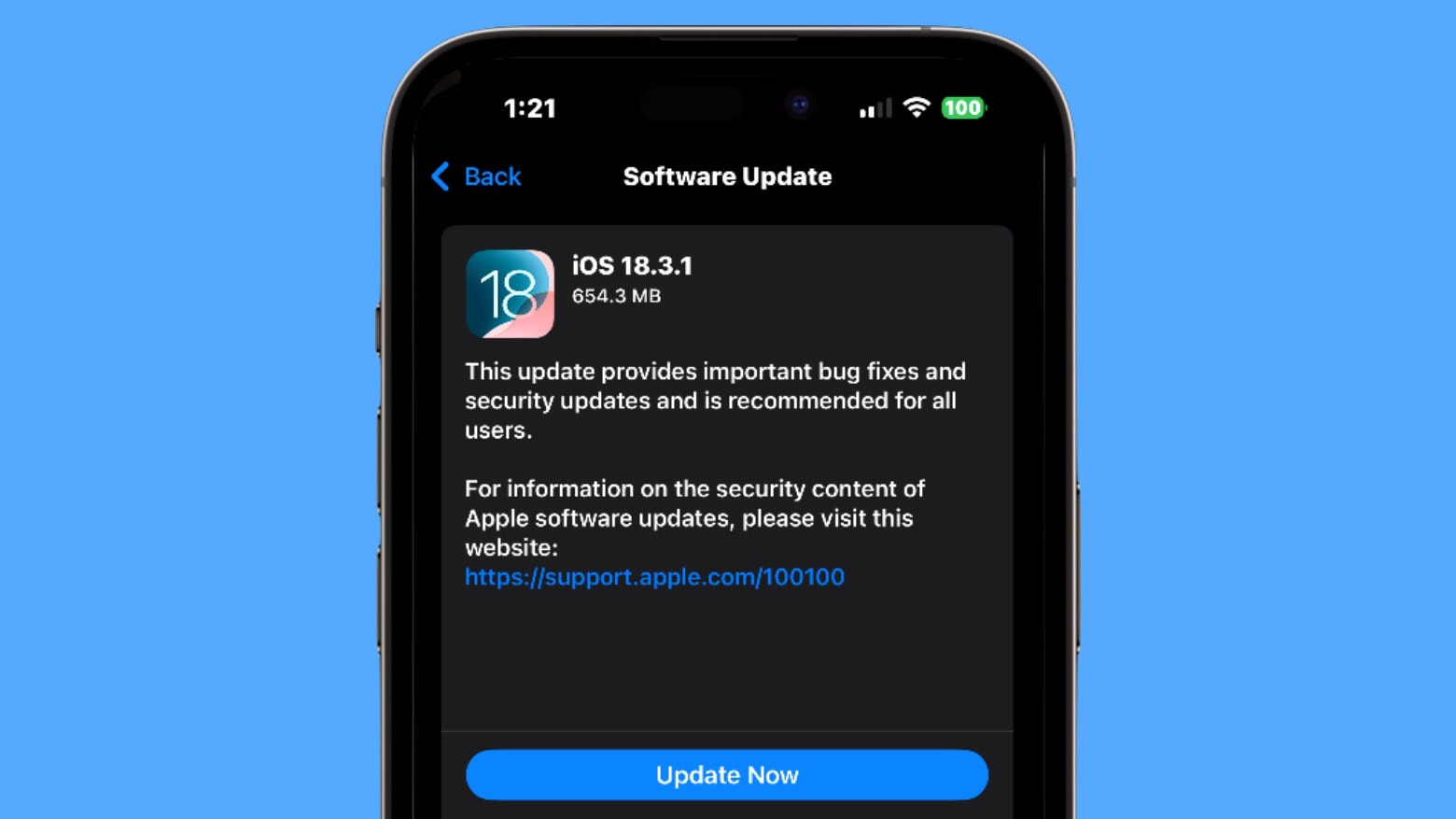
The final versions of these updates are now publicly posted and available through Software Update:

  • HomePod 18.3 build 22K557
  • iOS & iPadOS 18.3 build 22D63
  • iOS & iPadOS 17.7.4 build 21H414
  • macOS Sequoia 15.3 build 24D60
  • macOS Sonoma 14.7.3 build 23H417
  • macOS Ventura 13.7.3 build 22H417
  • tvOS 18.3 build 22K557
  • watchOS 11.3 build 22S555
 
Only just completed the last round for me & SWMBO!
 
I'm afraid so. A very bad move on Apple's part, IMO.
I only very recently upgraded from an iPhone SE version 1 to a version 3, moving from IOS 15 to 18.2 in the process. So I'm not very familiar with the latest gizmos. But I couldn't find any way of telling it I wanted to opt in to the "Apple Intelligence". Not that I want to, but I wanted to see where the settings live in case I have to opt out in future, though I'll certainly try to stick with 18.2 for a while.
 
Is there a difference between opting in and not using Apple AI and opting out? To be honest from what I have seen it holds no interest for me at all.
 
Is there a difference between opting in and not using Apple AI and opting out? To be honest from what I have seen it holds no interest for me at all.

It does some fancy photo search, emoji stuff?

Not really worth it for me.
 
Last edited:
I only very recently upgraded from an iPhone SE version 1 to a version 3, moving from IOS 15 to 18.2 in the process. So I'm not very familiar with the latest gizmos. But I couldn't find any way of telling it I wanted to opt in to the "Apple Intelligence". Not that I want to, but I wanted to see where the settings live in case I have to opt out in future, though I'll certainly try to stick with 18.2 for a while.

The SE versions don't support Apple Intelligence. Only a few models do:
  • iPhone 16
  • iPhone 16 Plus
  • iPhone 16 Pro
  • iPhone 16 Pro Max
  • iPhone 15 Pro
  • iPhone 15 Pro Max
Is there a difference between opting in and not using Apple AI and opting out? To be honest from what I have seen it holds no interest for me at all.

Yes. If you leave it switched on but don't use it, you lose a fair bit of storage space, and your battery won't last as long.

 
I'm currently using a "15 Pro Max" with Apple Intelligence switched on. I'm a little confused about activating the latest update 18.3, If I do activate that update will I lose all Apple Intelligence or will I still be able to activate it ? I'm not bothered about the extra memory etc needed as I have the 1tb version of iPhone.
 
I'm currently using a "15 Pro Max" with Apple Intelligence switched on. I'm a little confused about activating the latest update 18.3, If I do activate that update will I lose all Apple Intelligence or will I still be able to activate it ? I'm not bothered about the extra memory etc needed as I have the 1tb version of iPhone.

Apple Intelligence is on by default in 18.3. For some strange reason Apple decided to make it opt-out. It will be updated automatically as part of iOS. You're good to go, George. :)
 
Apple Intelligence is on by default in 18.3. For some strange reason Apple decided to make it opt-out. It will be updated automatically as part of iOS. You're good to go, George. :)

Many thanks Garry, much appreciated. (y)
 
Last edited:
It means eventually no UK customer data stored on iCloud - Apple's cloud storage service - will be encrypted, making it all accessible by Apple and shareable with law enforcement, if they have a warrant.
 
Upgraded my ageing MacBook Pro to a lovely MacBook Air courtesy of our business a few weeks ago and having just hit 66 my treat from my wife is a new iPad.

Settled on the 13” air as that is plenty good enough but trying to put off the purchase until the new model is introduced so I can decide on the new model or current one cheaper

Anyone any insights as to a launch date or do I just pull the trigger now and enjoy it ?
 
Upgraded my ageing MacBook Pro to a lovely MacBook Air courtesy of our business a few weeks ago and having just hit 66 my treat from my wife is a new iPad.

Settled on the 13” air as that is plenty good enough but trying to put off the purchase until the new model is introduced so I can decide on the new model or current one cheaper

Anyone any insights as to a launch date or do I just pull the trigger now and enjoy it ?
Looks like it is in 12 days, possibly:
 
Good news if you have an iPhone 12 and wanted to stay on the dev beta track, and also if you have an iPhone 16e. And it looks like 18.4 beta 2 is also available for the rest of us living on the bleeding edge.

 
Last edited:
A question for the experts:

I might be in the market for an IPad, I had one years ago (the first IPad Air I think)

It's only for casual use, websurfing, a bit of TV on flights etc. so I don't really need much more than what I had previously, perhaps more storage (256GB) for a bit of photo downloading on holiday - but I'm not looking for a Photoshop workhorse.

So I've looked at the refurb store - and I've no idea what the real world difference is between a Gen 10 IPad, a 5th gen IPad Air, or whether there's anything to gain from waiting for the new IPad.

Any ideas, thoughts?
 
My wife and I have both had iPad Air 3’s for a while. She recently replaced hers (the touchscreen was being randomly insensitive often enough to be annoying) with an iPad 10th generation 256GB. Side by side they are similar. A lot of commentary mentions the differences in screen technology (Air is laminated, regular iPad is not). I can’t really see much difference, both are very good.

Both of our Air 3 devices developed ‘white’ spots about an inch from the home key, this is apparently a common issue. I don’t know if it’s due to the laminated screen technology or not.

My Air3 was playing up on holiday (also random touch sensitivity) and I was close to getting a 10th gen iPad like hers (and still might). But, it’s been ok since, so at least for the time being I’m sticking with it.

The new 11th gen iPad comes out next week (already on Apple Store for pre order). Apparently it’s the only iPad in the current line-up to not be compatible with Apple AI, which may or may not be an issue I guess.

So, if I want Apple AI, I’d be looking at a new or Apple refurbished iPad Air 5


If I’m ok without Apple AI, I’d be looking at a new or refurbished iPad 10th gen, but only after I’ve seen the offers on 11th gen. Especially as new 10th generation devices may well be on discounted offers at places like John Lewis.

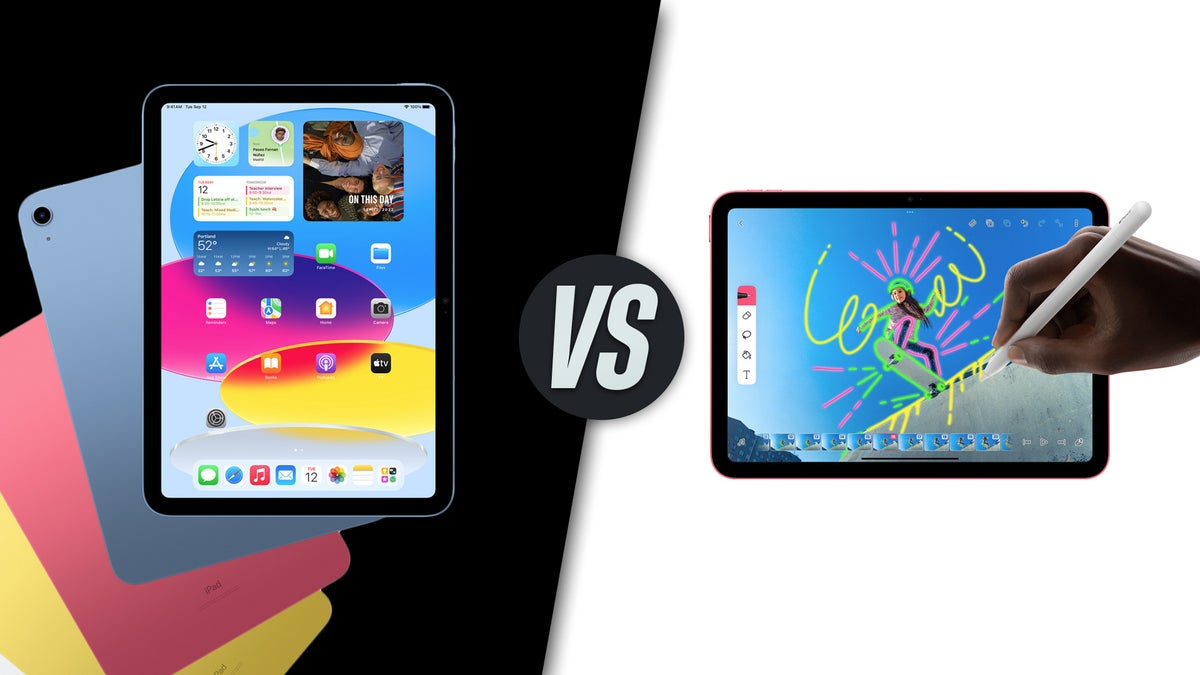
Edit: Here’s a comparison of 10th gen and 11th generation devices iPads.

 
Last edited:
A question for the experts:

I might be in the market for an IPad, I had one years ago (the first IPad Air I think)

It's only for casual use, websurfing, a bit of TV on flights etc. so I don't really need much more than what I had previously, perhaps more storage (256GB) for a bit of photo downloading on holiday - but I'm not looking for a Photoshop workhorse.

So I've looked at the refurb store - and I've no idea what the real world difference is between a Gen 10 IPad, a 5th gen IPad Air, or whether there's anything to gain from waiting for the new IPad.

Any ideas, thoughts?

I use my iPad more than my phone or Mac. This is just for everyday use, email, surfing, catch up tv and similar. I have the Adobe apps but I use the Mac for photo editing. I have had two basic models but when the last one died I treated myself to the Air as the screen was better and thinner.

For your use the basic model should be more than adequate. I wouldn’t bother to wait for the new model and given Apple storage is expensive I wouldn’t go for a large amount. There are other cheaper ways to store photos.

Refurbs are generally fine but I wouldn’t go too far back in the model range as some apps will not work.
 
My wife and I have both had iPad Air 3’s for a while. She recently replaced hers (the touchscreen was being randomly insensitive often enough to be annoying) with an iPad 10th generation 256GB. Side by side they are similar. A lot of commentary mentions the differences in screen technology (Air is laminated, regular iPad is not). I can’t really see much difference, both are very good.

Both of our Air 3 devices developed ‘white’ spots about an inch from the home key, this is apparently a common issue. I don’t know if it’s due to the laminated screen technology or not.

My Air3 was playing up on holiday (also random touch sensitivity) and I was close to getting a 10th gen iPad like hers (and still might). But, it’s been ok since, so at least for the time being I’m sticking with it.

The new 11th gen iPad comes out next week (already on Apple Store for pre order). Apparently it’s the only iPad in the current line-up to not be compatible with Apple AI, which may or may not be an issue I guess.

So, if I want Apple AI, I’d be looking at a new or Apple refurbished iPad Air 5


If I’m ok without Apple AI, I’d be looking at a new or refurbished iPad 10th gen, but only after I’ve seen the offers on 11th gen. Especially as new 10th generation devices may well be on discounted offers at places like John Lewis.

Edit: Here’s a comparison of 10th gen and 11th generation devices iPads.

Well it looks like the new one is only a marginal improvement, and the £110 saving by buying an Apple refurb 10th gen feels like a no brainer.


Last edited:
If you installed the security updates mentioned in my post above, you'll probably find Apple Intelligence turned back on by default. :rolleyes:
You'll find the switch at the top of the page in Settings, Apple Intelligence and Siri.
No change in mine but thanks for the heads-up. (y)
 
Gutted and annoyed with myself.

Looking at a 13" iPad Air for a while on Curry's site as I have a 0% account set up and the outgoing 2024 model went from £779 to £629 last night. Went to buy this morning and they have all gone :-(

Going to get the 2025 model (which was my original aim) for £799 but I believe the upgrade is nothing major. My fault for delaying.
 
If you installed the security updates mentioned in my post above, you'll probably find Apple Intelligence turned back on by default. :rolleyes:
The inability to run "Apple Intelligence" is one of the reasons I have just recently bought an iPhone SE (3rd generation) to replace my 1st gen SE! The other was that I wanted a home button. And I later discovered the 3rd good reason: it was cheaper than the iPhone SE16!
 
So, I purchased a music streaming unit (WiiM Pro Plus) which works fine with my iPhone 15 via AirPlay from Apple Music. However, I really wanted to use my iPad, but it seems to lack Airplay other than to Apple TV. It’s an iPad Pro (12.9-inch) running IOS 16.7.10.

Is there any chance of me getting it to link via Air Play to the streamer?
 
Back
Top