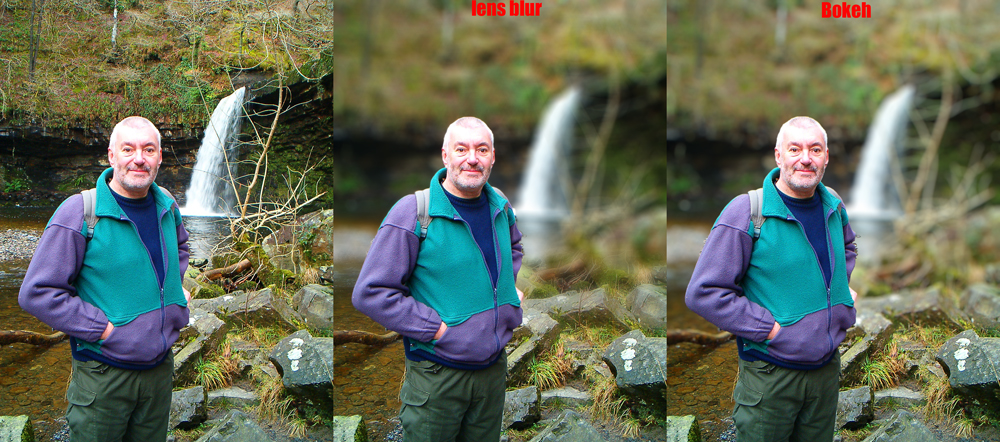
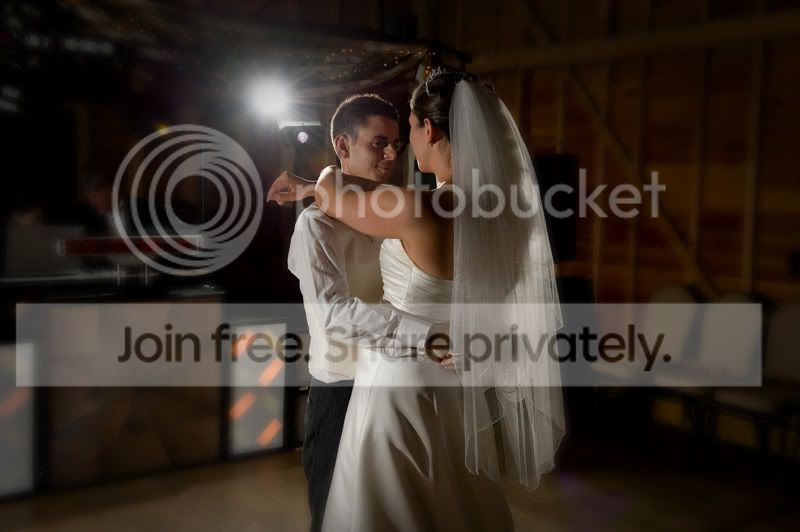
Alien Skin Bokeh?

Interesting...
I see you can opt for a 30 day trial - beats shelling out $200. May give this ago
 
Bokeh is a Photoshop plug-in that lets you manipulate focus just like expensive fast lenses. Accurate simulation of real lenses gives photo-realistic distinctive blurring and creamy highlights.
To manipulate depth-of-field, you first need to make a careful selection around your foreground object before running Bokeh. Bokeh can accurately blur the background, but the detailed selection is up to you.

For $199

I remain unconvinced
 
Not sure what it does that photoshop doesn't do out of the box?

I think it's supposed to give a more lens-like blur/bokeh than photoshop's various blur filters do. there was a mention of it being able to create bokeh similar to the nikkor 105mm lens.
 
You do need a fairly recent version of PS for it to work, and for what it does I'd say it's expensive. Wayne
 
Expensive. Does the job but I think those examples are not good - too overdone and it takes the subject out of context.
 
It does seem like a quick and easy way to add bokeh to your shots.... after you've spent a lot of time carefully masking the foreground object.
 
You just contradicted yourself Redeye - quick and easy - lot of time masking? :)
 
Meh, I'd feel like I'd cheated if I did this to my photos, kinda takes the excitement out of doing it with the camera... Don't get me wrong, I like to fiddle about in PS myself but this just seems wrong to me :shrug:
 
I think it's supposed to give a more lens-like blur/bokeh than photoshop's various blur filters do. there was a mention of it being able to create bokeh similar to the nikkor 105mm lens.

It costs nearly a third of what that lens costs, if it were $50 then it would be closer to the mark but $200 !! I think I would rather spent the money on the glass.
 
Well I just gave it a go, and to be honest it's pretty good, it does a nice job of not leaving a halo like gausine blur tends to, and theres some presets (like canon 85mm 1.2 etc) it also does vignettes, and a sort of lensbaby effect, although theres no CA in that only the bluring so not very accurite compared to the LB shots I have seen.
It doesn't seem to be able to load a channel mask as a selection (maybe I'm missing something?) and I'd like to be able to add more planer blurs (not just one) but again I haven't had much time to play with it, so I might have missed something.
For me the killer is the price, I could pretty much duplicate the effects with the lens blur filter and a layer mask in nearly the same time as I could with this, addmittedly it's easier but £200. And lets be honest the tricky part is making the selection in most cases. Wayne
 

Yes it works without the open GL acceleration graphics needed for focal point.
Bokeh does a good job, plus it's easier to use than the lens blur filter, for this comparrison I had to make an alpha channel and a layer mask for the lens blur version. Bokeh just uses the selection, easier and quicker, it also does vignettes, a sort of lens baby type effect, and can add effects to the highlights in the background as well.
Whether it's worth £200 is a different question, if you used it every day and saved time in your workflow, it might be justified, otherwise.....
Wayne
3428269463_f114fa7d41_o.jpg
 
Managed to procure a copy of this. Here's my effort. Original shot was through an 11-16mm @ f8 so was little blur to begin with...

3920824739_22c17bfd62_o.jpg


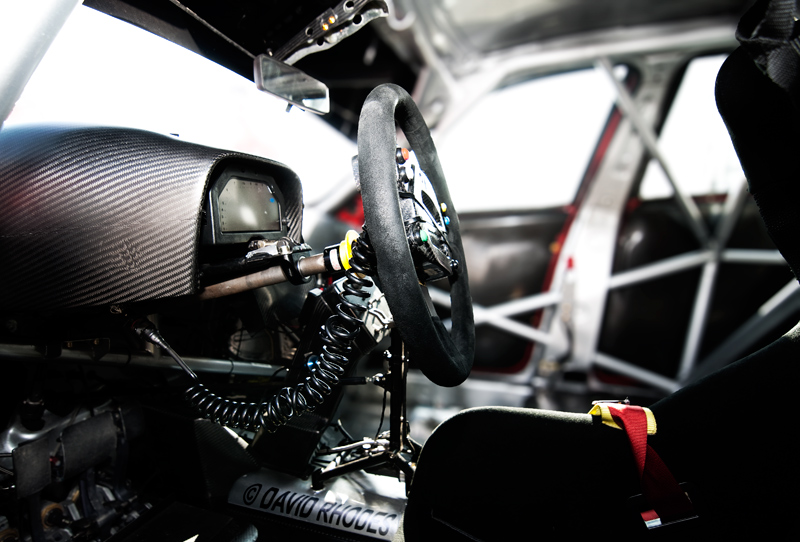
Overall, I was impressed with the subtlety of the result. I was aiming for the effect of miniturising the subject as if it were a macro model shot. The hardest thing was the masking process; trying to differentiate between what was close/faraway.

I ended up with a 3 mask system (foreground, mid, background), then using Bokeh I started at the 'back'. I found a little less is more to begin with as the software does its conversion via a newly created layer. I then applied the next mask to that layer. This way you can kind of judge how the eye will be fooled into percieving depth.

The key to this software is the masking. Nail that and the effect is pretty good.
 
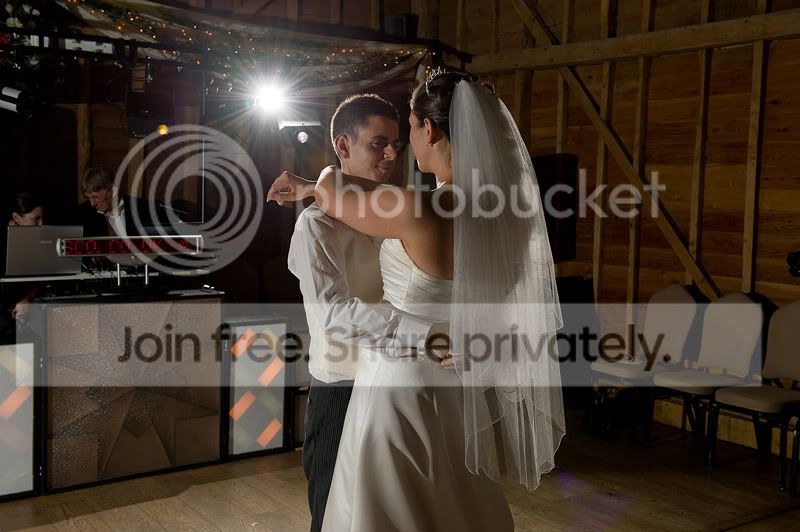
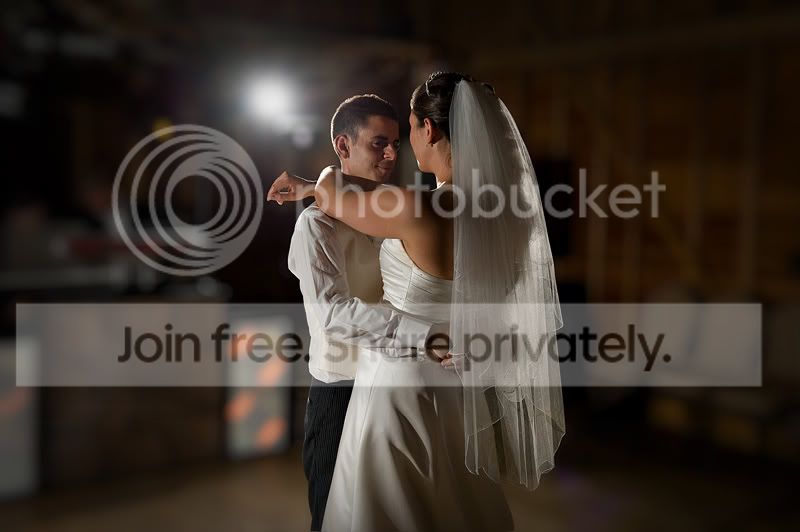
Good link welly, cheers for that. I've just had a quick play and I must say I am quite impressed and can see a few uses for this bit of software. I opened an image which was taken on Saturday which in all honesty would have probably ended up in the bin. The first one is the original with nothing done except a conversion from RAW and sharpen for web. On the second I did a quick selection using the Magnetic Lassoo Tool (I'm not usually a fan of this but there are enough contrasting edges in this image for it to work) and picked one of the lens options which I believe was the Canon 85mm f/2, once it had worked it's magic I applied a vignette in OnOne Focal Point and gave it a boost in OnOne Phototools with the Kevin Kubota Daily Multivitamin 'action'. All in all this took about three minutes which is more than acceptable and you could probably cut down the time by applying the Alien Skin bokeh to the whole image and using a mask to bring back the subject.

For what it is worth I don't think it can be compared to OnOne Focal Point which does a completely different job.

Before:
Alien-skin-bokeh1.jpg


After:
Alien-skin-bokeh2.jpg
 
I haven't tried one this as yet, but I have used other Alien Skin plugins for years now.

While they are expensive and the effects are achievable (sp) natively in PS, if you know what you are doing, they do save a shed load of time in PS which at the end of the day is what plug-ins are supposed to do.

For my ten peneths worth :thumbs: if it saves time and gives results.
 
Good link welly, cheers for that. I've just had a quick play and I must say I am quite impressed and can see a few uses for this bit of software. I opened an image which was taken on Saturday which in all honesty would have probably ended up in the bin. The first one is the original with nothing done except a conversion from RAW and sharpen for web. On the second I did a quick selection using the Magnetic Lassoo Tool (I'm not usually a fan of this but there are enough contrasting edges in this image for it to work) and picked one of the lens options which I believe was the Canon 85mm f/2, once it had worked it's magic I applied a vignette in OnOne Focal Point and gave it a boost in OnOne Phototools with the Kevin Kubota Daily Multivitamin 'action'. All in all this took about three minutes which is more than acceptable and you could probably cut down the time by applying the Alien Skin bokeh to the whole image and using a mask to bring back the subject.

For what it is worth I don't think it can be compared to OnOne Focal Point which does a completely different job.

Before:
Alien-skin-bokeh1.jpg


After:
Alien-skin-bokeh2.jpg

How did you find Bokeh compared to focal point?
 
It's a completely different animal as you do not select the subject, more the general area as you can see below. On this one I had to pull in the 'spider' which is the area that you select to stay in focus and the OOF area and vignette gradually come into effect.

Focal-point.jpg
 
Thanks for that comparrison, it's interesting to see the two different aproaches.
Cheers. Wayne
 
Back
Top