ALDI picture printing service....i'm impressed

Ordered a canvas last night with 50% off and 120 prints 5x7's, look forward to seeing what they're like :)
 
Got the Canvas, more then happy with the results. I'll upload a few pics when I get home. Also impressed with the 5x7's I ordered, Fujifilm Crystal archive paper, great quality print, no different from any Photobox for quality. Very impressed so far :)
 
On Saturday night I ordered a 7"x5", a 10"x8", a 12"x16" and a 20"x16" from http://www.digitalab.co.uk which cost me £29.35 including postage. I used them following a recommendation from a friend.

I've just looked on the Aldi website and although they don't do exactly the sizes I want, I could go bigger and put a white border round them and trim later and it would have cost me just £11.01. That's a saving of £18.34.

These were wedding photos for a friend so I wanted them to be right so I never would have thought of using Aldi but after the recommendations above then maybe I should have done. I'll certainly give them a try in the future.
 
As promised, a few snaps of the canvas I ordered (just ordered to see what they were like. The photo wasn't particularly sharp so not a great choice but it's a good representation of the photo)

4030179216_92370e6344.jpg

Larger
4030179664_08cd9fa0d8.jpg

Larger
4029426091_52ef5c4318.jpg

Larger
4030180830_2b60115b89.jpg

Larger
 
Must agree with others,

Good quality,
Great speed (upload late Tues night, message Wed morning to say they were done and on route, recieved first thing Thurs)
Good Price ( 21 6x4 & 22 8x12 inc delivery for under £10 )

Will be using them again!
 
great stuff
will be trying these guys out for some photos today, then a wedding book for a friend.

will report back with pics...of the pics..as it were...

p.s current order of only 11 pics, all at 5x7 which is cheaper than photobox ordering them at 9@6x4's and 2@7x5.
so giving them a whirl
not sure how the auto editing option in the upload software will pan out, but ticked the box to see how it works
 
Whilst I agree wholeheartedly with the great quality and price of the Aldi service, I have thoroughly confused myself over cropping correctly. I have cropped a lot of my photos quite tightly and when they've come back from Aldi I've had hands and tops of heads chopped.

Part of this confusion is that they offer "classic" and "digital" sizes so I assumed digital was the one for me - except these sizes are based on 4:3 (compacts rather than DSLRs?). I couldn't work out why some prints were slightly longer than others too (even though they're all meant to be, for example, 7x5). I still haven't really sussed it but now just leave a bit more space around my photos before sending off.

This might be obvious to everyone else and I'm just a few frames short of a roll but it might be worth getting a few test prints done so you're happy with the sizing/cropping before committing anything important/expensive!
 
Whilst I agree wholeheartedly with the great quality and price of the Aldi service, I have thoroughly confused myself over cropping correctly. I have cropped a lot of my photos quite tightly and when they've come back from Aldi I've had hands and tops of heads chopped.

Part of this confusion is that they offer "classic" and "digital" sizes so I assumed digital was the one for me - except these sizes are based on 4:3 (compacts rather than DSLRs?). I couldn't work out why some prints were slightly longer than others too (even though they're all meant to be, for example, 7x5). I still haven't really sussed it but now just leave a bit more space around my photos before sending off.

This might be obvious to everyone else and I'm just a few frames short of a roll but it might be worth getting a few test prints done so you're happy with the sizing/cropping before committing anything important/expensive!

So are you saying that classic is the crop to choose rather than the digital?
 
So are you saying that classic is the crop to choose rather than the digital?

Errr, yes, I think so :bonk:

I've just looked again at the Aldi software (which is self-updating and has changed since I last used it).

It now says "Original" for 3:4 (most compacts) and "Classic". It now doesn't mention a ratio with the latter but I'm pretty sure it is 3:2 (i.e. most DSLRs), so yes, Classic should be the one to use.

3:2 is fine with 6x4 and 12x8 but the problem arose when I'd chosen the "original" setting (in previous versions they called this digital - which may be why they've changed it).

Of course 7x5 doesn't precisely fit either ratio so I think there will always be some cropping going on there. But what additionally confused me was that I'd cropped my pictures to a 7x5 ratio prior to uploading and they still came back cropped from Aldi :shrug:
 
I have used Aldi a few times now, they are ok, I wouldnt say they were that great. I tried the same image at the same size in different batches and the image came back with quite a marked colour loss in one of them, but it was never terrible.

Also gents, I saw on the usual Aldi website that from tomorrow they are selling 12 red roses for £4.99 a bunch lol
 
Errr, yes, I think so :bonk:

I've just looked again at the Aldi software (which is self-updating and has changed since I last used it).

It now says "Original" for 3:4 (most compacts) and "Classic". It now doesn't mention a ratio with the latter but I'm pretty sure it is 3:2 (i.e. most DSLRs), so yes, Classic should be the one to use.

3:2 is fine with 6x4 and 12x8 but the problem arose when I'd chosen the "original" setting (in previous versions they called this digital - which may be why they've changed it).

Of course 7x5 doesn't precisely fit either ratio so I think there will always be some cropping going on there. But what additionally confused me was that I'd cropped my pictures to a 7x5 ratio prior to uploading and they still came back cropped from Aldi :shrug:

it will still come back cropped because it will mantain the 3:2 ratio, ive tried this before and failed. the way to get around it is to change the image size in photoshop to what you printing out at, but obviously save as a new copy otherwise it will overwrite the original which wont be good news.
 
I have only ever used Photobox (since 2003) as there Customer Service has always been so good. (easy to get hold of on the phone, quick delivery & all the options you get with the sizes & so easy to crop on their website).

I will however give Aldi a shot.
 
Argh spent quite a while trying to get this to work on my Mac with the latest version of Firefox - keeps getting stuck after uploading the files. :(
 
Argh spent quite a while trying to get this to work on my Mac with the latest version of Firefox - keeps getting stuck after uploading the files. :(

It does work on the mac but it does not let you know that it is still uploading. Just leave it and it will eventually finish! I thought it had crashed until I noticed little snitch going mad!!
 
I gave them a go at the weekend 7 @ 8x10 arrived 3 days after uploading packaged really well and the quality was pretty damn good :) price £2.38 + £1.33 delivery total £3.71 :cool:
 
It does work on the mac but it does not let you know that it is still uploading. Just leave it and it will eventually finish! I thought it had crashed until I noticed little snitch going mad!!

Thanks - re-read the thread and the tip of paying by credit card made it work somehow.

Pretty sure mine had hung up cos I'd left it for ages after it seemed to have finished uploading.
 
Thanks for bringing Aldi to our attention.
I uploaded 5 pics to be printed on 12"-18" on Wednesday night 17-2-10 , I received this morning 20-2-10
cant complain at the quality and all fro £9.25 via paypal

eddy
 
I dont want to be negative but we used them a while ago and I was not impressed there was a yellowish cast to the shots
The customer service was excellent though refunded me quickly:)
pete
 
From what I heard it depend how long ago it was..... i think they moved there photo "printing service to the uk from germany" which has improved things a lot as they now have more current kit...
 
Based on the comments in this thread, I got a poster (30x 20" i think) printed as a trail. Was so impressed I got it framed. For €9.99 + postage in 7 days to Ireland I was more than happy...:)
 
I dont want to be negative but we used them a while ago and I was not impressed there was a yellowish cast to the shots
The customer service was excellent though refunded me quickly:)
pete

You do have to be careful when ordering from any store like this (including Aldi, Costco etc) they often apply a skin tone filter to give a warm skin tone as most of their images are from the consumer market. If you want your images as sent without any colour correction then you need to note it on the order. I had a high key image a while back that they tried their hardest to print as a normal tonal image :bonk:
 
Worth giving them a go at those sort of prices.:)
 
Giving them a go, too. Tried a small lab a few days ago: the order hasn't arrived and their software didn't give any status update, nor was a confirmation email received so this Aldi order will probably arrive before the other is sorted out. An annoyance with Loxley is that they downsize 1800x1200 for 6x4-inch to 1536x1024 and further sharpen :bang:

To get the 20 free prints (£1-worth) using the downloaded software, you have to commence the Aldi order and register. I cancelled and re-started to enter the code. Will be miffed if I've been charged twice.

I ought to have had some tests printed, to see how accurately cropped I can get them done -- they enlarge by 3% and then trim.

Sizes and choice of finish are limited. There's an option for no image optimisation, which can be selected as the default in the ordering prog's options.

Customer service works weekends and bank holidays, so I assume the lab does, too.
 
I had just under £5 left in my paypal so decided to give these a whirl.

I ordered 3 x 12"x18" prints. One was a cat portrait and two landscape shots. I ordered them on Saturday evening and they have literally just arrived.

Initially I was impressed to see they were printed on fairly reasonably thick fuji paper. But then when I looked at the images I was less than impressed. They have applied some sort of warming/orange colour to all of them :(

When I uploaded the images for printing online I downloaded their software to do so. On the cat picture I was worried about the look of terrible sharpening 'mess', so I left both a message on the payment via paypal and I also emailed customer support through the site. I specified that I didn't want any editing done on any of the shots AT ALL, no sharpening or colour filters applied ... NOTHING. I rephrased it several times so there was no mistaking my request :lol: ... Well it looks like they ignored both messages.

I have just spoken to their CS, and they inform me the printing team(?) are not in for another 30-40 minutes, so they will call me back. We shall see what happens!
 
I got my prints - one 75-50 and two of the smaller posters (can't remember the size).

I'm very happy with them for the price - they are a little darker than on my screen but not far off. I will certainly be ordering some more.

I can't notice any warm/orange tint on mine.
 
Thanks for the heads up I need to get some print done for the Mrs so I'll give them a go.

Steve
 
Just got an order of 6 8x12" prints, 2 of them are 8x12", 2 of them 8x11" and two of them 8x10" prints :thinking:, rang customer service and they have offered me a full refund. :)
 
Does anyone know what will happen if I order a pic which is cropped to a panorama style ratio?

I would hope they would just print it with borders at the top and bottom which I can then crop - rather than blowing it up to fill the frame and cropping the sides off.
 
But then when I looked at the images I was less than impressed. They have applied some sort of warming/orange colour to all of them :(

2mwv4ig.gif


Make sure Image Optimisation is deselected!

Got my 6x4's back today (ordered on Sunday).

Cropping wasn't as bad as other places, the edges seem more affected than top and bottom.

A few small spots printed on some -- definitely not in the uploaded JPEGs.

Some instances of chromatic aberration not present in the JPEGs -- akin to "sensor bloom" in their equipment?

The filenames (without extension) printed on the reverse are truncated to 15 characters, losing the first characters. My nnn_name_date naming scheme resulted in all being labelled part-of-name_date whereas the unique nnn number is the most important part.

Thumbnails on the index prints are 14x9mm, 42 per 12x10cm sheet. Again, the filenames are truncated, this time to the last 10 characters.

Packaging and index prints are branded, but the prints aren't :thumbs:

The ordering software was more snappy than others (far fewer options to load) and more informative than the small firm I last used, for which the order still hasn't arrived :bang:

Would I use them again? Yes!
 
Does anyone know what will happen if I order a pic which is cropped to a panorama style ratio?

Choose "Classic Format" and you should be OK, but I'd pad the image with top and bottom borders.
 
2mwv4ig.gif


Make sure Image Optimisation is deselected!

I did :)

For what it's worth, if I can find a way to request they print as they are I will most definitely use them again. I'm still waiting for them to call me ... In fact I'll give them another ring now. BRB
 
Maybe it relies on a human to correctly flip a switch at the commencement of each job? :shrug:
 
Interesting phone call :suspect:

I have been informed that all photographs have a warming filter applied to it. It is an automated system, no one actually operates the printing machine :suspect:. Since they aim their product at the home market they wont be able to avoid this, and have no intention of doing so. Even though I mentioned there would be an awful lot more customers if they could bypass this editing somehow.

They have not offered to correct the problem, and I have to scan the pictures in and mail them to receive my refund!

:( I wish it could have been different, because apart from the colour problem, I was thrilled with them.
 
My shots were taken in a hall with "warm white" fluorescent strip lights. The camera auto WB looked accurate at recording the character of the ambient light, but I decided to go further and correct with the DCE Tools' ColorCast Correction plugin. JPEGs look OK, as do the prints, with white whites.

In the Help for their software, under Ordering Prints and Posters, it says:

The automatic image correction (AIC) software is a software used by the photo laboratory to automatically correct the white balance and other image properties and thus obtain the best possible quality for the photo.

You can enable or disable automatic optimization by checking or unchecking the "Optimization" box.

It makes sense to disable AIC if you have used an image editing program to optimize the image, or in the case of images with critical colors such as sunsets or candle light (automatic white balance would falsify the red hues in the sunset or the yellow candle light).

You can enable automatic optimization individually for each image in the product editor preview for the image.


My last set of Snapfish prints had an overdose of warmth applied.
 
I did unticked the box on all three of the shots, as I was aware they would edit otherwise. But I tried to make absoloutely sure they wouldn't by messaging them twice, which may I add they have not replied on both occasions. It doesn't matter anyway because according to the chap on the phone they add the warming filter anyway. Though what they do about B&W I'm not sure :thinking:

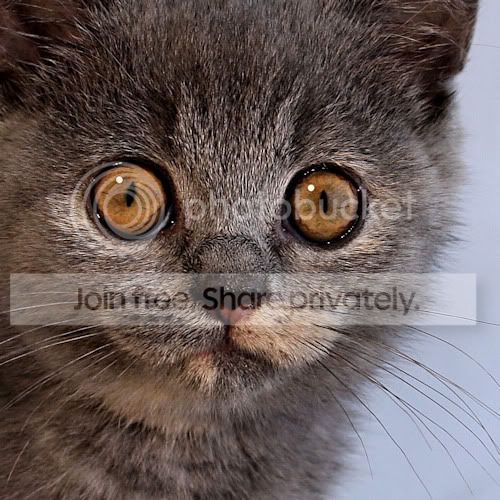
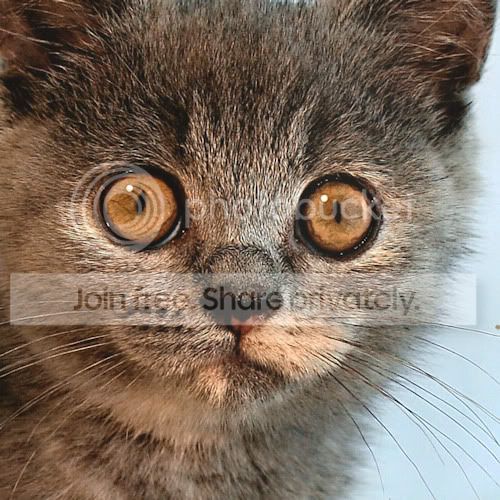
Anyway here is a side by side for you to see: The one on the left is my original and the one on the right is a scan of the print from Aldi:

rillybefore.jpg
rillyafter.jpg


All three prints have the same colour cast, but on the landscapes it's not quite as noticeable. More so in little bits of the sky where it is a sunset orange, it now looks toxic orange :lol:
 
Thanks for posting that - it is pretty strong there. I have compared mine with the originals and I really can't notice it in my pics but they are all landscapes (as are probably most of the pics I will be printing).

Do you reckon you could make a LR preset with a slight tint the other way to correct it?
 
Back
Top