
Adding a border to an image in Lightroom.

jerry12953

Suspended / Banned
Messages
12,421
Name
Jeremy Moore
Edit My Images
No
I struggled with this using the print module but found a really simple way to do it thanks to a YouTube video.

All you do is process and crop as required, then export. (To anywhere.)

Then re-import into Lightroom and use the Scale slider in Transform to create the border. It is even easier with non-cropped images - just use the scale slider.

The only disadvantage I found is that you end up with several different versions of the same file, which can be confusing.
 
I just use my antique version of Photoshop for all that stuff- easy peasy with no ongoing or added expense. ;-)
 
On any Apple OS-X machine, using Preview, borders are just a case of selecting the border tool and sizing it to fit.

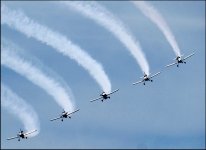
Airobatic team at Weston Super Mare Air Show G9 P1010456.JPG
 
I struggled with this using the print module but found a really simple way to do it thanks to a YouTube video.

All you do is process and crop as required, then export. (To anywhere.)

Then re-import into Lightroom and use the Scale slider in Transform to create the border. It is even easier with non-cropped images - just use the scale slider.

The only disadvantage I found is that you end up with several different versions of the same file, which can be confusing.
It seems, On1 Effects 2025 is still available as a free plugin for LR, which makes it easy to add borders.


They offer the previous years version for free after they release the new version (2026). I have upgraded to the latest free version for few years now, and this latest 2025 release seems a lot faster/smoother than the previous version.

I've never used it with LR but I occasionally use it with C1. It does lots of things, but adding borders is the only thing I've done with it.
 
There are, but the On1 approach is particularlry straight forward. I wouldn't pay for it just to do add borders, but as it's free...
I tried it, and it seemed to compress the photo with a loss of quality. Is there a trick I need to know to get it back into LR as a RAW image of the same size/quality?
 
I tried it, and it seemed to compress the photo with a loss of quality. Is there a trick I need to know to get it back into LR as a RAW image of the same size/quality?
I don't think there will be anyway of getting it back into LR as a raw image. As an aside, why do you want a border around a raw file?

I have only ever added the border as the final step, after creating an export quality JPEG, where I have noticed no reduction in quality.

But I haven't paid any attention on how ON1 is adding the border. ie "adding" it to the image (increasing its size) or keeping it the same size and slightly reducing image size. I've only ever added a very small border so it isn't going to make much difference either way.

I have only used it a few times, and other than finding it easy to get what I was looking for, without any effort, I haven't spent any time learning to use it, so I can't offer any suggestion on why it's compressing your images. Sorry.
 
I tried it, and it seemed to compress the photo with a loss of quality. Is there a trick I need to know to get it back into LR as a RAW image of the same size/quality?

You will probably need to choose the format for the image to be returned to lightroom, and (from memory) the best option is as a .PSD file, although you could use lossless .TIF instead. Do not export as a .JPG file. This is no different from exporting to Photoshop and then returning the image to lightroom.
 
Just to add o this thread on borders, Robin Whalley has a post on using Affinity Photo for adding borders.

 
For any given size, it's possible to resize an image &/or add a border in PS, recording this as an action that can do both with a single keystroke ... even saving the resultant image to a given folder, too, if wanted. I tend to use PS for lots of things that might be now done elsewhere, from years of habit. But actions sure are handy ...
 
For any given size, it's possible to resize an image &/or add a border in PS, recording this as an action that can do both with a single keystroke ... even saving the resultant image to a given folder, too, if wanted. I tend to use PS for lots of things that might be now done elsewhere, from years of habit. But actions sure are handy ...
Yes, actions in Photoshop are very useful for things like this, and for the sake of completeness (though not of any value to you) here is Robin Whalley's Photoshop tutorial on adding borders with Photoshop.

 
Back
Top