A question about Film

BillN_33

Suspended / Banned
Messages
13,952
Name
Bill
Edit My Images
No
I would appreciate your advice

I took a lot of film in the past and still have many film bodies and literally thousands and thousands of negatives going back to 1960 ......... they are all cut into say 6 image strips as was the norm at the time

I live in France and the supermarkets are full of film and processing is easy . .........so picking up film and getting it processed quickly is not a problem

I have tried it now and again and I am never successful

Here are my queries

Scanning old negatives and prints.
I use an Epson Perfection V350 Photo scanner - to scan negatives and prints
Obviously they end up on my computer, an Apple iMac, now 5K Retina
I then process them in LR and PS
I never get good results .... nothing like the prints that were produced originally years ago ........ my scanned prints seem to be much better than when I scan a negative and try a conversion
Presumably when they are transferred to my computer they become digital images not film images ......... my DSLR and M8 digital images are much much better than anything that I have produced from a scanned negative. ....... (disregarding composition)

I have done 2,000 so far and it takes time - the negative scans come out at the size that they are, i.e. small 378 x 262, (so I get image #3 when I enlarge them to 1000 x 1000 in LR) ........ the print scans, the size of the print

Taking film images today
I get the choice from the supermarket - a set of prints in an envelope or images on a CD ... same goes .... the images on the CD seem to be poor compared with the prints I had years ago

are the images on the CD now "digital images" and .. when film images are scanned and transferred to a computer, do they not really become digital images .... when I "pixel peep" ... they seem to be

or is there no digital workflow for a film image .. as has a film image it can only be view in printed form?

It would be great if someone could point me to a good workflow for film images ...... I take lots of images and adding a film a week, (particularly B & W), would be a good thing to do

The following is the best "scan" that I have ever achieved from a negative - image taken in the 1970's with a Canon A1
dog.jpg


and here is a scanned M6 image .. taken from the CD supplied, (in the UK) then processed a little in LR
M6_scan.jpg


my son and daughter almost 30 years ago
scanned negative enlarged to 1000 x 1000 ......... that's what I get in LR - when I try to enlarge it from original to 1000 x 1000
original scan
M6_scan_2.jpg


Enlarged to 1000 x 1000 in LR
M6_scan_2b.jpg
 
Last edited:
I'd say you've got your scan settings wrong if your original scan is only coming out at 378x262. Sounds like you have the software set to scan at very low resolution hence when you increase the image size it loses a lot of quality.

What software are you using to scan?
 
I'd say you've got your scan settings wrong if your original scan is only coming out at 378x262. Sounds like you have the software set to scan at very low resolution hence when you increase the image size it loses a lot of quality.

What software are you using to scan?

Steve, the software that comes with the Epson scanner, EPSON scan.app .......... it probably takes 2 mins to scan each negative
 
Last edited:
Ok, can you upload a screenshot of the settings you are using? Might help us work out what can be changed. Also, any image you are viewing on your Mac is a digital image whether it's come from a scan of a negative or you've shot it on your digital camera.
 
Ok, can you upload a screenshot of the settings you are using? Might help us work out what can be changed. Also, any image you are viewing on your Mac is a digital image whether it's come from a scan of a negative or you've shot it on your digital camera.

That was one of the points I asked about in my opening post ...... presumably film images are only film images when they are viewed as printed images

It will take me a while to upload a screen shot, but I think that I tried every setting possible
 
Last edited:
A photograph shot on film is always a 'film' image regardless of how you view it.
 
Scanning old negatives and prints.
I use an Epson Perfection V350 Photo scanner - to scan negatives and prints
Obviously they end up on my computer, an Apple iMac, now 5K Retina
I then process them in LR and PS
I never get good results .... nothing like the prints that were produced originally years ago ........ my scanned prints seem to be much better than when I scan a negative and try a conversion
Presumably when they are transferred to my computer they become digital images not film images ......... my DSLR and M8 digital images are much much better than anything that I have produced from a scanned negative. ....... (disregarding composition)

I have done 2,000 so far and it takes time - the negative scans come out at the size that they are, i.e. small 378 x 262, (so I get image #3 when I enlarge them to 1000 x 1000 in LR) ........ the print scans, the size of the print

I've scanned thousands of older 35mm negatives and transparencies, and the results can range from wonderful to terrible. But terrible results for me are usually the result of source material deterioration (scratches, dust, reticulation, even creasing!), or unknown or unsupported negative stock, or my relatively poor skills at colour correction. I've never used Epson Scan, always either Silverfast (terrible) or Vuescan Pro (generally much easier to use). As Steve says it sounds like you are scanning negatives at too low a resolution, perhaps one more suited to prints than negatives?
If I think it's fairly rubbish but worth a record, I'll scan at 1200 ppi; if I think this is a reasonably nice frame I'll scan at 2400 ppi, and it if looks good but I might need to crop then 3600 ppi.

Can I just check: do you have the negatives in a film holder, or just flat on the surface? Could give out of focus results, and fringing.

Oh, I generally get better results scanning from the negative than from a print, but sometimes when the negative is poor, a well kept black and white print in particular can give good results.

Some folk call this mixed film/digital workflow "figital"! It's what most of us here do; only a few still use a proper wet darkroom, although some more are beginning to, for the extra satisfaction!
 
I've scanned thousands of older 35mm negatives and transparencies, and the results can range from wonderful to terrible. But terrible results for me are usually the result of source material deterioration (scratches, dust, reticulation, even creasing!), or unknown or unsupported negative stock, or my relatively poor skills at colour correction. I've never used Epson Scan, always either Silverfast (terrible) or Vuescan Pro (generally much easier to use). As Steve says it sounds like you are scanning negatives at too low a resolution, perhaps one more suited to prints than negatives?
If I think it's fairly rubbish but worth a record, I'll scan at 1200 ppi; if I think this is a reasonably nice frame I'll scan at 2400 ppi, and it if looks good but I might need to crop then 3600 ppi.

Can I just check: do you have the negatives in a film holder, or just flat on the surface? Could give out of focus results, and fringing.

Oh, I generally get better results scanning from the negative than from a print, but sometimes when the negative is poor, a well kept black and white print in particular can give good results.

Some folk call this mixed film/digital workflow "figital"! It's what most of us here do; only a few still use a proper wet darkroom, although some more are beginning to, for the extra satisfaction!

Thanks Chris - obviously I need to check what I am doing - the V350 is a flat bed scanner but it has a feed for negative strips .... I use that, without the white supplied cover

obviously for prints it's just flat on the bed with the white (supplied) cover

Thanks Steve - I'll go thru the instructions in your link carefully in the next few days and try again
 
Last edited:
Taking film images today
I get the choice from the supermarket - a set of prints in an envelope or images on a CD ... same goes .... the images on the CD seem to be poor compared with the prints I had years ago

are the images on the CD now "digital images" and .. when film images are scanned and transferred to a computer, do they not really become digital images .... when I "pixel peep" ... they seem to be

Unless you do the whole process in the wet darkroom, you will always be using digital images nowadays. When you get prints from a film processed by a supermarket or almost any lab these days, they scan the negatives and then print digitally. Usually they will only scan the images at a resolution appropriate for the print size you ordered. So for 6*4" prints of a 35mm negative, with the printer needing 300 ppi, they will scan the negatives at 1200 ppi, giving you an image that's just between 1 and 2 Mpixels. Also supermarkets here (well, Asda which is about the last one doing it) will often over-sharpen the scans, giving a rather brittle image that is very hard to recover from. If you use a decent lab and ask for medium scans, you'll get 2000-2400 ppi, giving you a 6-8 Mpixel image, usually not over-sharpened, and usually well colour corrected. I generally find the results of these scans much easier to work with.

@Asha might have some advice on using labs in France?
 
Thanks Chris - obviously I need to check what I am doing - the V350 is a flat bed scanner but it has a feed for negative strips .... I use that, without the white supplied cover

obviously for prints it's just flat on the bed with the white (supplied) cover

I thought you probably were, but worth checking, sorry for the grandparent egg-sucking question!
 
Unless you do the whole process in the wet darkroom, you will always be using digital images nowadays. When you get prints from a film processed by a supermarket or almost any lab these days, they scan the negatives and then print digitally. Usually they will only scan the images at a resolution appropriate for the print size you ordered. So for 6*4" prints of a 35mm negative, with the printer needing 300 ppi, they will scan the negatives at 1200 ppi, giving you an image that's just between 1 and 2 Mpixels. Also supermarkets here (well, Asda which is about the last one doing it) will often over-sharpen the scans, giving a rather brittle image that is very hard to recover from. If you use a decent lab and ask for medium scans, you'll get 2000-24000 ppi, giving you a 6-8 Mpixel image, usually not over-sharpened, and usually well colour corrected. I generally find the results of these scans much easier to work with.

@Asha might have some advice on using labs in France?

That's what I have been saying to a friend of mine ...... the prints that he gets from having his film processed at the supermarket are "digital" prints and are not the same as the prints he or I have from 25 years ago, (before digital)

plus I must be doing something wrong

http://www.kenrockwell.com/tech/free-digital-camera.htm

I'll grab a film or two and have another go
 
Last edited:
If you have a film or two that you really care about, you could post them off to UK Film Lab; they're a bit slow, but the quality is great, and you get the files (medium resolution) back via a web link they email to you. They'll hang on to your negs and then post a batch back (at your cost) after a year, or destroy them if you don't want them.
 
If you have a film or two that you really care about, you could post them off to UK Film Lab; they're a bit slow, but the quality is great, and you get the files (medium resolution) back via a web link they email to you. They'll hang on to your negs and then post a batch back (at your cost) after a year, or destroy them if you don't want them.

Thanks Chris

what I am trying to do ...... but it looks as if it will take me forever, is to scan all the film images, (and older prints), that I have of the family and children in a good form so that if needed prints can be made ...... and give these to our children, (those two in the last image - now mid 30's and late 20's), in a catalogued and digital format so that they have them
 
Last edited:
Good thread Bill. I have the same problem and have been meaning to ask the same questions as you.

Will watch this for advice.

I wonder about 'upgrading' to another scan software but I do see people getting decent results with the Epson software .
 
Good thread Bill. I have the same problem and have been meaning to ask the same questions as you.

Will watch this for advice.

I wonder about 'upgrading' to another scan software but I do see people getting decent results with the Epson software .

Des - the problem is the time - I have boxes and boxes full of negative - my wife separated the best "prints" from these ...... I am trying to find all the better shots to scan the negatives but you end up scanning them all ....... as I said I have them at least back 40 years
 
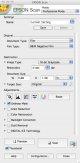
I get decent scans from my Epson. Here's a screenshot of Epson Scan which may be of assistance.

Epson.jpg
 
It sounds like an index scan.
My scanner initially index scans a 6 frame strip of negs, low resolution but sufficient to be able decide what is worth a full res scan and what isn't.
In essence, its the digital equivalent of a darkroom proof print.
 
@Asha might have some advice on using labs in France?

Yep......DIY !!

To be fair in nearly 12 years of being out here, I've only used labs on two occasions for developing, in two completely different areas of france and different companies.

One did dev and prints of a C-41 film, the other was simply dev of an E6 process film.

Both cost me a small fortune and i was not impressed by either service tbh, particularly the C-41........................reminded me of 1970's"HappySnaps " and such like services that I used in the UK to have school trip photos devd.....always dissapointed!

I've also attempted to have some large negs scanned ( half and whole plate sizes, simply to save me stitching etc to obtain the complete image.......again the labs where very expensive and the results where poor ....I actually obtained better results myself scanning at home albiet somewhat time consuming.

I do all my processing at home now and doubt that is ever likely to change.

" If you want a job doing right, do it yourself" ......comes to mind!
 
As others have said, it's a settings issue - you're probably scanning in 300dpi or similar, and it should be 2400. More generally, though, you can never successfully enlarge digital images - the data simply isn't there. It's not the same process as printing from a negative with an enlarging lens.
 
I get decent scans from my Epson. Here's a screenshot of Epson Scan which may be of assistance.

View attachment 46706

OK - I'm scanning away - takes time!!
My setting are similar to the screen shot, BUT Film, Colour Negative Film, 2400 dpi - 24 bit colour, (not 48 bit)

I am getting the following image as a jpeg file ..... I then import them into LR and process them ...... the second image is the best I can do

a 25 year old colour negative, (is that what they are called the C41 negatives)

Scanned
scan.jpg


AFTER a few tweeks in Lightroom
scan_1.jpg


am I doing anything wrong - should I save the files as .tiff or .jpeg

or whatever
 
Last edited:
I prefer saving as tiffs then bring them into LR, but I know lots are happy with pegs.
 
If you're scanning with 24-bit colour, and not planning major editing work (eg trips in and out of PS etc), then I reckon JPEGs will do fine, and will save you a LOT of disk space. IMHO of course.

You're PP'd shot looks reasonably good, maybe a bit pale in the skin tones. It might be interesting to try one where you have an original print (ie one made with a wet process and enlarger).

It's a bit late for legacy shots, but with film you're generally much better to over expose than the opposite. AND expose for the shadows (as well, ie over-expose for the shadows, I guess)!
 
If you're scanning with 24-bit colour, and not planning major editing work (eg trips in and out of PS etc), then I reckon JPEGs will do fine, and will save you a LOT of disk space. IMHO of course.

You're PP'd shot looks reasonably good, maybe a bit pale in the skin tones. It might be interesting to try one where you have an original print (ie one made with a wet process and enlarger).

It's a bit late for legacy shots, but with film you're generally much better to over expose than the opposite. AND expose for the shadows (as well, ie over-expose for the shadows, I guess)!

Thanks Chris

Scanning the prints that I have produce (far) better results than negative scans

but many of the prints of "good" shots have deteriorated

It is going to take me forever to scan 20 years + of negatives
 
Last edited:
In my case it was 150 or so films taking about 6 months before new film shooting started to take over. I do want to go back and scan some of the "kids and babies and growing up" films that I had earlier classified as boring!
 
Thanks for all your help, some feedback ....... from scanning a few negatives by a newbie

EPSON SOFTWARE

- the scan was cropping the top of the negative slightly - although I had it set to the target size being the same as the original (negative)

In the configuration for "scan" there are three "Thumbnail Cropping Area" settings - small, medium or large - it looks as if it is variable but it is not - The default setting is small and in my scans it cropped the top part of the negative slightly - I now set it to large - OK it means that you get a black border, but at least you keep all the image area

- Also the colour setting I used for the above was the wrong choice - I now set the Colour control to Gamma 1.8, (I tried Gamma 2.2 and it appeared to be the same as 1.8), the other ColorSync modes gave worse results - again in the Configuration section.

I scanned for about a couple of hours before I figured out my mistakes - I should have initially just taken a scan of 3 or 4 shots at various settings in configuration before I started ....... to make sure my set up was the best that could be achieved

Unsharpe mask is a funny one - I am not sure it achieved anything with the colour negatives that I scanned

Also an obvious one - some of the "cheap" film I used back in the "old day" ....... the "get a free film" lark ..... is not that great ..... the main brands seem to have lasted better than some of the "free film" stuff

The V350 seems OK, but maybe if you are going to scan thousands of negatives as I am attempting ....... it takes many hours ....... so maybe a few hundred £'s more spent of a better scanner could be worthwhile

If you come across a really special shot - scan it a few times at different settings until you get the best that you can

Don't bulk scan everything - it takes so much time - choose from the previews - an obvious point

If you can reference your negative folder to the image number sequence of the scanned images - that will help if you want to go back and find the negative ...... again an obvious point?

and of course the EPSON software sometimes has a mid of its own!!!

Hope this helps
 
Last edited:
If you can reference your negative folder to the image number sequence of the scanned images - that will help if you want to go back and find the negative ...... again an obvious point?

Each sheet of negatives in my folder gets given a sequential number on a sticky label, and then each negative within that sheet gets it's own number again (not labeleld, just have to count along). When I scan the negatives the names that I use are F (for film number), the film number, S (for shot) and the shot number. For example the 9th shot on my 76th roll of film would be called F076S09 in Lightroom. Means I can always go back and see exactly which negative it is :)
 
Eeep, I scan and name the files by date, camera and emulsion and file the negative away. I often think I should be more organised especially with my current back log meaning my notes are more important since shooting was likely months ago but I cba.

My inner librarian does get cross with me at times.
 
Eeep, I scan and name the files by date, camera and emulsion and file the negative away. I often think I should be more organised especially with my current back log meaning my notes are more important since shooting was likely months ago but I cba.

My inner librarian does get cross with me at times.

I'm scanning stuff that goes back to the mid 1960's
 
That's fine but what is @Carl Hall excuse. :)

I do actually keep a notebook and keep details of each film too :) date taken, date developed, film used, developer and development times, which lab if lab processed, and any notes that I might need to remember. Half the fun of using film is keeping notes and organising it all haha.

I don't bother with tracking shutter speeds and apertures of each shot any more, as it takes up too much time when I'm out. I guess it would be handy when looking at images as I'd be able to see what settings gave me what results, and it would make me learn quicker.
 
When I first started scanning, I read a book by Barry Thornton who recommended VueScan for scanning. The "killer feature" (his term, as I recall) was that VueScan let you save the raw data from the scan; and you could then use that as the input to test different settings without wasting time rescanning with different parameters. It takes quite a while to scan a 5x4 negative (it used to take hours literally on my original system) but only a few seconds to use the raw file and get a different result. It made all the difference to me, because I could experiment with no time penalty. I still do it this way, and keep the raw files as my primary source.

I've never kept exposure details, and my filing system is temporally sequential - the next film processed gets the next slot in the folder. My scan names reflect where the negative is filed - MFC24-008 is the 8th negative in the twenty fourth film in folder MFC (Medium Format Colour). LF01-014 is the 14th negative in the file LF01 (first large format binder) and so on.
 
I'm quite pleased with the stuff that I'm now getting - I have just found some B & W negatives - it's a real pity that I have "lost" years of negatives from the 1970's and 1980 ....... maybe one day they will turn up

what do you think to the following

Paris 35 years ago - 1979

Paris_1.jpg


is this the type of quality I should expect? - it is certainly Kodak and probably taken with a Canon A1 and 50mm f1.4
 
Last edited:
OK - I'm scanning away - takes time!!
My setting are similar to the screen shot, BUT Film, Colour Negative Film, 2400 dpi - 24 bit colour, (not 48 bit)

I am getting the following image as a jpeg file ..... I then import them into LR and process them ...... the second image is the best I can do

a 25 year old colour negative, (is that what they are called the C41 negatives)

Scanned
scan.jpg


AFTER a few tweeks in Lightroom
scan_1.jpg


am I doing anything wrong - should I save the files as .tiff or .jpeg or whatever


Hey Bill, you're up to some task with that scanning workflow… Here is your shot tweaked
elsewhere than in LR:

scan_1P.jpg


Hey Bill, you're up to some task with that scanning workflow… Here is your shot tweaked
elsewhere than in LR:

scan_1P.jpg


Thanks Kodiak - that's my son, he is 28 years old now - he always loved Crisp Sandwiches
 
Doesn't look bad. You could maybe get a bit more sharpening etc?

I've just looked through my scans from Paris from 1971, and you've certainly kept your negatives better than I did! Some horrendous scratches on mine. Several of them give a sharper feeling, although one or two are similar. It was just a simple Werra 1 (CZJ Tessar 50mm f/2.8).
 
Back
Top