A few Computer Questions, porn emails

BillN_33

Suspended / Banned
Messages
13,952
Name
Bill
Edit My Images
No
I am still getting quite a few porn and semi porn emails, plus loads of others that I do not want - maybe over 50+ a day .. I am sick of them, plus it is quite embarrassing, (my wife is not particularly computer litterate)

This has been happening for a least 18 months and I keep indicating that they are Junk mail, but new ones keep coming

I have Apple Computer, iMac and MBP ....... my email address are from a domain that I own, i.e name @ xyz.co.uk


also I have noticed that I have quite a few duplicated image files - the images in my Lightroom Library also seem to be in other places

I am now getting near to the 1TB limit

Is there are good safe programme that I can buy to help me identify duplicated files, (mainly image) and delete them


(the latest this morning was "Want a date with a Brazilian woman) .. from BrazilianWomen_Team ......@.....buyhurryy.bid
 
Last edited:
I too suffered this with my iMac. I set up in "rules" to discard them as they came. It is a pain and long job but if you set up the rule when they first come it makes life easier. I am now "porn" free.

Edit. I have 40 rules set up.
 
who does your hosting? normally in the cpanel you get some options in there for spam filtering.

also do you advertise your email in plain text on your site? as that wont help.
 
I've found that gmail has an excellent spam filter and I use it for filtering spam from our business emails.
It's a bit of a convoluted way of dealing with it but our spam has all but disappeared.

We have a business email such as sales@xyz.co.uk.
In our cPanel we redirect these emails to our gmail email address.
Then in gmail we we forward a copy of the email to a clean email address (eg. clean_email@xyz.co.uk) which nobody ever sees and is never advertised anywhere. At the same time Google deleted the email from gmail.

In between Google receiving the email and sending us back a copy, they filter out all the crap.
 
Easiest way is to make a new addy!
 
I've found that gmail has an excellent spam filter and I use it for filtering spam from our business emails.
It's a bit of a convoluted way of dealing with it but our spam has all but disappeared.

We have a business email such as sales@xyz.co.uk.
In our cPanel we redirect these emails to our gmail email address.
Then in gmail we we forward a copy of the email to a clean email address (eg. clean_email@xyz.co.uk) which nobody ever sees and is never advertised anywhere. At the same time Google deleted the email from gmail.

In between Google receiving the email and sending us back a copy, they filter out all the crap.

This is hacking around the problem. As is getting a new email addy.
Who do you have your email hosted with?

It sounds like they aren't doing any spam prevention. Theres a few things that they should be doing:

- evaluating SPF (Sender Protection Framework) records to ensure the sending email server is permitted to send email for the domain - fails should go to spam
- checking DKIM signatures ensure email is genuine and not spoofed - fails should go to spam
- blocking email sent from server IP addresses in the Zen/Spamhaus block lists
- additional spam filtering using SpamAssasin/spamd

It might be worth giving them a call about this. If they aren't helpful, switch provider but be prepared for a bit of pain migrating your mailboxes.
 
This is hacking around the problem. As is getting a new email addy.
Who do you have your email hosted with?

It sounds like they aren't doing any spam prevention. Theres a few things that they should be doing:

- evaluating SPF (Sender Protection Framework) records to ensure the sending email server is permitted to send email for the domain - fails should go to spam
- checking DKIM signatures ensure email is genuine and not spoofed - fails should go to spam
- blocking email sent from server IP addresses in the Zen/Spamhaus block lists
- additional spam filtering using SpamAssasin/spamd

It might be worth giving them a call about this. If they aren't helpful, switch provider but be prepared for a bit of pain migrating your mailboxes.


Thanks All

Fasthosts - host the email accounts and domain

I probably should look deeper into the settings

The junk mail filter in Mail probably catches 30% but these annoying email just arrive daily from different email addresses
 
It might be worth looking at the email headers to see where they are coming from. It should also be evident whether or not any of the measures I've spoken about are in place.
What mail client are you using?
 
It might be worth looking at the email headers to see where they are coming from. It should also be evident whether or not any of the measures I've spoken about are in place.
What mail client are you using?

I have an iMac and MBP and I use Mail.app
 
I have an iMac and MBP and I use Mail.app

No idea how to pull the email headers out with that.
I know in Gmail it's 'view original' and in Evolution it's 'view source'.

If anyone here can advise you how to do it, you could try PMing me the headers for the a few of the dodgy emails. When you see them, they look a bit like:

Delivered-To: somebody@somedomain.sometld
Received: by 10.51.51.51 with SMTP id s11csp839085ivc;
Mon, 19 Sep 2016 03:20:19 -0700 (PDT)
X-Received: by 10.51.51.52 with SMTP id r185mr9367889oih.12.1474280419837;
Mon, 19 Sep 2016 03:20:19 -0700 (PDT)
Return-Path: <somebody+bncBDZ4NMWUW4BRBY7X727AKGQENTI2BAQ@somedomain.sometld>
....
 
Plus, stop putting your email address into dodgy sites and consider running malwarebytes to see if you have a few roguer programs
https://www.malwarebytes.com/antimalware/mac/

That's a good pointer. Worth noting that the actual spam filtering (interrogating the messages and applying rules to them) should be done addition to the first 3 items I mentioned. If the mail server is using the ZBL/SBL that should get rid of the vast majority of it.
As for dodgy sites and rogue programs, email addresses are leaked left/right/centre from legit organisations selling personal data and breaches etc.
 
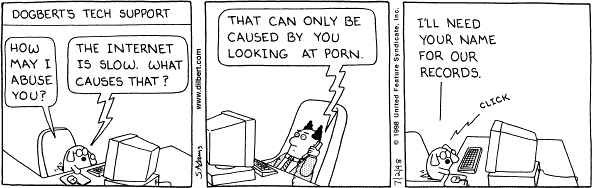
dilbert.jpg
 
Bill- how do you receive emails ? you go to your hosting site and read your emails or do you use outlook or any other email systems to read emails.
 
Bill- how do you receive emails ? you go to your hosting site and read your emails or do you use outlook or any other email systems to read emails.

I use Outlook on a Mac

The only site I have put emails into have been those shopping type sites that we have bought stuff from

I have had my email address for literally years and years

all I use to filter them is "mark as junk mail" in Outlook

but different ones keep coming ... the latest are a stream of do you want an "F" Buddy and some religious type emails - I'm a respectfully retired OAP, 70 this year ...... so I'm not sure which would be appropriate for me

30% are now in French and although we have lived here for some time the only sites we have given our emails to are shopping sites when we have bought stuff

the only time I remember opening a porn email was when I only an attachment by mistake and a porn site just opened.... just once

I am the only person who uses my computer

seems very complicated from the advice given above
 
I'm sure , In outlook you must have set the level,as ' High' under junk mail protection options.

also please have a look under safe sender s..whom all have listed .

For trial purposes only - could you open Mac mail instead of outlook. and see whether you see the same spam emails in inbox there.
 
something that a friend of mine does who owns his own domain is to use unique email addresses for things - like tp@mydomin.co.uk or amazon@mydomain.co.uk.

It doesn't stop the spam emails themselves, but it can help you track down where your email address may be getting passed on without your knowledge or consent.
 
I'm sure , In outlook you must have set the level,as ' High' under junk mail protection options.

also please have a look under safe sender s..whom all have listed .

For trial purposes only - could you open Mac mail instead of outlook. and see whether you see the same spam emails in inbox there.

Thanks Rooban, I'll check through the list of points mentioned and report back, but it may take time!!!!
 
This is hacking around the problem. As is getting a new email addy.
.

Indeed it is, but it still by far the easiest way to give the OP some respite!
 
Indeed it is, but it still by far the easiest way to give the OP some respite!

All I need is to see the headers of some of the dodgy emails and I'll be able to advise the best course of action. Changing email address will only help for a while. Sending email too/from Gmail is possibly more work.
This apparently shows how to view the headers in outlook:

https://support.office.com/en-us/ar...ders-CD039382-DC6E-4264-AC74-C048563D212C#bm2

The only other practical advice is use two email addresses, one you give out to people you know and important organisations you actually want to receive correspondence from. The other you use for everything else...
 
I also use the 'rules' option and this worked for me. I'm now only getting about 1 truly rubbish email a fortnight. I still used to get the emails from places like MPB telling me about deals, etc. But I've unsubscribed to most of these now. The other thing I have done is to set up a dummy email. This is one that I use when sites ask me for one just to view product information. Now all the crap emails go into the dummy account and it keeps my genuine account free from rubbish.
 
How has your personal domain been configured? Are you getting a lot of email that is actually supposed to be going to a catchall address? I.e. not addressed to you but to whatever@your domain.com

You may want to just bounce that or setup a separate address for it.

Ps. Can I have some of those porn email please :p
 
Back
Top