5D mkii & 70-200 f/2.8 still poor results - I could cry, please help

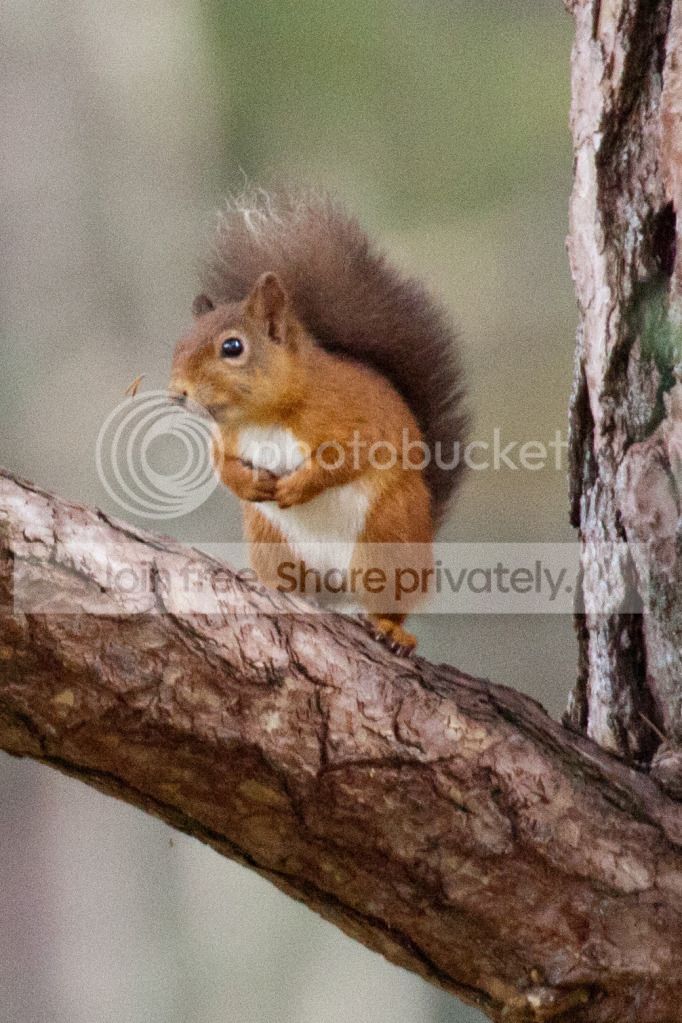
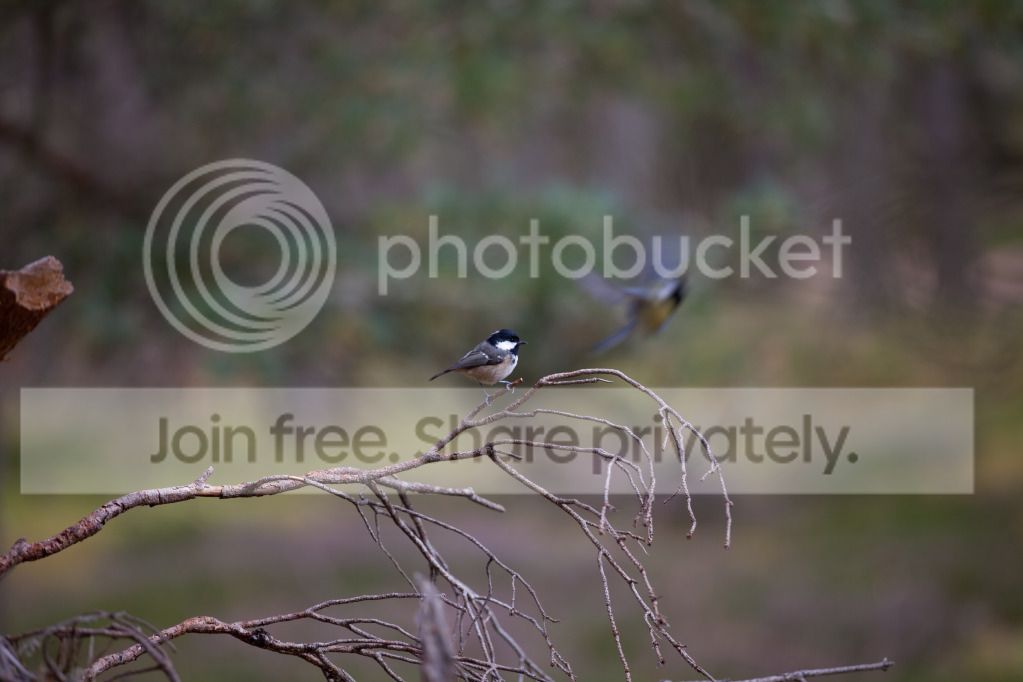
Guys, the images of the crested tit and the tiger are both cropped - the crested tit more so but I would still have expected better images.

I'm not totally sure how to check what focus point I've been using, I can't see it in the exif.

I took these this morning using the full auto mode. Here's both the original and a crop I would like to use. I think these are better but still not as sharp as I'd like.
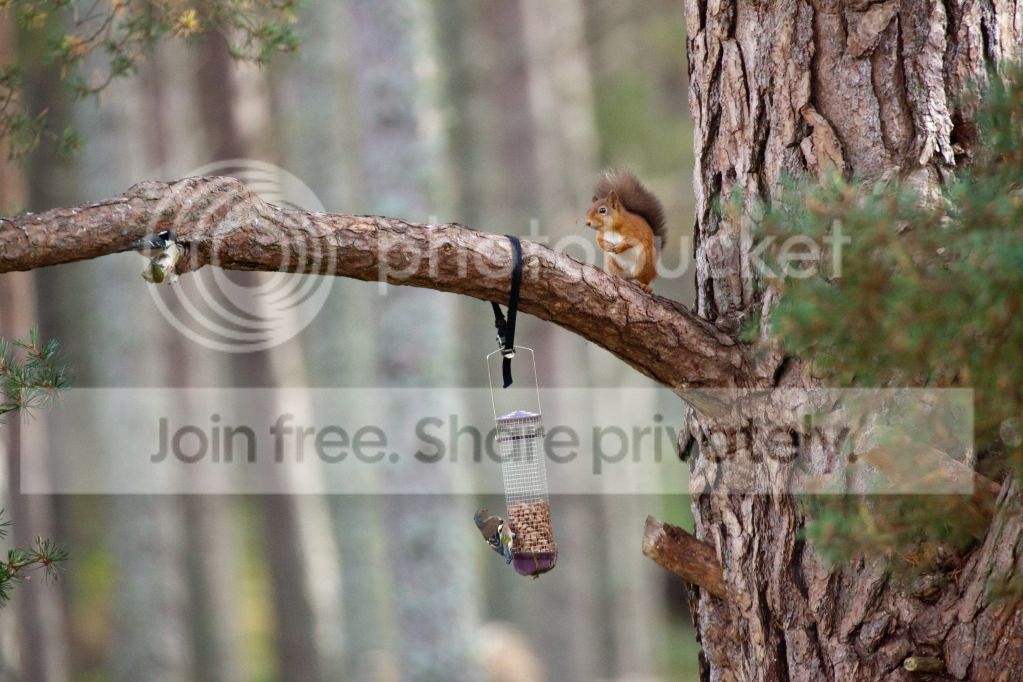
IMG_5161_zps8f277b96.jpg


full shot

IMG_5161-2_zps3afd69f1.jpg


crop
 
There is nothing wrong with your camera or your lens. Look at the tree - perfectly focused. Your problem is that you are not focussing correctly on your specific subject and then you are cropping the image far too much. The camera doesn't automatically know that you want the squirrel in perfect focus. It will pick the most obvious part to focus on (the tree is a lot bigger than the wildlife) and that's why your squirrel is ok but not pin sharp.

Are you using the viewfinder to get the shot or are you using live view on the rear screen?

Try to point your camera directly at your subject. Check out how it actually works and RTFM!!!! By the look of things, you have picked-up a 5DII as a starter camera. A bit like giving a seventeen year-old a Ferrari for a first car.

Try switching the lens to MF (manual focus) and do the job yourself. You'll get a far better result assuming your eyes can see what's right and what's not.:thumbs:
 
You are cropping far too heavily I think. By the time you have cropped as much as you have, there are very few pixels left,hence the degradation in your pics.

My opinion only I hasten to add.
 
There is nothing wrong with your camera or your lens. Look at the tree - perfectly focused.
I don't like the look of that tree : reminds me of (but not as bad) an old Soviet lens I disassembled which became much sharper after reassembly.
I'm tempted to suggest the lens might be part of the problem, but as we've seen odd settings being used up to now ...
Check the rear of your lens for smudges : no, really! :|
 
I don't like the look of that tree
Wasn't that a line from 'Poltergeist'? :lol:

I am referring to the tree trunk in the right quarter of the first frame which is closer to the lens than the branch. That's where I believe the focus point to be. The branch and the squirrel are not quite in focus. I wonder what F-stop was being used as I can't see Exif.
 
Try setting the central focus point as the only focus point and try again. Ensure that that point is exactly where you want the sharpest part of the photo to be. On the above shot that would be the squirrels eye.

As above, parts of the tree look perfectly sharp (in the uncropped version).

Where the squirrel is on the ground, the twigs to the left and slightly in front (as we look at it) on the ground again look perfectly sharp.

I think your main issue therefore is that you (or the camera) are not selecting the right part of the scene as the focus point.

Changing from Canon to Nikon won't help where it is 'user error'. If the above images were the best that a Canon could do then they would soon be out of business!!

No offence intended, but maybe it is time to get the manual out or find someone who can show you how to set up the focus points etc.

I would also be tempted to advice you to try AV mode, rather than manual mode, until you get a hang of the camera.

Of course, you may have a totally dodgy lens and you should let me take it off your hands for a fiver :naughty:
 
Before you do anything else, do the following

Set the camera on a tripod
Turn off IS
Tape a newspaper on a wall about 15ft away.
Take several shots at ISO100 (or as low as possible) using f2.8 F4 F8 F11
Post the full size of each and then a crop (100%) of each
Make sure you focus on the same spot (draw a circle or something on the paper about the size of a pound coin) and show the crop of that.
I think you will be pleasantly surporised that its not the lens / camera

This will then show you the most favourable aperture, and whether your lens has a front / back focus issue. I doubt the issue is with the equipment, more pilot error or setup.

I had the same issue as you with a 24 105 and a 5dmk11....I kept doubting the equipment, turned out to be user error. I was simply rushing the shot, too much pressure, unstable stance / grip etc.

The 5dmk2 is awesome, but will show up the smallest technique fault.
 
-set AF point to centre point only
-use Av
-set aperture to f8 (alternatively do what gpc1 posted first, then use the sharpest aperture)
-set ISO to auto
-turn off Live view and look through view finder.
now take a few shots with subject right in the centre of frame, don't crop and post the results. also tell us exactly where you focused and whether IS was on or it was on a tripod.

there's no way to tell if it's equipment fault when you heavily crop a photo, focusing on the wrong subject AND use 1/8000s at ISO 6400!


finally, it would help if you learn about this focus-recompose method.
http://photo.tutsplus.com/articles/theory/mastering-two-alternate-focus-techniques/
 
Last edited:
-set AF point to centre point only
-use Av
-set aperture to f8 (alternatively do what gpc1 posted first, then use the sharpest aperture)
-set ISO to auto
-turn off Live view and look through view finder.
now take a few shots with subject right in the centre of frame, don't crop and post the results. also tell us exactly where you focused and whether IS was on or it was on a tripod.

there's no way to tell if it's equipment fault when you heavily crop a photo, focusing on the wrong subject AND use 1/8000s at ISO 6400!


finally, it would help if you learn about this focus-recompose method.
http://photo.tutsplus.com/articles/theory/mastering-two-alternate-focus-techniques/

I think the OP needs to master focusing on the subject first before you complicate it with focus and recompose, which in itself can add focusing problems if you haven't mastered the basics.
 
Ouch the ferrari comment hurt a little...I used to own a 550d and had none of the issue I have with the 5d. Look at my Flickr stream

I'm using the viewfinder and I'm aiming directly at the squirrel, I do that with any of the shots I take. I've just tried a few manual focus shots and I'm getting the same results as I did with this last squirrel one...

Still think it's user error, do I need a better lens to get the kind of shots I want - I read a lot of good things about the 70-200mm hence the big purchase.
 
Just seen all those new comments after I posted...

The Exif for the latest cropped squirrel:

Camera Make: Canon
Camera Model: Canon EOS 5D Mark II
Date/Time: 2012:09:18 08:25:30
Resolution: 682 x 1023
Flash Used: No
Focal Length: 400.0mm (35mm equivalent: -21...
Exposure Time: 0.0040 s (1/250)
Aperture: f/5.6
Focus Dist.: 23.80m
ISO Equiv.: 3200
Whitebalance: Auto
Metering Mode: pattern
Exposure: program (auto)
======= IPTC Data: ====
 
Ouch the ferrari comment hurt a little...I used to own a 550d and had none of the issue I have with the 5d. Look at my Flickr stream

I'm using the viewfinder and I'm aiming directly at the squirrel, I do that with any of the shots I take. I've just tried a few manual focus shots and I'm getting the same results as I did with this last squirrel one...

Still think it's user error, do I need a better lens to get the kind of shots I want - I read a lot of good things about the 70-200mm hence the big purchase.

But the squirrel isn't in the centre of the shot! Is the camera set up with a single point focus point set to the right hand side (as you look through the viewfinder where does the focus point light up?).
 
I'm going to PM you my email. Send me the full size squirrel shot straight out of the camera with no cropping or PP.
 
IMG_5161_zps8f277b96.jpg


I'm using the viewfinder and I'm aiming directly at the squirrel

NO you're not!!!

If this is the original uncropped picture then the squirrel is clearly not in the centre of the frame.:thinking:

The centre of the frame is just to the left of the buckle holding the bird feeder!!!
 
Are you using a 2x converter the 400mm looks that way. I know you have is but maybe a bit faster shutter speed. You are certain the camera is set for center focus point not one of the other points.

I would really like a shot without the converter maybe that it the issue. 2x are only good to a point if I was you perhaps at full 400mm length I would use f 8 and 1/ 400th second or faster.
 
Are you in AI servo or one shot mode?
 
I took these this morning using the full auto mode. Here's both the original and a crop I would like to use. I think these are better but still not as sharp as I'd like.

IMG_5161_zps8f277b96.jpg

Well, in addition to the other problems (mainly being too far away) I've found another. You've boosted the exposure of this image by +1.6 in Lightroom! That is what's mainly responsible for the noise in the image.

When shooting anything it's important to know when to give up. Your shutter speed is too slow (1/250s) for the focal length (400mm). To get a decent shutter speed you'd need to increase the ISO. But the scene is so dark that you'd need to be shooting at ISO12,800 to get that sort of shutter speed without boosting the exposure in LightRoom.

This is the sort of shot where the camera goes back in the bag and you just enjoy the view. While planning how to get 5x closer the next time the weather's nice.
 
I would have to agree with some of the others you need to do a valid test on a static subject. I would look to position a number of items on a ledge/ flat surface and stick you camera on a tripod IS off and use 100 iso....(also 2 second timer to avoid camera shake)

Keep your camera in one location and shoot each object in turn from a side aspect so you see if the lens is forward or back-focusing....I would not shoot the subject straight on due to the focal plane covering all the items....

You may find the issues are due to small apertures with a moving subject or if you have focus and then recomposed...

An example.....

Your lens full extended to 200mm
Your subject is around 16ft away
you F/stop set to 2.8
you now have a depth of field of around 10cm.....that’s not a lot of scope to nail a pin sharp subject if it's also moving.....this I supposes shows those guys that do this have fair bit of skill and know the kit to nail that perfect pin-sharp shot...(no offense by this… I hope)

Dan.
 
I'm sorry to disappoint you, but a 2x converter on a 70-200 is just a horrible combination. It does look like your lens is front focusing some, but it's still a horrible combination.
 
I'm sorry to disappoint you, but a 2x converter on a 70-200 is just a horrible combination.
Have to agree. All the benefits of that lens are being lost with the converter. You would achieve better results with the 400 F5.6L than you will with the 70-200+2x.
 
Ok firstly thanks for sticking with me on this one guys.

The squirrel isn't in the centre, you're right. I took this shot whilst on the tripod with a 2 second timed shot. So I focused on the eye of the squirrel and then let go of the camera and hit the shoot button, the camera naturally moved back to it's position - I was under the impression this is what I should do.

I've just been out to try and get very close to the subject as mentioned by hollis_f and I got this, which I think is better:

IMG_5182_zpse679dbe4.jpg


The23rdman - would you suggest a prime lens for the kind of stuff I'm wanting to do!?
 
I'm sorry to disappoint you, but a 2x converter on a 70-200 is just a horrible combination. It does look like your lens is front focusing some, but it's still a horrible combination.

Have to agree. All the benefits of that lens are being lost with the converter. You would achieve better results with the 400 F5.6L than you will with the 70-200+2x.

Hum, I've got the 2x TC and the mk1 70-200 f2.8IS and it's not a bad combination at all. I prefer my 100-400, but the 70-200 & 2x TC comes close.
 
I've just been out to try and get very close to the subject as mentioned by hollis_f and I got this, which I think is better:

You're still too far away, birds really need to fill 1/4 of the frame height to stand any chance of producing a good image. And I'm not sure why you would shoot at 175mm, rather than 200mm.

You've dropped the ISO down to ISO125, which will keep the noise down. But it has meant the shuuter speed is still a bit low at 1/160s. I'd have used ISO400, f4 and 1/500s or thereabouts.

But the main thing is - get a lot closer. Or get a longer lens, like the 100-400 or the 400 f5.6 or one of the Sigma thingies.
 
Hum, I've got the 2x TC and the mk1 70-200 f2.8IS and it's not a bad combination at all. I prefer my 100-400, but the 70-200 & 2x TC comes close.

I never liked a 2X with my old mkI so sold the teleconverter to Kippax (sports photographer on here) who seemed very happy to use it with his mkII 70-200. It won't be ideal but I am not sure it would be wholly responsible for the quality of these shots. Something else is going on.
 
And I'm not sure why you would shoot at 175mm, rather than 200mm.

You've dropped the ISO down to ISO125, which will keep the noise down. But it has meant the shuuter speed is still a bit low at 1/160s. I'd have used ISO400, f4 and 1/500s or thereabouts.

Didn't realise it was at 175mm, that was just user error.

As for the settings, I used the auto mode so that was just what the camera had picked for me. I used to shoot in Av Mode on my 550d and that worked pretty much every time for me, I can't seem to do that with the 5D at all as I just get blurry shots all of the time.
 
Its still front focusing by the looks.
 
i think good lighting is the key here, none of those shots seem to have it :( unfortunately there's not much you can do apart from ditch teleconverter and get closer to make use of that f2.8, where it's probably sharpest at f4.

5D2 certainly isn't the problem. i don't shoot these shots often, but managed to catch this with 5D2 when i went to a zoo:
7958182400cebd03b321c.jpg


that's with a cheap £120 Tamron 70-300mm f4-5.6, no VC with old noisy slow AF motor, hand held.


the camera in Auto mode selected 1/160s because it thought you were at 175mm. you could try Shutter speed priority at 1/400s, or 1/600s with teleconverter.

also, don't be afraid to up ISO, but at the same time try to get the shot first time round. post processing such as increase exposure or clarity or sharpening will add noise, stay away from them.
 
The squirrel isn't in the centre, you're right. I took this shot whilst on the tripod with a 2 second timed shot. So I focused on the eye of the squirrel and then let go of the camera and hit the shoot button, the camera naturally moved back to it's position - I was under the impression this is what I should

I'm not sure why you would have used a 2 second timer to capture the squirrel it would/could have moved in that time, You would need to be nailing that shutter button when required....The tripod is just to keep you steady in the hand to rule out camera shake and your arm from falling off while waiting for the prime shot...thou I could be wrong.

I would like to see some of the test shot scenarios that have been mentioned...I would really do this 1st to rule out forward or back focusing.

Dan.
 
Didn't realise it was at 175mm, that was just user error.

As for the settings, I used the auto mode so that was just what the camera had picked for me. I used to shoot in Av Mode on my 550d and that worked pretty much every time for me, I can't seem to do that with the 5D at all as I just get blurry shots all of the time.

Well why not try AV with the 5D rather than manual as per your original few posts?
 
... I took this shot whilst on the tripod with a 2 second timed shot. So I focused on the eye of the squirrel and then let go of the camera and hit the shoot button, the camera naturally moved back to it's position - I was under the impression this is what I should do.
Now I'm puzzled about what this sequence of events was, sorry to sound finnicky.
I'm guessing the "shoot button" is on a remote and you're using 2-second timer to eliminate tripod wobble ... but is that the case? And if the camera is moving when you let it go ... did you have it under some kind of tension against the tripod's alignment while focusing?

One other thing : can someone check on Av behaviour between the 550D and the 5DII? Maybe there's something obvious being missed.
 
Now I'm puzzled about what this sequence of events was, sorry to sound finnicky.
I'm guessing the "shoot button" is on a remote and you're using 2-second timer to eliminate tripod wobble ... but is that the case? And if the camera is moving when you let it go ... did you have it under some kind of tension against the tripod's alignment while focusing?

One other thing : can someone check on Av behaviour between the 550D and the 5DII? Maybe there's something obvious being missed.

Had me confused as well.
 
Didn't realise it was at 175mm, that was just user error.

As for the settings, I used the auto mode so that was just what the camera had picked for me. I used to shoot in Av Mode on my 550d and that worked pretty much every time for me, I can't seem to do that with the 5D at all as I just get blurry shots all of the time.

Hi if you mean auto on the mode dial the camera selects the focus point. if you half press the shutter for focus and let go of the camera you will loose focus when you press again.

Try what used to work on the 550 Av try maybe f8 and put the iso at 3200 see if the shutter is fast enough.

Remember the dof is very small at f5.6 and at say 70 feet only 12 inches or so on full frame. When i moved from the 7D for full frame i had to use more stopped down or the dof was not enough that may be what you are finding

A prime 400mm is only the same focal length as your using now so getting close would be good

Good luck :)

Good luck
 
Last edited:
This is the bit that has people confused. How and why is your camera moving when you 'let it got'?

Because the tripod isn't absolutely fluid when it moves, it springs back to it's position. I had to move it a little to get the focus on the eye of the squirrel and then it moved back to its position - does that make sense?
 
Because the tripod isn't absolutely fluid when it moves, it springs back to it's position. I had to move it a little to get the focus on the eye of the squirrel and then it moved back to its position - does that make sense?

Sorry, but no it doesn't make sense. The tripod shouldn't move at all. You move the camera on the tripod head and lock it in position. Pressing the shutter release button shouldn't make the camera move at all.

If the camera or tripod move after you release the shutter then something is wrong and the focus point will move, hence the problems you are having.
 
Thanks Ploddles. The tripod was set on the feeder, I moved the camera to focus on squirrel and when I let go it bounced back on to the feeder. It's a decent tripod but I didn't move it to focus on the squirrel I only moved the camera without touching the release screw on the tripod.

I fear this tripod thing has superseded my issue. Surely the point of an f/2.8 with IS should mean I don't need a tripod for these kinds of shot...?
 
Thanks Ploddles. The tripod was set on the feeder, I moved the camera to focus on squirrel and when I let go it bounced back on to the feeder. It's a decent tripod but I didn't move it to focus on the squirrel I only moved the camera without touching the release screw on the tripod.

I fear this tripod thing has superseded my issue. Surely the point of an f/2.8 with IS should mean I don't need a tripod for these kinds of shot...?

That will be why your focus is off then, the camera moved after you focused.

You shouldn't need the tripod as long as you can keep your shutter speed at the reciprocal of the focus length.

I.E if you are shooting at 200mm keep the shutter speed at or above 1/200s,
or with the 2x extender, 200mm X 2 = 400 so shutter speed of at least 1/400s. This should eliminate any focus issues due to camera shake.
 
IS isn't going to be that useful for moving targets - it's not designed for that really. You need a high shutter speed and burst capture to get a sharp one. How you did it will work once in a thousand.

Have you tried the focus tests yet? That's what will determine user error or not.
 
Back
Top