1TB HDD

strobemonkey

Suspended / Banned
Messages
2,029
Name
call me anyhting u want
Edit My Images
Yes
I'm running out of space, I need 1Tb HDD.
Can you please help me find the best bang for buck HDD.

Cheers
 
jeez and i thought filling my old 160gb was impressive (for me it was lol)
 
Thanks Michael and Dave. Ordered it!
 
Kudos to ebuyer. I ordered Sunday, I received a mail saying its dispatched, and I'm surprised its delivered today!

I'm formatting the HDD now.
 
Glad to be of help. Now..... as I'm somewhat unlucky when it comes to all types of hardware.....don't blame me if it packs up prematurely! :D
 
Glad to be of help. Now..... as I'm somewhat unlucky when it comes to all types of hardware.....don't blame me if it packs up prematurely! :D


:lol::lol::lol:
 
please don't forget to back it up somehow or keep genuinely replaceable data only on it... :)
 
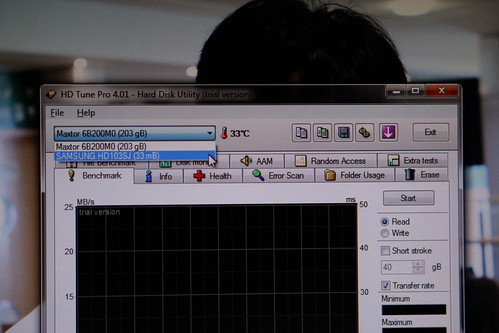
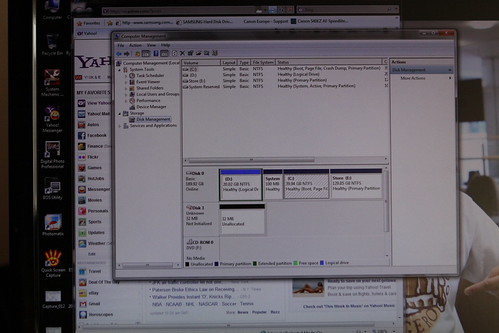
I don't know what went wrong but I managed to make 3 partitions with 300GB each approx yesterday then managed to copy a few GB of files.

Today its showing 33mb only.

Any ideas????

 
No idea :) Does explorer see it the same?

Why partition it? It is one drive so I'd leave it as one partition.
 
No idea :) Does explorer see it the same?

Why partition it? It is one drive so I'd leave it as one partition.

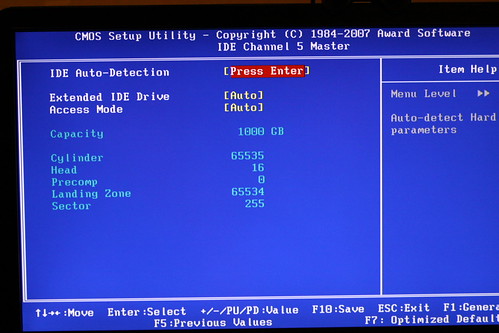
Yes, explorer sees it the same. I tried different configuration in my BIOS, and it detects it but only 33Mb. Its weird.
I partition it because I use one partition as scratch/junk drive, and the other for saving important files, the other for other bits I want to protect and hide.

If I can't find anything on the net, I'll RMA tomorrow.

Now I beleive in the saying you get what you pay for.
 
If you don't solve the problem, I got a WD Green 1Tb a few months back and its been running fine, apparently not the fastest drive among the competitors, but that wasn't a priority for me as it was just for storing video rather than a main drive.

Saying that, Samsung drives have always proven to be very reliable for me, one lasting 7 years , the other around five. I suppose its just luck.
 
Tried all sorts, even updated my bios, checked cables etc... still the same.

Its now packed ready to go back to ebuyer. Can't decide whether to have it replaced or buy different brand.
 
Had a quick google on this and it is not that uncommon. Seems to be down to a bios problem with Gigabyte motherboards. It screws the drive up and you then can't repair it on a Gigabyte mainboard... but you can on another brand mobo using the drive makers repair tools software. So your drive probably isn't faulty if you have a Gigabyte mobo.

I put '1Tb reports as 33mb' into google.
 
Had a quick google on this and it is not that uncommon. Seems to be down to a bios problem with Gigabyte motherboards. It screws the drive up and you then can't repair it on a Gigabyte mainboard... but you can on another brand mobo using the drive makers repair tools software. So your drive probably isn't faulty if you have a Gigabyte mobo.

I put '1Tb reports as 33mb' into google.

Thanks

Will try again tomorrow.
 
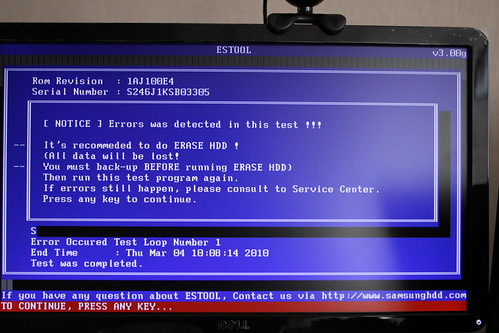
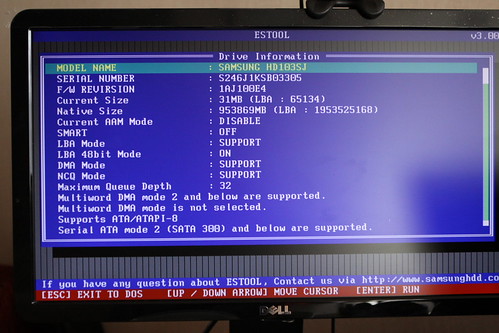
I have downloaded estools from samsung website and ran the diagnostic tool.
It reported error and after formatting the disk, it still reports as 32mb capacity.

The disk will be collected tomorrow.

clickable pics:


Just out of curiosity was it a Gigabyte motherboard? The bit I read said you can't fix the problem on a gigabyte board but you can on any other make.
 
I'm not convinced this is a faulty H/D, seems like a config problem, probably some sort of LBA limit at a guess.
 
Just out of curiosity was it a Gigabyte motherboard? The bit I read said you can't fix the problem on a gigabyte board but you can on any other make.

Sorry forgot to say its a gigabyte mb.
 
I'm not convinced this is a faulty H/D, seems like a config problem, probably some sort of LBA limit at a guess.

Me too, that's why I unpacked it last night and used estools again. And I managed to resurrect it. I just did a trial and error on the different settings in estool.

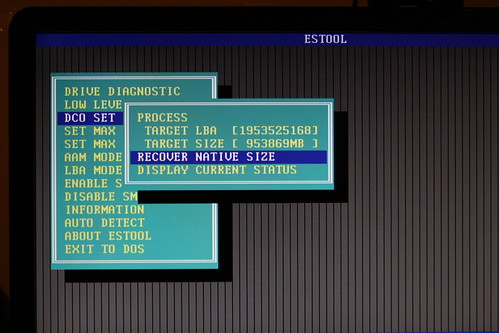
In estool, there is an option called DCO set. I have no idea what this does, but I tried it anyway. Under DCO set, I chose "Recover Native Size" then "Process". The result was fantastic! The HDD is back.


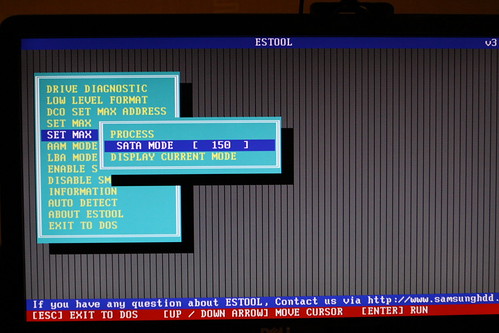
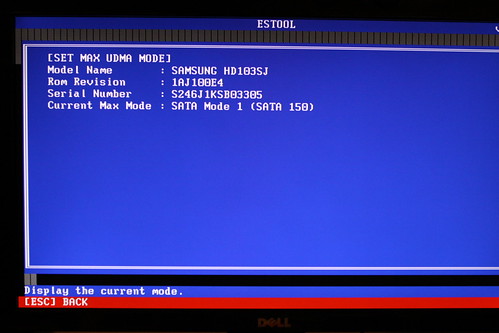
The paperworks that came with the HDD mentioned about incompatibility with some old motherboards and you have to manually select 150Gb/s setting etc. Samsung has a different tool do to just that.

But there's also a setting in estool that does it:


The drive is working perfectly now... at least for now.


I used the same PC with the same Gigabyte motherboard.

I'm a very happy monkey now!

==================

Had a quick google on this and it is not that uncommon. Seems to be down to a bios problem with Gigabyte motherboards. It screws the drive up and you then can't repair it on a Gigabyte mainboard... but you can on another brand mobo using the drive makers repair tools software. So your drive probably isn't faulty if you have a Gigabyte mobo.

I put '1Tb reports as 33mb' into google.

=========================


Special thanks to you RobertP.
 
Last edited:
Good to see it is sorted. Can't say I read all the hits on how to sort the problem just the first one I clicked :)

If I recall correctly it should stay OK as the bios update stops the problem.
 
Good to see it is sorted. Can't say I read all the hits on how to sort the problem just the first one I clicked :)

If I recall correctly it should stay OK as the bios update stops the problem.


:|:|:|

I have actually reverted back to my old bios version as the updated one wont allow the pc to shutdown:lol::lol::lol:.

:D:D:D
 
I think I can say ....... wearing tin hat and gingerly poking my head above the parapet..... that I am NEVER going to recommend anything again to anybody on TP :$ . So, all those 'what tripod' and 'which bag' questions which I would have eventually got round to answering (after my retirement, probably)....well, now it's never. :sulk: But, I did warn you I'm unlucky!

I did read a lot of the google finds on this problem, and it's not limited to this Samsung drive. Other brands suffer too. I have a Gigabyte board myself and have three of these drives, all ok. The board is a new model though.

One of the google results coughed up a reply from somebody who'd fixed the problem from within the windows device manager. But you've fixed it now anyway. So I'll go back to 'Nice shot' and 'crisp, sharp colours' advice replies from now on. :D
 
Back
Top