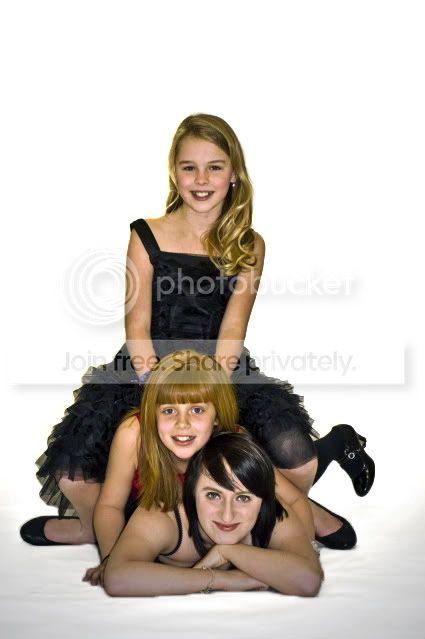
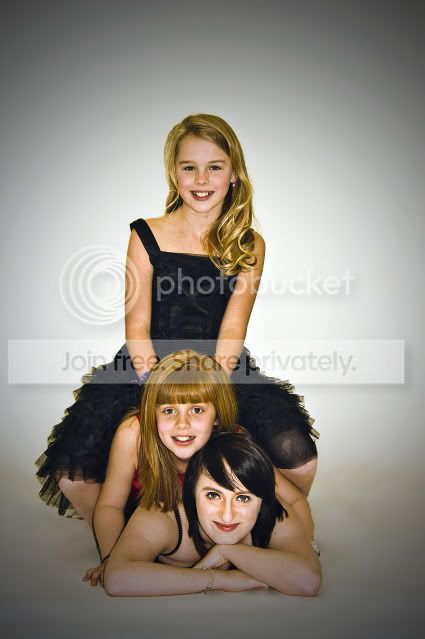
1st studio shoot

debrito

Suspended / Banned
Messages
1,410
Name
Paul
Edit My Images
Yes
hi did my first studio shoot on Saturday and was way out of my depth im glad i wasn't getting paid ,it was for my daughter and some of here friends just to have a play around at a so called fashion shoot lol
i struggled like mad with the lights but hey its all about learning and was a fantastic experience

can any one put me onto a tutorial to get rid of shadow to the left of the girl on the top
thanks
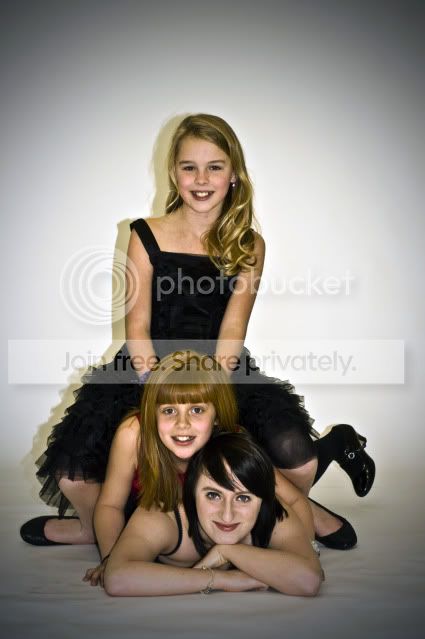
DSC04752.jpg
 
I would probibly set a levels adjustment layer to match the shadow to the rest of the background and layer mask the rest. Then touch up with the clone stamp/healing brush to remove the join.
Or Duplicate layer, Clone stamp set to lighten, large soft brush and lowish opacity and paint it out. Don't worry about going over the girls as you can mask it out to show the original layer.

Next time increasing the distance between the subjects and the back wall will reduce the shadow.
 
I would probibly set a levels adjustment layer to match the shadow to the rest of the background and layer mask the rest. Then touch up with the clone stamp/healing brush to remove the join.
Or Duplicate layer, Clone stamp set to lighten, large soft brush and lowish opacity and paint it out. Don't worry about going over the girls as you can mask it out to show the original layer.

Next time increasing the distance between the subjects and the back wall will reduce the shadow.

don't suppose you have a step by step guide ! lol for any of those ideas ?:thumbs:
 
Next time increasing the distance between the subjects and the back wall will reduce the shadow.


never done any studio shots, but will keep that in mind in general on shots etc.
 
how close were they to the background from what ive read you want 6 ft ish between bg and subject
 
how close were they to the background from what ive read you want 6 ft ish between bg and subject

yes i got that now i was looking for some tutorials on how to clone it out
but thanks :thumbs:
 
Hi. You can probably rescue it a bit. Retouch Pro is a good forum with lots of tutorials. I remember a similar question and one solution might be to duplicate the later, shift it horizontally so the shadow area is replaced by the background and then erase what you don't need.
 
following on from above photoshoot
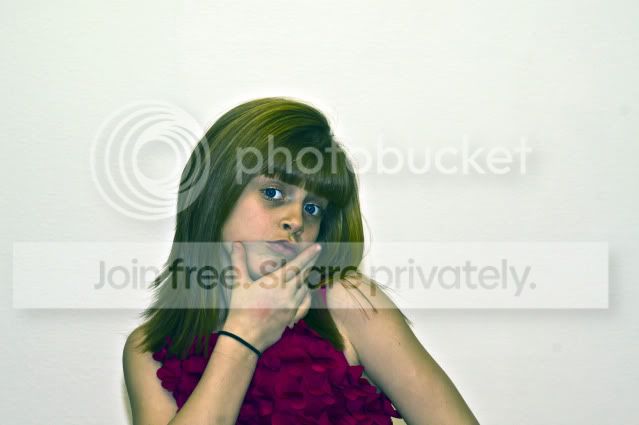
i seem to be getting a green cast in some images ?? forget about the bad pp i been messing with some ideas lol
it the colour cast thats bothering me ? any ideas
lauren.jpg
 
Last edited:
As you can see the hair colour is definitely different in both shots

Also can anyone suggest a work load resizing, (what size should i use) sharpening (should i do more for website dismaying) and should i up the contrast ?
any help would be greatfull
 
Last edited:
anyone please or have i got this in the wrong place:bang:
 
might be better to start a new thread about it mate with it in the title as people may think its just people commenting on the first issue and not know about the seperate issue
 
A little late in the thread but have a look at Strobist for lighting help. It's pretty easy to follow, especially if you work through the Lighting 101 & 102 tutorials.

I'm really not trying to spam the forum with Strobist links!
 
Back
Top